การแนะนำ
The Amazon Fire HD 8 tablet is designed for portable entertainment and productivity. Featuring an 8-inch HD display and a faster hexa-core processor, it offers an enhanced experience for reading, browsing, watching videos, and listening to music. This manual provides essential information for setting up, operating, maintaining, and troubleshooting your device.

Image: The Amazon Fire HD 8 tablet, highlighting its compact and portable design.
การตั้งค่า
มีอะไรอยู่ในกล่อง
- แท็บเล็ต Fire HD 8
- สาย USB-C (2.0)
- อะแดปเตอร์ไฟฟ้า 5W
- คู่มือเริ่มต้นอย่างรวดเร็ว
ค่าธรรมเนียมเริ่มต้น
Before first use, fully charge your Fire HD 8 tablet. Connect the USB-C cable to the tablet's USB-C port and the 5W power adapter to a wall outlet. A full charge takes approximately 5 hours with the included adapter. For faster charging, a 9W adapter (under 3 hours) or a 15W adapter with a USB-C to C cable (under 2.5 hours) can be purchased separately.
การเปิดเครื่องและการตั้งค่าเริ่มต้น
Press and hold the power button until the Amazon logo appears. Follow the on-screen prompts to select your language, connect to a Wi-Fi network, and register your device with your Amazon account. This process will guide you through setting up your device preferences.
วิธีใช้งานแท็บเล็ต Fire HD 8 ของคุณ
การนำทางและอินเทอร์เฟซ
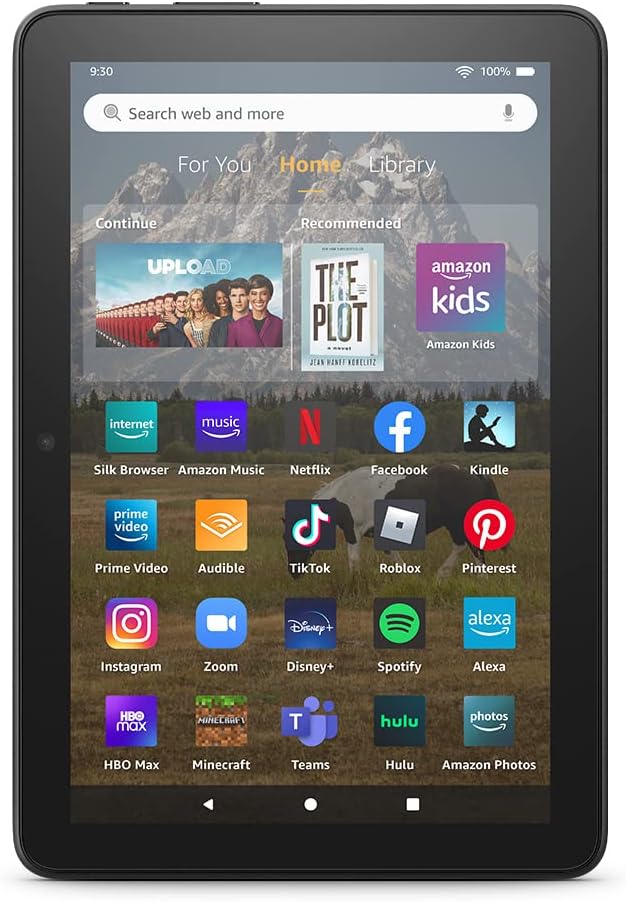
Image: The Fire HD 8 home screen, showing the intuitive Fire OS interface with quick access to apps and content.
The Fire HD 8 runs on Fire OS, providing a user-friendly interface. Swipe down from the top of the screen to access quick settings and notifications. The home screen features a "For You" section with personalized content, a "Home" tab for your apps, and a "Library" tab for quick access to recently viewed content like Kindle books or webเว็บไซต์
Entertainment and Apps
Stream or download your favorite shows and movies from services like Prime Video, Netflix, Disney+, and HBO. Access a wide range of apps through Amazon's Appstore, including Facebook, Hulu, Instagram, and TikTok. Note that Google Play is not supported, and some apps may require a subscription.
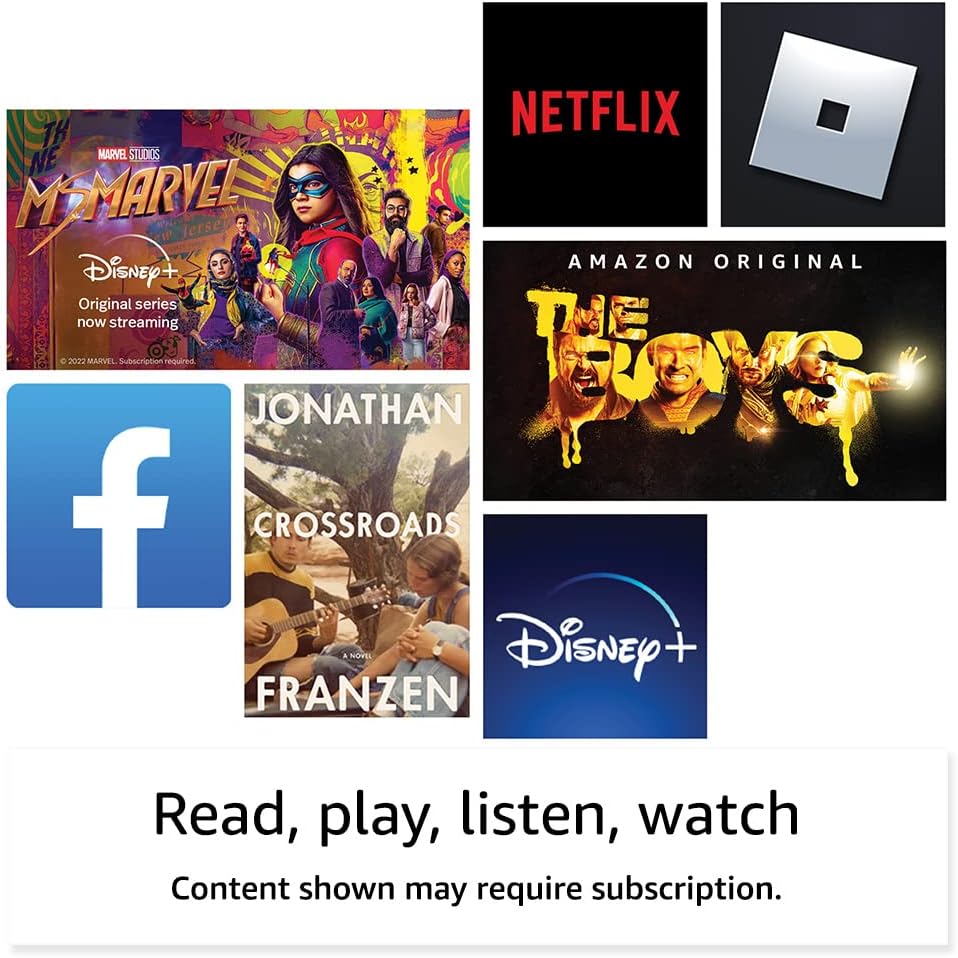
ภาพ: อดีตamples of popular streaming services and content accessible on the Fire HD 8 tablet.
Reading and Audio
Enjoy reading e-books with the vibrant 8-inch HD display. The tablet also features integrated speakers and a 3.5 mm stereo jack for audio. You can listen to music, podcasts, and Audible books.

Image: The Fire HD 8 tablet is ideal for reading e-books anywhere.

Image: Using Alexa to control audio playback on the Fire HD 8 tablet.
การบูรณาการ Alexa
Your Fire HD 8 tablet comes with Alexa built-in. Ask Alexa to play music, get news and weather updates, manage shopping lists, set reminders, and control smart home devices. You can also make video calls to friends and family using apps like Zoom.
Parental Controls with Amazon Kids
Amazon Kids offers easy-to-use parental controls, allowing you to manage content access and screen time. Subscribe to Amazon Kids+ for access to thousands of curated books, apps, games, videos, and Audible books suitable for children.

Image: The Fire HD 8 tablet is suitable for family use, especially with Amazon Kids features.
การซ่อมบำรุง
การทำความสะอาดแท็บเล็ตของคุณ
To clean your Fire HD 8 tablet, use a soft, lint-free cloth. For stubborn smudges, slightly dampชุบผ้าด้วยน้ำ หลีกเลี่ยงการใช้น้ำยาทำความสะอาดที่มีฤทธิ์กัดกร่อน ตัวทำละลาย หรือสเปรย์ฉีดลงบนอุปกรณ์โดยตรง
การดูแลแบตเตอรี่
The tablet offers up to 13 hours of battery life for mixed use. To prolong battery lifespan, avoid extreme temperatures and fully discharging the battery frequently. Charge the device using the provided adapter or a compatible USB-C charger.
การจัดการการจัดเก็บข้อมูล
Your Fire HD 8 comes with either 32 GB or 64 GB of internal storage. You can expand storage up to 1 TB using a microSD card. Regularly review และลบสิ่งที่ไม่จำเป็นออก files or apps to optimize performance. Some apps may require installation on internal storage.
การแก้ไขปัญหา
ปัญหาทั่วไปและแนวทางแก้ไข
| ปัญหา | สารละลาย |
|---|---|
| อุปกรณ์ไม่เปิด | Ensure the tablet is fully charged. Press and hold the power button for 20-30 seconds to perform a hard reset. |
| ปัญหาการเชื่อมต่อ Wi-Fi | ตรวจสอบว่าเปิดใช้งาน Wi-Fi อยู่ในการตั้งค่าหรือไม่ รีสตาร์ทเราเตอร์และแท็บเล็ต ลืมเครือข่ายแล้วเชื่อมต่อใหม่ |
| แอปขัดข้องหรือค้าง | Close and reopen the app. Clear the app's cache in settings. Restart the tablet. Ensure sufficient storage space. |
| ประสิทธิภาพการทำงานช้า | Close unused apps. Clear cache and data for frequently used apps. Free up internal storage. Restart the device regularly. |
สำหรับการแก้ไขปัญหาโดยละเอียดเพิ่มเติมหรือปัญหาที่เกิดขึ้นอย่างต่อเนื่อง โปรดไปที่ฝ่ายสนับสนุนอุปกรณ์ Amazon webไซต์หรือติดต่อฝ่ายบริการลูกค้าของ Amazon
ข้อมูลจำเพาะ

Image: Size comparison of various Amazon Fire tablet models, including the Fire HD 8.
| คุณสมบัติ | รายละเอียด |
|---|---|
| แสดง | 8” high-definition touchscreen; 1280 x 800 resolution at 189 ppi, HD video playback, with IPS technology |
| ขนาด | 7.94” x 5.40” x 0.37” (201.90 มม. x 137.34 มม. x 9.60 มม.) |
| น้ำหนัก | 11.88 ออนซ์ (337 กรัม) |
| ซีพียู & แรม | โปรเซสเซอร์เฮกซาคอร์ 2.0 GHz พร้อม RAM 2 GB |
| พื้นที่จัดเก็บ | 32 GB or 64 GB internal storage; microSD slot for up to 1 TB additional storage |
| อายุการใช้งานแบตเตอรี่ | ใช้งานแบบผสมผสานได้นานถึง 13 ชั่วโมง |
| เวลาในการชาร์จ | Under 5 hours (5W adapter); Under 3 hours (9W adapter); Under 2.5 hours (15W adapter) |
| การเชื่อมต่อ Wi-Fi | Dual-band 802.11a/b/g/n/ac (ไม่รองรับ Wi-Fi 6) |
| พอร์ต | USB-C (2.0) connector, microSD slot |
| เสียง | 3.5 mm stereo jack, integrated speakers |
| กล้องถ่ายรูป | 2 MP front-facing, 2 MP rear-facing with 720p HD video recording |
| บลูทูธ | บลูทูธ 5.2 ในตัว |
| รุ่น | รุ่นที่ 12 - วางจำหน่ายปี 2022 |
คุณสมบัติการเข้าถึง
The Fire HD 8 tablet includes various accessibility features to personalize the device for different needs. These can be found under การตั้งค่า → การเข้าถึงได้.
- เสียงView โปรแกรมอ่านหน้าจอ: Enables access for users who are blind or visually impaired.
- แว่นขยายหน้าจอ: ช่วยให้ผู้ใช้สามารถซูมเข้า/ออกและเลื่อนดูส่วนต่างๆ ของหน้าจอได้
- แตะเพื่อ Alexa: Provides access to Alexa via touch through on-screen tiles or a keyboard, including saving favorite actions.
- การเข้าถึงสวิตช์: Enables access for users with motor impairments via compatible Bluetooth devices.
- Kindle อ่านออกเสียง: Alexa สามารถอ่านหนังสือ Kindle ของคุณออกเสียงได้
- Additional features include settings for Closed Captioning, Font Size, Display Size, High Contrast Text, Color Inversion, Color Correction, and Convert Stereo to Mono audio.
การรับประกันและการสนับสนุน
ข้อมูลการรับประกัน
Your Fire HD 8 tablet comes with a 90-day limited warranty and service. Optional 1-year, 2-year, and 3-year extended warranties are available for U.S. customers and are sold separately. Use of the Fire HD 8 tablet is subject to Amazon's Conditions of Use and related terms.
การอัปเดตความปลอดภัยของซอฟต์แวร์
This device receives guaranteed software security updates for at least four years after it is last available for purchase as a new unit on Amazon webเว็บไซต์ สำหรับข้อมูลเฉพาะเกี่ยวกับอุปกรณ์ของคุณ โปรดไปที่ จัดการเนื้อหาและอุปกรณ์ของคุณ.
การสนับสนุนลูกค้า
หากต้องการความช่วยเหลือเพิ่มเติม โปรดไปที่ฝ่ายสนับสนุนของ Amazon website or contact Amazon customer service directly. You can find more information and support resources at amazon.com/devicesupport.


