1. บทนำ
This manual provides comprehensive instructions for the GOGUM Y99/G Replacement Bands for the Y99/G Fitness Tracker Smart Watch. It covers essential information regarding band replacement, charging, operating the fitness tracker's features, maintenance, and troubleshooting common issues. Please read this manual thoroughly to ensure proper use and care of your product.

Figure 1: Y99/G Fitness Tracker Smart Watch with replacement band.
2. การตั้งค่า
2.1 Replacing the Bands
The Y99/G replacement bands are designed for easy installation. To replace your existing band:
- Gently detach the existing band from the fitness tracker module. Most fitness trackers have a quick-release pin or a similar mechanism.
- Align the new replacement band with the tracker module.
- Securely attach the new band, ensuring it clicks into place or the pins are fully engaged. Verify that the band is firmly attached before wearing.
2.2 Charging the Fitness Tracker
While these are replacement bands, proper charging of your Y99/G Fitness Tracker is essential for its operation. The Y99/G tracker features a convenient direct USB charging design.
- Locate the USB charging end of your fitness tracker module.
- Ensure the metal strip of the tracker is in contact with the metal strip inside the USB port.
- Plug the tracker directly into any standard USB port (e.g., computer, USB wall adapter).
- โดยทั่วไปการชาร์จเต็มจะใช้เวลาประมาณ 2 ชั่วโมง
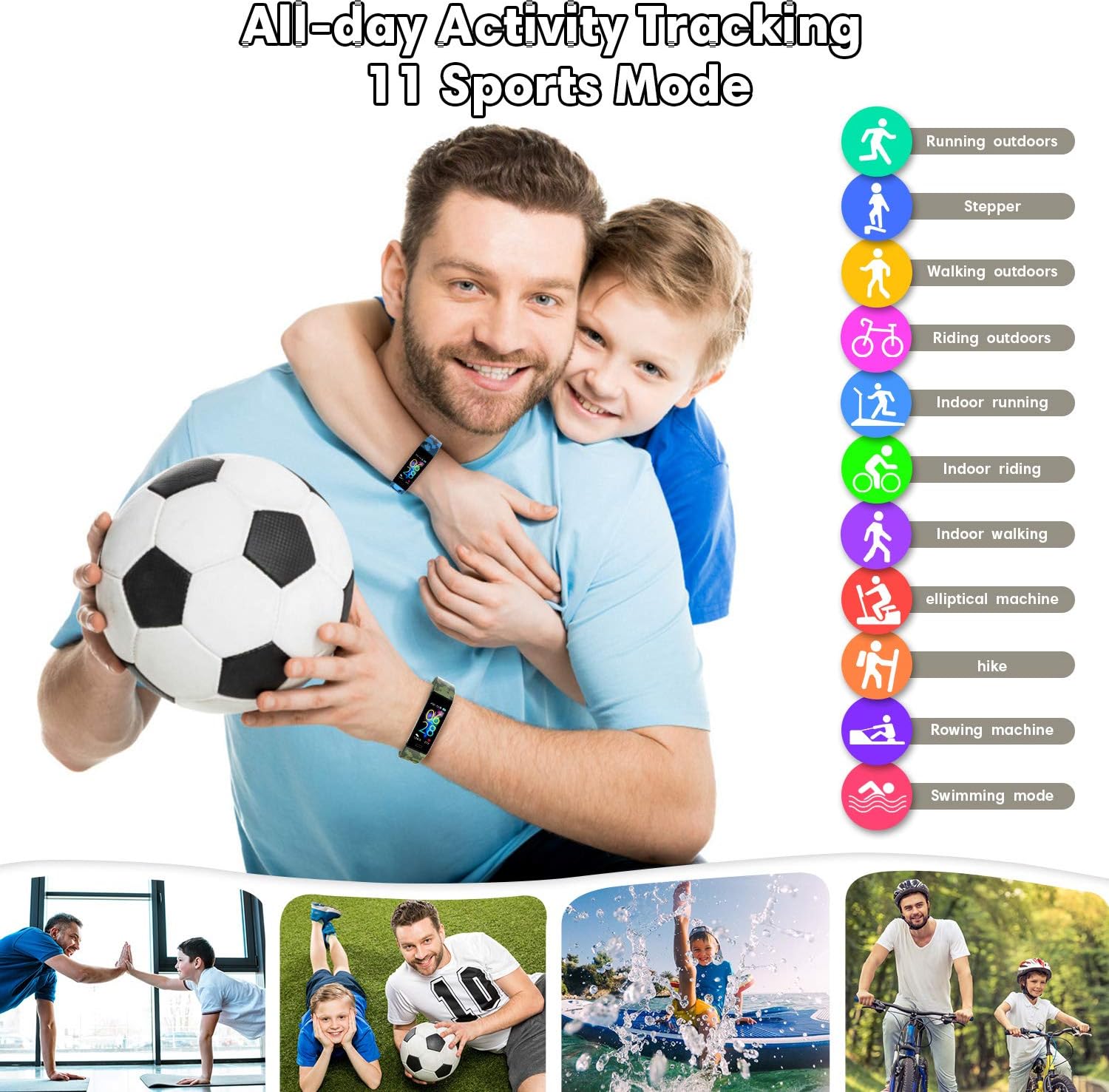
Figure 2: Illustration of the direct USB charging method for the Y99/G Fitness Tracker.
3. Operating the Fitness Tracker (with new bands)
Once the replacement bands are installed, your Y99/G Fitness Tracker is ready for use. The tracker offers various functions to monitor your daily activities and health.
3.1 การติดตามกิจกรรม
The Y99/G Fitness Tracker provides comprehensive activity tracking, including:
- จำนวนก้าว: Records the total number of steps taken throughout the day.
- อัตราการเต้นของหัวใจ: Monitors your heart rate in real-time or at set intervals.
- แคลอรี่ที่เผาผลาญ: Estimates the calories expended based on your activity level.
- ระยะทาง: Calculates the total distance covered.

Figure 3: Children participating in a race, illustrating the fitness tracker's ability to track steps, heart rate, calories, and distance.
3.2 Sleep Monitoring and Reminders
The tracker helps you maintain a healthy lifestyle with its sleep monitoring and reminder features:
- การติดตามการนอนหลับ: Tracks your sleep patterns, including deep sleep, light sleep, and wake-up times.
- นาฬิกาปลุก: Set silent vibrating alarms for gentle wake-ups or reminders.
- Wake-up Reminder: Provides alerts to help you stay on schedule.
- คำเตือนเรื่องการดื่มน้ำ: Prompts you to drink water at regular intervals to stay hydrated.

Figure 4: Collage showing a child sleeping, a person studying, a person wearing a sleep mask, and a person drinking water, representing the sleep monitoring, alarm clock, wake-up reminder, and drinking water reminder features.
โหมดกีฬา 3.3 โหมด
The Y99/G Fitness Tracker supports 11 different sports modes for more accurate tracking during specific activities:
- วิ่งกลางแจ้ง
- สเต็ปเปอร์
- เดินกลางแจ้ง
- Riding outdoors
- วิ่งในร่ม
- Indoor riding
- เดินในร่ม
- เครื่องออกกำลังกายแบบวงรี
- เดินป่า
- เครื่องพาย
- Swimming mode

Figure 5: A family playing soccer and engaging in various outdoor activities, highlighting the 11 sports modes and all-day activity tracking capabilities.
4. การบำรุงรักษา
4.1 Cleaning the Bands
To ensure hygiene and prolong the life of your silicone replacement bands:
- เช็ดสายรัดเป็นประจำด้วยผ้าเนื้อนุ่มและแห้งamp ผ้า.
- For deeper cleaning, use a mild soap solution and rinse thoroughly with clean water.
- Ensure the bands are completely dry before reattaching them to the tracker or wearing.
- Avoid using harsh chemicals or abrasive materials, as these can damage the silicone.
4.2 ความต้านทานต่อน้ำ
The Y99/G Fitness Tracker is rated IP68 waterproof, meaning it is protected against continuous immersion in water up to a certain depth and duration. This makes it suitable for activities like swimming.
- You can wear the tracker while swimming or showering.
- Avoid exposing the tracker to hot water, steam, or high-pressure water jets, as this may compromise the seal.
- After exposure to chlorinated or saltwater, rinse the tracker with fresh water and dry it thoroughly.

Figure 6: A child in a swimming pool, demonstrating the IP68 waterproof rating of the fitness tracker.
5 การแก้ไขปัญหา
If you encounter issues with your Y99/G Replacement Bands or Fitness Tracker, refer to the following common solutions:
- Band not attaching securely: Ensure the quick-release pins (if applicable) are fully retracted and aligned with the holes on the tracker module. Apply gentle pressure until you hear or feel a click.
- Tracker not charging: Verify that the metal contacts on the tracker are clean and making full contact with the USB port. Try a different USB port or power adapter. Ensure the tracker is inserted correctly into the USB port.
- Tracker not responding: Ensure the tracker is sufficiently charged. If it's unresponsive, try restarting it (refer to your original Y99/G Fitness Tracker manual for specific restart instructions).
- การอ่านค่าที่ไม่ถูกต้อง: Ensure the tracker is worn snugly on your wrist, about one finger's width above your wrist bone. Clean the sensor on the back of the tracker regularly.
For more complex issues, please consult the original Y99/G Fitness Tracker user manual or contact GOGUM customer support.
6. ข้อมูลจำเพาะ
| คุณสมบัติ | รายละเอียด |
|---|---|
| ประเภทสินค้า | Replacement Bands for Fitness Tracker |
| ยี่ห้อ | โกกัม |
| ความเข้ากันได้ของรุ่น | Y99/G Fitness Tracker Smart Watch |
| วัสดุ | ซิลิก้าเจล |
| ประเภทตัวล็อค | หัวเข็มขัดทรงถัง |
| ขนาดแพ็คเกจ | 6.85 x 4.13 x 0.79 นิ้ว |
| น้ำหนักสินค้า | 1.16 ออนซ์ |
| Water Resistance (Tracker) | IP68 (Tracker module) |
7. ข้อมูลการรับประกัน
Specific warranty details for the GOGUM Y99/G Replacement Bands are typically provided at the point of purchase or by the manufacturer. Please retain your proof of purchase for any warranty claims. For detailed warranty terms and conditions, refer to the documentation included with your original purchase or contact GOGUM customer support directly.
8. การสนับสนุนลูกค้า
If you require further assistance, have questions not covered in this manual, or need technical support, please contact GOGUM customer service. Contact information can usually be found on the product packaging, the official GOGUM webไซต์หรือผ่านร้านค้าปลีกที่คุณซื้อผลิตภัณฑ์
ผู้ผลิต: โกกัม
วันที่เข้าใช้งานครั้งแรก: 19 กรกฎาคม 2021


