การแนะนำ
The LUMI Original White Noise Machine (Model SA03) is designed to create a peaceful environment for sleep and focus. It features 30 soothing sounds, a 7-color night light with adjustable brightness, and a sleep timer. This device is portable, USB-rechargeable, and suitable for all ages, providing a natural remedy for deeper, more restful sleep.

Image: The LUMI Original White Noise Machine, showcasing its compact design and illuminated top panel.
คุณสมบัติผลิตภัณฑ์
- 30 เสียงผ่อนคลาย: Includes white noise, fan sounds, and nature sounds like rain, ocean waves, heartbeat, womb sounds, shushing, meditation tones, and lullabies.
- แสงกลางคืนอันอบอุ่น: Offers 7 color options and 5 brightness levels, usable with or without sound.
- ตัวตั้งเวลาปิดเครื่องเสริม: Set for 30, 60, or 90 minutes, or continuous play.
- ฟังก์ชั่นหน่วยความจำ: Remembers the last sound and light settings.
- แบบพกพาและชาร์จใหม่ได้: Compact design with a built-in rechargeable battery providing up to 20 hours of playtime. USB-C charging cable included.
- Customizable Volume Levels: Adjustable from 48 to 98 dB.

Image: Key features of the device, including sound options, night light, timer, and portability.
เนื้อหาแพ็คเกจ
กรุณาทำเครื่องหมายในช่องสำหรับรายการต่อไปนี้:
- LUMI Original White Noise Machine
- สายชาร์จ USB-C
- คู่มือการใช้งาน

Image: The white noise machine, USB-C cable, and user manual as included in the package.
การตั้งค่า
1. การชาร์จอุปกรณ์
Before first use, fully charge the device using the provided USB-C cable. Connect the cable to the device's USB-C port and a compatible USB power adapter (not included). The device can be used while charging. A full charge provides up to 20 hours of playtime.

Image: The USB-C charging cable connected to the device.
2. เปิดเครื่องครั้งแรก
กดปุ่ม ปุ่มเปิดปิด (marked with a power symbol) located on the control panel to turn on the device.
คำแนะนำการใช้งาน
เปิด/ปิดเครื่อง
- ในการเปิดเครื่อง ให้กด ปุ่มเปิดปิด.
- หากต้องการปิดเครื่อง ให้กดปุ่ม ปุ่มเปิดปิด อีกครั้ง.
การเลือกเสียงและการปรับระดับเสียง
- To select a sound, press the ปุ่มเลือกเสียง (marked with sound wave icons).
- ใช้ Navigation/Adjustment Buttons (left and right arrows) to cycle through the 30 available sounds.
- ปรับระดับเสียงโดยกดปุ่ม Navigation/Adjustment Buttons. The volume ranges from 48 to 98 dB.
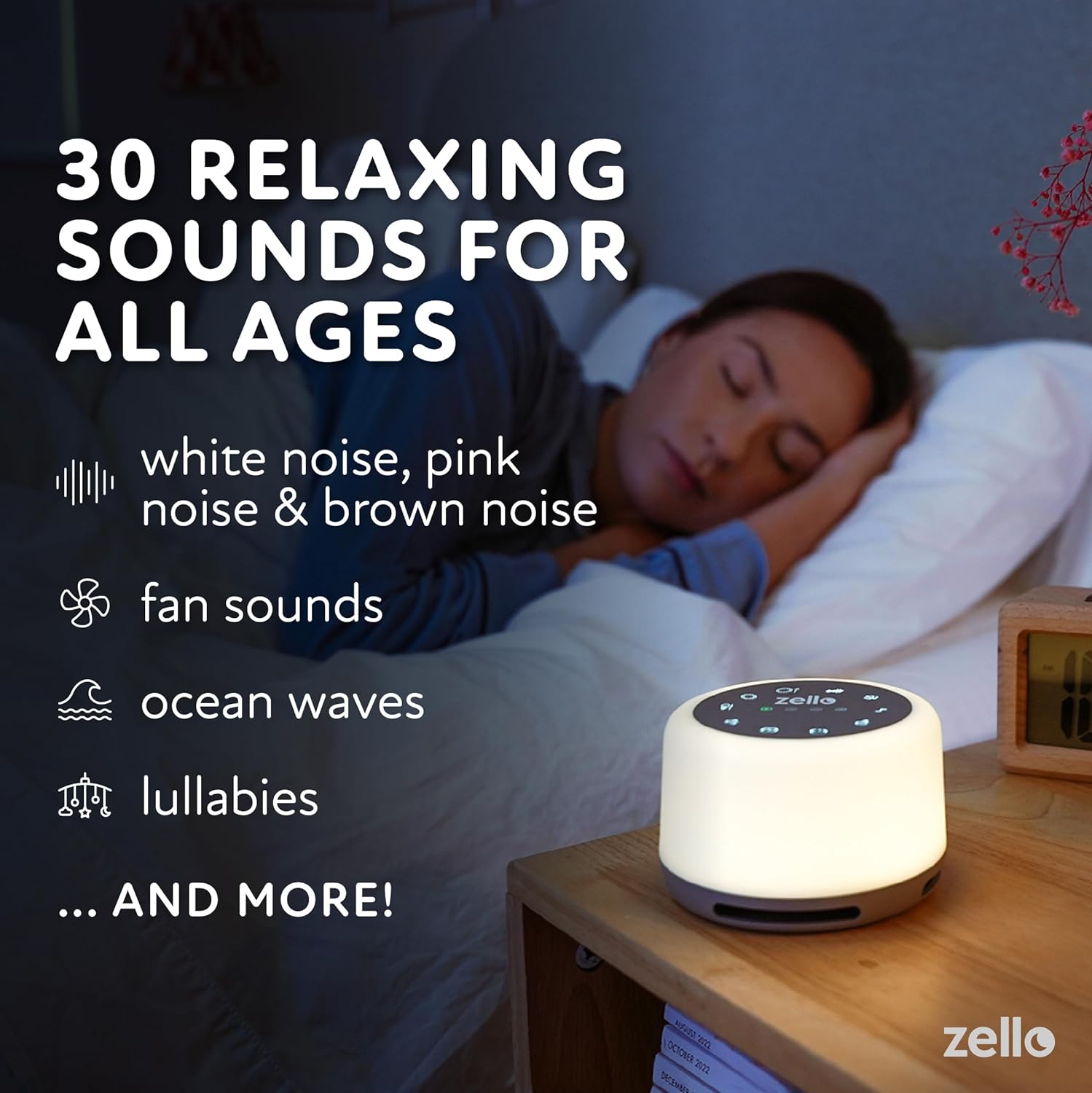
Image: The device providing relaxing sounds for sleep.
การทำงานของไฟกลางคืน
- To activate the night light, press the ปุ่มไฟ (marked with a light bulb icon).
- ใช้ Navigation/Adjustment Buttons to cycle through the 7 color options and 5 brightness levels.

Image: The device displaying its colored night light feature.
ฟังก์ชั่นจับเวลา
- ในการตั้งเวลา ให้กดปุ่มค้างไว้ ปุ่มจับเวลา (marked with 30, 60, 90 minute indicators) for 3 seconds.
- ใช้ Navigation/Adjustment Buttons to select the desired timer length: 30, 60, or 90 minutes.
- A light indicator will show the active timer setting. The device will automatically shut off after the selected time.
- For continuous play, select the continuous play option using the ปุ่มจับเวลา.

Image: Setting the sleep timer on the device.
ฟังก์ชั่นหน่วยความจำ
The device automatically remembers your last selected sound and light settings when powered off and on.
ข้อมูลด้านความปลอดภัย
- Do not use the device in the bath or near water.
- Avoid high volume levels to prevent potential hearing damage.
- Do not use the device if the charging cord is damaged or if the device falls into water.
- Keep out of reach of small children if not supervised, especially the charging cable.
การซ่อมบำรุง
- Clean the device with a soft, dry cloth. Do not use abrasive cleaners or immerse the device in water.
- เก็บอุปกรณ์ไว้ในที่แห้งและเย็นเมื่อไม่ได้ใช้งานเป็นเวลานาน
- Ensure the USB-C port is free from dust and debris for optimal charging.
การแก้ไขปัญหา
- อุปกรณ์ไม่เปิด: ตรวจสอบให้แน่ใจว่าอุปกรณ์ชาร์จเต็มแล้ว เชื่อมต่อกับแหล่งจ่ายไฟโดยใช้สาย USB-C และปล่อยให้ชาร์จอย่างน้อย 30 นาที ก่อนที่จะลองเปิดเครื่องอีกครั้ง
- Sound not playing or device turning off prematurely: Check the timer setting. If a timer is active, the device will turn off after the set duration. Ensure the device is adequately charged. Low battery can cause unexpected shutdowns. If the device consistently turns off after a short period (e.g., 30 seconds) despite a longer timer setting, contact customer support.
- Night light not staying on at dimmest setting: Ensure the device is fully charged. If the issue persists, it may indicate a specific unit characteristic or a potential fault. Contact customer support if this affects usability.
- ปุ่มไม่ตอบสนอง: Try restarting the device by holding the power button until it turns off, then turn it back on. Ensure no debris is obstructing the buttons.
- คุณภาพเสียงไม่ดี: Adjust the volume. Ensure the device is placed on a stable surface and not obstructed.
ข้อมูลจำเพาะ
| ขนาดสินค้า | 4.33 x 4.33 x 3.7 นิ้ว (10.6 x 10.6 x 6.4 ซม.) |
| น้ำหนัก | 9.88 ออนซ์ (280 กรัม) |
| หมายเลขรุ่น | SA03 |
| แบตเตอรี่ | แบตเตอรี่ลิเธียมไอออน 1 ก้อน (รวมอยู่ด้วย) |
| แหล่งพลังงาน | ใช้พลังงานจากแบตเตอรี่ (ชาร์จ USB-C) |
| เวลาเล่น | สูงสุด 20 ชั่วโมงต่อการชาร์จหนึ่งครั้ง |
| ระดับเสียง | 48 ถึง 98 เดซิเบล |
| ไฟกลางคืน | 7 สี 5 ระดับความสว่าง |
| ผู้ผลิต | Shopped |
| ASIN | B098XX32MB |
การรับประกันและการสนับสนุน
For warranty information and customer support, please refer to the contact details provided with your purchase documentation or visit the official LUMI webไซต์ เก็บหลักฐานการซื้อของคุณไว้เพื่อใช้ในกรณีเรียกร้องการรับประกัน


