1. บทนำ
ขอบคุณสำหรับการซื้อasing the EARISE D61 Plus Bluetooth Speaker. This manual provides important information regarding the safe operation, setup, and maintenance of your device. Please read it thoroughly before use and retain it for future reference.

Image 1.1: The EARISE D61 Plus Bluetooth Speaker, showcasing its portable design and integrated RGB lighting.
2. ข้อมูลด้านความปลอดภัยที่สำคัญ
- Do not expose the speaker to water or excessive moisture, as it is not waterproof.
- หลีกเลี่ยงอุณหภูมิที่สูงจัด แสงแดดโดยตรง หรือแหล่งความร้อน
- ห้ามถอดประกอบ ซ่อมแซม หรือดัดแปลงอุปกรณ์ ควรส่งมอบอุปกรณ์ให้ช่างผู้ชำนาญการเป็นผู้ดำเนินการซ่อมบำรุง
- ใช้เฉพาะสายชาร์จและอะแดปเตอร์ไฟที่ระบุเท่านั้น
- เก็บลำโพงให้ห่างจากเด็กและสัตว์เลี้ยง
- อย่าเปิดลำโพงด้วยระดับเสียงที่สูงเกินไปเป็นเวลานาน เพื่อป้องกันความเสียหายต่อการได้ยิน
3. เนื้อหาบรรจุภัณฑ์
กรุณาตรวจสอบแพ็คเกจสำหรับรายการต่อไปนี้:
- EARISE D61 Plus Bluetooth Speaker
- สายชาร์จ USB
- คู่มือการใช้งาน (เอกสารนี้)
หากมีรายการใดขาดหายหรือเสียหาย โปรดติดต่อฝ่ายสนับสนุนลูกค้า
4. สินค้าหมดview
ทำความคุ้นเคยกับส่วนประกอบและการควบคุมของลำโพง
ภาพที่ 4.1: ด้านหน้า view of the EARISE D61 Plus speaker, highlighting the control panel and speaker grille.
4.1 แผงควบคุมและพอร์ต

Image 4.2: Diagram illustrating the various input options and features of the speaker, including USB, TF card, AUX, Microphone, Bluetooth, and FM radio.
- ปุ่ม MODE/LIGHT: Short press to switch between input modes (Bluetooth, AUX, USB, TF, FM). Long press to change light effects.
- M-/V- Button: Short press for previous track (in music modes) or previous station (in FM mode). Long press to decrease volume.
- MSCAN/TWS Button: Short press to Play/Pause (in music modes) or auto-scan FM stations (in FM mode). Long press to activate TWS pairing.
- M+/V+ Button: Short press for next track (in music modes) or next station (in FM mode). Long press to increase volume.
- พอร์ต USB: สำหรับการเล่นแฟลชไดรฟ์ USB
- ช่องเสียบการ์ด TF: สำหรับการเล่นการ์ด TF (MicroSD)
- อินพุต AUX: สำหรับเชื่อมต่ออุปกรณ์เสียงภายนอกผ่านสายสัญญาณเสียงขนาด 3.5 มม.
- อินพุตไมโครโฟน: สำหรับการเชื่อมต่อไมโครโฟน
- พอร์ตชาร์จ: สำหรับชาร์จแบตเตอรี่ภายในลำโพง
5. การตั้งค่า
5.1 การชาร์จลำโพง
Before first use, fully charge the speaker. Connect the provided USB charging cable to the speaker's charging port and the other end to a USB power adapter (not included) or a computer's USB port. The charging indicator will illuminate during charging and turn off when fully charged.

Image 5.1: Visual representation of the speaker being charged, indicating battery status.
5.2 การเปิด/ปิดเครื่อง
Press and hold the Power button (often integrated with the MODE button or a separate switch, refer to physical device for exact location) to turn the speaker ON or OFF. A sound prompt will indicate the power status.
5.3 การจับคู่บลูทูธ
- Ensure the speaker is powered on and in Bluetooth mode (indicated by a voice prompt or flashing LED). If not, short press the MODE/LIGHT button to switch to Bluetooth mode.
- เปิดใช้งานบลูทูธบนอุปกรณ์เคลื่อนที่ของคุณ (สมาร์ทโฟน แท็บเล็ต ฯลฯ)
- ค้นหา available Bluetooth devices. You should see "EARISE D61 Plus" in the list.
- Select "EARISE D61 Plus" to connect. Once paired, a confirmation sound will be heard.
- The speaker will automatically reconnect to the last paired device when in Bluetooth mode, if the device is within range and Bluetooth is enabled.
การจับคู่ 5.4 TWS (True Wireless Stereo)
To achieve stereo sound, you can pair two EARISE D61 Plus speakers together.

Image 5.2: Illustration of two EARISE D61 Plus speakers connected via TWS for a stereo audio experience, controlled by a single smartphone.
- Ensure both EARISE D61 Plus speakers are powered on and in Bluetooth mode, but not yet connected to any device.
- On one of the speakers (this will be the primary speaker), long press the MSCAN/TWS button. You will hear a prompt indicating TWS pairing mode.
- ลำโพงทั้งสองตัวจะค้นหาและเชื่อมต่อกันโดยอัตโนมัติ จะมีเสียงยืนยันเมื่อการจับคู่ TWS สำเร็จ
- Once paired, the primary speaker will be ready for Bluetooth connection to your mobile device. Follow the steps in "5.3 Bluetooth Pairing" to connect your device to the primary speaker.
- ขณะนี้เสียงจะเล่นในระบบสเตอริโอผ่านลำโพงทั้งสองข้าง
- To disconnect TWS, long press the MSCAN/TWS button on either speaker.
6. คู่มือการใช้งาน
การเลือกโหมด 6.1
กดสั้น ๆ โหมด/แสง button to cycle through available input modes: Bluetooth, AUX, USB, TF Card, FM Radio.
6.2 Audio Playback (Bluetooth, USB, TF Card, AUX)
- เล่น/หยุดชั่วคราว: กดสั้น ๆ MSCAN/TWS ปุ่ม.
- เพลงถัดไป: กดสั้น ๆ M+/V+ ปุ่ม.
- แทร็กก่อนหน้า: กดสั้น ๆ M-/V- ปุ่ม.
- ปรับระดับเสียงขึ้น: กดค้างไว้ M+/V+ ปุ่ม.
- ลดเสียงลง: กดค้างไว้ M-/V- ปุ่ม.
การใช้งานวิทยุ FM 6.3
- สลับไปที่โหมด FM โดยใช้ โหมด/แสง ปุ่ม.
- กดสั้น ๆ MSCAN/TWS button to automatically scan and save available FM stations. The speaker will play the first saved station.
- การพิมพ์แบบสั้น M+/V+ or M-/V- เพื่อนำทางระหว่างสถานีที่บันทึกไว้
เอฟเฟกต์แสง RGB 6.4 แบบ
The speaker features dynamic RGB lighting. Long press the โหมด/แสง กดปุ่มเพื่อเปลี่ยนโหมดแสงต่างๆ หรือปิดไฟ
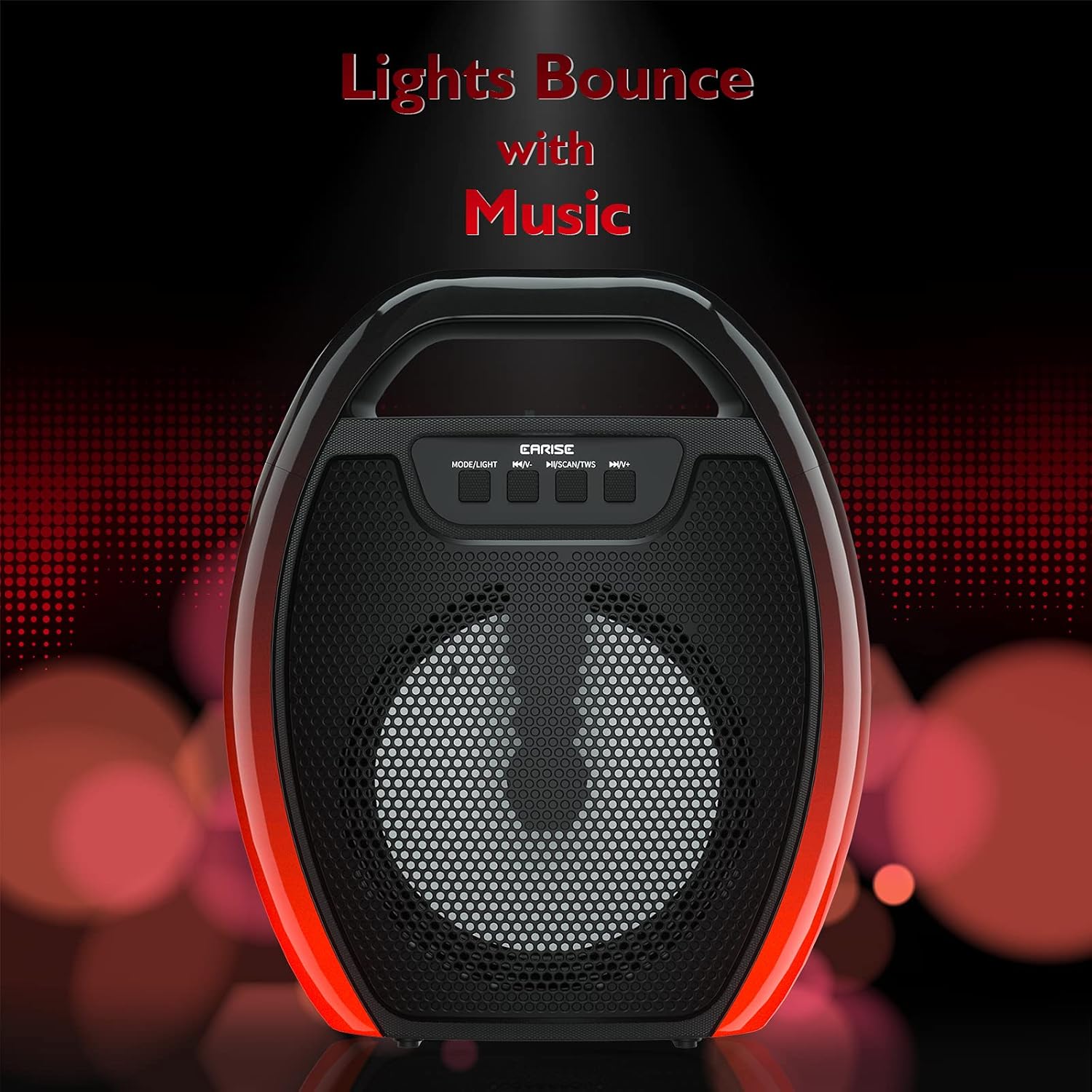
Image 6.1: The speaker displaying its light effects, which can synchronize with music playback.
6.5 อินพุตไมโครโฟน
Connect a wired microphone (not included) to the MIC input port for karaoke or public address functions. Adjust the microphone volume using the connected microphone's controls or the speaker's main volume controls.
7. การบำรุงรักษา
- การทำความสะอาด: Use a soft, dry cloth to clean the speaker. Do not use liquid cleaners or aerosols.
- พื้นที่จัดเก็บ: เก็บลำโพงไว้ในที่แห้งและเย็น หลีกเลี่ยงแสงแดดโดยตรงและอุณหภูมิที่สูงหรือต่ำเกินไป
- การดูแลแบตเตอรี่ To prolong battery life, fully charge the speaker before long periods of inactivity and recharge it at least once every three months. Avoid completely draining the battery frequently.
8 การแก้ไขปัญหา
| ปัญหา | สาเหตุที่เป็นไปได้ | สารละลาย |
|---|---|---|
| ลำโพงไม่เปิดเครื่อง | แบตเตอรี่อ่อน; กดปุ่มเปิด/ปิดไม่ถูกต้อง | Charge the speaker; Press and hold the Power button for a few seconds. |
| ไม่สามารถจับคู่ผ่านบลูทูธได้ | ลำโพงไม่ได้อยู่ในโหมดจับคู่ อุปกรณ์ Bluetooth ปิดอยู่ ลำโพงอยู่ห่างจากอุปกรณ์มากเกินไป เชื่อมต่อกับอุปกรณ์อื่นอยู่แล้ว | Ensure speaker is in Bluetooth pairing mode; Turn on Bluetooth on your device; Move device closer to speaker; Disconnect from other devices. |
| ไม่มีเสียง. | ระดับเสียงต่ำเกินไป โหมดอินพุตไม่ถูกต้อง อุปกรณ์ไม่เล่นเสียง | Increase speaker and device volume; Switch to correct input mode (Bluetooth, AUX, etc.); Ensure audio is playing on your device. |
| การจับคู่ TWS ล้มเหลว | Speakers too far apart; One speaker already paired to a device; Not in TWS pairing mode. | Ensure speakers are close; Disconnect both speakers from any devices; Long press MSCAN/TWS on one speaker to initiate TWS pairing. |
| ไฟ RGB ไม่ทำงาน | ไฟดับ มีปัญหา | Long press MODE/LIGHT button to cycle through light modes; If issue persists, contact support. |
9. ข้อมูลจำเพาะ
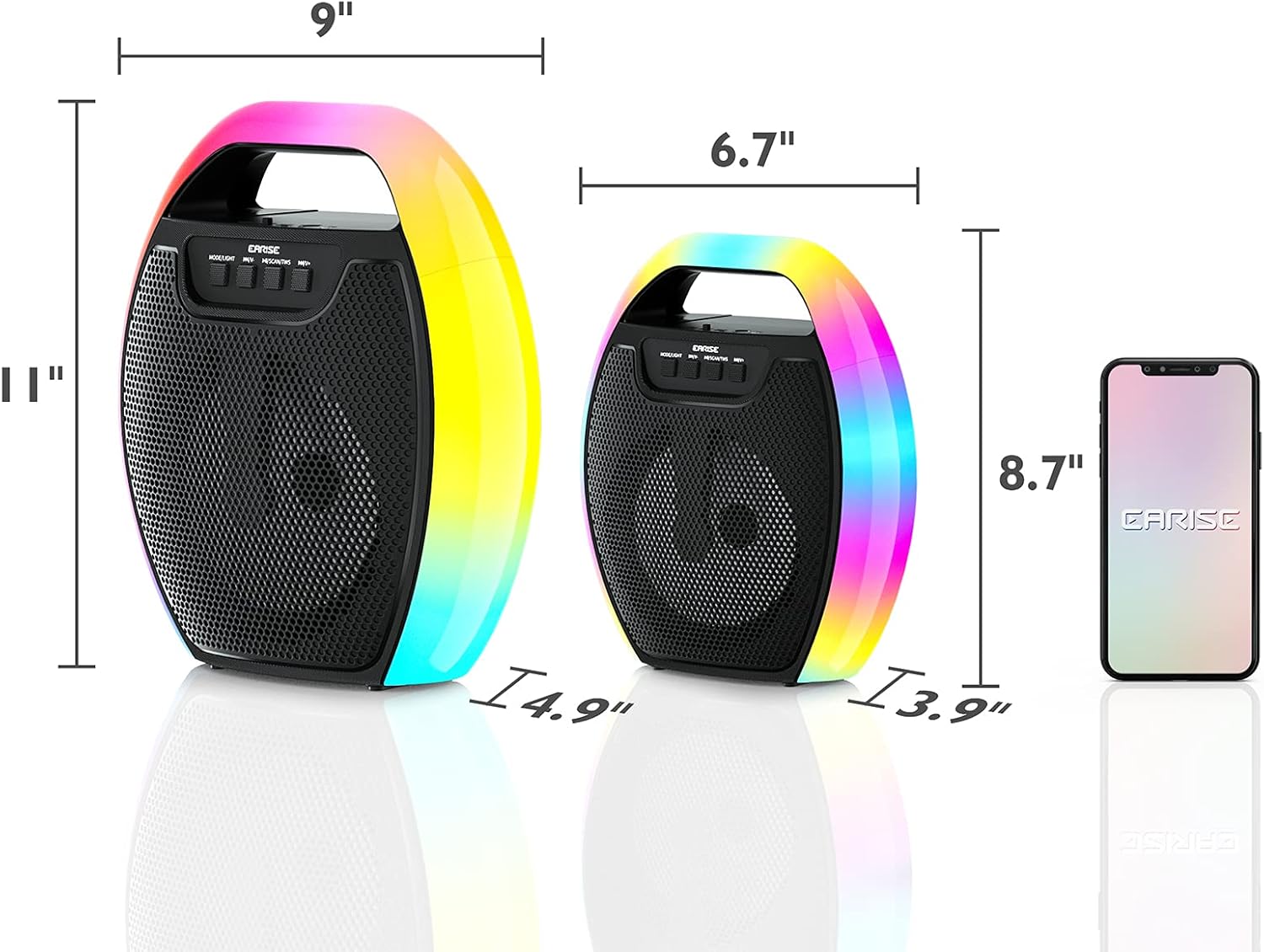
Image 9.1: Product dimensions of the EARISE D61 Plus speaker.
| คุณสมบัติ | รายละเอียด |
|---|---|
| ชื่อรุ่น | ดี61 พลัส |
| ยี่ห้อ | หู |
| เทคโนโลยีการเชื่อมต่อ | Bluetooth, Auxiliary (3.5mm), USB, TF Card, FM Radio |
| โหมดเอาต์พุตเสียง | สเตอริโอ (พร้อม TWS) |
| ประเภทลำโพง | ลำโพงกลางแจ้งแบบพกพา |
| ขนาดลำโพง | 4 นิ้ว |
| แหล่งพลังงาน | ใช้พลังงานจากแบตเตอรี่ |
| อายุการใช้งานแบตเตอรี่ | Up to 12 Hours (actual playtime varies with volume and light usage) |
| กันน้ำ | เลขที่ |
| ขนาดสินค้า | 9 x 5 x 11 นิ้ว (ยาว x กว้าง x สูง) |
| น้ำหนักสินค้า | 2.28 ปอนด์ |
| คุณสมบัติพิเศษ | RGB Lights, TWS Pairing, Portable |
10. การรับประกันและการสนับสนุน
EARISE products are designed and manufactured to the highest quality standards. For information regarding warranty coverage, technical support, or service inquiries, please refer to the warranty card included with your purchase or visit the official EARISE webเว็บไซต์.
โปรดเก็บหลักฐานการซื้อของคุณไว้เพื่อเรียกร้องการรับประกัน


