1. บทนำ
The BirdDog PF120 is a high-performance Full HD NDI box camera designed for professional video production environments. It features an Exmor R back-illuminated sensor, 20x optical zoom, and a full color matrix, all housed within a durable all-metal chassis. This manual provides essential information for the proper setup, operation, and maintenance of your PF120 camera.
2. เนื้อหาบรรจุภัณฑ์
โปรดตรวจสอบให้แน่ใจว่าสินค้าทุกรายการที่ระบุไว้ด้านล่างอยู่ในบรรจุภัณฑ์ของคุณ หากมีสินค้าใดขาดหายหรือเสียหาย โปรดติดต่อผู้ขายของคุณทันที
- BirdDog PF120 Full HD NDI 20x Box Camera
- อะแดปเตอร์ไฟ (DC 12V)
- ฝาปิดเลนส์
- เอกสารประกอบ (คู่มือเริ่มต้นใช้งานฉบับย่อ, ข้อมูลด้านความปลอดภัย)
3. สินค้าหมดview
The BirdDog PF120 is engineered for versatility and robust performance. Key features include:
- Full NDI support for seamless integration into IP workflows.
- 20x optical zoom for detailed close-ups.
- Exmor R back-illuminated sensor for superior low-light performance.
- Durable all-metal housing.
- Multiple connectivity options including HDMI, NDI/PoE, RS-232, and USB2.0.
3.1 กล้องถ่ายรูป Views and Components

รูปที่ 3.1: ด้านหน้า view of the BirdDog PF120 camera, showcasing the lens and the BirdDog logo on the side panel.
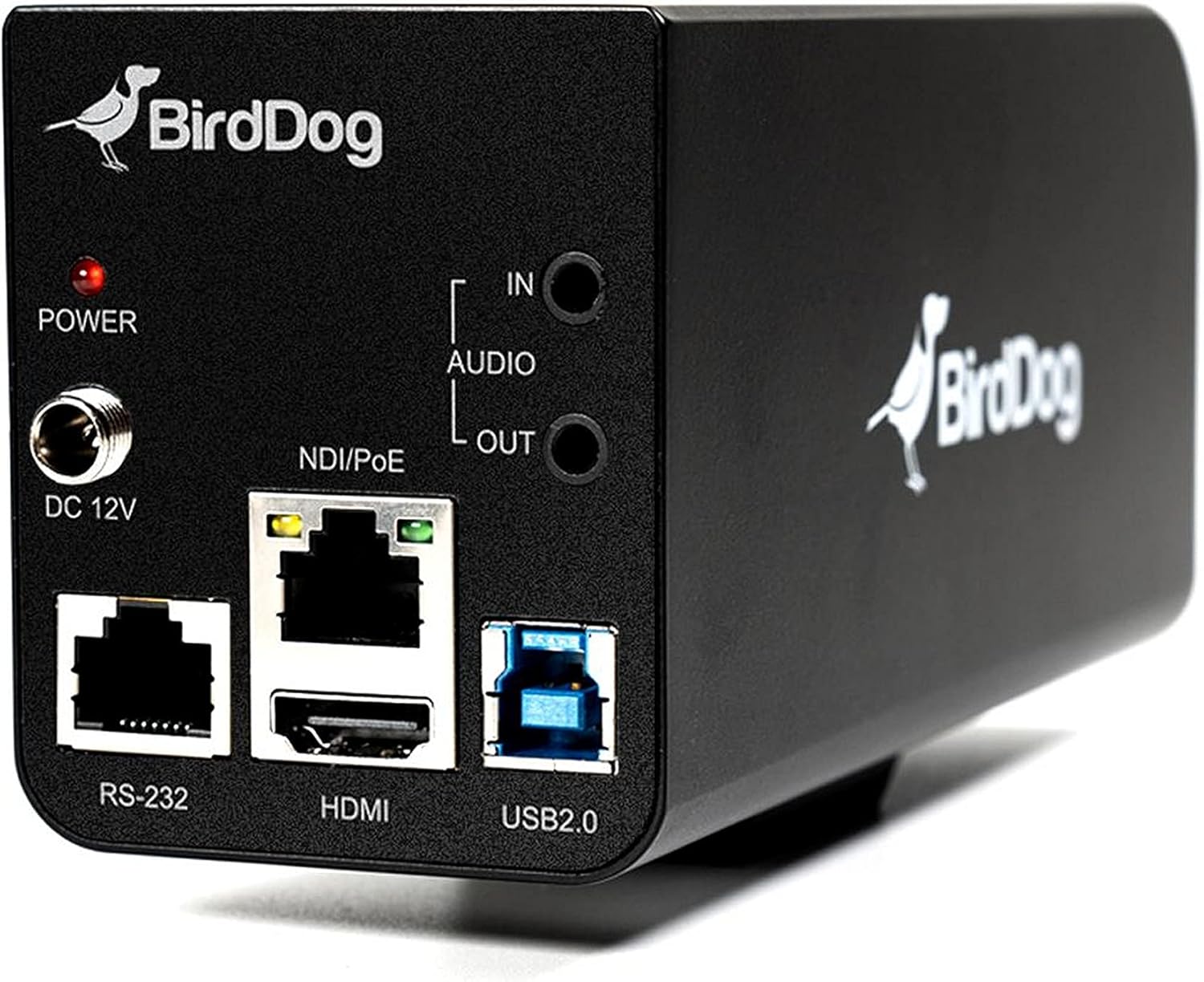
รูปที่ 3.2: Rear panel of the BirdDog PF120, displaying the power input (DC 12V), audio input/output, NDI/PoE port, HDMI output, RS-232 port, and USB2.0 port.
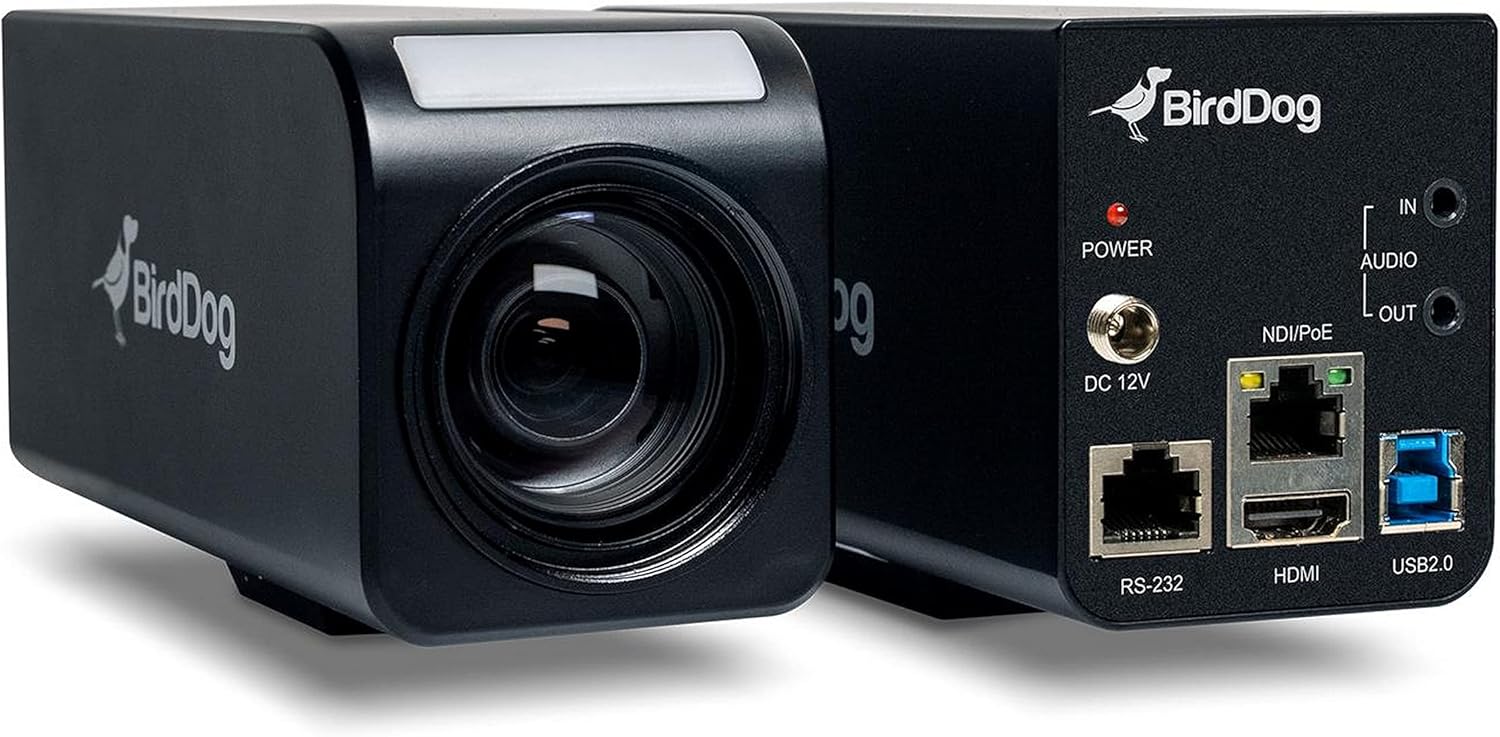
รูปที่ 3.3: รวมกัน view of the BirdDog PF120, showing both the front lens assembly and the rear connectivity panel.

รูปที่ 3.4: สูงสุด view of the BirdDog PF120 camera, highlighting the sleek design and BirdDog branding.
4. การตั้งค่า
4.1 การเปิดเครื่อง
- Connect the supplied DC 12V power adapter to the "DC 12V" port on the rear of the camera.
- เสียบอะแดปเตอร์แปลงไฟเข้ากับเต้ารับที่เหมาะสม
- Alternatively, if using a PoE-enabled network switch, connect an Ethernet cable to the "NDI/PoE" port. The camera will power on via Power over Ethernet.
4.2 Network Connection (NDI)
- Connect an Ethernet cable from the "NDI/PoE" port on the camera to your network switch or router.
- Ensure your network is configured to support NDI protocols.
- The camera will obtain an IP address automatically via DHCP. For static IP configuration, refer to the BirdDog Central application or web อินเทอร์เฟซ
4.3 เอาต์พุตวิดีโอ
- NDI Output: The primary video output is via NDI over the Ethernet connection.
- เอาท์พุต HDMI: Connect an HDMI cable from the "HDMI" port on the camera to a monitor or video switcher for direct video monitoring.
5. การใช้งานกล้อง
5.1 การเข้าถึง Web อินเทอร์เฟซ
- Once connected to the network, use the BirdDog Central application or an IP scanner to discover the camera's IP address.
- เปิด web เบราว์เซอร์และป้อนที่อยู่ IP ของกล้องเพื่อเข้าถึง web อินเทอร์เฟซ
- จาก web interface, you can configure video settings, network parameters, and control camera functions.
5.2 การควบคุมกล้อง
The PF120 can be controlled via:
- NDI Tools: Utilize NewTek NDI Tools (e.g., NDI Studio Monitor) for basic control.
- BirdDog Central / Cam Control: BirdDog's dedicated software provides comprehensive control over camera settings, including zoom, focus, iris, and color matrix.
- อาร์เอส-232: Connect a compatible serial controller to the RS-232 port for hardware control.
- รีโมทคอนโทรล: The camera supports remote control methods as specified in the product documentation.
5.3 ซูมและโฟกัส
The PF120 features a 20x optical zoom lens. Zoom and focus adjustments are typically made through the web interface or compatible control software.
6. การบำรุงรักษา
- การทำความสะอาด: Use a soft, dry cloth to clean the camera body. For the lens, use a specialized lens cleaning solution and microfiber cloth. Avoid abrasive cleaners.
- อัพเดตเฟิร์มแวร์: Periodically check the BirdDog website for firmware updates. Keeping the firmware updated ensures optimal performance and access to new features.
- พื้นที่จัดเก็บ: เมื่อไม่ได้ใช้งานเป็นเวลานาน ควรเก็บกล้องไว้ในที่แห้งและเย็น หลีกเลี่ยงแสงแดดโดยตรงและอุณหภูมิที่สูงหรือต่ำเกินไป
7 การแก้ไขปัญหา
7.1 ไม่มีไฟฟ้า
- ตรวจสอบให้แน่ใจว่าได้เสียบอะแดปเตอร์แปลงไฟเข้ากับกล้องและเต้ารับไฟฟ้าที่ใช้งานได้สนิทแล้ว
- If using PoE, verify that the Ethernet cable is connected to a PoE-enabled port on your switch and that the switch is providing power.
7.2 No NDI Signal
- ตรวจสอบการเชื่อมต่อสายเคเบิลอีเธอร์เน็ต
- Verify that the camera has obtained an IP address (check your router's DHCP client list or use BirdDog Central).
- Ensure your network firewall is not blocking NDI traffic.
- Confirm that NDI tools or software on your receiving device are correctly configured to discover NDI sources.
7.3 ปัญหาคุณภาพของภาพ
- Check lens for smudges or dust and clean if necessary.
- Adjust focus settings via the web interface or control software.
- Review exposure, white balance, and color matrix settings in the camera's web อินเทอร์เฟซ
8. ข้อมูลจำเพาะ
| คุณสมบัติ | รายละเอียด |
|---|---|
| หมายเลขรุ่น | BD-BDPF120 |
| ความละเอียดในการจับภาพวิดีโอ | 1080p |
| ความละเอียดวิดีโอที่มีประสิทธิภาพ | 720 พิกเซล |
| ซูมออปติคอล | 20 เท่า |
| ประเภทการซูม | Digital Zoom, Optical Zoom |
| เทคโนโลยีการเชื่อมต่อ | มีสาย |
| โปรโตคอลการเชื่อมต่อ | Wi-Fi (for control/management, NDI is primary video) |
| วิธีการควบคุม | Remote, Iris, RS-232 |
| แหล่งพลังงาน | AC/DC, PoE |
| วัดtage | 5 วัตต์ |
| วัสดุ | โลหะ |
| ขนาดรายการ (ยาว x กว้าง x สูง) | 9.9 x 9 x 3.6 นิ้ว |
| น้ำหนักสินค้า | 2.94 ปอนด์ |
| ประเภทการติดตั้ง | Wall Mount (as per spec, but typically box cameras are versatile) |
| การให้คะแนนการคุ้มครองระหว่างประเทศ | IP65 |
| เทคโนโลยีแสงน้อย | สีกลางคืน |
9. การรับประกันและการสนับสนุน
For warranty information and technical support, please refer to the official BirdDog website or contact your authorized BirdDog reseller. Keep your proof of purchase for warranty claims.
เบิร์ดด็อก อย่างเป็นทางการ Webเว็บไซต์: www.bird-dog.tv


