1. บทนำ
This manual provides comprehensive instructions for the assembly, operation, and maintenance of your FLEXISPOT EN2 Electric Height Adjustable Standing Desk. Please read this manual thoroughly before assembly and use to ensure safe and efficient operation.
The FLEXISPOT EN2 desk features a spacious one-piece desktop, an electric height adjustment system with memory presets, and a removable clamp power strip for convenient device charging and cable management. It is designed to support a dynamic work environment, allowing seamless transitions between sitting and standing positions.
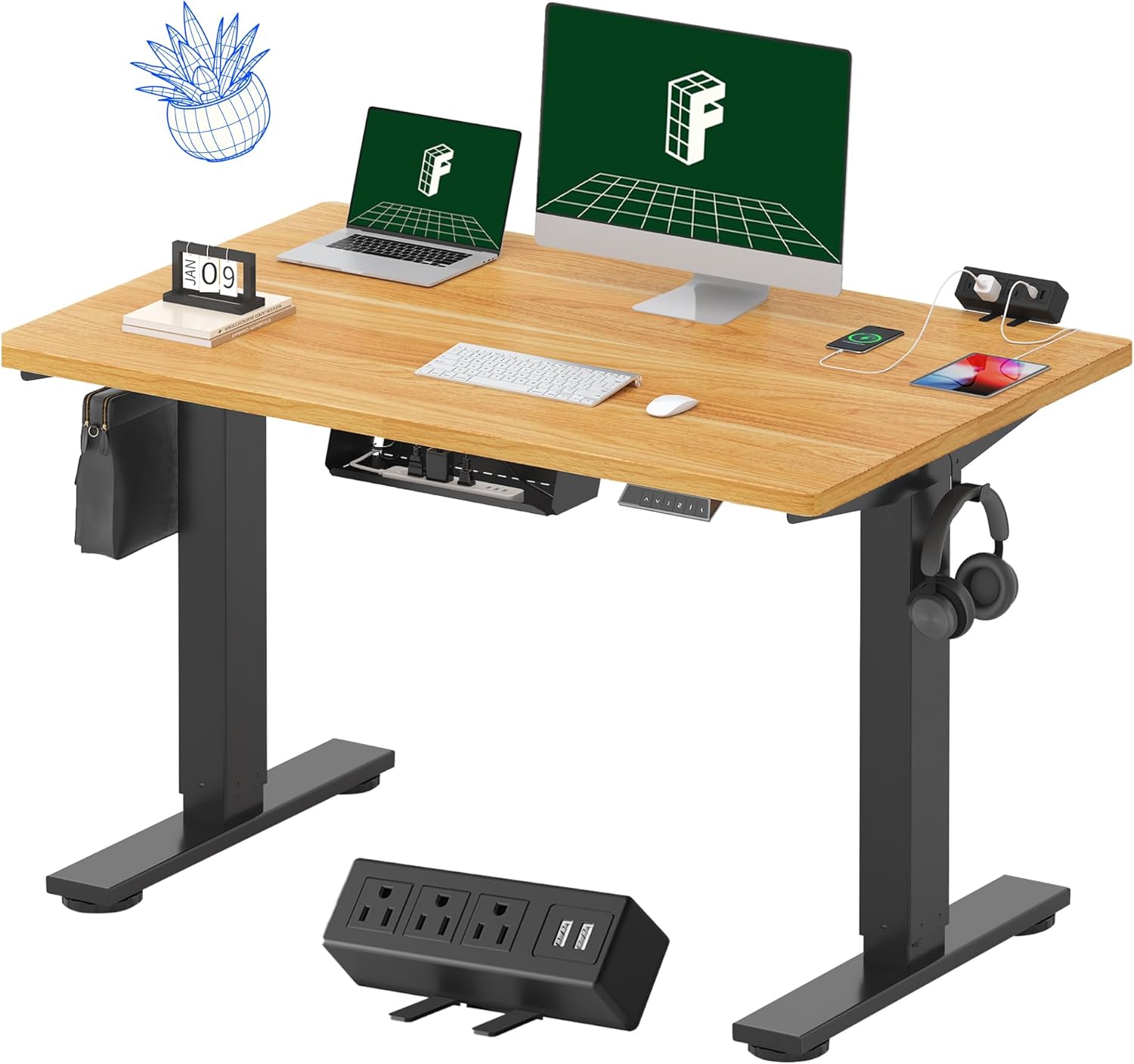
Image 1.1: FLEXISPOT EN2 Standing Desk with Maple Top and Black Frame, showcasing a typical setup with monitors, a laptop, and a clamp รางปลั๊กไฟ
2. ข้อมูลด้านความปลอดภัย
คำเตือน: การไม่ปฏิบัติตามคำแนะนำด้านความปลอดภัยเหล่านี้ อาจส่งผลให้เกิดการบาดเจ็บหรือความเสียหายต่อผลิตภัณฑ์ได้
- ปฏิบัติตามคำแนะนำในการประกอบอย่างระมัดระวังเสมอ
- An electric drill (not included) may be required for assembly.
- Ensure the desk is properly anchored to prevent tipping.
- ห้ามรับน้ำหนักเกิน 176 ปอนด์ (80 กิโลกรัม) ตามคำแนะนำสูงสุด
- Keep the work surface clear of items that could fall and cause injury during height adjustments.
- Always unplug the desk before performing any maintenance or making adjustments to the frame or electrical components.
- โปรดกันเด็กและสัตว์เลี้ยงให้อยู่ห่างจากโต๊ะทำงานขณะทำการผ่าตัด
3. เนื้อหาบรรจุภัณฑ์
Your FLEXISPOT EN2 Standing Desk will arrive in two separate packages, which may be shipped separately. Please ensure you have received both packages and all components before beginning assembly.

Image 3.1: Illustration showing the desk components arriving in two separate packages: one for the desktop and one for the desk frame.
ส่วนประกอบที่รวมอยู่:
- One-piece desktop (48" x 30" Maple Top)
- Electric height-adjustable frame (Black)
- 6-button digital controller with 4 memory presets
- Removable clamp power strip (3 AC outlets, 2 USB charging ports)
- Cable management device
- Assembly hardware and tools (excluding electric drill)
4. การติดตั้งและการประกอบ
Assembly typically requires two people and an electric drill (not included). Follow the detailed instructions provided in the separate assembly guide included with your product. The process involves attaching the legs to the desktop and connecting the control panel and motor.
เคล็ดลับการประกอบ:
- Lay out all components on a soft, clean surface to prevent scratches.
- Ensure all screws are tightened securely, but do not overtighten.
- Properly route all cables using the provided cable management solutions to avoid interference with desk movement.
Video 4.1: Official FLEXISPOT Standing Desk Frame Installation Guide. This video demonstrates the step-by-step process of assembling the desk frame and attaching it to the desktop.
5. คู่มือการใช้งาน
5.1 แผงควบคุมดิจิตอล
The desk is operated using a 6-button digital controller, typically mounted on the underside of the desktop. It features up/down arrows, an LED display for height, and four programmable memory presets.

Image 5.1: Digital control panel with LED display showing current height, up/down arrows, and four numbered memory preset buttons.
5.2 การปรับความสูง
- กดปุ่มค้างไว้ Up Arrow (^) button to raise the desk.
- กดปุ่มค้างไว้ Down Arrow (v) button to lower the desk.
- The desk adjusts smoothly from 28.1 inches (71.4 cm) to 45.7 inches (116.1 cm).
- The motor operates quietly at less than 50 dB.
5.3 การตั้งค่าหน่วยความจำล่วงหน้า
The controller allows you to save up to four preferred height settings for quick adjustments.
- Adjust the desk to your desired height using the up/down arrows.
- กดปุ่ม หน่วยความจำ (M) button. The LED display will flash.
- Within 3 seconds, press one of the numbered preset buttons (1, 2, 3 หรือ 4) เพื่อบันทึกความสูงปัจจุบันลงในค่าที่ตั้งไว้ล่วงหน้านั้น
- หากต้องการเรียกความสูงที่บันทึกไว้ เพียงกดปุ่มตั้งค่าล่วงหน้าที่มีหมายเลขตรงกัน โต๊ะจะเลื่อนไปยังตำแหน่งที่ตั้งบันทึกไว้โดยอัตโนมัติ
Video 5.2: FlexiSpot Brand Store video demonstrating the desk's height adjustment and memory preset functions.
6. คุณสมบัติ
6.1 One-Piece Desktop
The desk features a spacious, single-piece desktop made of FSC-Certified wood. This design provides a smooth, seamless work surface, enhancing stability and aesthetics compared to multi-piece desktops.

Image 6.1: Visual comparison highlighting the smooth surface of a single-piece desktop against the visible seams of a two-piece desktop.
6.2 Removable Clamp รางปลั๊กไฟ
A desktop-mounted power strip is included, featuring 3 AC outlets (125V/12A) and 2 USB charging ports (5V/2A). This allows for convenient charging of electronic devices directly from your desk. The power strip can be clipped to the back or side of your desk.

Image 6.2: Close-up of the removable clamp power strip, detailing its 3 AC outlets and 2 USB-A ports, and how it attaches to the desk edge.
6.3 การจัดการสายเคเบิล
The desk includes a cable management device to help organize and tidy up your workspace, preventing cables from dangling and interfering with desk movement.

Image 6.3: Illustration demonstrating effective cable management with an under-desk tray, showing a tidy setup compared to unmanaged cables.
7. การบำรุงรักษา
- ตรวจสอบสกรูและข้อต่อทั้งหมดอย่างสม่ำเสมอเพื่อให้แน่ใจว่าแน่นสนิท
- เช็ดทำความสะอาดพื้นผิวโต๊ะด้วยผ้าเนื้อนุ่มและแห้งamp ผ้า. หลีกเลี่ยงน้ำยาทำความสะอาดที่มีฤทธิ์กัดกร่อนซึ่งอาจทำให้พื้นผิวเสียหายได้
- Keep the motor and electrical components free from dust and moisture.
- Do not place hot items directly on the desktop without protective coasters.
8 การแก้ไขปัญหา
8.1 Desk Not Moving or Displaying Error Code (e.g., "r5t")
If your desk is not responding or the LED display shows an error code like "r5t", a system reset may be required.
- Unplug the desk from the power outlet.
- Wait for at least 10-15 seconds.
- Plug the desk back into the power outlet.
- Press and hold the "Down Arrow (v)" button until the desk reaches its lowest position and then slightly rises. This indicates a successful reset.
- หากปัญหายังคงอยู่ โปรดติดต่อฝ่ายสนับสนุนลูกค้า
8.2 Desk Wobbling at Higher Heights
While the desk is designed for stability, minor wobbling can occur at maximum heights. Ensure the adjustable feet on the leg bases are properly leveled to compensate for uneven flooring.
9. ข้อมูลจำเพาะ
| คุณสมบัติ | ข้อมูลจำเพาะ |
|---|---|
| ยี่ห้อ | เฟล็กซิสพอท |
| แบบอย่าง | EN2 |
| วัสดุเดสก์ท็อป | FSC-Certified Maple Wood |
| ขนาดเดสก์ท็อป | 48" (W) x 30" (D) |
| ความหนาของเดสก์ท็อป | 1 นิ้ว |
| วัสดุกรอบ | Industrial-grade Alloy Steel (Black) |
| ช่วงการปรับความสูง | 28.1" ถึง 45.7" (71.4 ซม. ถึง 116.1 ซม.) |
| ระดับเสียงมอเตอร์ | < 50 เดซิเบล |
| ความจุน้ำหนัก | 176 ปอนด์ (80 กก.) |
| แผงควบคุม | 6-button digital controller with 4 memory presets |
| เต้าเสียบไฟฟ้า | 3 AC outlets (125V/12A), 2 USB charging ports (5V/2A) |
| จำเป็นต้องประกอบ | Yes (electric drill recommended) |
10. การรับประกันและการสนับสนุน
10.1 ข้อมูลการรับประกัน
- รับประกัน 5 ปี: Covers frames, motors, and other mechanical devices.
- รับประกัน 2 ปี: Covers controllers, switches, and electronics.
Please retain your proof of purchase for warranty claims. The warranty covers defects in materials and workmanship under normal use.
10.2 การสนับสนุนลูกค้า
For any questions, troubleshooting assistance, or warranty claims, please contact FLEXISPOT customer support through their official webไซต์หรือร้านค้าปลีกที่คุณซื้อผลิตภัณฑ์


