การแนะนำ
ขอบคุณสำหรับการซื้อasing the AZATOM A2 Portable DAB/DAB+ Digital Radio. This compact and versatile device is designed to provide high-quality digital and FM radio reception, offering a superior listening experience on the go. Please read this manual carefully to understand the features and operation of your new radio.

The AZATOM A2 radio, showcasing its stylish and compact design, perfect for portability.
มีอะไรอยู่ในกล่อง
- AZATOM A2 Portable DAB/DAB+ Digital Radio
- สาย USB-C
- หูฟังกีฬา
- คู่มือการใช้งาน (เอกสารนี้)
- บัตรรับประกัน
สินค้าเกินview
Familiarize yourself with the buttons and ports on your AZATOM A2 radio:

ด้านหน้า view of the AZATOM A2 radio, highlighting the display and control buttons.
- ปุ่มเพาเวอร์: เปิด/ปิดวิทยุ
- ปุ่มเมนู: เข้าถึงตัวเลือกเมนู
- ปุ่ม VOL+ / VOL-: ปรับระดับเสียง
- ENTER/SCAN Button: Confirms selections or initiates station scanning.
- PRESET Buttons (1/2, 3/4): Recalls stored preset stations.
- ปุ่มโหมด: Switches between DAB/DAB+ and FM modes.
- แจ็คหูฟัง: Connects the included earphones, which also function as the antenna.
- พอร์ต USB-C: สำหรับการชาร์จอุปกรณ์
การตั้งค่า
1. การชาร์จแบตเตอรี่
Before first use, fully charge the radio. Connect the supplied USB-C cable to the radio's USB-C port and the other end to a USB power adapter (not included) or a computer's USB port. The display will indicate charging status. A full charge provides up to 24 hours of playtime.

The AZATOM A2 features a long-lasting rechargeable battery for extended use.
2. Connecting Earphones (Antenna)
The included earphones serve as the radio's antenna for both DAB/DAB+ and FM reception. It is essential to connect the earphones to the 3.5mm jack before operating the radio to ensure proper signal reception.
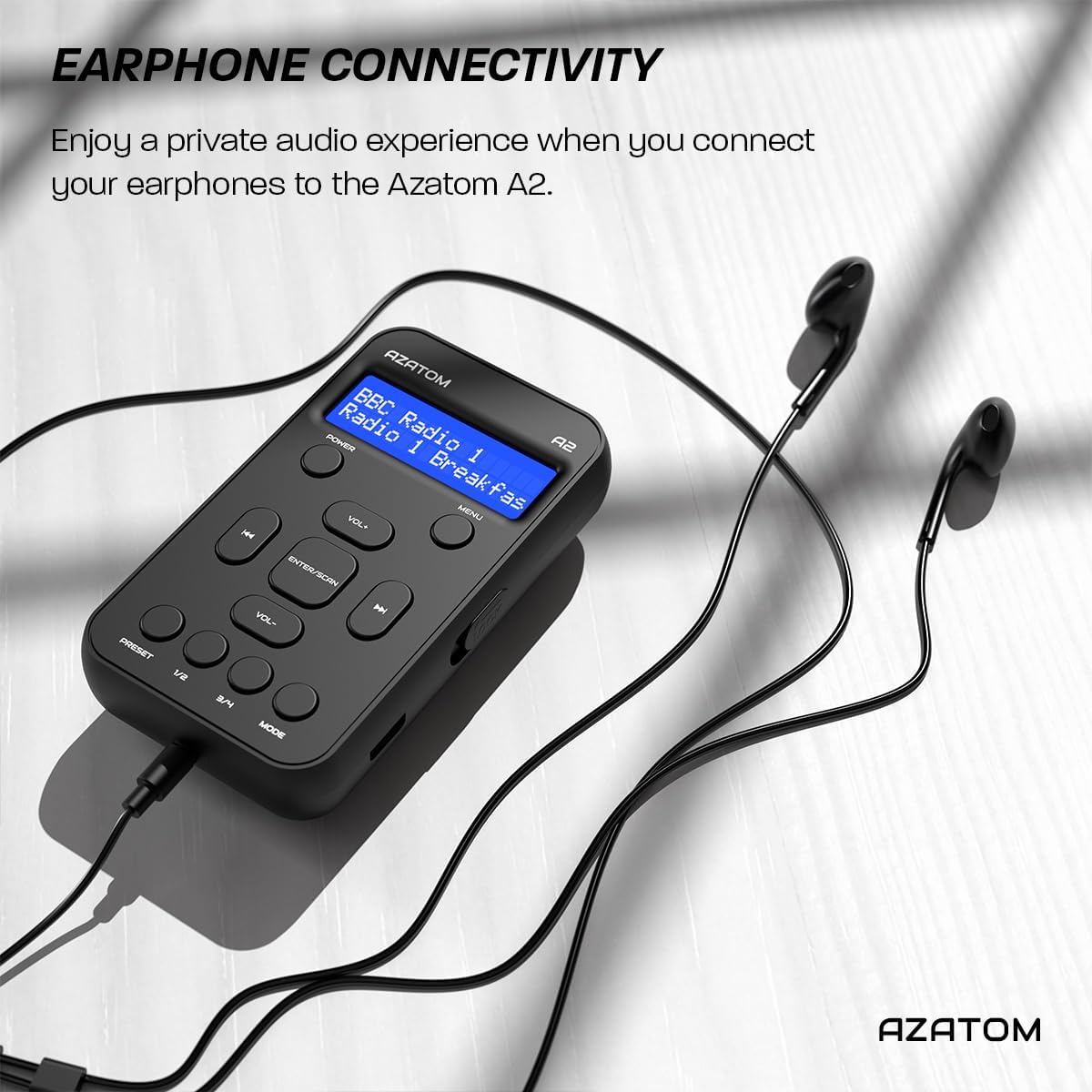
Connect the supplied earphones to the radio for optimal reception and a private listening experience.
คำแนะนำการใช้งาน
เปิด/ปิดเครื่อง
- กดปุ่มค้างไว้ พลัง ปุ่มสำหรับเปิดหรือปิดวิทยุ
การใช้งานวิทยุ DAB/DAB+

The AZATOM A2 supports both DAB/DAB+ and FM radio technologies.
- Ensure the earphones are connected.
- กดปุ่ม โหมด button until 'DAB' or 'DAB+' is displayed.
- The radio will automatically perform a full scan for available DAB/DAB+ stations upon first use or if no stations are found. To manually scan, press and hold the ป้อน/สแกน ปุ่ม.
- ใช้ เล่ม+ or ฉบับ- ปุ่มต่างๆ สำหรับเลื่อนดูรายชื่อสถานีที่ค้นพบ
- กด ป้อน/สแกน เพื่อเลือกสถานี
การทำงานของวิทยุ FM
- Ensure the earphones are connected.
- กดปุ่ม โหมด button until 'FM' is displayed.
- To auto-scan for FM stations, press and hold the ป้อน/สแกน กดปุ่ม วิทยุจะทำการสแกนและบันทึกสถานีที่ใช้งานได้
- หากต้องการปรับแต่งด้วยตนเอง ให้กดปุ่มสั้นๆ เล่ม+ or ฉบับ- buttons to adjust the frequency in small increments.
การตั้งค่าและการเรียกคืนค่าที่ตั้งล่วงหน้า
The AZATOM A2 allows you to store up to 40 DAB+ and 40 FM favorite stations.

The AZATOM A2 allows for easy recall of your favorite preset stations.
วิธีบันทึกค่าที่ตั้งไว้ล่วงหน้า:
- ปรับไปยังสถานีที่ต้องการ
- กดค้างไว้หนึ่งใน พรีเซ็ต buttons (1/2 or 3/4) until the display shows 'Preset Store'.
- ใช้ เล่ม+ or ฉบับ- ปุ่มสำหรับเลือกหมายเลขที่ตั้งไว้ล่วงหน้าที่ต้องการ (1-40)
- กด ป้อน/สแกน เพื่อยืนยันและบันทึกสถานี
ในการเรียกคืนพรีเซ็ต:
- กดปุ่มใดปุ่มหนึ่งสั้นๆ พรีเซ็ต buttons (1/2 or 3/4).
- ใช้ เล่ม+ or ฉบับ- buttons to navigate through your stored presets.
- กด ป้อน/สแกน to select and play the desired preset station.
การควบคุมระดับเสียง
- กด เล่ม+ เพื่อเพิ่มปริมาณเสียง
- กด ฉบับ- เพื่อลดระดับเสียง
ความสว่างของจอภาพ
The XL digital display's brightness can be adjusted to your preference. Access this setting through the MENU options.

ภาพระยะใกล้ view of the AZATOM A2's clear digital display.
การซ่อมบำรุง
- การทำความสะอาด: ใช้ผ้าแห้งนุ่มเช็ดทำความสะอาดพื้นผิววิทยุ ห้ามใช้สารทำความสะอาดที่มีฤทธิ์กัดกร่อนหรือตัวทำละลาย
- การดูแลแบตเตอรี่ To prolong battery life, avoid fully discharging the battery frequently. Charge the radio regularly, even if not in use for extended periods.
- พื้นที่จัดเก็บ: เก็บวิทยุไว้ในที่แห้งและเย็น หลีกเลี่ยงแสงแดดโดยตรงและอุณหภูมิที่สูงหรือต่ำเกินไป
การแก้ไขปัญหา
| ปัญหา | สาเหตุที่เป็นไปได้ | สารละลาย |
|---|---|---|
| No power/Radio won't turn on. | แบตเตอรี่หมด | ชาร์จวิทยุโดยใช้สาย USB-C ที่ให้มาในชุด |
| การรับสัญญาณวิทยุไม่ดี (DAB/FM) | Earphones not connected or not fully inserted. Weak signal area. | Ensure earphones are securely connected. Try moving to an open area or near a window. Perform a new scan. |
| ไม่มีเสียง. | Volume is too low or muted. Earphones not connected. | Increase the volume using VOL+. Ensure earphones are connected. |
| วิทยุค้างหรือไม่ตอบสนอง | ซอฟต์แวร์มีปัญหาชั่วคราว | Press and hold the POWER button to force a restart. If issue persists, allow battery to fully discharge then recharge. |
ข้อมูลจำเพาะ

Dimensions of the AZATOM A2 radio.
| คุณสมบัติ | รายละเอียด |
|---|---|
| แบบอย่าง | A2 |
| ขนาด (กว้าง x ยาว x สูง) | 9 x 4 x 11 ซม. (ประมาณ 90 มม. x 50 มม. x 24 มม.) |
| น้ำหนัก | 90 กรัม |
| รองรับคลื่นวิทยุ | แดบ, แดบ+, เอฟเอ็ม |
| พรีเซ็ต | 40 บอด+, 40 เอฟเอ็ม |
| ประเภทแบตเตอรี่ | แบตเตอรี่ลิเธียมไอออนแบบชาร์จได้ (1800mAh) |
| เวลาเล่น | นานถึง 24 ชั่วโมง |
| ประเภทจอภาพ | จอแอลซีดี |
| การเชื่อมต่อ | USB-C (for charging), 3.5mm Earphone Jack |
| วัสดุ | พลาสติก |
การรับประกันและการสนับสนุน
AZATOM products are designed and engineered in the UK. The AZATOM A2 comes with a premium 3-year warranty (registration required). For any questions or support, please contact our dedicated customer service team. Lifetime customer support is provided to assist you with any queries.
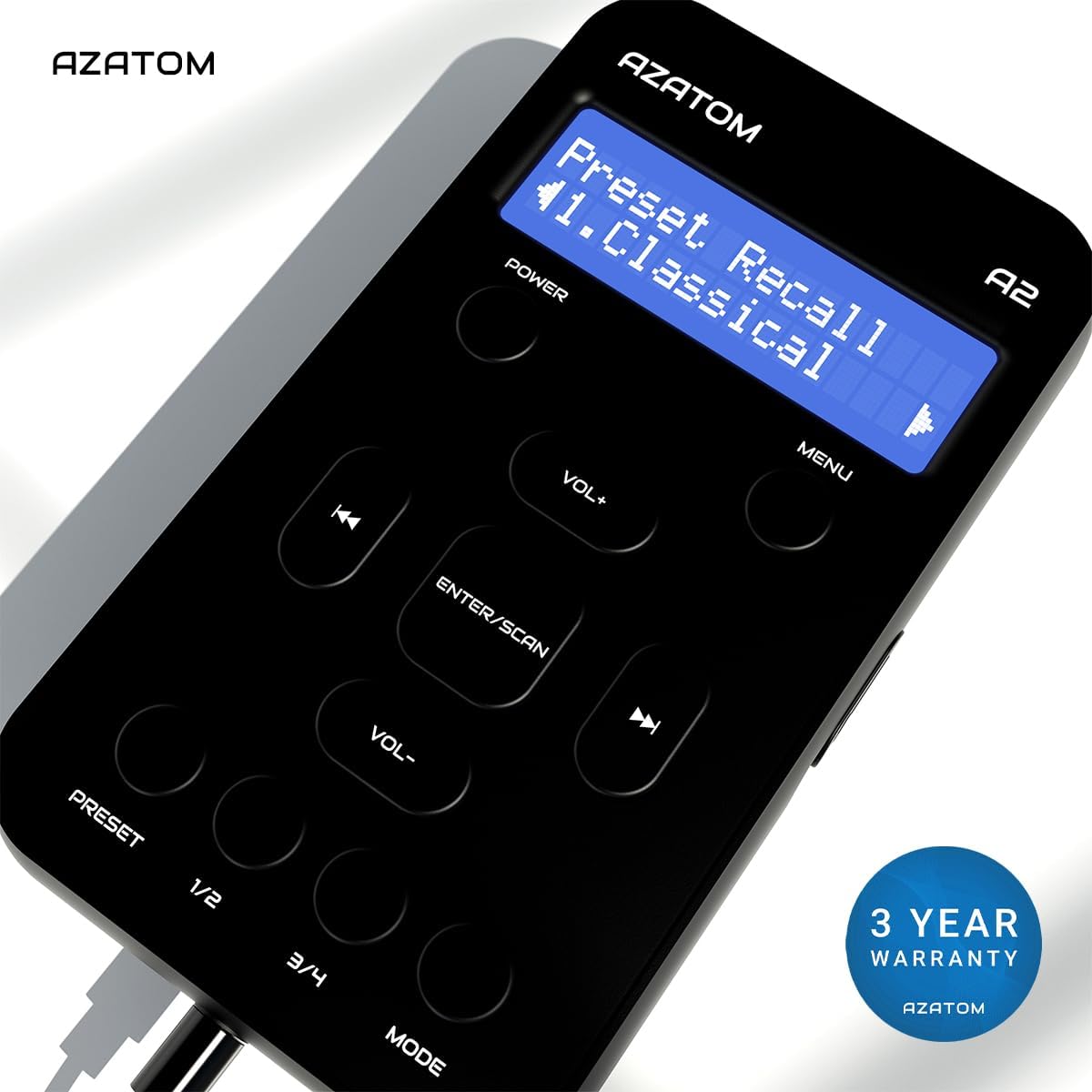
The AZATOM A2 is backed by a 3-year warranty.


