การแนะนำ
This manual provides essential information for the safe and efficient operation, installation, and maintenance of your IRIS USA 3-in-1 WOOZOO Portable Air Conditioner and Dehumidifier. Please read this manual thoroughly before using the appliance and retain it for future reference.
ข้อมูลด้านความปลอดภัย
ปฏิบัติตามข้อควรระวังด้านความปลอดภัยขั้นพื้นฐานเสมอเมื่อใช้เครื่องใช้ไฟฟ้า เพื่อลดความเสี่ยงต่อการเกิดไฟไหม้ ไฟฟ้าช็อต และการบาดเจ็บต่อบุคคล
- ตรวจสอบให้แน่ใจว่าแหล่งจ่ายไฟตรงกับปริมาตรtage ระบุไว้บนฉลากการจัดอันดับของหน่วย
- อย่าใช้งานเครื่องด้วยสายไฟหรือปลั๊กที่ชำรุด
- ห้ามปิดกั้นช่องรับหรือช่องระบายอากาศ
- Keep children away from the appliance. Activate the child lock function for added safety.
- Do not insert fingers or foreign objects into the air outlet.
- ถอดปลั๊กเครื่องก่อนทำความสะอาดหรือดำเนินการบำรุงรักษาใดๆ
- This unit is UL listed to meet U.S. safety standards.
สินค้าเกินview
Familiarize yourself with the components and features of your portable air conditioner.

รูปที่ 1: The IRIS USA WOOZOO Portable Air Conditioner shown with its accompanying remote control. The unit is white with a black top panel and front grille, featuring wheels for easy mobility.

รูปที่ 2: An illustration highlighting the powerful cooling capabilities of the unit, including 10,000 BTU AC cooling power, 3 adjustable fan speeds, and a dehumidifying capacity of 74 pints per day.

รูปที่ 3: A diagram illustrating the detailed dimensions of the portable air conditioner, showing its height (30 inches), depth (16 inches), and width (12 inches). Key specifications like weight (55 lbs), wattage (1010W), cable length (71 inches), and temperature range (61°F - 86°F) are also displayed.

รูปที่ 4: This image shows the full-function remote control with a digital display, allowing easy operation of the unit. Below, a close-up of the built-in casters demonstrates the unit's easy maneuverability.
การติดตั้งและการตั้งค่า
Proper installation is crucial for optimal performance. This unit includes a window kit for exhaust ventilation.
- การแกะกล่อง: Carefully remove the unit and all accessories from the packaging. Check for any damage.
- การวางตำแหน่ง: Place the unit on a flat, stable surface. Ensure there is at least 20 cm (8 inches) of space around the unit for proper airflow. The unit is equipped with wheels for easy movement.
- การติดตั้งชุดหน้าต่าง:
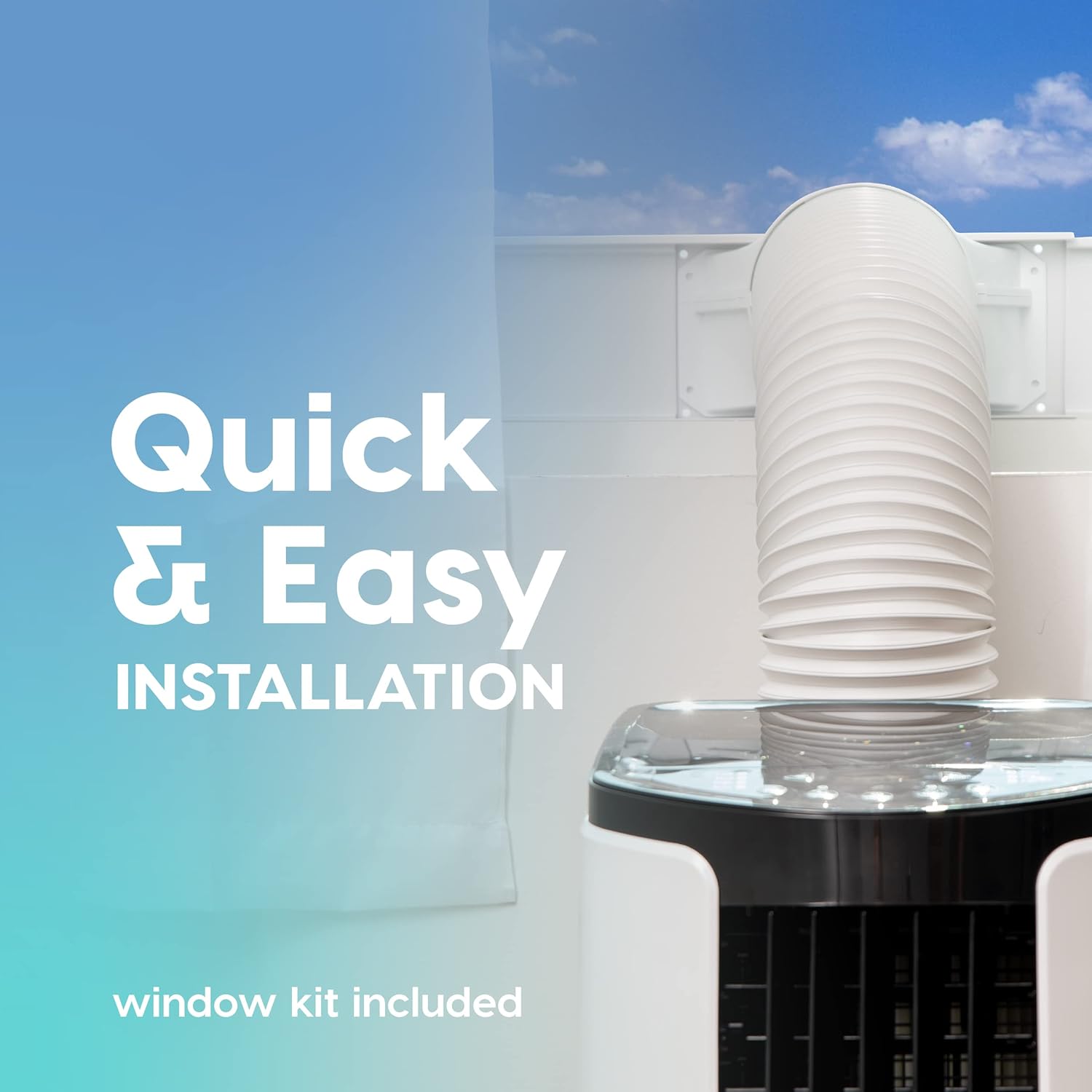
รูปที่ 5: This image illustrates the quick and easy installation process, showing the exhaust hose connected to the unit and extended through a window using the included window kit.
- Assemble the window sealing plate kit according to the instructions provided in the separate window kit manual.
- Connect the exhaust hose to the unit's exhaust outlet and extend it to the window kit.
- Ensure the hose is not kinked or bent sharply, as this can restrict airflow and reduce efficiency.
- การเชื่อมต่อไฟฟ้า: เสียบสายไฟเข้ากับเต้ารับไฟฟ้าที่มีสายดิน
คำแนะนำการใช้งาน
Your portable air conditioner offers multiple modes for customized comfort. All functions can be easily operated with the included remote control.
แผงควบคุมและรีโมตคอนโทรล
The unit can be controlled via the top-mounted control panel or the remote control. The remote control features a digital display for easy viewการไอเอ็นจี
โหมดการทำงาน
- โหมดทำความเย็น: Provides powerful cooling for rooms up to 450 square feet.
- กดปุ่ม โหมด button until the cooling indicator light is on.
- Adjust the desired temperature using the + or - buttons (range: 61°F / 16°C to 86°F / 30°C).
- ปรับความเร็วพัดลมโดยใช้ FAN button (3 speeds available).
- โหมดพัดลม: หมุนเวียนอากาศโดยไม่ทำให้เย็น
- กดปุ่ม โหมด button until the fan indicator light is on.
- ปรับความเร็วพัดลมโดยใช้ FAN ปุ่ม.
- โหมดเครื่องลดความชื้น: กำจัดความชื้นส่วนเกินออกจากอากาศ
- กดปุ่ม โหมด button until the dehumidifier indicator light is on.
- The unit will automatically exhaust condensate in most environments.
ฟังก์ชั่นเพิ่มเติม
- โหมดสลีป: Activates quiet operation and gradually adjusts temperature for comfortable sleep. Press the นอน ปุ่ม.
- ฟังก์ชั่นจับเวลา: Set the unit to turn on or off automatically within a 24-hour period. Press the ตัวจับเวลา ปุ่มและการใช้งาน + or - เพื่อตั้งเวลาที่ต้องการ
- การล็อคเด็ก: Prevents accidental changes to settings. Refer to the remote control instructions for activation.
- การสั่น: Both vertical and horizontal oscillation can be adjusted manually to direct airflow.
การซ่อมบำรุง
การบำรุงรักษาอย่างสม่ำเสมอจะช่วยให้เครื่องปรับอากาศแบบพกพาของคุณมีอายุการใช้งานยาวนานและทำงานได้อย่างมีประสิทธิภาพ
การทำความสะอาดตัวกรอง

รูปที่ 6: This image shows the reusable air filter being cleaned under running water, emphasizing the ease of maintenance with simple soap and water.
The unit is equipped with a washable air filter that can be cleaned with simple soap and water. Clean the filter every two weeks or more frequently depending on usage and air quality.
- ถอดปลั๊กเครื่องออกจากเต้ารับไฟฟ้า
- ค้นหาและถอดตัวกรองอากาศออกจากด้านหลังหรือด้านข้างของเครื่อง
- Wash the filter under running water with a mild detergent.
- Rinse thoroughly and allow the filter to air dry completely before reinserting it into the unit.
การดูแลทั่วไป
- เช็ดด้านนอกของตัวเครื่องด้วยผ้านุ่มdamp ผ้า. อย่าใช้สารเคมีที่รุนแรงหรือน้ำยาทำความสะอาดที่มีฤทธิ์กัดกร่อน
- For long-term storage, drain any accumulated water, clean the filter, and store the unit in a dry place.
การแก้ไขปัญหา
โปรดดูหัวข้อนี้เพื่อดูปัญหาทั่วไปและวิธีแก้ไข
| ปัญหา | สาเหตุที่เป็นไปได้ | สารละลาย |
|---|---|---|
| เครื่องไม่เปิด | ไม่มีไฟฟ้า สายไฟหลุด เบรกเกอร์สะดุด | Check power connection, reset circuit breaker. |
| หน่วยไม่ทำความเย็นได้อย่างมีประสิทธิภาพ | Air filter dirty, exhaust hose blocked/kinked, room too large, windows/doors open. | Clean air filter, check exhaust hose, ensure proper room size, close windows/doors. |
| หน่วยมีเสียงดัง | เครื่องไม่อยู่บนพื้นระดับ พัดลมกีดขวาง | Place on a level surface, check for obstructions in fan area. |
| น้ำรั่ว. | Drain plug not properly sealed, unit tilted. | Ensure drain plug is secure, place unit on a level surface. |
ข้อมูลจำเพาะ
| คุณสมบัติ | รายละเอียด |
|---|---|
| แบบอย่าง | WOOZOO Portable Air Conditioner |
| ASIN | B096SHCS8J |
| ความสามารถในการทำความเย็น | 10,000 บีทียู (ASHRAE) |
| พื้นที่ให้บริการ | สูงสุดถึง 450 ตร.ฟุต |
| ลดความชื้นความจุ | 74 ไพน์ / วัน |
| ช่วงอุณหภูมิ | 61°F (16°C) ถึง 86°F (30°C) |
| ความเร็วพัดลม | 3 |
| การใช้พลังงาน | 1010 วัตต์ |
| เล่มที่tage | 115 โวลต์ |
| ระดับเสียง | 30 เดซิเบล |
| ขนาด (D x W x H) | ขนาด 31.5D x 39.5W x 77H เซนติเมตร (ประมาณ 12.4D x 15.6W x 30.3H นิ้ว) |
| น้ำหนัก | 55 ปอนด์ (ประมาณ 24.9 กก.) |
| คุณสมบัติพิเศษ | LED Temperature Display, Remote Controlled, Sleep Mode, Timer, Child Lock, Auto Drain Function |
การรับประกันและการสนับสนุน
For warranty information or technical support, please refer to the warranty card included with your product or contact IRIS USA customer service. Keep your purchase receipt as proof of purchase.
For further assistance, visit the official IRIS USA webไซต์หรือติดต่อสายสนับสนุนลูกค้าของพวกเขา


