การแนะนำ
The AudioRange ITE-1000 Wireless TV Headset is designed to provide crystal clear audio from your television directly to your ears, without disturbing others. Ideal for seniors and individuals with mild to moderate hearing loss, this system offers personalized volume control and enhanced voice clarity. It features a lightweight, comfortable design and is universally compatible with most TVs and streaming services.

Figure 1: AudioRange ITE-1000 Wireless TV Headset on its charging dock.
มีอะไรอยู่ในกล่อง
Your AudioRange ITE-1000 Solo Bundle includes the following components:
- 1 Wireless TV Headset
- 1 Fast-Charging Headset Dock (with extra charging slot for a second headset)
- 3 Sets of Uniquely Shaped Earbuds (for maximum comfort)
- สายสัญญาณเสียงออปติคอลดิจิตอล
- Analog Audio Cables (RCA and 3.5mm)
- อะแดปเตอร์แปลงไฟ
- แบตเตอรี่เสริม
- Balance Adjustment Screwdriver

Figure 2: The three different sets of eartips included for personalized comfort.
คู่มือการติดตั้ง
Follow these steps to set up your AudioRange ITE-1000 Wireless TV Headset:
- ชาร์จหูฟัง: Place the headset onto the fast-charging dock. Ensure the prongs on the headset align with the charging contacts on the dock. The headset will begin charging automatically.
- Connect to TV Power: Plug the charging dock's power adapter into a wall outlet.
- Connect to TV Audio: The AudioRange ITE-1000 is compatible with most TVs. Choose the appropriate audio cable based on your TV's available output ports:
- Digital Optical Audio Out (Recommended for best quality): Use the included optical cable. Connect one end to your TV's "Digital Audio Out (Optical)" port and the other end to the "Optical" input on the charging dock. Note: Your TV's audio format may need to be changed to "PCM" or "Stereo" for headphone use. Consult your TV manual if needed.
- RCA L/R Audio Out: Use the included RCA cables (red and white). Connect them to the "Audio Out" (red and white) ports on your TV and the corresponding "Audio In (Stereo)" ports on the charging dock. Ensure these are "Audio Out" ports, not "Audio In".
- แจ็คหูฟัง 3.5 มม.: Use the included 3.5mm audio cable. Connect one end to your TV's headphone jack and the other end to the "Audio In (Stereo)" port on the charging dock. Note: This connection may disable audio from your TV speakers for private listening.
- เปิดเครื่อง: Once connected, the system is ready to use. No complex pairing or passwords are required.
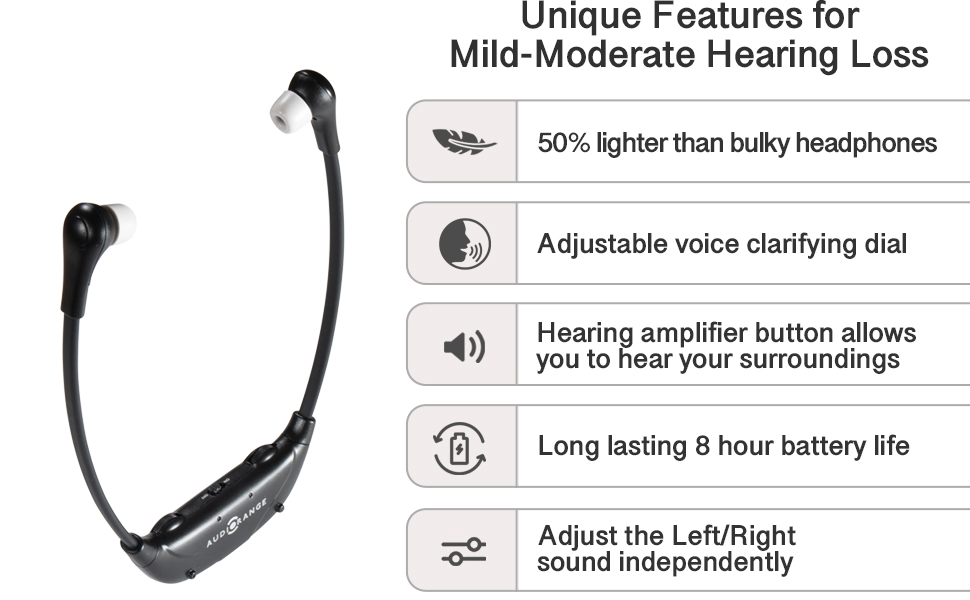
Figure 3: Important TV compatibility information and connection types.
Video 1: Official AudioRange ITE-1000 Wireless TV Audio Headset overview and setup demonstration.
WARNING: Consult your doctor or physician if you have a pacemaker before purchasinหรือการใช้อุปกรณ์นี้
คำแนะนำการใช้งาน
The AudioRange ITE-1000 is designed for ease of use. Here's how to operate your headset:
- การสวมชุดหูฟัง: Gently place the headset around your neck with the earbuds positioned comfortably in your ears.
- การควบคุมระดับเสียง: Use the "VOL" dial on the headset to adjust the overall volume to your preferred listening level. The headset offers up to 130dB max volume for those with mild to moderate hearing loss.
- การปรับโทนเสียง: Use the "TONE" dial to customize the voice clarity. This helps in making dialogue clearer and more understandable.
- การปรับสมดุล: For individuals with different hearing levels in each ear, use the included small screwdriver to adjust the "BAL" (balance) control. This allows you to manually adjust the sound balance between the left and right earbuds.
- Microphone Feature: Press the "MIC" button to activate the built-in microphone. This allows you to hear conversations and sounds in your surrounding room without removing the headset, making it easy to interact with others while watching TV.
- การฟังพร้อมกัน: The system allows you to listen to the TV through the headset at your desired volume, while others can listen to the TV speakers at their own volume.
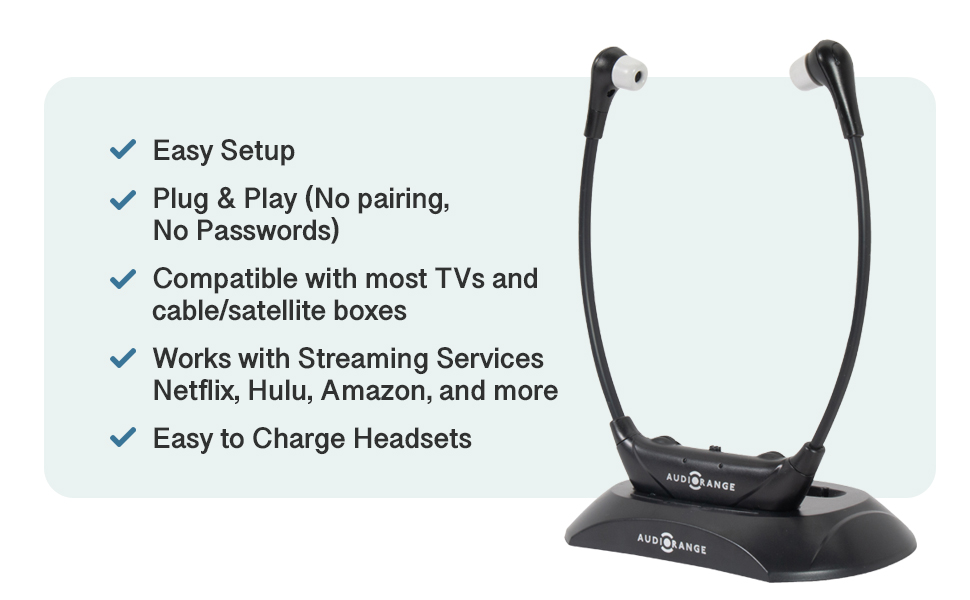
Figure 4: Enjoying TV at different volumes with the AudioRange headset.
การซ่อมบำรุง
Proper maintenance ensures the longevity and optimal performance of your AudioRange ITE-1000 headset:
- การชาร์จ: The headset features a long-lasting 8-hour battery life per charge. Recharging is fast and simple by placing it on the sleek charging dock. The dock has slots for two headsets if you have a dual system or an additional headset.
- การเปลี่ยนแบตเตอรี่: An extra battery is included in the package. Refer to the headset's battery compartment for replacement instructions if needed.
- การทำความสะอาด: Regularly clean the earbuds and the headset with a soft, dry cloth. Avoid using harsh chemicals or abrasive materials.
- Eartip Care: The included eartips can be removed and cleaned with mild soap and water. Ensure they are completely dry before reattaching them to the headset.
การแก้ไขปัญหา
If you encounter any issues with your AudioRange ITE-1000, consider the following common solutions:
- No Sound or Static Noise:
- ตรวจสอบให้แน่ใจว่าชุดหูฟังชาร์จเต็มแล้ว
- Verify all cables are securely connected to both the charging dock and the TV.
- If using the optical connection, check your TV's audio settings to ensure the output format is set to "PCM" or "Stereo".
- ตรวจสอบให้แน่ใจว่าไม่ได้ปิดเสียงทีวีหรือตั้งเสียงไว้เบาเกินไป
- Audio Delays or Lip-Sync Issues:
- The AudioRange RF headphones are designed to have no audio lag. If you experience delays, ensure no other wireless devices are causing interference.
- Check that the headset is within the optimal operating range from the charging dock/transmitter.
- พอดีไม่สบาย:
- Experiment with the three different sets of uniquely shaped earbuds included in the package to find the most comfortable fit for your ears.
ข้อมูลจำเพาะ
| คุณสมบัติ | รายละเอียด |
|---|---|
| ชื่อรุ่น | ไอที-1000 |
| ยี่ห้อ | ช่วงเสียง |
| สี | สีดำ |
| วัสดุ | พลาสติก |
| น้ำหนักสินค้า | 1 ปอนด์ |
| ขนาดแพ็คเกจ | 9.13 x 7.32 x 2.13 นิ้ว |
| แบตเตอรี่ | ต้องใช้แบตเตอรี่ลิเธียมไอออน 2 ก้อน (รวมอยู่ด้วย) |
| ปริมาตรสูงสุด | 130เดซิเบล |
| อายุการใช้งานแบตเตอรี่ | สูงสุด 8 ชั่วโมงต่อการชาร์จหนึ่งครั้ง |
การรับประกันและการสนับสนุน
AudioRange provides U.S.-based Lifetime Customer Support with your purchase. For any questions, technical assistance, or warranty claims, please contact AudioRange customer service.
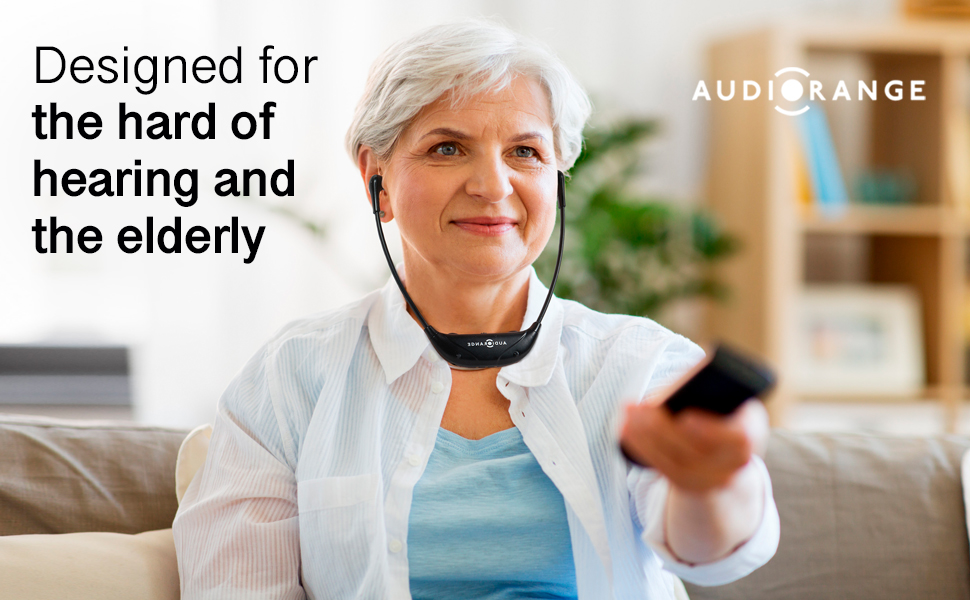
Figure 5: AudioRange offers dedicated U.S.-based customer support.


