การแนะนำ
This user manual provides essential information for the Lenovo ThinkPad X1 Carbon Gen 9 laptop. It covers initial setup, basic operation, maintenance guidelines, troubleshooting tips, and detailed product specifications. Please read this manual thoroughly to ensure proper use and care of your device.
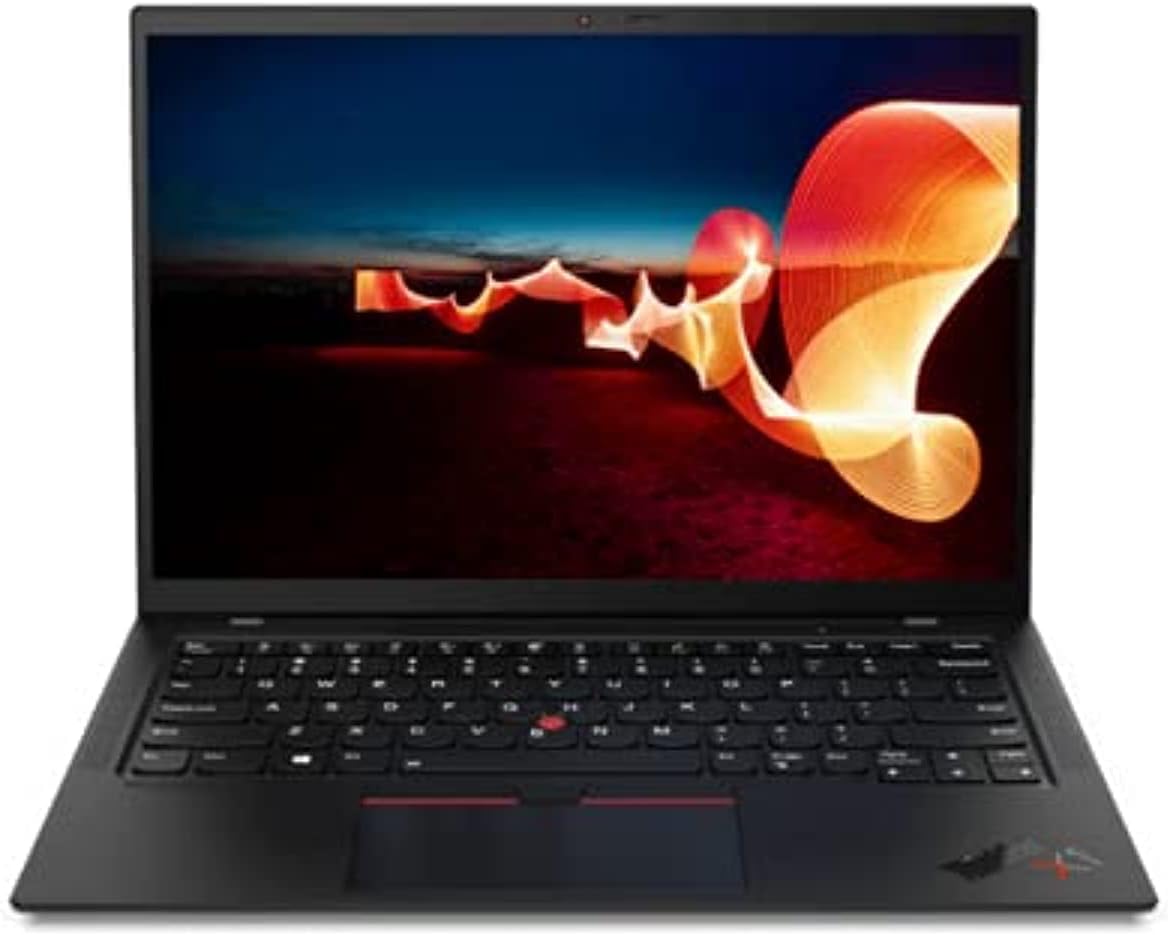
Image: The Lenovo ThinkPad X1 Carbon Gen 9 laptop in a closed position, showcasing การออกแบบที่เพรียวบาง
การตั้งค่า
1. การแกะกล่องและการตรวจสอบเบื้องต้น
Carefully remove the laptop and all accessories from the packaging. Verify that all components are present, including the laptop and the power adapter. Inspect the device for any visible damage.
2. การเชื่อมต่ออะแดปเตอร์ไฟฟ้า
Connect the power adapter to the laptop's USB-C port (Thunderbolt 4 compatible) and then plug it into a power outlet. It is recommended to fully charge the battery before initial use.

Image: Left side of the laptop, illustrating the USB-C (Thunderbolt 4) and USB 3.1 ports for power and data connections.
3. การเปิดเครื่องครั้งแรกและการตั้งค่า Windows
Press the power button to turn on the laptop. Follow the on-screen instructions to complete the Windows 11 Pro operating system setup. This includes selecting your region, connecting to a Wi-Fi network, and creating a user account.
คำแนะนำการใช้งาน
เปิด/ปิดเครื่องและโหมดสลีป
- เปิดเครื่อง: กดปุ่มเปิด/ปิดเครื่องที่อยู่ด้านข้างแล็ปท็อป
- หมดแรง: คลิกปุ่มเริ่ม จากนั้นเลือกปุ่มเปิด/ปิด และเลือก "ปิดเครื่อง"
- โหมดสลีป: Close the laptop lid or click the Start button, then Power, and select "Sleep."
Keyboard and Input Devices
The ThinkPad X1 Carbon Gen 9 features a backlit keyboard for improved visibility in low-light conditions. Utilize the integrated touchpad or the TrackPoint pointing device for navigation.
การเชื่อมต่ออุปกรณ์ภายนอก
แล็ปท็อปมีพอร์ตต่างๆ สำหรับเชื่อมต่ออุปกรณ์ภายนอก:
- USB-C (Thunderbolt 4): สำหรับการถ่ายโอนข้อมูลความเร็วสูง เอาท์พุตวิดีโอ และการชาร์จ
- ยูเอสบี 3.1: สำหรับเชื่อมต่ออุปกรณ์ USB มาตรฐาน
- ช่องต่อ HDMI: สำหรับเชื่อมต่อกับจอแสดงผลภายนอกหรือโปรเจ็กเตอร์
- แจ็คเสียง: สำหรับหูฟังหรือลำโพงภายนอก

Image: Right side of the laptop, displaying the audio jack, USB 3.1 port, and a security lock slot.
การเชื่อมต่อแบบไร้สาย
The laptop supports Wi-Fi 6 (Intel AX201 11ax) for fast wireless internet access and Bluetooth 5.1 for connecting wireless peripherals such as mice, keyboards, or headphones.
เครื่องอ่านลายนิ้วมือ
Utilize the integrated fingerprint reader for secure and convenient login to your Windows operating system.
การซ่อมบำรุง
การทำความสะอาดแล็ปท็อป
- ใช้ผ้านุ่มไม่เป็นขุยเช็ดเล็กน้อยampชุบน้ำหรือน้ำยาทำความสะอาดหน้าจอเพื่อทำความสะอาดจอแสดงผล
- สำหรับแป้นพิมพ์และตัวเครื่อง ให้ใช้ผ้านุ่มๆ หลีกเลี่ยงสารเคมีรุนแรงหรือวัสดุที่มีฤทธิ์กัดกร่อน
- ตรวจสอบให้แน่ใจว่าแล็ปท็อปปิดอยู่และถอดปลั๊กออกก่อนทำความสะอาด
การดูแลแบตเตอรี่
- หลีกเลี่ยงการให้แบตเตอรี่สัมผัสกับอุณหภูมิที่สูงเกินไป
- For optimal battery longevity, avoid consistently discharging the battery to 0% or keeping it at 100% for extended periods.
การอัพเดตซอฟต์แวร์
ตรวจสอบและติดตั้งการอัปเดตระบบปฏิบัติการ (Windows Update) และการอัปเดตไดรเวอร์ (Lenovo Van) เป็นประจำtagซอฟต์แวร์หรือการสนับสนุนของ Lenovo webไซต์) เพื่อให้มั่นใจถึงประสิทธิภาพและความปลอดภัยที่เหมาะสมที่สุด
การแก้ไขปัญหา
If you encounter issues with your Lenovo ThinkPad X1 Carbon Gen 9, consider the following common troubleshooting steps:
- ไม่มีไฟฟ้า: ตรวจสอบให้แน่ใจว่าอะแดปเตอร์เสียบแน่นดีแล้วและเต้ารับไฟฟ้าใช้งานได้ ลองใช้เต้ารับไฟฟ้าอื่น
- ปัญหาการแสดงผล: If the screen is blank, try connecting an external monitor to verify if the issue is with the laptop's display or graphics output. Ensure display drivers are updated.
- ปัญหาการเชื่อมต่อ (Wi-Fi/Bluetooth): Check if Wi-Fi and Bluetooth are enabled in Windows settings. Restart your router for Wi-Fi issues. Ensure drivers are up to date.
- ประสิทธิภาพการทำงานช้า: ปิดแอปพลิเคชันที่ไม่จำเป็น ตรวจสอบมัลแวร์ และตรวจสอบให้แน่ใจว่ามีพื้นจัดเก็บข้อมูลว่างเพียงพอ
- ระบบไม่ตอบสนอง: กดปุ่มเปิด/ปิดค้างไว้ 10-15 วินาทีเพื่อบังคับปิดเครื่อง จากนั้นรีสตาร์ทแล็ปท็อป
For more complex issues or hardware failures, refer to the official Lenovo support webเว็บไซต์หรือติดต่อฝ่ายบริการลูกค้าของพวกเขา
ข้อมูลจำเพาะ
Below are the key technical specifications for the Lenovo ThinkPad X1 Carbon Gen 9 laptop:
| คุณสมบัติ | รายละเอียด |
|---|---|
| โปรเซสเซอร์ | Intel Core i7-1165G7 (4C / 8T, 2.8 / 4.7GHz, 12MB) |
| กราฟฟิก | กราฟิก Intel Iris Xe แบบรวม |
| แสดง | 14" FHD IPS 400nits Anti-glare (1920 x 1080 pixels) |
| หน่วยความจำ (RAM) | 16GB LPDDR4 (soldered) |
| พื้นที่จัดเก็บ | 512GB SSD M.2 2280 PCIe x4 NVMe Opal2 |
| ระบบปฏิบัติการ | วินโดวส์ 11 โปร |
| การเชื่อมต่อแบบไร้สาย | Wi-Fi 6 (Intel AX201 11ax), Bluetooth 5.1 |
| พอร์ต | USB-C (Thunderbolt 4), HDMI, USB 3.1, Audio Jack |
| Webลูกเบี้ยว | บูรณาการ Webกล้องพร้อมไมโครโฟน |
| คุณสมบัติด้านความปลอดภัย | เครื่องอ่านลายนิ้วมือ |
| ขนาด (กxลxส) | 315 x 221.6 x 14.9 มม. (12.4 x 8.72 x 0.59 นิ้ว) |
| น้ำหนัก | ประมาณ 2.48 ปอนด์ |
การรับประกันและการสนับสนุน
การรับประกันต่ออายุของ Amazon
This product is covered by the Amazon Renewed Guarantee. If you are not satisfied with your purchase, renewed products are eligible for replacement or refund within 90 days of receipt under this guarantee. For details, please refer to the Amazon Renewed program terms.
การสนับสนุนผู้ผลิต
For technical assistance, driver downloads, or further product information, please visit the official Lenovo support website. You may need your product's serial number for specific support inquiries.
Optional protection plans may be available for extended coverage beyond the Amazon Renewed Guarantee. Please check your purchase details for information on any additional plans.


