1. บทนำ
This manual provides detailed instructions for the safe and effective operation of your Teslong Rigid Rifle Borescope Model TSNTG500H. This device is designed for inspecting the interior of rifle barrels, aiding in cleaning regimen evaluation and firearm problem diagnosis. Please read this manual thoroughly before use and retain it for future reference.

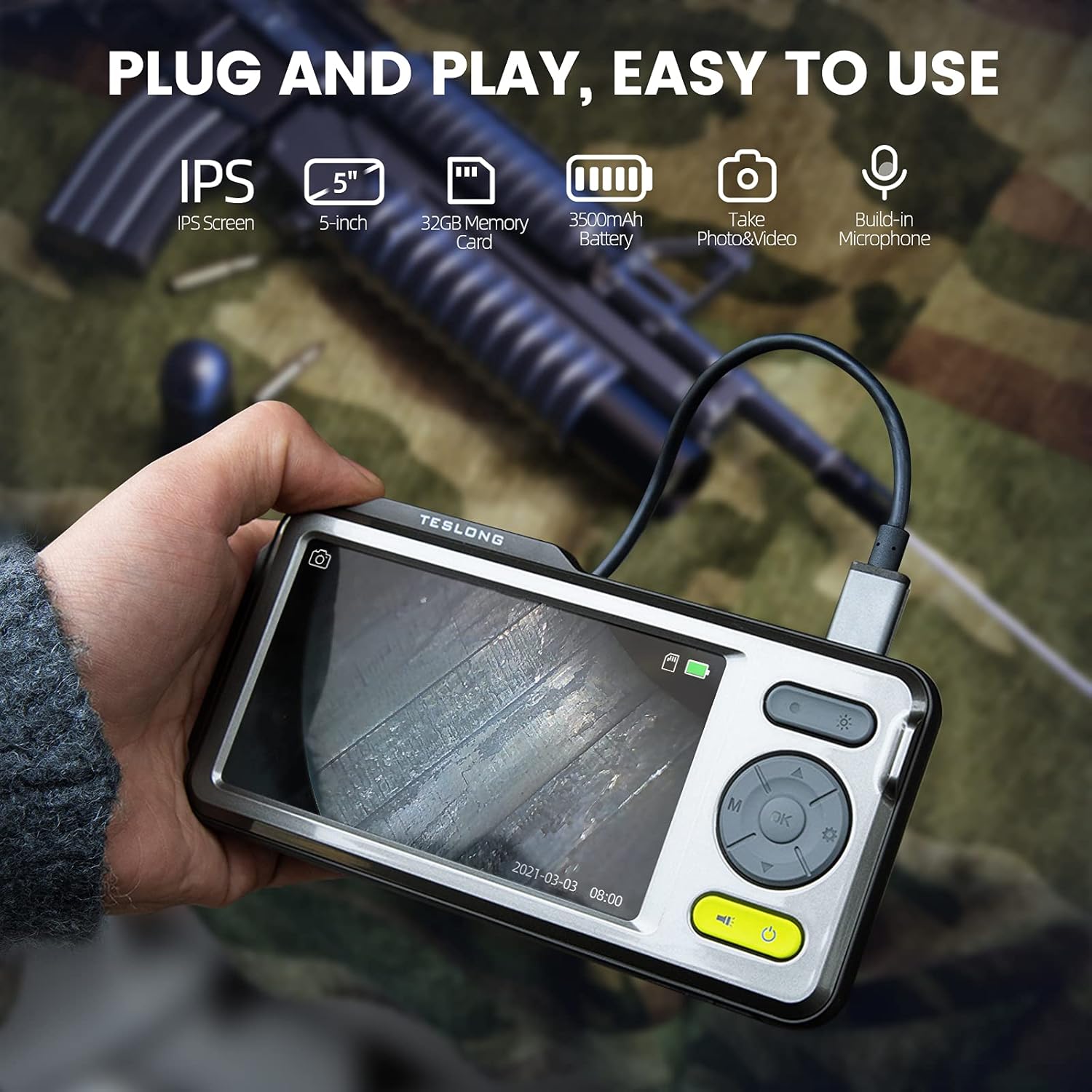
Image: The Teslong Rigid Rifle Borescope in use, showing the monitor displaying the bore's interior.
2. เนื้อหาบรรจุภัณฑ์
ตรวจสอบว่ามีสินค้าทั้งหมดที่ระบุไว้ด้านล่างอยู่ในแพ็คเกจของคุณ:
- Teslong NTG500H Rifle Borescope with 5-inch IPS Screen
- Rigid Camera Probe (26-inch long, 0.2-inch diameter)
- Aviation to USB-C Cable
- Aviation to USB-A Cable
- USB-A to USB-C Cable (for charging and data transfer)
- ขาตั้งจอภาพ
- Set of 5 Side-View Mirrors (5mm, 6mm, 7mm, 8.5mm, 10mm)
- การ์ด Micro SD ขนาด 32GB (ติดตั้งมาแล้ว)
- คู่มือการใช้งาน (เอกสารนี้)
ภาพ: เหนือview of the Teslong Borescope components and accessories.
3. สินค้าหมดview
3.1. Monitor Features
The 5-inch HD color IPS LCD screen provides a clear view of the inspection area. It features intuitive controls for operation.
- ปุ่มเปิด/ปิด: เปิด/ปิดอุปกรณ์
- ปุ่มโหมด (M): สลับระหว่างโหมดถ่ายภาพ วิดีโอ และการเล่นภาพ
- ปุ่มตกลง/เข้าสู่ระบบ: ยืนยันการเลือก
- ปุ่มตั้งค่า (ไอคอนรูปเฟือง): เข้าถึงการตั้งค่าอุปกรณ์
- Lights Button (Sun Icon): Adjusts LED brightness (3 levels) or turns lights off.
- ลูกศรขึ้น/ลง: นำทางไปยังเมนูต่างๆ และปรับการตั้งค่า
- พอร์ต USB-C: สำหรับชาร์จไฟและเชื่อมต่อกับคอมพิวเตอร์
- ช่องเสียบการ์ด Micro SD: For storing images and videos (32GB card included).
- Probe Lock: Secures the camera probe connection.
- ผู้บรรยาย: สำหรับการเล่นเสียง
- ขาตั้ง: For attaching the monitor stand.
- ปุ่มรีเซ็ต: รีเซ็ตอุปกรณ์

Image: The Teslong Borescope monitor highlighting its various buttons and ports.
3.2. Camera Probe Features
The rigid probe is specifically designed for rifle barrel inspection.
- Rigid Tube: 26-inch long for stable insertion.
- Small Diameter: 0.2-inch diameter fits .20 caliber and larger barrels.
- ไฟวงแหวน LED: Six adjustable LED lights illuminate dark inspection areas.
- ด้านข้าง-View กระจกเงา: Detachable 90° mirror for inspecting barrel walls. Includes various sizes for different calibers.
- Inch Scale: Laser-marked scale on the probe for depth measurement.

Image: The rigid probe of the borescope, illustrating its length and diameter.
4. การตั้งค่า
- ชาร์จจอภาพ: If the battery indicator is low, connect the monitor to a power source using the USB-A to USB-C cable.
- ใส่การ์ด Micro SD: Ensure the 32GB Micro SD card is properly inserted into the slot on the bottom of the monitor.
- เชื่อมต่อโพรบ:
- Thread the Aviation to USB-C cable onto the camera probe.
- Plug the other end of the cable into the probe port on top of the monitor.
- Secure the connection using the probe lock.
- Remove Protective Tip: Carefully remove the black protective tip from the end of the probe.
- Attach Side-View Mirror (Optional): If side-view inspection is required, select the appropriate caliber mirror and carefully screw it onto the threaded end of the probe. Use the lock ring to secure it in place once focus is achieved.
Video: A detailed instruction video on setting up and using the Teslong Rigid Rifle Borescope.
5. คู่มือการใช้งาน
5.1. เปิด/ปิดเครื่อง
กดปุ่มค้างไว้ ปุ่มเปิดปิด (green button) for a few seconds to turn the monitor on or off. The Teslong logo will appear, and the probe's ring light will illuminate.
5.2. การสลับโหมด
กดปุ่ม ปุ่มโหมด (M) เพื่อสลับไปมาระหว่างโหมดต่างๆ ดังต่อไปนี้:
- โหมดภาพถ่าย: สำหรับถ่ายภาพนิ่ง
- โหมดวิดีโอ: สำหรับการบันทึกวิดีโอ footage.
- โหมดการเล่น: สำหรับ reviewing captured photos and videos.
5.3. การปรับแสง
กดปุ่ม Lights Button (Sun Icon) to adjust the brightness of the LED ring light on the probe. There are three brightness levels, and you can also turn the lights off.
5.4. การบันทึกภาพและวิดีโอ
- Ensure the probe is inserted into the barrel and positioned correctly.
- สลับไปที่ โหมดถ่ายภาพ or โหมดวิดีโอ การใช้ ปุ่มโหมด (M).
- กดปุ่ม ปุ่ม OK/Enter to capture a photo or start/stop video recording. A timecode will appear on the screen when recording video.

Image: The borescope monitor showing a detailed view of a rifle barrel's interior.
5.5. Mirror Installation and Adjustment
The borescope comes with various side-view mirrors to inspect barrel walls. The probe has a fixed focal distance of approximately 10mm for direct viewing. When using a mirror, the focus is adjusted by how far the mirror is threaded onto the probe.
- For smaller caliber barrels (e.g., .22 caliber), position the mirror farther away from the lens.
- For larger caliber barrels (e.g., .30 caliber), move the mirror closer to the lens to achieve sharp focus.
- Use the small lock ring on the threads to secure the mirror in place once the desired focus is achieved.

Image: A selection of removable side-view mirrors for various caliber rifles.
Video: A demonstration of how to attach and adjust the side-view mirrors for optimal focus.
6. การโอนข้อมูล
There are two primary methods to transfer photos and videos from your borescope to a computer:
- การเชื่อมต่อโดยตรง:
- Connect the monitor to your computer using the provided USB-A to USB-C cable.
- Turn on the monitor. Your computer should recognize the device as a removable drive.
- Navigate to the "DCIM" folder to access your stored photos and videos. You can then drag and drop them to your computer.
- เครื่องอ่านการ์ด Micro SD:
- Carefully remove the Micro SD card from the monitor's slot.
- Insert the Micro SD card into a compatible card reader connected to your computer.
- Access the "DCIM" folder on the card to transfer your files.
7. การบำรุงรักษา
Proper maintenance ensures the longevity and optimal performance of your borescope:
- Cleaning the Lens and Mirrors: Always clean the camera lens and any attached mirrors before and after each use. Use a soft microfiber cloth and a cotton swab. For stubborn stains, warm water or rubbing alcohol can be used. Do not use stronger solvents as they may damage the lens or mirror coatings.
- การทำความสะอาดจอภาพ: Wipe the monitor screen and case with a microfiber cloth and a few drops of warm water or rubbing alcohol to remove dust and fingerprints.
- พื้นที่จัดเก็บ: Store the borescope and its accessories in the provided protective case in a cool, dry place when not in use.
8 การแก้ไขปัญหา
- อุปกรณ์ไม่เปิด: Ensure the monitor is fully charged. If the battery indicator is low, connect it to a power source.
- ไม่มีภาพบนหน้าจอ: Verify that the camera probe is securely connected to the monitor and the probe lock is engaged. Check if the LED lights are on.
- ภาพเบลอ: If using a side-view mirror, adjust its position by threading it closer or farther from the lens until a clear image is achieved. Ensure the lens and mirror are clean.
- ไม่สามารถโอนได้ Fileไปยังคอมพิวเตอร์: Ensure the monitor is turned on when connected to the computer. If it's off, it will only charge. Try using a different USB port or a Micro SD card reader.
- อุปกรณ์ไม่ตอบสนอง: Use a small pin to press the ปุ่มรีเซ็ต ซึ่งอยู่ที่ด้านหลังของจอภาพ
9. ข้อมูลจำเพาะ
| คุณสมบัติ | ข้อมูลจำเพาะ |
|---|---|
| แบบอย่าง | TSNTG500H |
| ขนาดหน้าจอ | จอแสดงผล IPS ขนาด 5 นิ้ว |
| ประเภทโพรบ | แข็ง |
| ความยาวโพรบ | 26 นิ้ว |
| เส้นผ่านศูนย์กลางของโพรบ | 0.2 inches (fits .20 caliber & larger) |
| ความละเอียดในการจับภาพวิดีโอ | 1080p |
| พื้นที่จัดเก็บ | การ์ด Micro SD ขนาด 32GB (รวมอยู่ด้วย) |
| แบตเตอรี่ | ต้องใช้แบตเตอรี่ 1 ก้อน (รวมอยู่ด้วย) |
| ช่วงโฟกัสมาโคร | 1-10ซม. |
| สี | สีดำ |
| น้ำหนักสินค้า | 2.29 ปอนด์ |
| ขนาดแพ็คเกจ | 30.75 x 4.25 x 2 นิ้ว |
10. การรับประกันและการสนับสนุน
Teslong products are designed for reliability and performance. For warranty information, technical support, or service inquiries, please refer to the official Teslong webหรือติดต่อฝ่ายบริการลูกค้าโดยตรง โปรดเก็บใบเสร็จรับเงินไว้เป็นหลักฐานการซื้อสำหรับการเรียกร้องการรับประกัน
สำหรับทรัพยากรเพิ่มเติมและข้อมูลผลิตภัณฑ์ โปรดไปที่ ร้าน Teslong บน Amazon.


