การแนะนำ
Thank you for choosing the Sony WF-1000XM4 Truly Wireless Noise Canceling Earbud Headphones. This manual provides essential information for setting up, operating, maintaining, and troubleshooting your device to ensure optimal performance and longevity. These earbuds feature industry-leading noise canceling, exceptional sound quality with the Integrated Processor V1, crystal-clear call quality, IPX4 water resistance, and extended battery life with wireless charging.
มีอะไรอยู่ในกล่อง
- หูฟัง Sony WF-1000XM4
- เคสชาร์จแบบไร้สาย
- จุกหูฟัง (ขนาดต่างๆ)
- สายชาร์จ USB-C
- คู่มือการใช้งาน (เอกสารนี้)

Image: Sony WF-1000XM4 earbuds shown inside their charging case.
สินค้าเกินview
The WF-1000XM4 earbuds are designed for a comfortable and secure fit, featuring an ergonomic surface design. The compact charging case provides additional battery life and supports convenient wireless charging.

ภาพ: ภาพระยะใกล้ view of the Sony WF-1000XM4 earbuds, highlighting their design and ear tips.
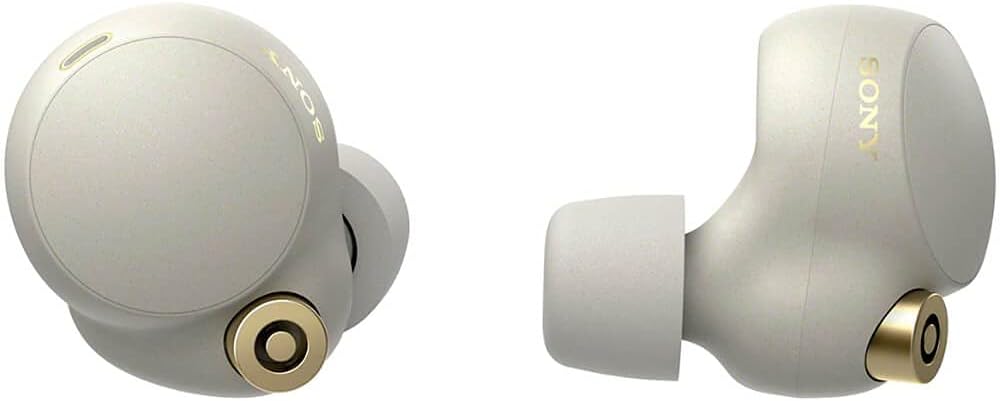
ภาพ: ไซด์โปรfile of the Sony WF-1000XM4 earbuds, showing their angled design.
การตั้งค่า
1. การชาร์จหูฟังและเคส
Before first use, fully charge the earbuds and the charging case. The charging case can be charged via the supplied USB-C cable or wirelessly using a Qi-compatible wireless charger.
- การชาร์จแบบมีสาย: Connect the USB-C cable to the charging case and a USB power adapter. The indicator light on the case will show charging status.
- การชาร์จแบบไร้สาย: Place the charging case on a Qi-compatible wireless charging pad. Ensure the case is centered on the pad for optimal charging.

Image: The Sony WF-1000XM4 charging case placed on a white wireless charging pad, indicating wireless charging capability.
2. การจับคู่บลูทู ธ
To pair your WF-1000XM4 earbuds with a new device:
- ใส่หูฟังเอียร์บัดทั้งสองข้างเข้าไปในหูของคุณ
- Touch and hold the touch sensors on both earbuds for at least 5 seconds. You will hear a notification sound and the voice guidance saying "Bluetooth pairing" from both units.
- On your device (smartphone, tablet, etc.), go to Bluetooth settings and select "WF-1000XM4" from the list of available devices.
- Confirm pairing on your device if prompted.
Video: Instructions on how to connect Sony WF-1000XM4 headphones to a device.
3. แอป Sony Headphones Connect
Download the "Sony Headphones Connect" app from your device's app store. This app allows you to customize sound settings, manage noise canceling, and access additional features.

Image: A person smiling while using Sony WF-1000XM4 earbuds and interacting with a smartphone app, likely the Sony Headphones Connect app.
คำแนะนำการใช้งาน
1. การควบคุมแบบสัมผัส
The WF-1000XM4 earbuds feature customizable touch controls. You can assign different functions (e.g., playback control, volume control, ambient sound control) to single, double, or triple taps on each earbud via the Sony Headphones Connect app.
2. Noise Canceling and Ambient Sound
The earbuds offer industry-leading noise canceling to block out distractions and an Ambient Sound mode to let in surrounding sounds. You can switch between these modes or turn them off using the touch controls or the app. The app also allows for adaptive sound control, which automatically adjusts settings based on your activity or location.

Image: A graphic depicting a person wearing headphones with sound waves being blocked, illustrating noise canceling.
3. Speak-to-Chat
With Speak-to-Chat technology, the earbuds automatically reduce music volume and activate Ambient Sound mode when they detect your voice, allowing for quick conversations without removing the earbuds.
4. การตรวจจับภายในหู
The earbuds feature in-ear detection. Music playback will automatically pause when you remove an earbud and resume when you put it back in.
5. ผู้ช่วยเสียง
The WF-1000XM4 has Alexa built-in and supports Google Assistant. You can activate your preferred voice assistant hands-free or via touch controls for various functions like playing music, making calls, or getting information.
คุณภาพเสียง
Experience exceptional sound quality with the new Integrated Processor V1 and support for the LDAC codec, enabling High-Resolution Audio Wireless. The Sony Headphones Connect app provides a customizable equalizer to fine-tune your audio preferences.
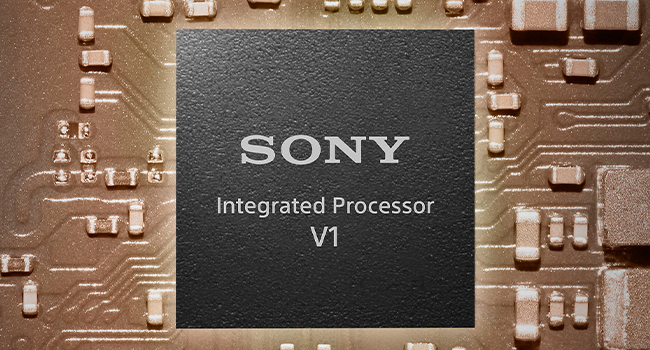
Image: A graphic showing the Sony Integrated Processor V1 chip, highlighting its role in sound quality.
พอดีและสบาย
The earbuds feature an ergonomic surface design for a stable and comfortable fit. They come with different sizes of noise-isolating ear tips to ensure a proper seal for optimal sound and noise canceling performance. The Sony Headphones Connect app can help you determine the best ear tip size for your ears.

Image: A close-up of the ergonomic surface design of the earbud, emphasizing comfort and fit.
ความต้านทานต่อน้ำ
The WF-1000XM4 earbuds have an IPX4 water resistance rating, protecting them from sweat and splashes. This makes them suitable for everyday use and light workouts, but they are not designed for swimming or submersion in water.

Image: A person running outdoors in the rain while wearing Sony WF-1000XM4 earbuds, illustrating their water resistance.
อายุการใช้งานแบตเตอรี่
Enjoy up to 8 hours of continuous music playback with noise canceling activated, or up to 12 hours with noise canceling off. The charging case provides additional charges, extending the total battery life to up to 24 hours. A quick 5-minute charge can provide up to 60 minutes of playback.

Image: A graphic illustrating 24 hours of battery life with a quick charge feature.
การซ่อมบำรุง
เพื่อรักษาประสิทธิภาพและสุขอนามัยที่เหมาะสมที่สุด:
- Regularly clean the ear tips and the mesh filters of the earbuds with a dry, soft cloth.
- Wipe the charging case with a soft, dry cloth.
- Avoid exposing the earbuds and case to extreme temperatures, humidity, or direct sunlight.
- ควรเก็บหูฟังไว้ในกล่องชาร์จเมื่อไม่ได้ใช้งาน
การแก้ไขปัญหา
- ไม่มีเสียง/คุณภาพเสียงไม่ดี: Ensure earbuds are properly seated in your ears with the correct ear tip size. Check Bluetooth connection and device volume.
- ปัญหาการเชื่อมต่อ: Turn off and on your device's Bluetooth. Re-pair the earbuds. Ensure earbuds are charged.
- Noise Canceling Not Effective: Ensure ear tips provide a good seal. Check noise canceling settings in the app.
- หูฟังเอียร์บัดไม่ชาร์จ: Ensure the charging cable is securely connected or the wireless charging pad is properly aligned. Clean charging contacts on earbuds and case.
ข้อมูลจำเพาะ
| คุณสมบัติ | รายละเอียด |
|---|---|
| ชื่อรุ่น | WF-1000XM4 |
| เทคโนโลยีการเชื่อมต่อ | ไร้สาย (บลูทูธ 5.2) |
| การควบคุมเสียงรบกวน | ระบบตัดเสียงรบกวนแบบแอคทีฟ |
| ตัวแปลงสัญญาณเสียง | แอลดีเอซี เอเอซี เอสบีซี |
| Battery Life (Earbuds ANC On) | นานถึง 8 ชั่วโมง |
| Battery Life (Earbuds ANC Off) | นานถึง 12 ชั่วโมง |
| อายุการใช้งานแบตเตอรี่ทั้งหมด (รวมเคส) | นานถึง 24 ชั่วโมง |
| ชาร์จเร็ว | ชาร์จ 5 นาที เล่นได้ 60 นาที |
| เวลาในการชาร์จ | ประมาณ 1.5 ชั่วโมง |
| ความต้านทานต่อน้ำ | IPX4 |
| น้ำหนัก (หูฟัง) | Approx. 7.3g x 2 |
| น้ำหนัก (กล่องชาร์จ) | ประมาณ 41กรัม |
| หน่วยไดรเวอร์ | ไดรเวอร์ไดนามิกขนาด 6 มม. |
| ไมโครโฟน | Beamforming microphone, Bone-conduction sensor |
| การสนับสนุนผู้ช่วยเสียง | Alexa ในตัว, Google Assistant |
การรับประกันและการสนับสนุน
Your Sony WF-1000XM4 earbuds come with a standard manufacturer's warranty. Please refer to the warranty card included in your package for specific terms and conditions. For technical support, troubleshooting assistance, or to register your product, visit the official Sony support webเว็บไซต์หรือติดต่อฝ่ายบริการลูกค้าของพวกเขา