1. บทนำ
This manual provides detailed instructions for the setup, operation, maintenance, and troubleshooting of your MEETION MT-KB015 One-Handed Wired RGB Gaming Keyboard. Please read this manual thoroughly to ensure proper use and to maximize your gaming experience.
2. สินค้าหมดview
The MEETION MT-KB015 is a compact, one-handed gaming keyboard designed for enhanced control and comfort. It features vibrant RGB backlighting, ergonomic keycaps, and dedicated multimedia controls. Its durable membrane switches are rated for 50 million keystrokes, ensuring longevity.

ภาพนี้แสดงด้านหน้า view of the MEETION MT-KB015 one-handed gaming keyboard, highlighting its compact design and vibrant RGB backlighting.

An angled perspective of the MEETION MT-KB015 keyboard, emphasizing its integrated ergonomic palm rest designed for comfortable use during extended gaming sessions.

A user's hand is shown comfortably resting on the integrated palm rest of the MEETION MT-KB015 keyboard, illustrating its ergonomic design for gaming.
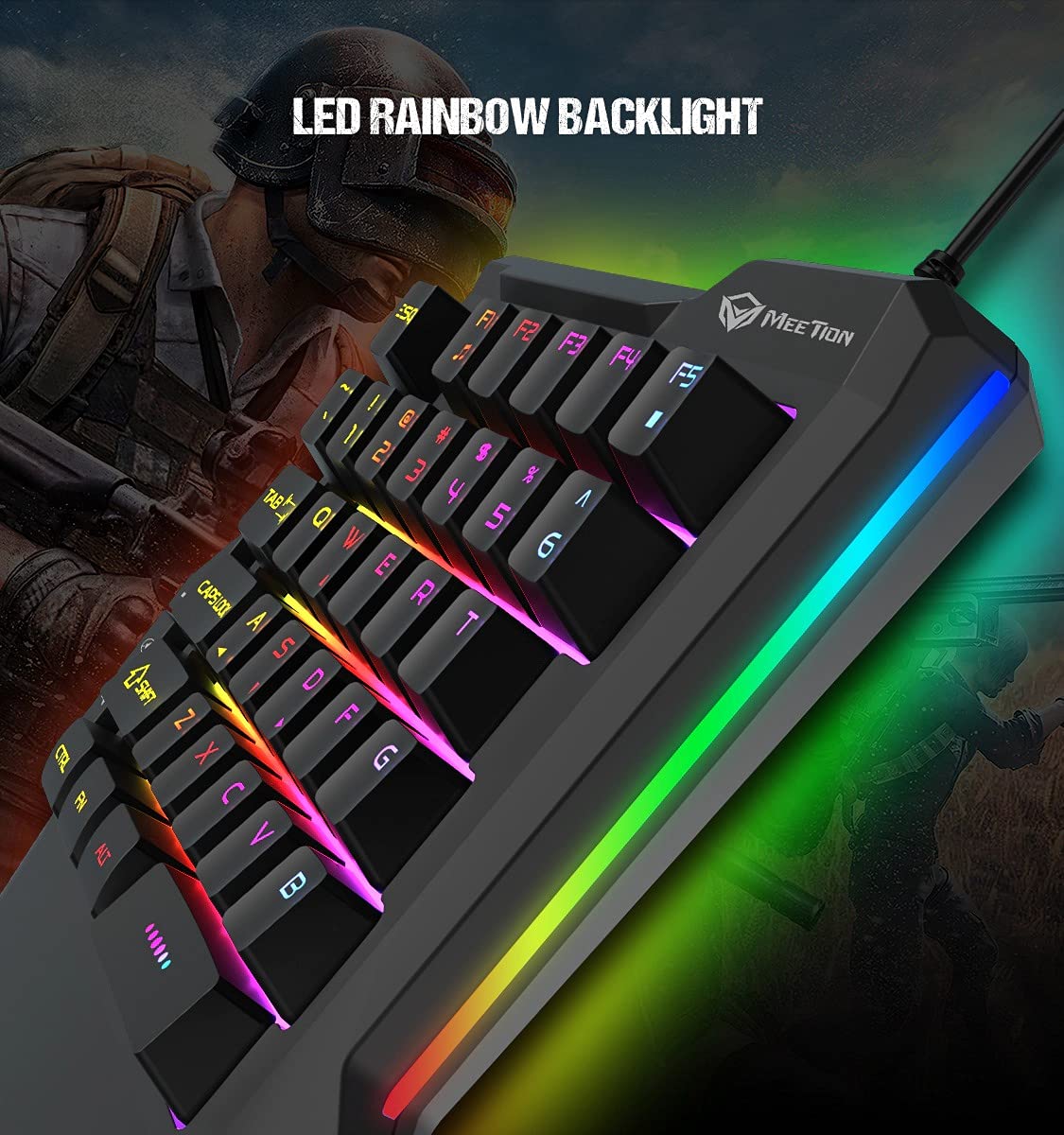
รายละเอียด view of the MEETION MT-KB015 keyboard's keys, showcasing the dynamic LED rainbow backlighting effect.

This image provides a close-up of the membrane switch keys on the MEETION MT-KB015 keyboard, illustrating their design and construction.

The MEETION MT-KB015 keyboard is depicted connected to a computer setup, demonstrating its simple plug-and-play connectivity.

ค่าใช้จ่ายทางอ้อม view of a user engaged in gaming, utilizing the MEETION MT-KB015 one-handed keyboard alongside a gaming mouse on a desk.
คุณสมบัติหลัก:
- 50 Million Keystroke Life: Durable membrane switches designed for extended use.
- คีย์มัลติมีเดีย: Conveniently placed dedicated keys for volume control.
- Comfortable Palm Rest: Integrated broad palm rest for ergonomic support during long gaming sessions.
- Easy To Use Plug and Play: Simple connectivity with various devices without requiring additional drivers.
3. การตั้งค่า
The MEETION MT-KB015 keyboard is designed for plug-and-play functionality, requiring no complex installation.
การเชื่อมต่อแป้นพิมพ์:
- Locate an available USB port on your computer, laptop, or compatible smartphone.
- Plug the USB cable of the MT-KB015 keyboard into the USB port.
- The operating system (e.g., Windows 10) will automatically detect and install the necessary drivers.
- The keyboard's RGB backlight will illuminate, indicating it is ready for use.
อุปกรณ์ที่รองรับ: Laptop, PC, Smartphone.
4. คู่มือการใช้งาน
การใช้งานพื้นฐาน:
Once connected, the keyboard functions immediately. The keys are laid out for one-handed gaming, providing quick access to essential commands.
การควบคุมแสงไฟ RGB:
The keyboard features an LED rainbow backlight. Specific key combinations or dedicated buttons for backlight mode changes are not detailed in the product information, but the lighting will be active upon connection.
คีย์มัลติมีเดีย:
The MT-KB015 includes dedicated multimedia keys for convenient audio control.

A diagram highlighting the location and function of the dedicated Volume Up, Mute, and Volume Down multimedia keys positioned on the left side of the MEETION MT-KB015 keyboard.
- ปรับระดับเสียงขึ้น: Increases audio output.
- ปิดเสียง: Toggles audio mute on/off.
- ลดเสียงลง: Decreases audio output.
Additional multimedia functions (Music Player, Stop) are indicated with FN key combinations (FN + F1 for Music Player, FN + F5 for Stop).
5. การบำรุงรักษา
เพื่อให้แป้นพิมพ์ของคุณมีอายุการใช้งานยาวนานและมีประสิทธิภาพสูงสุด โปรดปฏิบัติตามคำแนะนำในการบำรุงรักษาดังต่อไปนี้:
- การทำความสะอาด: Use a soft, dry cloth to wipe the surface of the keyboard. For deeper cleaning, a slightly damp สามารถใช้ผ้าชุบน้ำสบู่ชนิดอ่อนๆ เช็ดได้ โดยให้แน่ใจว่าไม่มีของเหลวเข้าไปในสวิตช์กุญแจหรือส่วนประกอบภายใน
- การกำจัดฝุ่น: ใช้ลมอัดเพื่อกำจัดฝุ่นและเศษต่างๆ ออกจากระหว่างปุ่มต่างๆ
- หลีกเลี่ยงของเหลว: Do not spill liquids on the keyboard. In case of accidental spills, immediately disconnect the keyboard and allow it to dry completely before reconnecting.
- พื้นที่จัดเก็บ: เก็บแป้นพิมพ์ไว้ในที่แห้งและเย็น หลีกเลี่ยงแสงแดดโดยตรงและอุณหภูมิที่สูงหรือต่ำเกินไป
6 การแก้ไขปัญหา
If you encounter issues with your MEETION MT-KB015 keyboard, refer to the following common solutions:
แป้นพิมพ์ไม่ตอบสนอง:
- ตรวจสอบการเชื่อมต่อ USB: Ensure the USB cable is securely plugged into a functional USB port on your device. Try a different USB port.
- รีสตาร์ทอุปกรณ์: Restart your computer or smartphone.
- ทดสอบบนอุปกรณ์อื่น: Connect the keyboard to another computer or compatible device to determine if the issue is with the keyboard or the original device.
แสงไฟไม่ทำงาน:
- ตรวจสอบให้แน่ใจว่าแป้นพิมพ์เชื่อมต่ออย่างถูกต้องและได้รับพลังงาน
- If available, check for any dedicated backlight control keys or software settings.
คีย์ไม่ลงทะเบียนหรือพิมพ์ซ้ำ:
- Clean the affected keys to remove any debris that might be obstructing the switch mechanism.
- ตรวจสอบให้แน่ใจว่าวางแป้นพิมพ์บนพื้นผิวที่มั่นคงและเรียบ
หากปัญหายังคงมีอยู่หลังจากพยายามแก้ไขปัญหาเหล่านี้แล้ว โปรดติดต่อฝ่ายสนับสนุนลูกค้า
7. ข้อมูลจำเพาะ
| คุณสมบัติ | รายละเอียด |
|---|---|
| ยี่ห้อ | การประชุม |
| หมายเลขรุ่น | MT-KB015 |
| ชุด | MEETION MT-KB015 |
| สี | สีดำ |
| เทคโนโลยีการเชื่อมต่อ | มีสาย |
| คำอธิบายแป้นพิมพ์ | การเล่นเกม |
| ประเภทสวิตซ์ | สวิตช์เมมเบรน |
| Keystroke Life Cycle | 50 ล้าน |
| แพลตฟอร์มฮาร์ดแวร์ | แล็ปท็อป พีซี สมาร์ทโฟน |
| ความเข้ากันได้ของระบบปฏิบัติการ | Windows 10 (and compatible with other OS via Plug and Play) |
| ขนาดสินค้า (กxยxส) | 21 x 3.8 x 18.1 ซม. |
| น้ำหนักสินค้า | 420 กรัม |
| ส่วนประกอบที่รวมอยู่ | สาย USB |
| รวมแบตเตอรี่ | เลขที่ |
8. การรับประกันและการสนับสนุน
ข้อมูลการรับประกัน:
The MEETION MT-KB015 One-Handed Wired RGB Gaming Keyboard comes with a รับประกัน 1 ปี นับจากวันที่ซื้อ การรับประกันนี้ครอบคลุมข้อบกพร่องจากการผลิตภายใต้การใช้งานปกติ โปรดเก็บหลักฐานการซื้อไว้เพื่อขอรับสิทธิ์การรับประกัน
การสนับสนุนลูกค้า:
For technical assistance, warranty claims, or any product-related inquiries, please contact MEETION customer support. Contact details for the manufacturer/importer are provided below:
- ผู้ผลิต: Meetion, Meetion Tech Co. LTD - China
- ผู้นำเข้า: Cavitak Marketing Pvt Ltd. 9, Vitthalbhai Patel Colony, Lakhudi, Naranpura, Ahmedabad-380014
- อีเมล: meetion@cavitak.com
- โทรศัพท์: 0796813-66-11


