1. บทนำ
This manual provides detailed instructions for the installation, operation, and maintenance of your WEILAILIFE Solar Powered Wireless Security Camera. Please read this manual thoroughly before using the product to ensure proper functionality and safety. Keep this manual for future reference.

Image 1.1: WEILAILIFE Solar Powered Wireless Security Camera. This image displays the main camera unit, a solar panel, and a mounting bracket, illustrating the complete product.
2. สินค้าหมดview
2.1. คุณสมบัติหลัก
- Rechargeable Battery & Low Power Consumption: Equipped with a 10000 mAh rechargeable battery, the camera operates independently and conserves power by entering sleep mode when no motion is detected.
- 3MP Sharp Image & Clear Night Vision: Delivers 3-megapixel video quality. Built-in infrared LED lights activate automatically in low-light conditions for night monitoring.
- Clear 2-way Audio & IP66 Waterproof: Features an advanced microphone and speaker for two-way communication via the mobile application. The IP66 rating ensures durability in various weather conditions.
- Enhanced Signal & Easy Installation: Dual 5DB antennas extend Wi-Fi range up to 150ft in open spaces. Designed for straightforward installation and user-friendly app integration.
- AI Human Detection & Instant Alert: Utilizes advanced Artificial Intelligence for human detection, reducing false alarms. Instant notifications are sent to your mobile application upon detection.
3. คู่มือการติดตั้ง
3.1. การติดตั้ง
The camera and solar panel are designed for wall-mounted installation. Choose a location with adequate sunlight exposure for the solar panel and a strong Wi-Fi signal for the camera. Ensure the mounting surface is stable.
- Mount the camera using the provided screws and bracket. Adjust the viewมุมเอียงตามต้องการ
- Mount the solar panel in a location that receives direct sunlight for most of the day to ensure continuous charging of the camera's battery.
- เชื่อมต่อสายเคเบิลของแผงโซลาร์เซลล์เข้ากับพอร์ตชาร์จของกล้อง

Image 3.1: Continuous Power Supply. This image shows the camera and solar panel mounted on an exterior wall, highlighting the solar panel's role in providing continuous power to the camera.
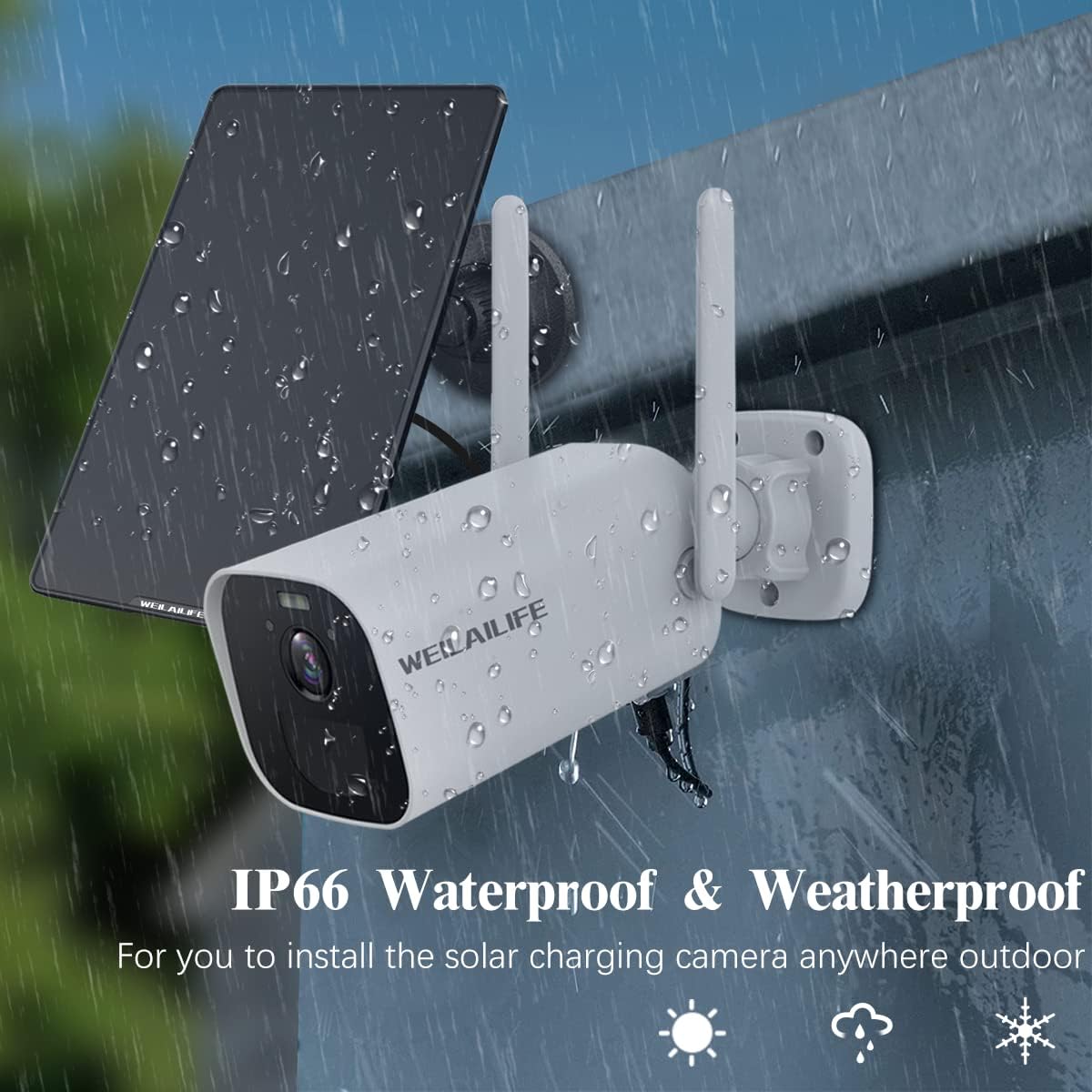
Image 3.2: IP66 Waterproof & Weatherproof. The camera and solar panel are shown enduring rainfall, indicating their suitability for outdoor installation in various weather conditions.
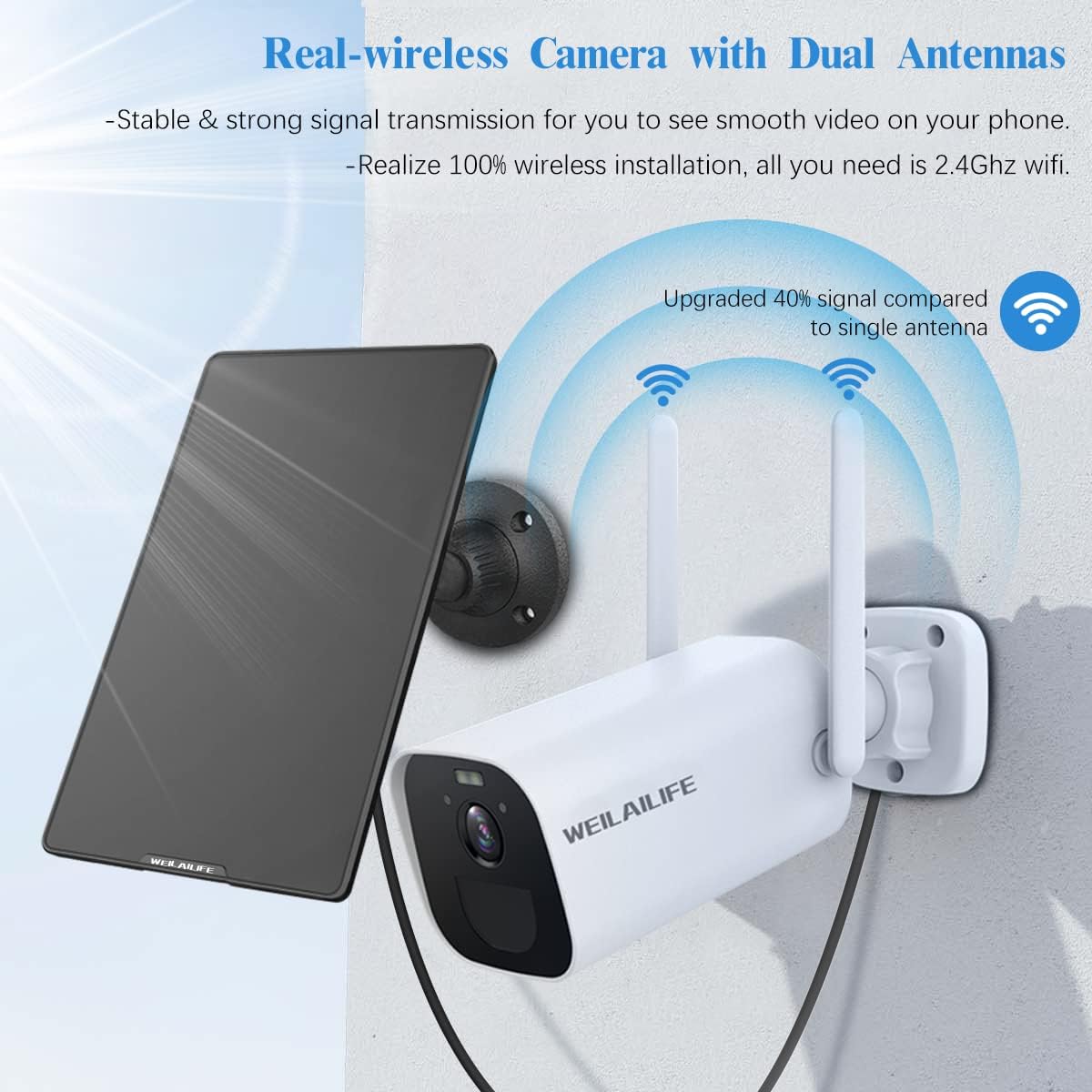
Image 3.3: Real-wireless Camera with Dual Antennas. This image illustrates the camera's dual antennas, which provide stable and strong Wi-Fi signal transmission for smooth video streaming.
3.2. ดาวน์โหลดแอปและการจับคู่
To access and control your camera, download the Eseecloud app on your smartphone or tablet. The app is available for both Android and iOS devices.
- Scan the QR code provided in the product packaging or visit the official download page: http://www.dvr163.com/download/indexm.php
- Follow the in-app instructions to create an account and add your camera. Ensure your camera is powered on and within range of your 2.4GHz Wi-Fi network during the pairing process.

Image 3.4: Unlimited Remote Access. This image displays the Eseecloud app interface on various devices (smartphone, tablet, PC), indicating remote access capabilities and options for downloading the app from app stores.
4. คู่มือการใช้งาน
4.1. สด View และเสียงสองทาง
Once connected, open the Eseecloud app to view the live feed from your camera. The integrated microphone and speaker allow for real-time two-way communication.
- Tap on the camera feed in the app to enter live view.
- Use the microphone icon in the app to speak through the camera's speaker.
- The camera's speaker will transmit audio from your app.

Image 4.1: Clear Two-way Audio. This image demonstrates the two-way audio functionality, showing a user communicating with a person near the camera via the mobile app.
4.2. การมองเห็นในเวลากลางคืน
The camera automatically switches to night vision mode in low-light conditions, utilizing its built-in infrared LEDs to provide clear monitoring.
- Night vision activates automatically when ambient light is insufficient.
- The camera provides clear black and white video in complete darkness.
4.3. AI Motion Detection and Alerts
The camera features AI human detection to accurately identify human movement and minimize false alarms from other sources.
- เปิดใช้งานการตรวจจับการเคลื่อนไหวในการตั้งค่าแอพ
- Configure alert sensitivity and notification preferences.
- Receive instant push notifications on your smartphone when human motion is detected.

Image 4.2: AI Motion Detection & Sharp Full Color Night Vision. This image depicts the camera detecting a person, triggering an alert on a smartphone, and showcasing its night vision capabilities.
4.4. การบันทึกและจัดเก็บข้อมูล
The camera supports video recording in H.265+ format. Recordings can be accessed and managed through the Eseecloud app.
- Review บันทึกเสียงฟูtagใช้งานได้โดยตรงจากแอป
- Manage storage options (e.g., local SD card, cloud storage if available).

Image 4.3: 3MP Sharp Image & Instant APP Alert. This image shows individuals viewing clear camera footage on a smartphone, emphasizing the 3MP resolution and instant alert feature.
5. การบำรุงรักษา
5.1. การจัดการแบตเตอรี่
The camera is equipped with a 10000 mAh rechargeable battery, primarily charged by the solar panel. To optimize battery life:
- ตรวจสอบให้แน่ใจว่าแผงโซลาร์เซลล์อยู่ในตำแหน่งเพื่อรับแสงแดดสูงสุด
- The camera enters a low-power sleep mode when inactive to conserve battery.
- Monitor battery levels via the Eseecloud app.
5.2. Cleaning and Weatherproofing
The camera has an IP66 waterproof rating, designed to withstand outdoor elements. Regular cleaning helps maintain performance.
- Periodically wipe the camera lens and solar panel surface with a soft, damp ผ้าเพื่อขจัดฝุ่นและเศษซาก
- อย่าใช้สารเคมีรุนแรงหรือน้ำยาทำความสะอาดที่มีฤทธิ์กัดกร่อน
- Ensure all ports and covers are securely closed to maintain weather resistance.
6 การแก้ไขปัญหา
หากคุณพบปัญหาเกี่ยวกับกล้อง โปรดดูขั้นตอนการแก้ไขปัญหาทั่วไปต่อไปนี้:
- ไม่มีไฟฟ้า: Check the solar panel connection and ensure it receives sufficient sunlight. Verify the camera battery is charged.
- ไม่มีการเชื่อมต่อ Wi-Fi: Ensure the camera is within range of your 2.4GHz Wi-Fi router. Restart the camera and your router. Re-pair the camera with the app if necessary.
- คุณภาพวิดีโอไม่ดี: ทำความสะอาดเลนส์กล้อง ตรวจสอบให้แน่ใจว่าไม่มีสิ่งกีดขวางใดๆ ในมุมมองของกล้อง view. Check your Wi-Fi signal strength.
- การตรวจจับความเคลื่อนไหวไม่ทำงาน: Verify motion detection is enabled in the app settings. Adjust sensitivity levels. Ensure there are no physical obstructions blocking the sensor.
- ปัญหาเสียงสองทาง: ตรวจสอบการตั้งค่าไมโครโฟนและลำโพงในแอป ตรวจสอบให้แน่ใจว่าระดับเสียงของอุปกรณ์ของคุณเปิดอยู่
For further assistance, please contact WEILAILIFE customer support.
7. ข้อมูลจำเพาะ
| คุณสมบัติ | ข้อมูลจำเพาะ |
|---|---|
| แบบอย่าง | กล้องรักษาความปลอดภัยไร้สายกลางแจ้ง |
| ความละเอียดในการจับภาพวิดีโอ | 3 MP |
| เทคโนโลยีการเชื่อมต่อ | Wireless (Wi-Fi IEEE802.11a/b/g) |
| แหล่งพลังงาน | พลังงานแสงอาทิตย์ |
| ความจุของแบตเตอรี่ | 10000 มิลลิวินาทีampก่อนชั่วโมง (mAh) |
| ระดับการกันน้ำ | IP66 |
| ช่วงการมองเห็นตอนกลางคืน | 80 ฟุต |
| Viewอิงแองเกิล | 85 องศา |
| ประเภทการแจ้งเตือน | การตรวจจับการเคลื่อนไหวของ AI |
| วิธีการควบคุม | App (Eseecloud) |
| ขนาด (กว้าง x ยาว x สูง) | 8.82 x 6.18 x 5.51 นิ้ว |
| น้ำหนักสินค้า | 2.07 ปอนด์ |
8. การรับประกันและการสนับสนุน
For warranty information, technical support, or any product-related inquiries, please contact WEILAILIFE customer service through the official channels provided at the point of purchase or on the WEILAILIFE webเว็บไซต์.


