1. บทนำ
ขอบคุณสำหรับการซื้อasing the Smart Tech 40" Full HD LED TV. This manual provides essential information for the safe and efficient operation of your television. Please read it thoroughly before use and retain it for future reference.
2. ข้อมูลด้านความปลอดภัย
- แหล่งจ่ายไฟ: ตรวจสอบให้แน่ใจว่าทีวีเสียบเข้ากับเต้ารับไฟฟ้าที่มีแรงดันไฟฟ้าถูกต้องtage ตามที่ระบุบนฉลากผลิตภัณฑ์
- การระบายอากาศ : อย่าปิดกั้นช่องระบายอากาศ เว้นระยะห่างรอบทีวีให้เพียงพอเพื่อให้อากาศถ่ายเทได้สะดวก ป้องกันความร้อนสูงเกินไป
- น้ำและความชื้น: อย่าให้ทีวีโดนฝนหรือความชื้น หลีกเลี่ยงการวางสิ่งของที่บรรจุของเหลว เช่น แจกัน บนทีวี
- การทำความสะอาด: Disconnect the power cord before cleaning. Use a soft, dry cloth. Do not use liquid cleaners or aerosol cleaners.
- การติดตั้ง: If wall-mounting, ensure the wall mount is compatible with the TV's VESA specifications and can support the TV's weight. Professional installation is recommended.
- เด็ก: Supervise children to ensure they do not play with the TV or remote control.
3. เนื้อหาบรรจุภัณฑ์
ตรวจสอบว่ามีสินค้าทั้งหมดอยู่ในบรรจุภัณฑ์:
- Smart Tech 40" FHD LED TV
- รีโมทคอนโทรล
- สายไฟ
- คู่มือการใช้งาน (เอกสารนี้)
- ขาตั้งทีวี (2 ชิ้น) และสกรู
- แบตเตอรี่สำหรับรีโมทคอนโทรล
4. ทางกายภาพมากกว่าview
4.1 ด้านหน้า View

ภาพ: ด้านหน้า view of the Smart Tech 40" FHD LED TV, showcasing the screen and branding.
4.2 ด้านหลัง View และการเชื่อมต่อ

ภาพ: ด้านหลัง view of the TV, highlighting various input/output ports and VESA mounting points.
- หูฟังออก: สำหรับเชื่อมต่อหูฟัง.
- ยูเอสบี: สำหรับเชื่อมต่ออุปกรณ์จัดเก็บข้อมูล USB
- ซีไอ: Common Interface slot for conditional access modules.
- โคแอกเซียล: เอาต์พุตเสียงดิจิตอล
- HDMI1, 2, 3: High-Definition Multimedia Interface inputs for external devices.
- DVB-T2/C/S2: Antenna/Cable/Satellite input for digital broadcasting.
- AV ใน: Analog audio/video input.
- พีซีเสียงเข้า: Audio input for PC connection.
- VGA: Video Graphics Array input for PC connection.
4.3 Dimensions and Remote Control

Image: TV dimensions (width 904mm, height with stand 567mm, height without stand 518mm, depth with stand 207mm) and the included infrared remote control.
The TV features a VESA mount pattern of 200mm x 100mm for wall mounting.
4.4 ฉลากพลังงาน
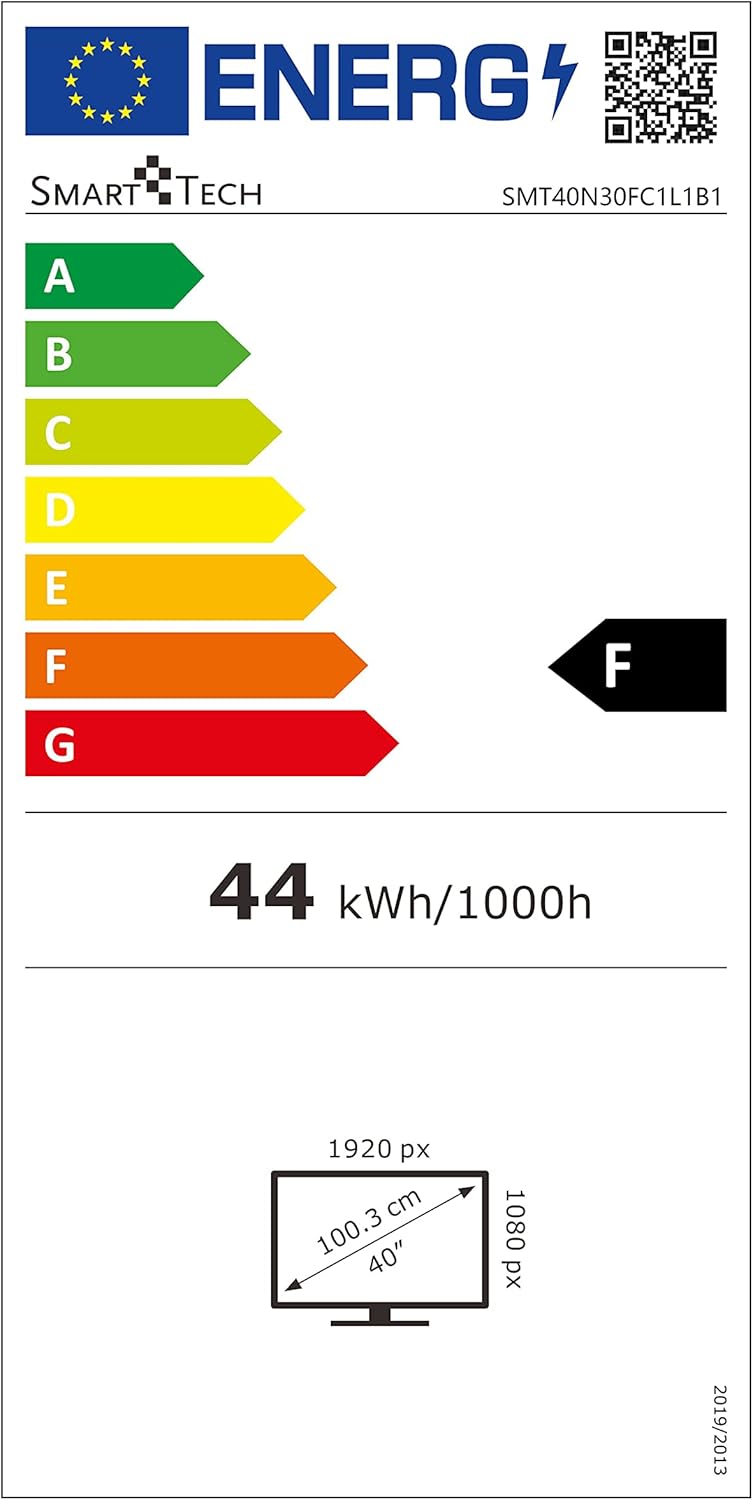
Image: EU Energy Label for the Smart Tech TV, indicating an 'F' energy efficiency class and 44 kWh/1000h consumption. For more details, visit the ฐานข้อมูล EPREL.
5. การตั้งค่า
5.1 การติดตั้งขาตั้งทีวี
- วางทีวีคว่ำหน้าลงบนพื้นผิวที่นุ่มและสะอาดอย่างระมัดระวังเพื่อป้องกันไม่ให้หน้าจอเสียหาย
- จัดวางขาตั้งให้ตรงกับช่องที่ด้านล่างของทีวี
- ยึดขาตั้งด้วยสกรูที่ให้มา อย่าขันแน่นเกินไป
- ยกทีวีขึ้นอย่างระมัดระวังให้ตั้งตรงบนพื้นผิวที่มั่นคงและระดับ
5.2 การติดตั้งบนผนัง (ทางเลือก)
If you choose to wall mount your TV, ensure you use a VESA-compatible wall mount (200mm x 100mm) that can support the weight of the TV (approximately 5.66 kg). Follow the instructions provided with your wall mount kit. Remove the TV stand before wall mounting.
5.3 การเชื่อมต่ออุปกรณ์ภายนอก
- พลัง: เชื่อมต่อสายไฟเข้ากับช่องอินพุตไฟของทีวี จากนั้นจึงเชื่อมต่อกับเต้ารับที่ผนัง
- เสาอากาศ/เคเบิล/ดาวเทียม: Connect your antenna, cable, or satellite dish to the DVB-T2/C/S2 input.
- อุปกรณ์ HDMI: Use HDMI cables to connect devices like Blu-ray players, game consoles, or set-top boxes to the HDMI 1, 2, or 3 ports.
- อุปกรณ์ยูเอสบี: Insert USB storage devices into the USB port for media playback.
- อุปกรณ์อื่น ๆ: Use AV IN, VGA, or PC AUDIO IN for older devices as needed.
6. คู่มือการใช้งาน
6.1 เปิด/ปิดเครื่อง
กดปุ่ม พลัง button on the remote control or the TV to turn the TV on or off.
6.2 การตั้งค่าเริ่มต้น
The first time you turn on the TV, an initial setup wizard will guide you through language selection, country, and channel scanning. Follow the on-screen prompts.
การปรับจูนช่องสัญญาณ 6.3
To scan for channels:
- กดปุ่ม เมนู ปุ่มบนรีโมต
- Navigate to the 'Channel' or 'Setup' menu.
- Select 'Auto Scan' or 'Auto Tuning' and confirm. The TV will search for available digital and analog channels.
6.4 การเลือกแหล่งที่มาของอินพุต
กดปุ่ม แหล่งที่มา or ป้อนข้อมูล button on the remote control to cycle through available input sources (HDMI 1, HDMI 2, HDMI 3, DVB-T2/C/S2, AV, VGA, USB).
6.5 Smart Features (Browser)
This TV includes a built-in browser. Access it from the main menu to navigate the internet. An active internet connection is required.
7. การบำรุงรักษา
7.1 การทำความสะอาดหน้าจอ
เช็ดหน้าจอเบาๆ ด้วยผ้านุ่มที่ไม่เป็นขุย สำหรับรอยฝังแน่น ให้เช็ดเบาๆampen the cloth with water or a specialized screen cleaner (ensure it's safe for LED screens) and wipe gently. Do not apply pressure.
7.2 การทำความสะอาดตู้
เช็ดตู้ทีวีด้วยผ้านุ่มและแห้ง หลีกเลี่ยงการใช้น้ำยาทำความสะอาดหรือสารละลายที่มีฤทธิ์กัดกร่อน
8 การแก้ไขปัญหา
| ปัญหา | สาเหตุที่เป็นไปได้ | สารละลาย |
|---|---|---|
| ไม่มีไฟฟ้า | สายไฟไม่ได้เชื่อมต่อ เต้ารับไฟฟ้าไม่ทำงาน | Check power cable connection; Test outlet with another device |
| ไม่มีภาพแต่มีเสียง | Incorrect input source selected; External device not powered on | Press SOURCE button to select correct input; Ensure external device is on |
| ไม่มีเสียงแต่มีภาพ | Volume too low or muted; Audio settings incorrect | Increase volume or unmute; Check audio output settings in TV menu |
| รีโมตคอนโทรลไม่ทำงาน | แบตเตอรี่หมดหรือใส่ไม่ถูกต้อง; มีสิ่งกีดขวางระหว่างรีโมทและทีวี | Replace batteries; Ensure line of sight to TV's IR sensor |
| คุณภาพของภาพไม่ดี | Weak antenna signal; Incorrect picture settings | Check antenna connection/position; Adjust picture settings (brightness, contrast, etc.) |
9. ข้อมูลจำเพาะ
| คุณสมบัติ | ข้อมูลจำเพาะ |
|---|---|
| แบบอย่าง | SMT40N30FC1L1B1 |
| ขนาดหน้าจอ | 40 นิ้ว |
| เทคโนโลยีการแสดงผล | นำ |
| ปณิธาน | 1080p (1920 x 1080 Pixels) |
| อัตราการรีเฟรช | 60 เฮิรตซ์ |
| อัตราส่วนภาพ | 16:9 น. |
| เทคโนโลยีจูนเนอร์ | DVB-T2/C/S2 |
| ฮาร์ดแวร์อินเตอร์เฟซ | HDMI, ยูเอสบี |
| เทคโนโลยีการเชื่อมต่อ | HDMI (x3), USB (x1), AV IN, VGA, PC Audio In, Earphone Out, CI, Coaxial |
| คุณสมบัติพิเศษ | เบราว์เซอร์ |
| โหมดเอาต์พุตเสียง | ดิจิตอล |
| ลำโพงกำลังขับสูงสุด | 70 วัตต์ |
| วัดtage (Power Consumption) | 70 วัตต์ |
| ขนาดสินค้า (รวมขาตั้ง) | 90.3 x 20.7 x 56.7 ซม. |
| น้ำหนักผลิตภัณฑ์ | 5.66 กก. |
| ความเข้ากันได้ของเมาท์ VESA | 200มม. x 100มม. |
| ส่วนประกอบที่รวมอยู่ | สายไฟ, รีโมทคอนโทรล |
| เทคโนโลยีการควบคุมระยะไกล | อินฟราเรด |
| แบตเตอรี่ที่จำเป็นสำหรับรีโมท | Yes (Batteries Included) |
| รุ่นปี | 2020 |
10. การรับประกันและการสนับสนุน
For warranty information and technical support, please refer to the warranty card included with your product or contact Smart Tech customer service. Keep your purchase receipt as proof of purchase.


