การแนะนำ
This manual provides detailed instructions for the setup, operation, maintenance, and troubleshooting of your VOX 65-inch 4K LED TV, model 65ADW-C2B. Please read this manual thoroughly before using your television to ensure proper and safe operation. Keep this manual for future reference.
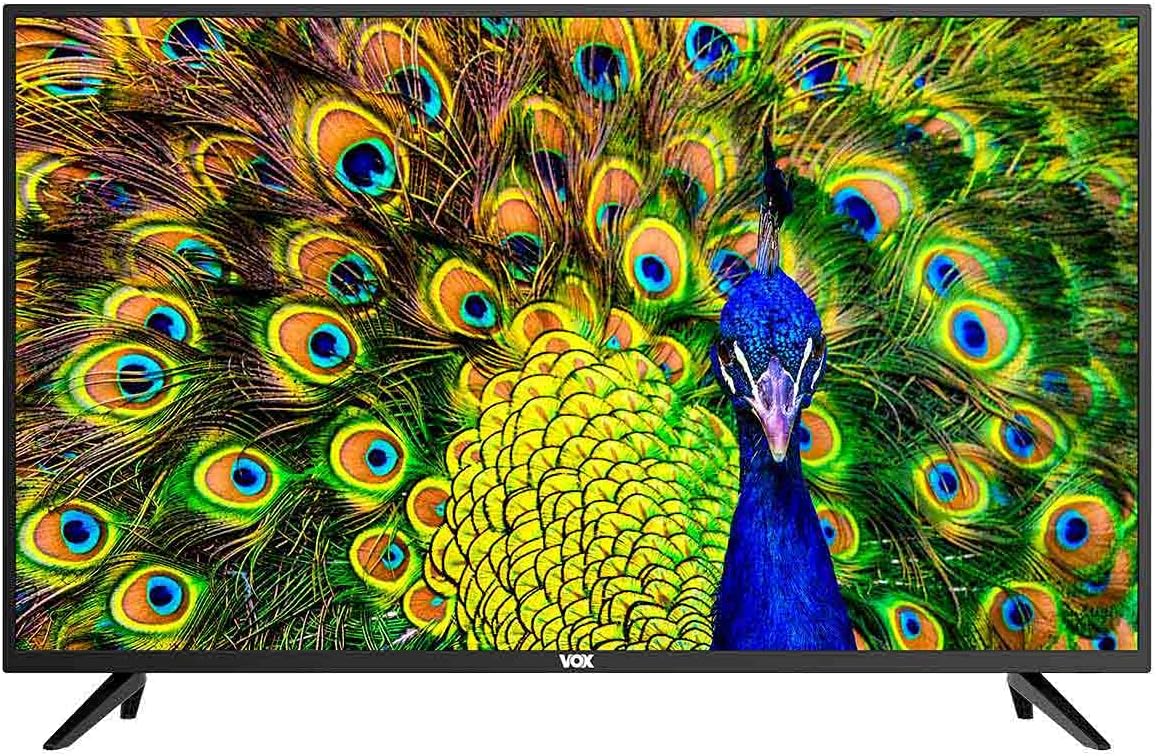
รูปที่ 1 : ด้านหน้า view of the VOX 65-inch 4K LED TV. The screen displays a vibrant image of a peacock, and the VOX logo is centered at the bottom bezel.
1. การตั้งค่า
1.1 การแกะกล่อง
Carefully remove the television from its packaging. Ensure all accessories are present: remote control, batteries, power cord, and stand components. Retain the packaging for future transport or service needs.
1.2 การติดตั้งขาตั้ง
If you plan to use the included stand, follow these steps:
- วางจอทีวีลงบนพื้นผิวที่นุ่มและเรียบเพื่อป้องกันรอยขีดข่วน
- จัดวางขาตั้งให้ตรงกับรูสกรูที่ด้านล่างของทีวี
- Secure the stand legs using the provided screws. Do not overtighten.

รูปที่ 2: ด้านหน้าทำมุม view of the VOX 65-inch TV, showcasing the installed stand legs. The screen displays a peacock image.
1.3 การติดตั้งบนผนัง (ทางเลือก)
The TV supports VESA standard 200 x 200 mm for wall mounting. Use a compatible wall mount bracket (sold separately) and consult the bracket's instructions for installation. Ensure the wall can support the weight of the TV.

รูปที่ 3: ด้านหลัง view of the VOX 65-inch TV, highlighting the VESA mounting points and various input/output ports on the back panel.
1.4 การเชื่อมต่ออุปกรณ์
เชื่อมต่ออุปกรณ์ภายนอกของคุณเข้ากับพอร์ตที่เหมาะสมบนทีวี โปรดดูรูปที่ 3 สำหรับตำแหน่งของพอร์ต
- HDMI (x3): For high-definition audio and video devices like Blu-ray players, game consoles, or set-top boxes.
- ยูเอสบี (x2): For connecting USB storage devices to play media or for PVR functionality.
- อินพุตเสาอากาศ (x2): For connecting terrestrial (DVB-T2), cable (DVB-C), or satellite (DVB-S2) antennas.
- อินพุต AV: สำหรับอุปกรณ์รุ่นเก่าที่ใช้คอมโพสิตวิดีโอและเสียงสเตอริโอ
- สล็อต CI: For Common Interface modules (e.g., for encrypted channels).
- เอาต์พุตออปติคอล SPDIF: สำหรับเชื่อมต่อกับระบบเสียงภายนอกด้วยอินพุตออปติคอล
- เอาต์พุตเสียง: สำหรับการเชื่อมต่อหูฟังหรือลำโพงภายนอก
- LAN: For wired network connection to access Smart TV features and internet.
2. คู่มือการใช้งาน
2.1 เปิด/ปิดเครื่อง
Connect the power cord to the TV and a power outlet. Press the power button on the remote control or on the TV itself to turn the TV on or off.
2.2 Initial Setup (Android 9.0)
Upon first power-on, the TV will guide you through the initial setup process. This includes language selection, network connection (Wi-Fi or LAN), channel scanning, and Google account setup for Android TV features.
2.3 คุณสมบัติของสมาร์ททีวี
Your VOX TV is equipped with Android 9.0, offering a range of smart features:
- Wi-Fi ในตัว: เชื่อมต่อแบบไร้สายกับเครือข่ายภายในบ้านเพื่อเข้าถึงอินเทอร์เน็ต
- Miracast: Wirelessly mirror content from compatible mobile devices to your TV screen.
- HDR10 และ HLG: Support for High Dynamic Range content, providing enhanced contrast and color.
- ระบบเสียงดอลบี้ ดิจิตอล พลัส (DD+): ประสบการณ์เสียงที่ได้รับการปรับปรุง
- แอพที่ติดตั้งล่วงหน้า: Access popular streaming services like Amazon Prime Video and Netflix, and browse the web โดยใช้เบราว์เซอร์ในตัว
2.4 การเลือกอินพุต
Press the "Source" or "Input" button on your remote control to switch between connected devices (HDMI, AV, TV tuner).
การปรับจูนช่องสัญญาณ 2.5
Access the TV menu to perform an automatic or manual channel scan for DVB-T2 (terrestrial), DVB-C (cable), or DVB-S2 (satellite) channels.
2.6 PVR (Personal Video Recorder)
Connect a USB storage device to record live TV programs. Refer to the on-screen menu for PVR setup and operation.
3. การบำรุงรักษา
3.1 การทำความสะอาดหน้าจอ
เช็ดหน้าจอเบาๆ ด้วยผ้านุ่มที่ไม่เป็นขุย สำหรับรอยฝังแน่น ให้เช็ดเบาๆampชุบผ้าด้วยน้ำหรือน้ำยาทำความสะอาดหน้าจอชนิดพิเศษ ห้ามฉีดน้ำยาลงบนหน้าจอโดยตรง
3.2 การทำความสะอาดตัวเครื่องทีวี
ใช้ผ้าแห้งนุ่มเช็ดทำความสะอาดกรอบและขาตั้งทีวี หลีกเลี่ยงการใช้สารทำความสะอาดที่มีฤทธิ์กัดกร่อนหรือตัวทำละลาย
3.3 พื้นที่จัดเก็บ
If storing the TV for an extended period, disconnect it from power, remove batteries from the remote, and cover it to protect from dust. Store in a cool, dry place.
4 การแก้ไขปัญหา
ก่อนติดต่อฝ่ายสนับสนุนลูกค้า ให้ลองใช้วิธีแก้ปัญหาทั่วไปดังต่อไปนี้:
| ปัญหา | วิธีแก้ปัญหาที่เป็นไปได้ |
|---|---|
| ไม่มีไฟฟ้า | Ensure the power cord is securely plugged into both the TV and the wall outlet. Check the power outlet with another device. |
| ไม่มีภาพ / หน้าจอดำ | Check the input source (HDMI, AV, etc.) is correctly selected. Ensure the connected device is powered on. Try a different HDMI cable. |
| ไม่มีเสียง | Check the volume level and ensure mute is not activated. Verify external audio systems are connected and configured correctly. |
| รีโมตคอนโทรลไม่ทำงาน | เปลี่ยนแบตเตอรี่ ตรวจสอบให้แน่ใจว่าไม่มีสิ่งกีดขวางระหว่างรีโมทและเซ็นเซอร์อินฟราเรดของทีวี |
| ไม่สามารถเชื่อมต่อ Wi-Fi ได้ | ตรวจสอบให้แน่ใจว่าเราเตอร์ของคุณเปิดอยู่และใช้งานได้ ป้อนรหัสผ่าน Wi-Fi อีกครั้ง ลองรีสตาร์ททั้งทีวีและเราเตอร์ |
5. ข้อมูลจำเพาะ
| คุณสมบัติ | รายละเอียด |
|---|---|
| ยี่ห้อ | วอกซ์ |
| แบบอย่าง | 65ADW-C2B |
| ขนาดหน้าจอ | 65 นิ้ว |
| ประเภทจอภาพ | DLED (Direct LED) |
| ปณิธาน | 4K (3840 x 2160 พิกเซล) |
| Image Response | 60 เฮิรตซ์ |
| ระบบปฏิบัติการ | แอนดรอยด์ 9.0 |
| ประเภทจูนเนอร์ | DVB-T2 / C / S2 |
| กำลังขับของลำโพง | 2 x 8 วัตต์ RMS |
| การเชื่อมต่อ | 3 x HDMI, 2 x USB, 2 x Antenna Input, AV Input, CI Slot, Optical SPDIF Out, Audio Out, LAN, Built-in Wi-Fi, Bluetooth |
| เทคโนโลยี | H.265 HEVC, PVR, Smart TV, Miracast, HDR10, HLG, Dolby Digital Plus (DD+) |
| มาตรฐาน VESA | 200 x 200 มม. |
| ชั้นพลังงาน | G |
| Dimensions with Stand (WxDxH) | 1464 x 258 x 906 มม. |
| Dimensions without Stand (WxDxH) | 1464 x 85 x 845 มม. |
| สี | สีดำ |


