1. สินค้าหมดview
This document provides detailed instructions for the CooSpo Replacement USB Charger Cable (Model: PC-0310-62). This cable is specifically designed to charge compatible CooSpo heart rate monitor armbands and other specified devices. Please read this manual thoroughly before use to ensure proper and safe operation.
2. คุณสมบัติของผลิตภัณฑ์
- การออกแบบเฉพาะทาง: Specifically engineered as a replacement charger cable for CooSpo HW706, HW702A, and HW807 heart rate monitor armbands.
- การชาร์จที่สะดวกสบาย: Facilitates easy and convenient charging for your compatible devices, suitable for both home and travel use.
- การป้องกันความปลอดภัย: Incorporates built-in short circuit protection, over-voltage protection, and over-current protection to safeguard your device during charging.
- การออกแบบไม่พันกัน: The cable is designed to resist tangling, enhancing user convenience.
- ขนาดกระทัดรัด: Features a compact length of approximately 8.46 inches (21.5 cm).
- บรรจุภัณฑ์ที่ปลอดภัย: Supplied in a sealed anti-static bag to protect the cable during transit and storage.
3. ความเข้ากันได้
The CooSpo Replacement USB Charger Cable is compatible with the following devices:
- CooSpo HW706 Heart Rate Monitor Armband
- CooSpo HW702A Heart Rate Monitor Armband
- CooSpo HW807 Heart Rate Monitor Armband
- Schwinn IC4 Heart Rate Monitor
- DDP Yoga Heart Rate Monitor Armband
- Echelon HR Armband Monitor
หมายเหตุสำคัญ: สายนี้เป็น ไม่ suitable for the CooSpo newest armband HW9.
4. การติดตั้งและการใช้งาน
Follow these steps to charge your compatible heart rate monitor armband:
- เชื่อมต่อกับอุปกรณ์: Align the magnetic charging pins of the cable with the charging contacts on your heart rate monitor armband. The magnetic connection will secure the cable in place.
- เชื่อมต่อกับแหล่งพลังงาน: Insert the USB-A end of the charging cable into a compatible 5V DC power adapter or a USB port on a computer.
- ไฟแสดงสถานะการชาร์จ: Refer to your heart rate monitor armband's specific instructions for its charging indicator light behavior. Typically, a light will illuminate to indicate charging is in progress.
- การชาร์จเสร็จสิ้น: Once charging is complete, disconnect the cable from both the power source and your device.

Image: CooSpo heart rate monitor armband connected to the charging cable, showing a green indicator light for charging.
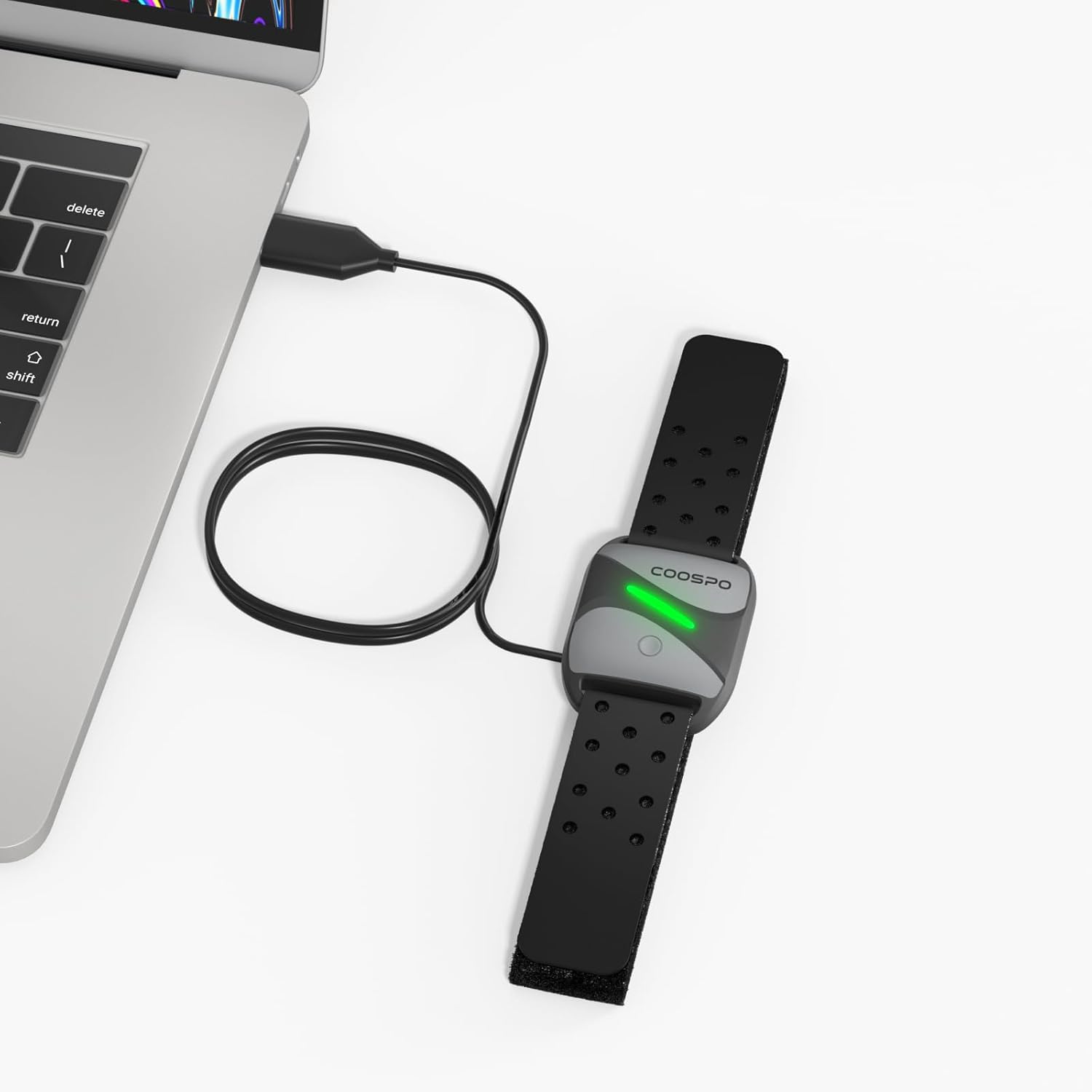
Image: CooSpo heart rate monitor armband being charged by connecting the USB cable to a laptop's USB port.
5. ข้อมูลด้านความปลอดภัย
To ensure safe operation and prolong the life of your charging cable and device, please observe the following:
- Always use a DC 5V power adapter or a computer USB port for charging. Using power sources with higher voltage may damage the cable or your device.
- The cable features built-in short circuit, over-voltage, and over-current protection. However, avoid exposing the cable to extreme conditions or physical damage.
- Do not attempt to disassemble or modify the charging cable.
- Keep the charging cable away from water, moisture, and high temperatures.
- Ensure the charging contacts on both the cable and your device are clean and dry before connecting.

Image: Visual representation of the charging cable's magnetic connector and USB-A plug, highlighting its safety features including device protection, over-voltage และการป้องกันกระแสเกิน
6. ข้อมูลจำเพาะ
| ยี่ห้อ | คูสโป |
| หมายเลขรุ่น | PC-0310 62- |
| ประเภทขั้วต่อ | USB (Male-to-Male) |
| ประเภทสายเคเบิล | ยูเอสบี |
| อุปกรณ์ที่รองรับ | Heart Rate Monitor Armbands (CooSpo HW706/HW702A/HW807, Schwinn IC4, DDP Yoga, Echelon) |
| คุณสมบัติพิเศษ | ยุ่งเหยิงฟรี |
| สี | สีดำ |
| จำนวนพิน | 4 |
| น้ำหนักสินค้า | 0.01 กิโลกรัม (0.317 ออนซ์) |
| การใช้งานภายใน/ภายนอกอาคาร | ในร่ม |
| ประเภทแพ็กเกจลูกค้า | Sealed anti-static bag |
| ปริมาณสูงสุดtage | 5 โวลต์ (กระแสตรง) |
| ขนาดแพ็คเกจ | 8.46 x 2.2 x 0.47 นิ้ว |
7. การบำรุงรักษา
To maintain the performance and longevity of your charging cable:
- ควรเก็บสายเคเบิลไว้ในที่แห้งและเย็นเมื่อไม่ได้ใช้งาน
- Avoid bending or kinking the cable sharply, especially near the connectors.
- Clean the magnetic charging pins and USB connector periodically with a dry, soft cloth to remove any dust or debris.
- อย่าใช้สารเคมีที่รุนแรงหรือวัสดุที่มีฤทธิ์กัดกร่อนในการทำความสะอาด
8 การแก้ไขปัญหา
If you encounter issues while charging, consider the following:
- อุปกรณ์ไม่ชาร์จ: Ensure the magnetic pins are correctly aligned and securely connected to your heart rate monitor. Verify that the USB-A end is fully inserted into a working 5V DC power adapter or computer USB port.
- การชาร์จช้า: Ensure you are using a reliable power source. Charging from a computer USB port might be slower than a dedicated wall adapter.
- การเชื่อมต่อไม่ต่อเนื่อง: Check for any visible damage to the cable or connectors. Ensure the charging contacts on both the cable and the device are clean.
- ปัญหาความเข้ากันได้: Double-check that your heart rate monitor model is listed as compatible with this charging cable (refer to Section 3).
9. วิดีโอผลิตภัณฑ์อย่างเป็นทางการ
Video: An official product video demonstrating the features and usage of the CooSpo USB Charging Cable.
10. รูปภาพผลิตภัณฑ์เพิ่มเติม


11. การรับประกันและการสนับสนุน
For warranty information, technical support, or any inquiries regarding your CooSpo Replacement USB Charger Cable, please refer to the official CooSpo webตรวจสอบรายละเอียดเพิ่มเติมได้ที่เว็บไซต์หรือติดต่อฝ่ายบริการลูกค้าโดยตรง โดยปกติรายละเอียดจะระบุไว้บนบรรจุภัณฑ์ของผลิตภัณฑ์หรือเว็บไซต์ของผู้ผลิต webเว็บไซต์.
คุณสามารถเยี่ยมชม CooSpo Store on Amazon สำหรับข้อมูลผลิตภัณฑ์เพิ่มเติม


