1. บทนำ
Thank you for choosing the NEC E438 43-inch LCD 4K UHD Commercial-Grade Monitor. This manual provides detailed instructions for the safe and efficient use of your display. Please read this manual thoroughly before operating the product and retain it for future reference.
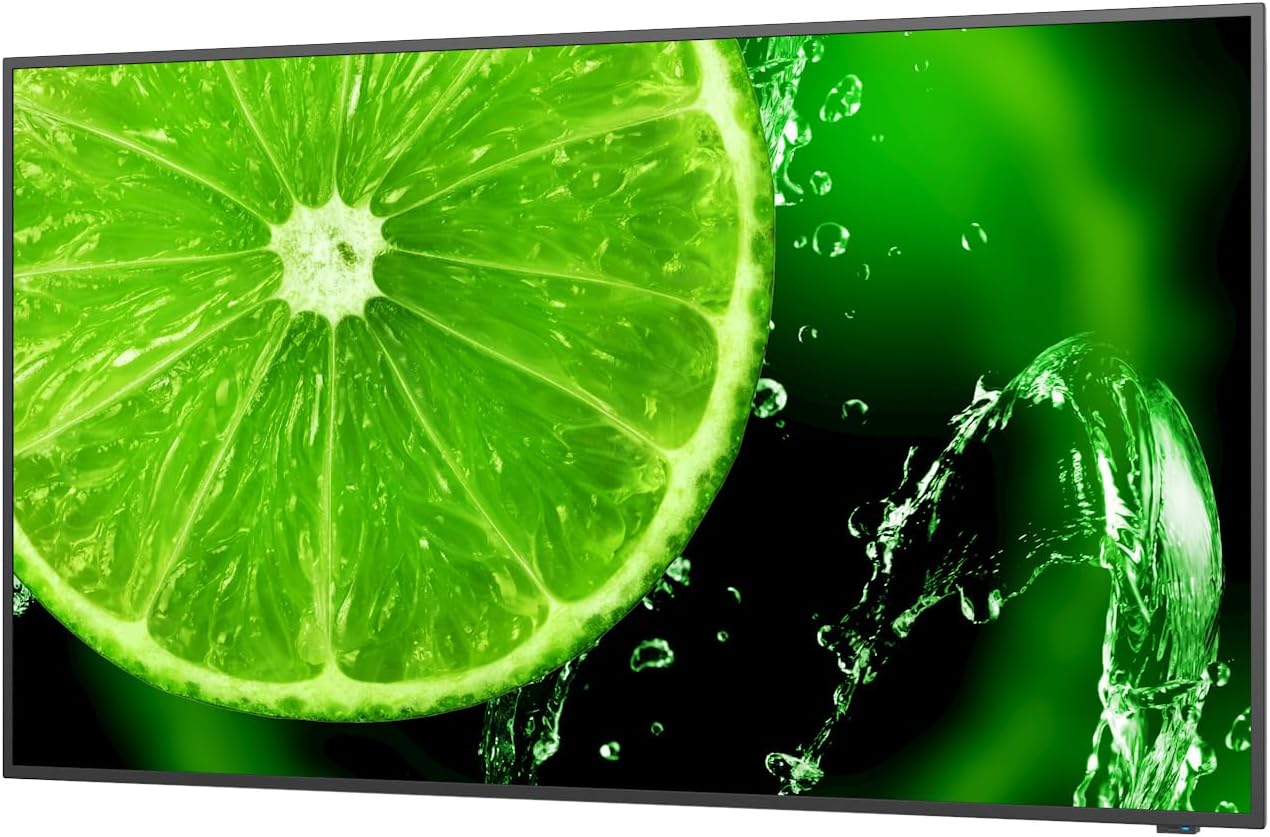
รูปที่ 1 : ด้านหน้า view of the NEC E438 43-inch 4K UHD monitor.
2. ข้อมูลด้านความปลอดภัย
โปรดปฏิบัติตามข้อควรระวังด้านความปลอดภัยต่อไปนี้ เพื่อป้องกันความเสียหายต่อผลิตภัณฑ์และเพื่อความปลอดภัยของคุณ:
- อย่าให้จอภาพโดนฝนหรือความชื้น เพื่อหลีกเลี่ยงไฟไหม้หรือไฟฟ้าช็อต
- อย่าเปิดจอภาพcasinก. ส่งต่อการบริการทั้งหมดไปยังเจ้าหน้าที่บริการที่มีคุณสมบัติเหมาะสม
- ตรวจสอบให้แน่ใจว่ามีการระบายอากาศที่เหมาะสม อย่าปิดกั้นช่องระบายอากาศ
- Use only the power cord supplied with the monitor or a suitable replacement.
- Place the monitor on a stable, level surface or mount it securely according to VESA standards.
- Disconnect the power plug from the wall outlet if the monitor will not be used for a long period.
3. เนื้อหาบรรจุภัณฑ์
ตรวจสอบว่ามีรายการทั้งหมดอยู่ในแพ็คเกจ:
- NEC E438 43-inch LCD 4K UHD Monitor
- สายไฟ
- สาย HDMI
- สาย USB-C
- รีโมทคอนโทรล (พร้อมแบตเตอรี่)
- คู่มือการใช้งาน (เอกสารนี้)
- คู่มือการติดตั้งด่วน
4. การตั้งค่า
4.1 การจัดวางทางกายภาพ
Place the monitor on a sturdy, flat surface or mount it using a VESA-compatible wall mount or stand. Ensure adequate space around the monitor for ventilation.
4.2 สายเชื่อมต่อ
Connect the necessary cables to the corresponding ports on the monitor and your source device (e.g., computer, media player).

รูปที่ 2: ด้านหลัง view of the monitor showing connection ports and mounting points.

รูปที่ 3: ด้านข้าง view of the monitor illustrating the input port cluster.
- พลัง: Connect the power cord to the monitor's AC input and then to a grounded electrical outlet.
- อินพุตวิดีโอ: Use an HDMI, VGA, or USB-C cable to connect your source device to the monitor. The monitor supports multiple HDMI inputs.
- LAN: เชื่อมต่อสายอีเธอร์เน็ตเข้ากับพอร์ต LAN เพื่อเชื่อมต่อเครือข่าย
- ยูเอสบี-C: For video, data, and power delivery (if supported by the source device).
5. คู่มือการใช้งาน
5.1 เปิด/ปิดเครื่อง
Press the power button located on the monitor or on the remote control to turn the display on or off. The power indicator light will illuminate when the monitor is on.
5.2 การเลือกอินพุต
Use the 'Input' button on the remote control or the monitor's control panel to cycle through available input sources (HDMI 1, HDMI 2, HDMI 3, VGA, USB-C, etc.).
5.3 เมนูการแสดงผลบนหน้าจอ (OSD)
Access the OSD menu to adjust various display settings such as brightness, contrast, color temperature, aspect ratio, and audio settings. Navigate the menu using the directional buttons on the remote or monitor and confirm selections with the 'Enter' button.
5.4 เสียง
The monitor includes integrated speakers. Adjust the volume using the remote control or through the OSD menu. You can also connect external audio devices if desired.
6. การบำรุงรักษา
6.1 การทำความสะอาดจอภาพ
- ถอดปลั๊กจอภาพทุกครั้งก่อนทำความสะอาด
- ใช้ผ้านุ่มไม่เป็นขุยเช็ดเล็กน้อยampเคลือบด้วยน้ำหรือน้ำยาทำความสะอาดหน้าจอชนิดอ่อนที่ไม่กัดกร่อน
- ห้ามฉีดน้ำยาทำความสะอาดลงบนหน้าจอโดยตรง
- หลีกเลี่ยงการใช้สารเคมีรุนแรง ตัวทำละลาย หรือวัสดุที่มีฤทธิ์กัดกร่อน
6.2 การดูแลทั่วไป
- เก็บจอภาพให้ห่างจากแสงแดดโดยตรงและแหล่งความร้อน
- ตรวจสอบให้แน่ใจว่ามีการระบายอากาศที่เหมาะสมเพื่อป้องกันภาวะความร้อนมากเกินไป
- หลีกเลี่ยงการวางวัตถุหนักบนจอภาพหรือสายเคเบิล
7 การแก้ไขปัญหา
หากคุณพบปัญหาเกี่ยวกับจอภาพของคุณ โปรดดูขั้นตอนการแก้ไขปัญหาทั่วไปต่อไปนี้:
| ปัญหา | วิธีแก้ปัญหาที่เป็นไปได้ |
|---|---|
| ไม่มีไฟฟ้า | Check if the power cord is securely connected to both the monitor and the power outlet. Ensure the power outlet is functional. |
| ไม่มีสัญญาณ | Verify that the video cable (HDMI, VGA, USB-C) is correctly connected to both the monitor and the source device. Select the correct input source using the 'Input' button. |
| ภาพบิดเบี้ยวหรือไม่ชัดเจน | Adjust resolution and refresh rate settings on your source device. Check cable connections for looseness or damage. Perform an auto-adjustment via the OSD menu if using VGA. |
| ไม่มีเสียงออกจากลำโพง | Check the volume settings on the monitor and your source device. Ensure the audio output is correctly configured on your source device. |
If the problem persists after trying these steps, please contact NEC customer support.
8. ข้อมูลจำเพาะ
Key technical specifications for the NEC E438 monitor:
- ขนาดหน้าจอ: 43 นิ้ว
- ปณิธาน: 3840 x 2160 (4K UHD)
- อัตราส่วนภาพ: 16:9 น.
- ประเภทแผง: IPS (การสลับในเครื่องบิน)
- ความสว่างของภาพ: 350 cd/m² (NITS)
- อินพุตวิดีโอ: HDMI (multiple), VGA, USB-C
- พอร์ตอื่นๆ: LAN, Total 2 USB Ports
- วิทยากร: บูรณาการ
- ขนาดสินค้า : 2.8 x 38.2 x 22.04 นิ้ว
- น้ำหนักสินค้า: 19.58 ปอนด์
- เล่มที่tage: 240 โวลต์
- หมายเลขรุ่น: 60005045

Figure 4: Excerpt from the product data sheet.
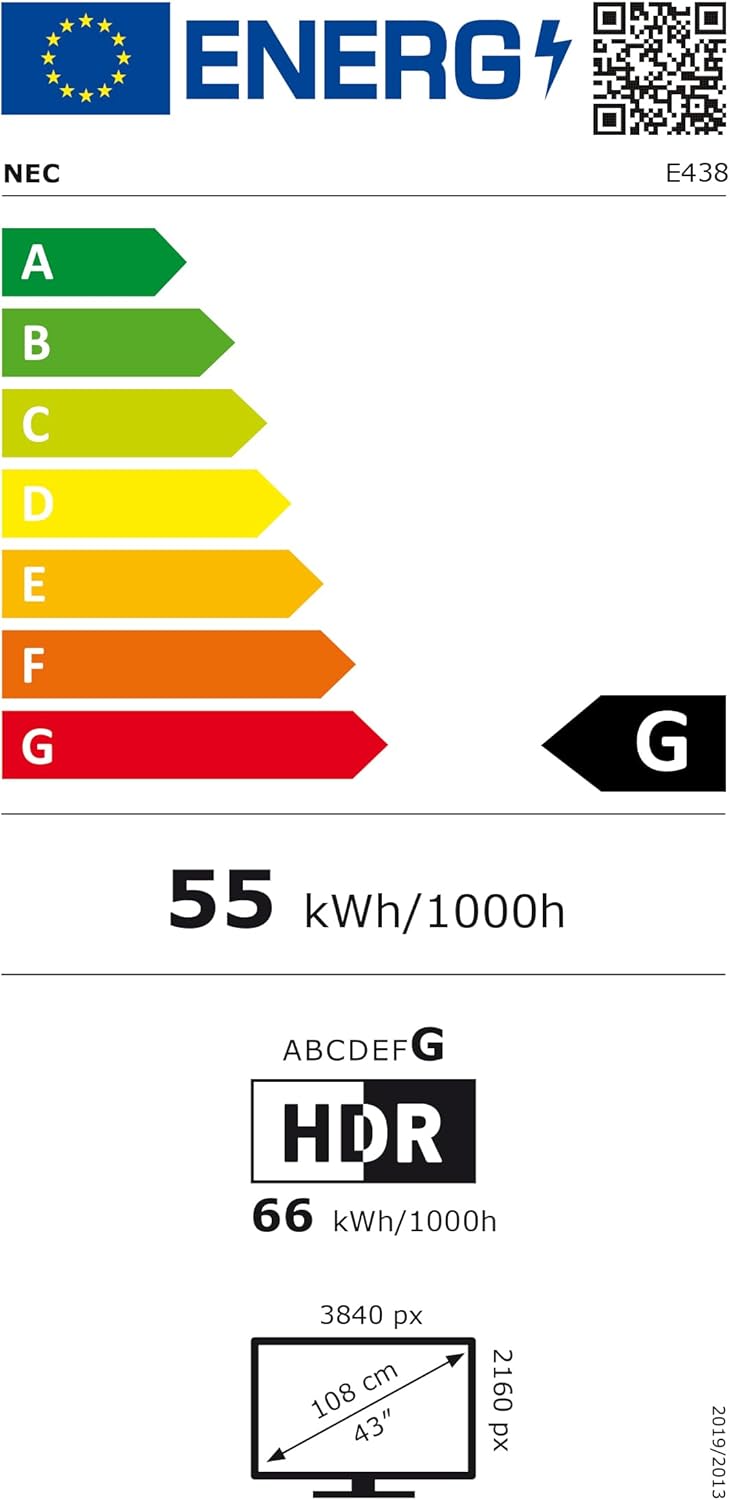
Figure 5: EU Energy Label for the NEC E438 monitor.
สำหรับข้อมูลด้านพลังงานที่ละเอียดมากขึ้น โปรดเยี่ยมชมฐานข้อมูล EPREL: https://eprel.ec.europa.eu/qr/429363
9. การรับประกันและการสนับสนุน
9.1 ข้อมูลการรับประกัน
This NEC E438 monitor comes with a 3-year limited warranty. Please refer to the warranty card included in your package for specific terms and conditions. Keep your proof of purchase for warranty claims.
9.2 การสนับสนุนลูกค้า
For technical assistance, service, or further inquiries, please contact NEC customer support. Visit the official NEC webไซต์สำหรับรายละเอียดการติดต่อและทรัพยากรสนับสนุน


