1. บทนำ
ขอบคุณสำหรับการซื้อasing the ABKO Hacker K560 Mechanical Gaming Keyboard. This keyboard is designed for an enhanced gaming and typing experience, featuring hotswappable mechanical switches, vibrant Rainbow Moving LED lighting, and durable dual injection keycaps. This manual provides detailed instructions for setup, operation, maintenance, and troubleshooting to ensure optimal performance and longevity of your device.
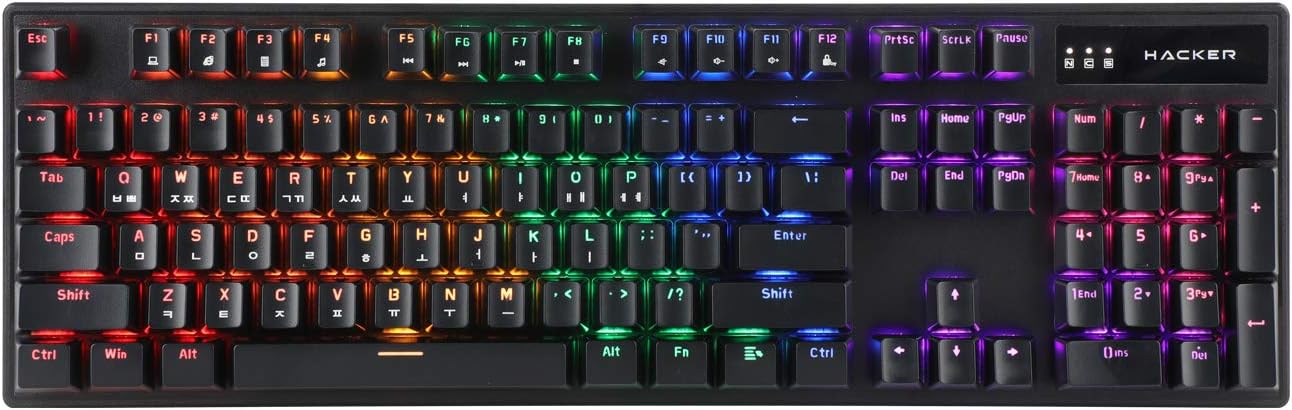
Figure 1.1: ABKO Hacker K560 Mechanical Gaming Keyboard (Top View)
This image displays the full layout of the ABKO Hacker K560 keyboard from a top-down perspective, showcasing its 104-key design and the vibrant rainbow LED backlighting illuminating each key. The Korean-English layout is visible on the keycaps.
2. คุณสมบัติหลัก
- Viki Type: Unique keycap profile เพื่อการพิมพ์ที่สะดวกสบาย
- Rainbow Moving LED: Dynamic and customizable RGB lighting effects.
- สวิตช์เชิงกล: Equipped with durable and responsive mechanical switches (Brown Switch variant).
- Cherry Stabilizer: Enhanced stability for larger keys like Spacebar, Shift, and Enter.
- รูปแบบ 104 คีย์: Full-size keyboard layout for comprehensive functionality.
- ปุ่มกดแบบฉีดขึ้นรูปสองชั้น: Legends are molded into the keycap, preventing wear and fading.
- Hotswap Capability: ช่วยให้เปลี่ยนสวิตช์ได้ง่ายโดยไม่ต้องบัดกรี
- ทนน้ำ: Designed to withstand minor spills.

Figure 2.1: ABKO Hacker K560 Keyboard (Angled View)
This image provides an angled perspective of the keyboard, showcasing the ergonomic Viki Type keycap profile and the vibrant illumination of the Rainbow Moving LED backlighting from the side.
3. คู่มือการติดตั้ง
3.1. เนื้อหาบรรจุภัณฑ์
ก่อนดำเนินการต่อ โปรดตรวจสอบให้แน่ใจว่ามีรายการทั้งหมดอยู่ในบรรจุภัณฑ์:
- ABKO Hacker K560 Mechanical Gaming Keyboard
- คู่มือการใช้งาน (เอกสารนี้)
- Keycap Puller (may be included for hotswap functionality)
- Switch Puller (may be included for hotswap functionality)
3.2. การเชื่อมต่อคีย์บอร์ด
- Locate an available USB port on your computer (PC, Laptop, Gaming Console).
- Plug the USB connector of the ABKO Hacker K560 keyboard into the USB port.
- ระบบปฏิบัติการจะตรวจจับและติดตั้งไดรเวอร์ที่จำเป็นโดยอัตโนมัติ ขั้นตอนนี้อาจใช้เวลาสักครู่
- Once installation is complete, the keyboard's LED lighting will illuminate, indicating it is ready for use.
4. คู่มือการใช้งาน
4.1. การใช้งานพื้นฐาน
The ABKO Hacker K560 functions as a standard 104-key keyboard. Simply begin typing or using the keys as you would with any other keyboard.
4.2. LED Lighting Control (Rainbow Moving LED)
The keyboard features various dynamic LED lighting modes. Use the following key combinations to control the lighting:
- Fn + F1-F12: (Specific functions may vary, refer to keyboard legends for media controls, volume, etc.)
- Fn + Scroll Lock: Cycle through different Rainbow Moving LED lighting effects.
- Fn + Print Screen: Adjust LED brightness (usually multiple levels).
- Fn + Pause Break: Change LED lighting direction or speed (for moving effects).
- Fn + ปุ่มลูกศร: Some models allow fine-tuning of specific lighting zones or effects.
Experiment with these combinations to find your preferred lighting mode and brightness.
4.3. Hotswap Switch Replacement
The ABKO Hacker K560 supports hotswappable mechanical switches, allowing you to change switches without soldering. This feature is useful for customizing typing feel or replacing faulty switches.
- หมดแรง: Disconnect the keyboard from your computer before attempting any switch replacement.
- ถอด Keycap: ใช้เครื่องมือถอดคีย์แคปที่ให้มาเพื่อถอดคีย์แคปที่ต้องการออกอย่างเบามือ
- ถอดสวิตช์: ใช้เครื่องมือถอดสวิตช์ที่ให้มา จับที่คลิปด้านบนและด้านล่างของสวิตช์อย่างระมัดระวัง แล้วดึงขึ้นตรงๆ
- ใส่สวิตช์ใหม่: จัดตำแหน่งพินของสวิตช์ใหม่ให้ตรงกับรูบนแผงวงจรพิมพ์ (PCB) ค่อยๆ กดสวิตช์ลงจนกระทั่งล็อคเข้าที่ ตรวจสอบให้แน่ใจว่าพินไม่งอ
- เปลี่ยนคีย์แคป: Press the keycap onto the new switch until it is firmly seated.
- ทดสอบ: Reconnect the keyboard and test the new switch.
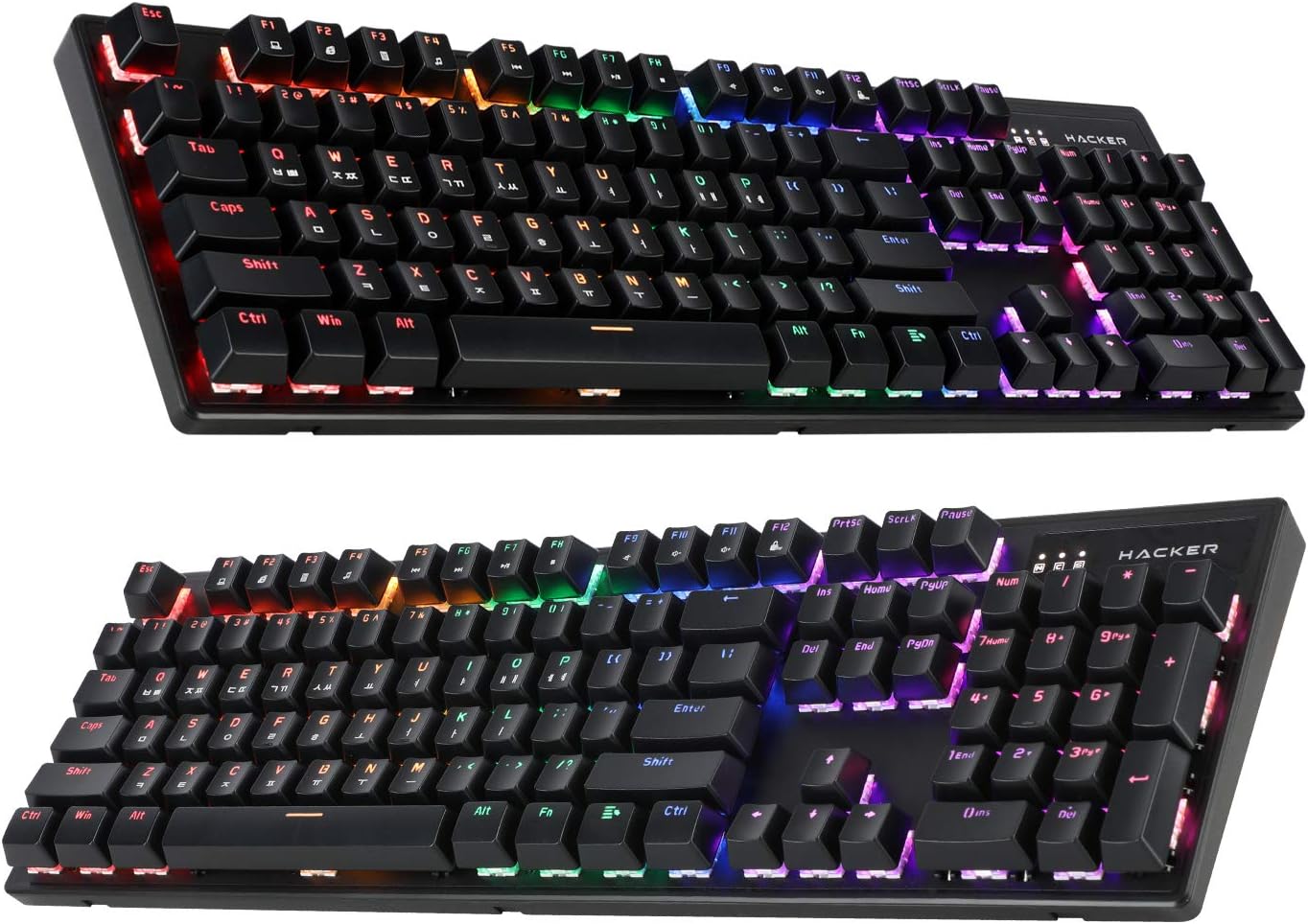
Figure 4.1: ABKO Hacker K560 Keyboard (Dual Angled View)
This image presents two different angled views of the ABKO Hacker K560 keyboard, providing a comprehensive look at its full 104-key layout and the distinct dual injection keycap design, which contributes to its durability and aesthetic.
5. การบำรุงรักษา
5.1. การทำความสะอาดคีย์บอร์ด
การทำความสะอาดเป็นประจำจะช่วยรักษารูปลักษณ์และการทำงานของแป้นพิมพ์
- การกำจัดฝุ่น: ใช้กระป๋องลมอัดเป่าฝุ่นและเศษต่างๆ ออกจากระหว่างปุ่มต่างๆ
- การทำความสะอาดพื้นผิว: Wipe the surface of the keycaps and frame with a soft, slightly dampผ้าที่ไม่เป็นขุย หลีกเลี่ยงความชื้นมากเกินไป
- การทำความสะอาดอย่างล้ำลึก (ไม่บังคับ): For thorough cleaning, keycaps can be removed using a keycap puller and washed with mild soap and water. Ensure they are completely dry before reattaching.
คำเตือน: Always disconnect the keyboard from your computer before cleaning. Do not immerse the keyboard in water, despite its water-resistant feature, as this is for minor spills, not submersion.
5.2. การจัดเก็บ
เมื่อไม่ได้ใช้งานเป็นเวลานาน ควรเก็บแป้นพิมพ์ไว้ในที่แห้งและเย็น หลีกเลี่ยงแสงแดดโดยตรงและอุณหภูมิที่สูงหรือต่ำเกินไป
6 การแก้ไขปัญหา
If you encounter issues with your ABKO Hacker K560 keyboard, refer to the following common solutions:
| ปัญหา | สาเหตุที่เป็นไปได้ | สารละลาย |
|---|---|---|
| แป้นพิมพ์ไม่ตอบสนอง / ไม่มีข้อมูลป้อนเข้า | การเชื่อมต่อ USB หลวม, พอร์ต USB ชำรุด, มีปัญหากับไดรเวอร์ |
|
| LED lights are off or not working correctly | LED mode turned off, brightness set to minimum, software conflict. |
|
| Specific key not working | เศษซากใต้ปุ่มสวิตช์ชำรุด |
|
หากปัญหายังคงมีอยู่หลังจากลองวิธีแก้ไขเหล่านี้แล้ว โปรดติดต่อฝ่ายสนับสนุนลูกค้า
7. ข้อมูลจำเพาะ
| คุณสมบัติ | รายละเอียด |
|---|---|
| ชื่อรุ่น | Hacker K560 |
| ยี่ห้อ | เอบีเคโอ |
| ประเภทแป้นพิมพ์ | แป้นพิมพ์สำหรับเล่นเกมแบบเครื่องกล |
| ประเภทสวิตซ์ | Tactile (Brown Switch) |
| เค้าโครง | 104 Keys (Full-size, Korean-English Layout) |
| วัสดุปุ่มกด | การฉีดคู่ |
| การแบ็คไลท์ | Rainbow Moving LED (RGB) |
| การเชื่อมต่อ | สาย (USB) |
| คุณสมบัติพิเศษ | Hotswappable Switches, Cherry Stabilizer, Viki Type Keycaps, Water Resistant |
| อุปกรณ์ที่รองรับ | แล็ปท็อป, คอนโซลเกม, พีซี, แท็บเล็ต, สมาร์ทโฟน |
8. การรับประกันและการสนับสนุน
ABKO products are manufactured to the highest quality standards. For information regarding warranty coverage, technical support, or service inquiries, please refer to the warranty card included with your product or visit the official ABKO webเว็บไซต์.
โปรดเก็บหลักฐานการซื้อของคุณไว้เพื่อเรียกร้องการรับประกัน


