การแนะนำ
Thank you for choosing BACKWIN B580S Wired Earbuds. This manual provides essential information for setting up, operating, and maintaining your new earphones. Please read it carefully to ensure optimal performance and longevity of your product.

Image: The BACKWIN B580S Wired Earbuds, featuring a black design, 3.5mm audio jack, and integrated in-line controls.
มีอะไรอยู่ในกล่อง
กรุณาตรวจสอบเนื้อหาในแพ็คเกจเพื่อให้แน่ใจว่ามีสินค้าครบทั้งหมด:
- BACKWIN B580S Wired Earbuds (with integrated cable and microphone)
- เคสป้องกัน
- แผ่นรองหูฟัง (หลายขนาด)
สินค้าเกินview
Familiarize yourself with the main components of your earbuds:

ภาพ: ระเบิด view of the earbud's internal structure, emphasizing the 16.2mm driver for enhanced audio.
ภาพ: รายละเอียด view of the in-line remote control, illustrating its multi-function button for call and music management.
การตั้งค่า
Connecting your BACKWIN B580S Wired Earbuds is straightforward:
- Identify the 3.5mm Audio Jack: Locate the 3.5mm audio port on your device (smartphone, tablet, laptop, etc.).
- ใส่ปลั๊ก: Gently insert the 3.5mm plug of your earbuds into the audio port until it clicks into place.
- ปรับหูฟัง: Place the earbuds comfortably into your ears. Ensure a snug fit for optimal sound isolation and audio quality.
Watch this video for a visual guide on connecting and using your earbuds:
Video: A demonstration of connecting the BACKWIN B580S earbuds to a device and wearing them for audio playback.
คำแนะนำการใช้งาน
The in-line remote control allows for easy management of calls and music playback:
- รับ/วางสาย: กดปุ่มมัลติฟังก์ชั่นหนึ่งครั้ง
- เล่น/หยุดเพลง: กดปุ่มมัลติฟังก์ชั่นหนึ่งครั้ง
- เพลงถัดไป: Double-click the multi-function button.
- เพลงก่อนหน้า: Triple-click the multi-function button.
- การควบคุมระดับเสียง: Use the dedicated volume slider or buttons on the in-line remote (if present, otherwise use device volume).
Image: The in-line remote control with clear icons indicating functions for call management and music track selection.
คุณสมบัติหลัก

Image: Visual representation of the mobile subwoofer technology, designed for superior clarity and acoustic performance with enhanced bass.

Image: A user wearing the earbuds, highlighting the closed cavity design that minimizes external noise interference for clearer sound.
เสียงคุณภาพสูง
The earbuds feature high-fidelity enhancement of bass sound effects, designed to restore the natural quality of sound. Expert tuning ensures a rich audio experience, allowing users to enjoy a wonderful feast of sound.
การออกแบบตามหลักสรีรศาสตร์
Designed for comfort, the earbuds fit the curve of the ear, providing a secure and comfortable experience even during extended wear. This ergonomic design helps prevent discomfort and ensures the earbuds stay in place during activities like jogging or travel.
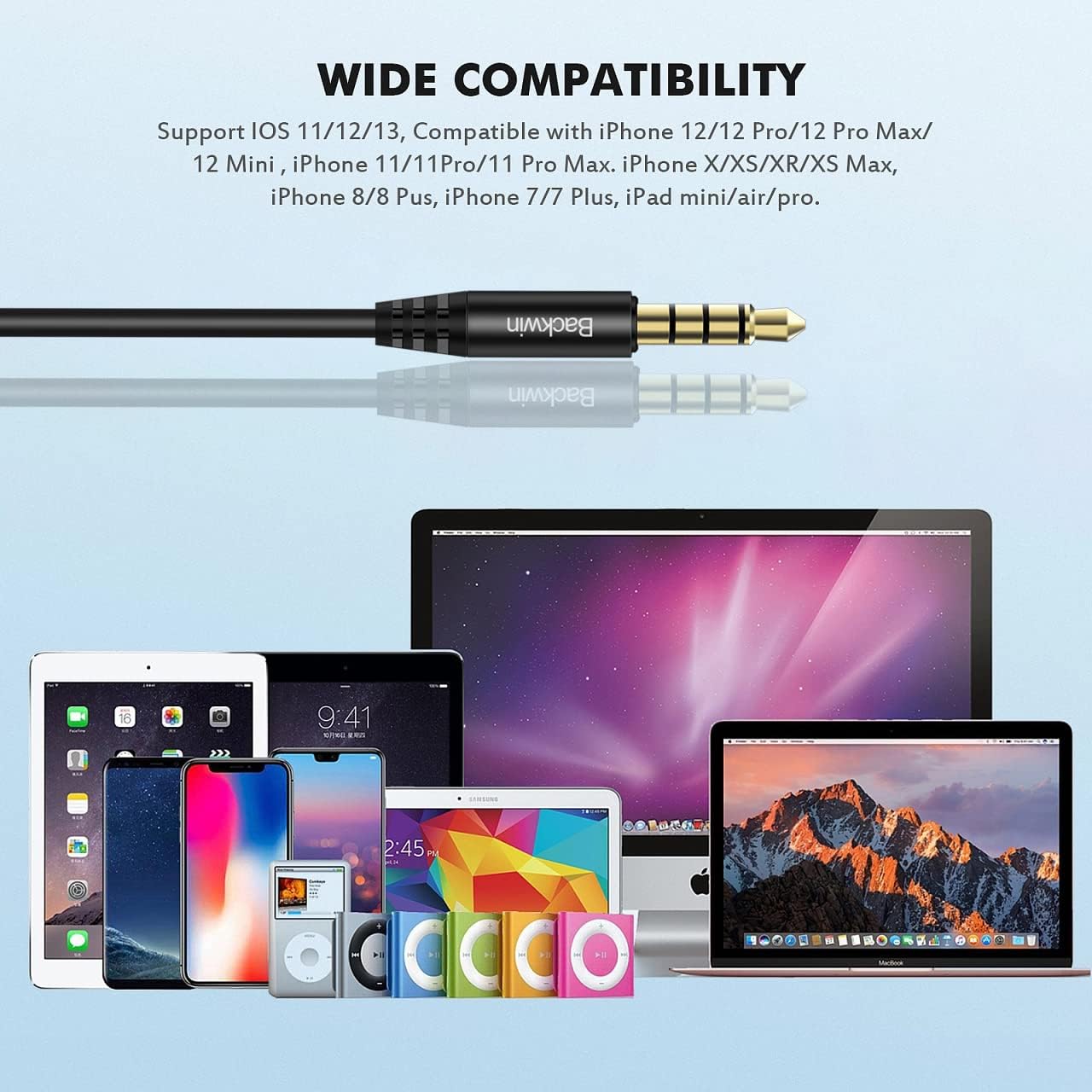
Image: A detailed illustration demonstrating the ergonomic fit of the earbud within the ear canal, designed for comfort and stability.
สายทนทานและไม่พันกัน
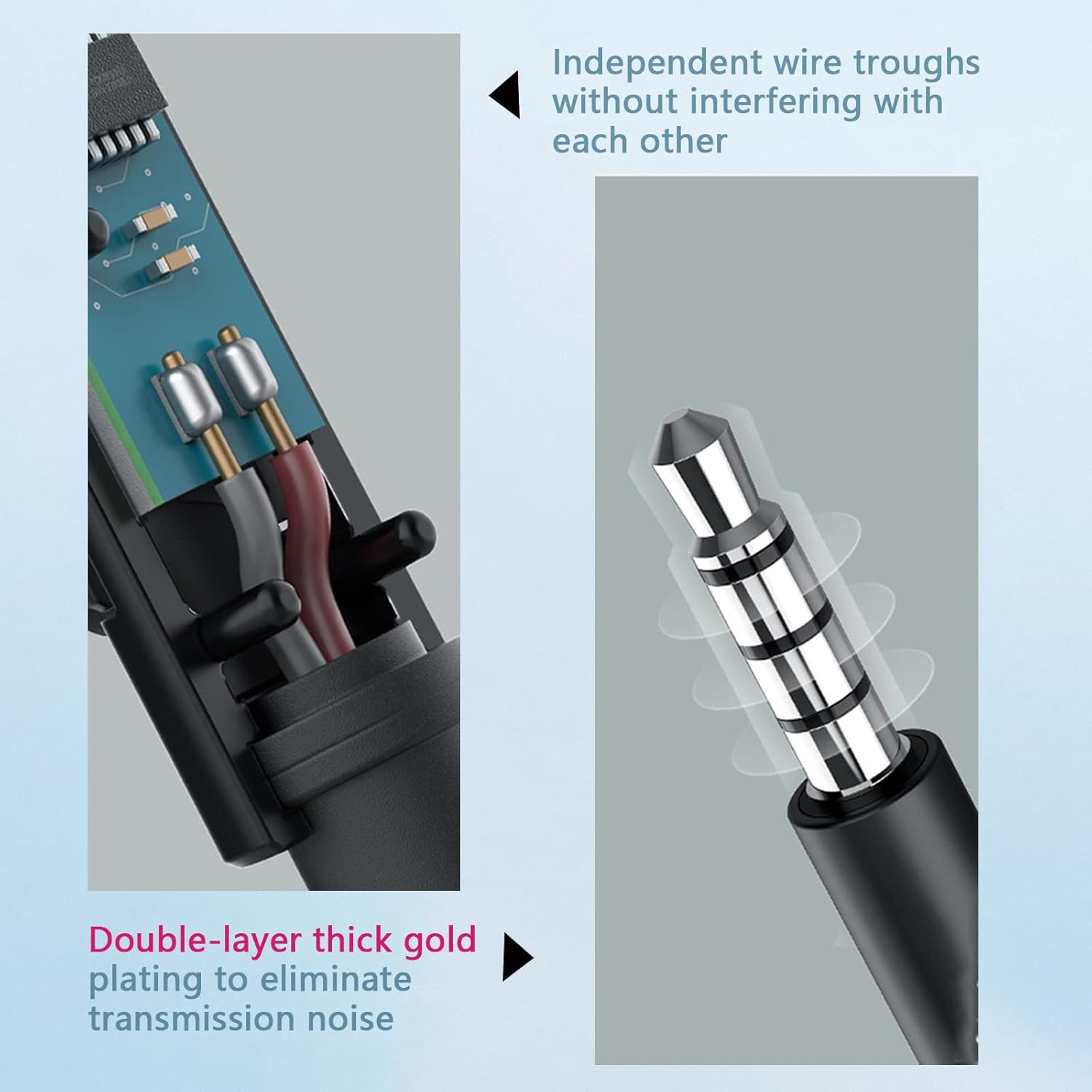
The cable utilizes a hollow tube material technology, making it soft, comfortable to handle, and resistant to tangling. This design allows for easy portability without the hassle of knots, ensuring continuous and convenient use.

Image: Cross-section of the cable, illustrating independent wire troughs to prevent interference.

Image: The 3.5mm jack, featuring double-layer thick gold plating for improved signal transmission and reduced noise.

Image: Hands stretching the earbud cable, highlighting its flexible and durable construction.
ไมโครโฟนแบบบูรณาการ
The built-in microphone is positioned to be close to your mouth for clear communication. Its multi-functionality simplifies call management (receive/end calls) and music control (play/pause/next/last song), making communication convenient.
ความเข้ากันได้
The BACKWIN B580S Wired Earbuds are compatible with any audio device featuring a standard 3.5mm jack. This includes, but is not limited to:
- iPhone devices (models with 3.5mm jack or adapter)
- สมาร์ทโฟนแอนดรอยด์
- iPod and other MP3 players
- iPad and other tablets
- Mac and other laptops/computers

Image: The 3.5mm audio jack positioned above a collection of compatible devices, including various smartphones, tablets, and laptops.
การซ่อมบำรุง
เพื่อให้หูฟังของคุณใช้งานได้ยาวนานและมีประสิทธิภาพสูงสุด โปรดปฏิบัติตามคำแนะนำในการบำรุงรักษาเหล่านี้:
- การทำความสะอาด: เช็ดหูฟังและสายเบาๆ ด้วยผ้านุ่มและแห้ง ห้ามใช้สารเคมีรุนแรงหรือวัสดุที่มีฤทธิ์กัดกร่อน
- ฟองน้ำรองหูฟัง: Remove ear cushions periodically and clean them with a damp ผ้า ให้แน่ใจว่าแห้งสนิทก่อนติดกลับเข้าที่
- พื้นที่จัดเก็บ: เมื่อไม่ใช้งาน ควรเก็บหูฟังไว้ในกล่องป้องกันที่ให้มา เพื่อป้องกันการพันกันและความเสียหาย
- หลีกเลี่ยงความชื้น: While the earbuds have some water resistance, avoid prolonged exposure to water or high humidity. Do not submerge them.
การแก้ไขปัญหา
If you encounter any issues with your BACKWIN B580S Wired Earbuds, please refer to the following common solutions:
| ปัญหา | สาเหตุที่เป็นไปได้ | สารละลาย |
|---|---|---|
| ไม่มีเสียงหรือเสียงเบา |
|
|
| ไมโครโฟนไม่ทำงาน |
|
|
| การบิดเบือนเสียง |
|
|
ข้อมูลจำเพาะ
| คุณสมบัติ | รายละเอียด |
|---|---|
| ชื่อรุ่น | B580S |
| เทคโนโลยีการเชื่อมต่อ | มีสาย |
| แจ็คหูฟัง | แจ็ค 3.5 มม. |
| การวางตำแหน่งหู | ในหู |
| การควบคุมเสียงรบกวน | การแยกเสียง |
| การตอบสนองความถี่ | 20000 เฮิรตซ์ |
| อิมพีแดนซ์ | 32 โอห์ม |
| ประเภทการควบคุม | ปุ่มปรับระดับเสียง, ปุ่มมัลติฟังก์ชั่น |
| คุณสมบัติสายเคเบิล | ยุ่งเหยิงฟรี |
| คุณสมบัติพิเศษ | รวมไมโครโฟน กันเหงื่อ |
| วัสดุ | พลาสติก |
| น้ำหนักสินค้า | 3.69 ออนซ์ (104.55 กรัม) |
| ขนาดสินค้า | 0.47 x 0.39 x 0.39 นิ้ว |
| ผู้ผลิต | GUANGZHOU BACKWIN TECHNOLOGY CO.,LIMITED |
การรับประกันและการสนับสนุน
BACKWIN provides a 365-day quality assurance for this product. If you encounter any issues or require support, please contact our customer service. We are committed to ensuring your satisfaction and will assist with replacements or refunds as needed.

Image: A visual representation of BACKWIN's commitment to quality assurance and customer satisfaction.
