1. บทนำ
The EVGA X12 Gaming Mouse is a high-performance wired mouse designed for precision and customization. It features advanced sensor technology, a high report rate, and programmable buttons to enhance your gaming and computing experience.
คุณสมบัติหลัก:
- Dual Sensor 2-Dimension Array Technology: Combines a Lift Off Distance (LOD) sensor with a Pixart 3389 optical sensor for precise tracking.
- 8K Hz Report Rate: Utilizes a USB 2.0 High-Speed 32-bit Arm Cortex-M33 core microprocessor, providing an 8000 Hz report rate for faster response times and accurate movements.
- โปรปรับแต่งได้files: 5 onboard profiles with on-the-fly DPI settings allow for personalized configurations.
- 3-Zone RGB Lighting: Customizable RGB lighting zones via the UNLEASH RGB software.
- ดีไซน์น้ำหนักเบา เหมาะสำหรับใช้ทั้งสองมือ: Ergonomic design suitable for both left and right-handed users, paired with a flexible paracord USB cable.
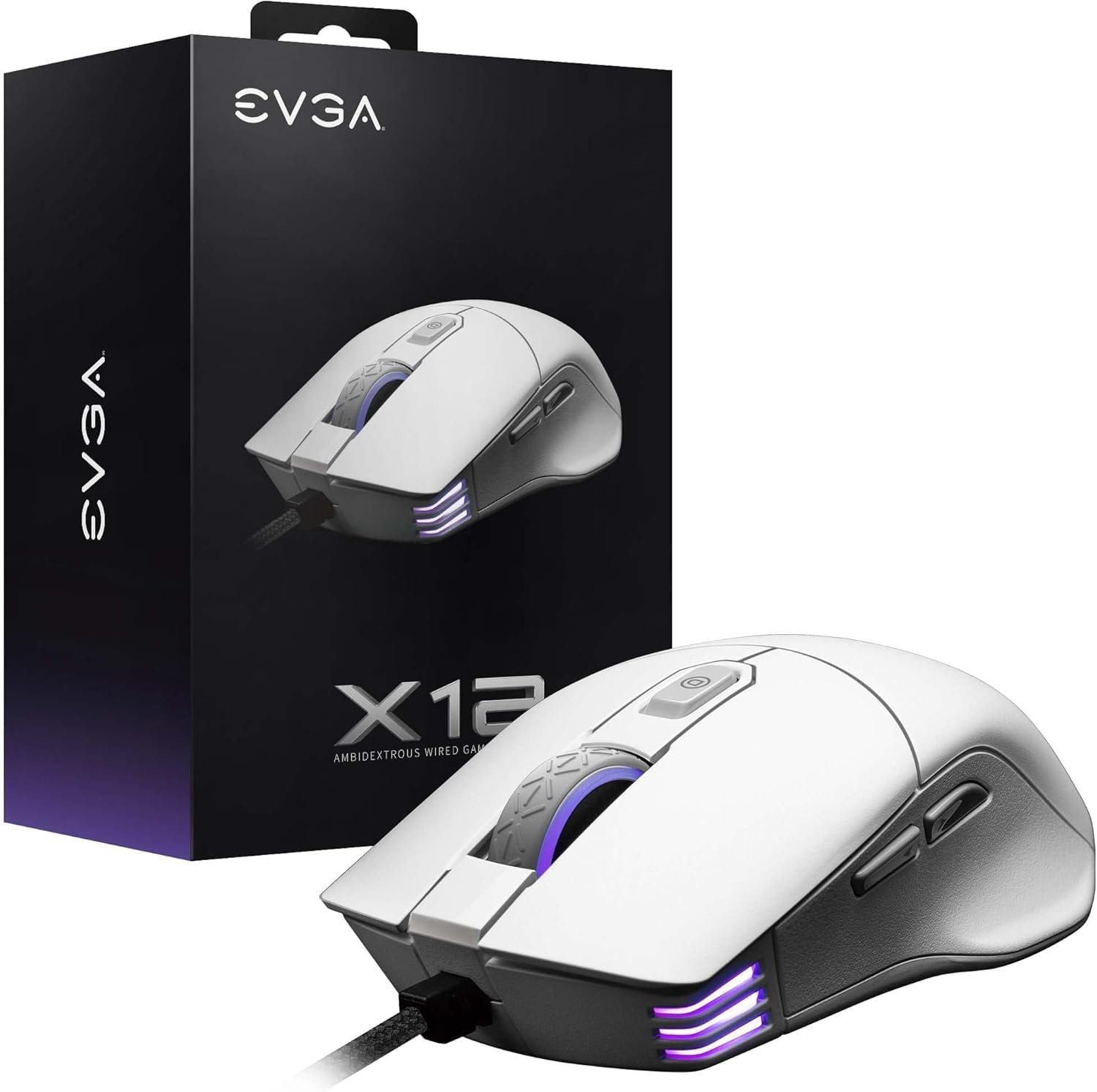
Image 1.1: EVGA X12 Wired Gaming Mouse and its retail packaging.
2. การตั้งค่า
2.1 การเชื่อมต่อเมาส์
- ค้นหาพอร์ต USB-A ที่พร้อมใช้งานบนคอมพิวเตอร์ของคุณ
- Plug the USB-A connector of the EVGA X12 mouse cable into the USB-A port.
- The mouse will automatically be detected by your operating system.
2.2 Software Installation (UNLEASH RGB)
To unlock the full customization potential of your EVGA X12 mouse, including DPI settings, RGB lighting, macro programming, and profile management, download and install the UNLEASH RGB software from the official EVGA webเว็บไซต์.
- Visit the official EVGA support webเว็บไซต์.
- Navigate to the downloads section for the X12 Gaming Mouse.
- Download and run the UNLEASH RGB software installer.
- ปฏิบัติตามคำแนะนำบนหน้าจอเพื่อทำการติดตั้งให้เสร็จสมบูรณ์
3. การใช้งานเมาส์
3.1 ฟังก์ชันพื้นฐานของปุ่มต่างๆ
The EVGA X12 mouse features 8 programmable buttons for versatile control:
- Left Click (Primary): การเลือกและการเปิดใช้งานตามมาตรฐาน
- Right Click (Secondary): การเข้าถึงผ่านเมนูบริบท
- ล้อเลื่อน: เลื่อนเนื้อหาในแนวตั้ง สามารถกดค้างไว้เพื่อใช้งานฟังก์ชันคลิกกลางได้ด้วย
- ปุ่มปรับ DPI เพิ่ม/ลด: Adjusts the mouse's sensitivity (DPI) on the fly.
- ปุ่มด้านข้าง (ไปข้างหน้า/ข้างหลัง): โดยทั่วไปใช้สำหรับการนำทางใน web เบราว์เซอร์หรือ file นักสำรวจ
- ปุ่มสไนเปอร์: Located on the side, this button can be programmed to temporarily lower DPI for precise aiming in games.

ภาพที่ 3.1: ภาพระยะใกล้ view of the EVGA X12 mouse highlighting the main buttons and scroll wheel.
3.2 การปรับ DPI
The DPI (Dots Per Inch) setting determines the sensitivity of your mouse. Higher DPI means the cursor moves faster across the screen with less physical mouse movement. You can adjust DPI using the dedicated buttons on the mouse or through the UNLEASH RGB software.
3.3 8K Hz Report Rate
The 8K Hz report rate means the mouse sends data to your computer 8000 times per second, significantly reducing input lag compared to standard 1000 Hz mice. This results in faster response times and more precise tracking, particularly beneficial in fast-paced gaming scenarios.
4. Customization with UNLEASH RGB Software
The UNLEASH RGB software provides extensive customization options for your EVGA X12 mouse:
- แสงไฟ RGB: Customize the 3-zone RGB lighting (scroll wheel, front, and logo) with various effects and colors.
- การตั้งค่า DPI: Fine-tune DPI levels and assign them to your 5 onboard profiles.
- การเขียนโปรแกรมมาโคร: สร้างและกำหนดแมโครที่ซับซ้อนให้กับปุ่มที่ตั้งโปรแกรมได้ 8 ปุ่ม
- โปรfile การจัดการ: Save and switch between up to 5 distinct profiles, allowing you to adapt your mouse settings for different games or applications.
- Lift Off Distance (LOD) Calibration: Adjust the lift-off distance for optimal tracking performance on your specific mouse pad surface.
5. ข้อมูลจำเพาะ
| คุณสมบัติ | รายละเอียด |
|---|---|
| ยี่ห้อ | อีวีจีเอ |
| หมายเลขรุ่น | 905-W1-12WH-KR |
| ประเภทเซนเซอร์ | Dual Sensor (Pixart 3389 Optical + Optical LOD Sensor) |
| DPI สูงสุด | 16,000 |
| อัตราการรายงาน | 8K Hz (8000 Hz) |
| ปุ่ม | 8 ปุ่มตั้งโปรแกรมได้ |
| ไฟ RGB | RGB 3 โซน |
| การเชื่อมต่อ | Wired (Flexible Paracord USB Cable) |
| ออกแบบ | Ambidextrous, Lightweight |
| ขนาด (กxยxส) | 4.84 x 2.75 x 0.1 นิ้ว |
| น้ำหนักสินค้า | 2.65 ออนซ์ |
| ระบบปฏิบัติการที่รองรับ | วินโดวส์, แมคโอเอส, ลินุกซ์ |

Image 5.1: Physical dimensions of the EVGA X12 mouse.
6. การบำรุงรักษา
To ensure optimal performance and longevity of your EVGA X12 Gaming Mouse, follow these maintenance guidelines:
- การทำความสะอาด: ใช้ผ้านุ่มและแห้งเช็ดพื้นผิวของเมาส์ สำหรับคราบสกปรกฝังแน่น ให้เช็ดเบาๆampชุบผ้าด้วยน้ำหรือน้ำยาทำความสะอาดอ่อนๆ หลีกเลี่ยงสารเคมีรุนแรง
- การดูแลเซ็นเซอร์: Keep the optical sensor on the underside of the mouse clean and free of dust or debris. Use compressed air or a cotton swab for cleaning.
- การจัดการสายเคเบิล: หลีกเลี่ยงการโค้งงออย่างแรงหรือการดึงสาย USB มากเกินไปเพื่อป้องกันความเสียหาย
- พื้นที่จัดเก็บ: เก็บเมาส์ไว้ในสภาพแวดล้อมที่สะอาดและแห้งเมื่อไม่ได้ใช้งาน
7 การแก้ไขปัญหา
If you encounter issues with your EVGA X12 Gaming Mouse, try the following steps:
- เมาส์ไม่ตอบสนอง: Try plugging the mouse into a different USB port on your computer. Ensure the cable is securely connected.
- Cursor Jumps/Lag: Clean the optical sensor on the underside of the mouse. Ensure your mouse pad surface is clean and free of obstructions. Update mouse drivers or reinstall the UNLEASH RGB software.
- ปุ่มไม่ทำงาน: Check button assignments in the UNLEASH RGB software. Ensure no macros are conflicting.
- ปัญหาแสง RGB: Verify RGB settings in the UNLEASH RGB software. Ensure the software is up to date.
- ซอฟต์แวร์ตรวจไม่พบเมาส์: Reinstall the UNLEASH RGB software. Ensure your operating system is up to date.
8. การรับประกันและการสนับสนุน
For warranty information, technical support, or to access the latest drivers and software for your EVGA X12 Gaming Mouse, please visit the official EVGA webเว็บไซต์:
- ฝ่ายสนับสนุน EVGA Webเว็บไซต์: www.evga.com/support/
- การลงทะเบียนผลิตภัณฑ์: Register your product on the EVGA website to activate your warranty and receive support.


