1. สินค้าหมดview
The BioLite Charge 80 PD is a high-capacity portable power bank designed to provide reliable power for your electronic devices on the go. With a 20,000 mAh battery, it features both USB-C Power Delivery (PD) for fast charging and two USB-A outputs, allowing you to charge multiple devices simultaneously. Its compact and durable design makes it ideal for travel and outdoor adventures.

Image: BioLite Charge 80 PD portable power bank, showcasinด้วยการออกแบบที่กะทัดรัดและการจัดวางพอร์ต
เนื้อหาแพ็คเกจ:
- BioLite Charge 80 PD Power Bank
- USB-A to USB-C Charge Cable
- คู่มือการใช้งาน
ส่วนประกอบหลัก:

Image: Diagram illustrating the key components of the BioLite Charge 80 PD, including the USB-C port, USB-A ports, battery life indicator button, and LED indicators.
- 18W USB-C Charge In/Out Port
- (2) 3.0 USB-A Charge Out Ports
- Battery Life Indicator Button
- Battery Life Indicator LEDs
- แบตเตอรี่ลิเธียมไออน 20,000 mAh
2. การเริ่มต้นใช้งาน (การตั้งค่า)
Before first use, it is recommended to fully charge your BioLite Charge 80 PD power bank.
การชาร์จครั้งแรก:
- Connect the included USB-A to USB-C cable to the USB-C In/Out port (1) on the Charge 80 PD.
- Connect the other end of the cable (USB-A) to a compatible USB wall adapter (not included) or a computer USB port. For fastest charging, use an 18W USB-C Power Delivery adapter.
- The Battery Life Indicator LEDs (4) will illuminate to show charging progress. A full charge typically takes approximately 5 hours.
- Once all four LEDs are solid, the power bank is fully charged and ready for use.
3. การดำเนินการ
การชาร์จอุปกรณ์ภายนอก:
The Charge 80 PD can charge up to three devices simultaneously using its USB-C and two USB-A ports.
- Connect your device's charging cable to one of the available output ports on the Charge 80 PD (USB-C In/Out port (1) or USB-A Charge Out Ports (2)).
- Connect the other end of the cable to your electronic device (e.g., smartphone, tablet, laptop, headlamp).
- Charging should begin automatically. If not, press the Battery Life Indicator Button (3) to initiate charging.
- The power bank will automatically stop charging when your device is fully charged or when the power bank's battery is depleted.
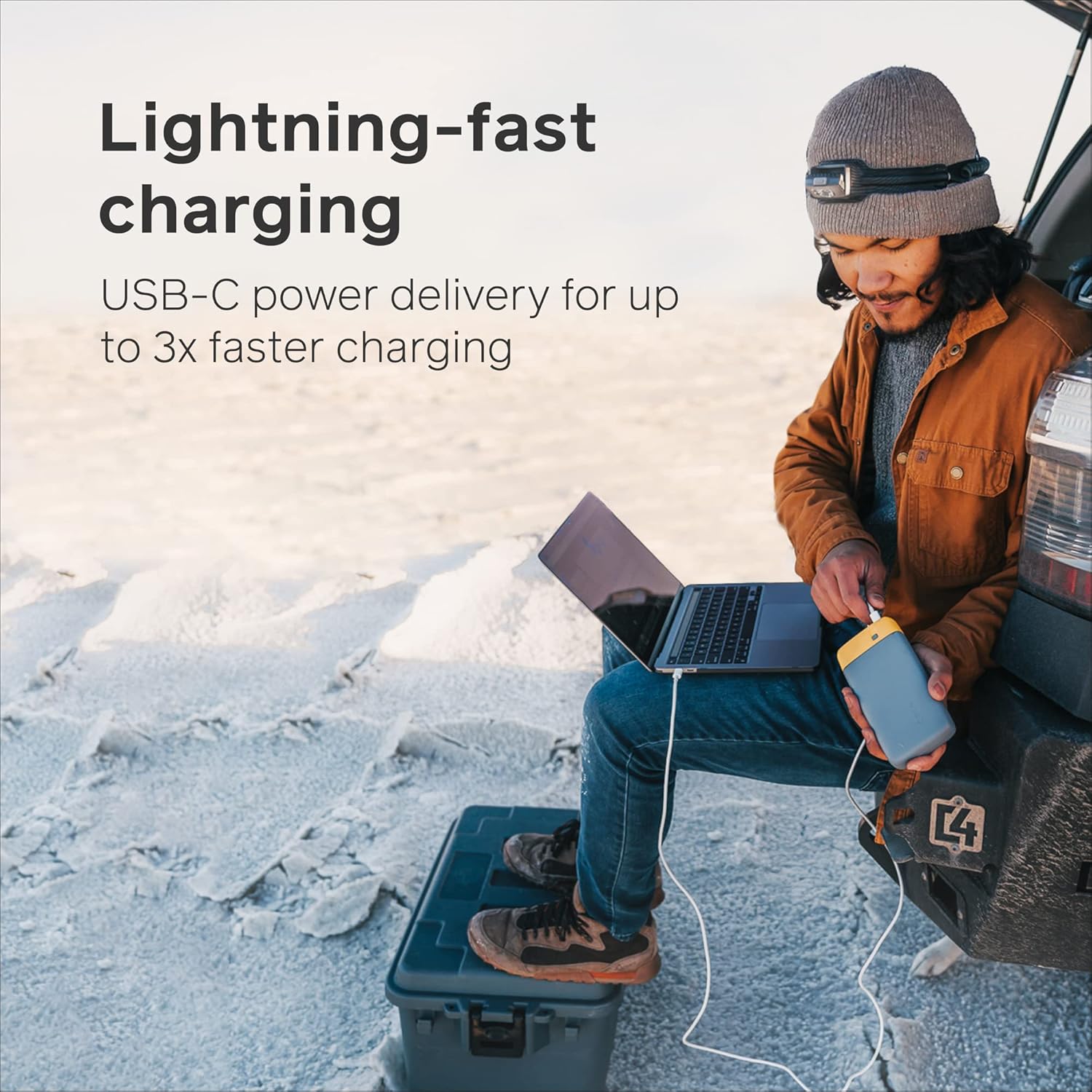
Image: A person charging a laptop using the BioLite Charge 80 PD, demonstrating its lightning-fast USB-C power delivery.

Image: The BioLite Charge 80 PD connected to and charging a smartphone, highlighting its capability for multiple smartphone charges.

Image: The BioLite Charge 80 PD simultaneously charging multiple devices, including a smartphone and a camera stabilizer, showcasing ความเก่งกาจของมัน
การตรวจสอบระดับแบตเตอรี่:
To check the remaining battery charge of the Charge 80 PD, press the Battery Life Indicator Button (3). The Battery Life Indicator LEDs (4) will illuminate to show the current charge level:
- ไฟ LED 4 ดวง: ชาร์จ 75-100%
- ไฟ LED 3 ดวง: ชาร์จ 50-75%
- ไฟ LED 2 ดวง: ชาร์จ 25-50%
- 1 นำ: ชาร์จ 0-25% (ชาร์จเร็ว ๆ นี้)
4. การดูแลรักษา
- พื้นที่จัดเก็บ: เก็บพาวเวอร์แบงค์ไว้ในที่แห้งและเย็น หลีกเลี่ยงแสงแดดโดยตรงและอุณหภูมิที่สูงหรือต่ำเกินไป
- การทำความสะอาด: เช็ดทำความสะอาดภายนอกด้วยผ้าแห้งเนื้อนุ่ม ห้ามใช้สารเคมีรุนแรงหรือวัสดุขัดถู
- หลีกเลี่ยงการหยด: While durable, avoid dropping the power bank or subjecting it to severe impacts.
- การสัมผัสน้ำ: อุปกรณ์นี้ไม่กันน้ำ โปรดหลีกเลี่ยงการสัมผัสน้ำหรือความชื้นสูง
- การใช้งานปกติ: เพื่อสุขภาพแบตเตอรี่ที่ดีที่สุด แนะนำให้ชาร์จและคายประจุพาวเวอร์แบงค์จนหมดอย่างน้อยทุกๆ สามเดือน หากไม่ได้ใช้งานเป็นประจำ
5 การแก้ไขปัญหา
| ปัญหา | สาเหตุที่เป็นไปได้ | สารละลาย |
|---|---|---|
| พาวเวอร์แบงค์ชาร์จไม่เข้า | Charging cable is faulty or not properly connected. Wall adapter is not providing enough power. | Ensure cable is securely connected. Try a different USB-C cable or a different wall adapter (preferably 18W PD compatible). |
| อุปกรณ์ไม่ได้ชาร์จจากพาวเวอร์แบงค์ | Device cable is faulty or not properly connected. Power bank battery is depleted. Device requires more power than available. | Ensure cable is securely connected. Press the Battery Life Indicator Button to activate charging. Recharge the power bank if LEDs indicate low battery. Ensure your device is compatible with the power bank's output. |
| ไฟ LED ไม่ติด | Battery is completely depleted. Button not pressed firmly. | Connect the power bank to a power source for charging. Press the Battery Life Indicator Button firmly. |
6. ข้อมูลจำเพาะ
| คุณสมบัติ | รายละเอียด |
|---|---|
| หมายเลขรุ่น | ซีบีซี0100 |
| ความจุของแบตเตอรี่ | 20,000 mAh (74 วัตต์ชั่วโมง) |
| อินพุต (USB-C PD) | PD USB-C 18W |
| ช่องต่อออก 1 (USB-C PD) | PD USB-C 18W |
| เอาต์พุต 2 (USB-A) | 3.0 ยูเอสบี-เอ |
| เอาต์พุต 3 (USB-A) | 3.0 ยูเอสบี-เอ |
| ขนาด | 7.09 x 1.18 x 3.54 นิ้ว (180 x 30 x 90 มม.) |
| น้ำหนัก | 1.03 ปอนด์ (467 กรัม) |
| ประเภทแบตเตอรี่ | ลิเธียมไอออน |
| Charge Time (Full) | Approx. 5 hours (with 18W PD input) |
| FAA Carry-on Compliant | ใช่ |
7. การรับประกันและการสนับสนุน
ข้อมูลการรับประกัน:
BioLite products are typically covered by a limited warranty against defects in materials and workmanship. Please refer to the warranty card included with your product or visit the official BioLite webเว็บไซต์สำหรับข้อกำหนดและเงื่อนไขการรับประกันที่ละเอียดและเป็นปัจจุบันที่สุด
การสนับสนุนลูกค้า:
For technical assistance, troubleshooting not covered in this manual, or warranty claims, please contact BioLite customer support:
- Webเว็บไซต์: www.bioliteenergy.com
- หน้าสนับสนุน: มองหาส่วน 'การสนับสนุน' หรือ 'ติดต่อเรา' บน webไซต์สำหรับคำถามที่พบบ่อย คำแนะนำในการแก้ไขปัญหา และแบบฟอร์มติดต่อ
โปรดเก็บหลักฐานการซื้อไว้เพื่อวัตถุประสงค์การรับประกัน


