การแนะนำ
The Logitech G915 LIGHTSPEED is a cutting-edge wireless mechanical gaming keyboard designed for high-performance gaming and productivity. It features low-profile GL mechanical switches, pro-grade 1 ms LIGHTSPEED wireless technology, and customizable LIGHTSYNC RGB lighting. Its ultra-thin yet durable design ensures a premium user experience. This manual provides essential information for setting up, operating, and maintaining your G915 keyboard.
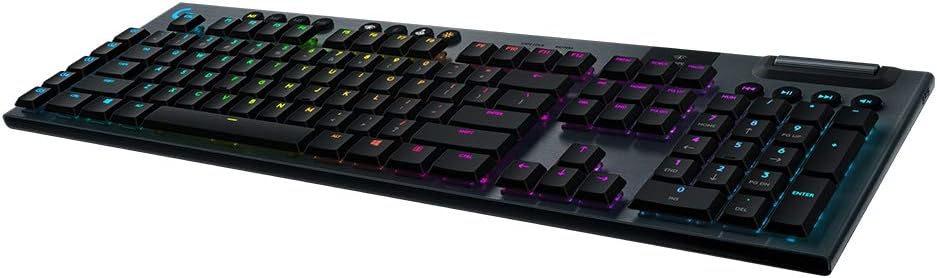
Image: The Logitech G915 LIGHTSPEED Wireless RGB Mechanical Gaming Keyboard, showcasing เค้าโครงเต็มรูปแบบและแสงไฟ RGB
มีอะไรอยู่ในกล่อง
Upon unboxing your Logitech G915 LIGHTSPEED keyboard, you should find the following items:
- Logitech G915 LIGHTSPEED Wireless RGB Mechanical Gaming Keyboard
- สาย USB (สำหรับชาร์จและเชื่อมต่อแบบมีสาย)
- ตัวรับสัญญาณ USB LIGHTSPEED
- Extender USB
- เอกสารประกอบการใช้งาน
การตั้งค่า
การตั้งค่าทางกายภาพ
The G915 keyboard features an ultra-thin design, making it a sleek addition to any setup while minimizing desk space. It is crafted from aircraft-grade aluminum alloy for durability.
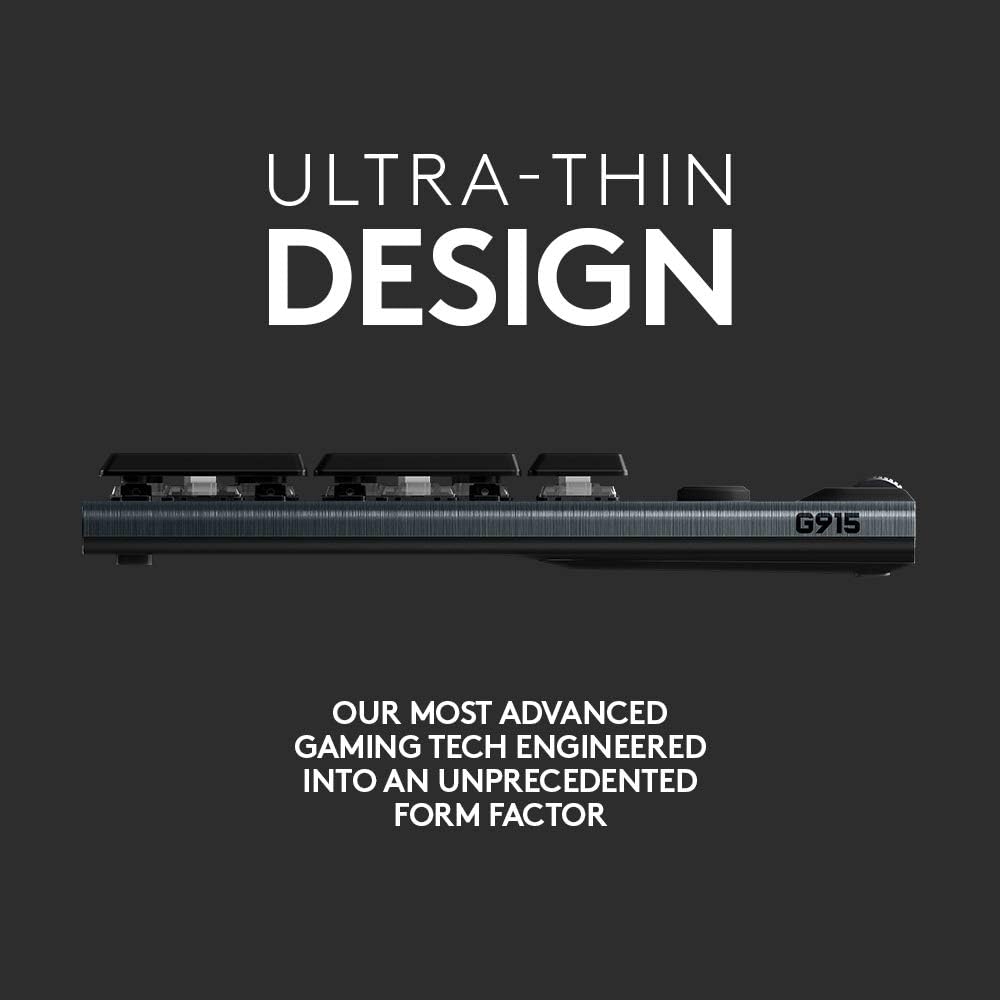
ภาพ: ไซด์โปรfile of the Logitech G915, highlighting its ultra-thin design.
การเชื่อมต่อ
The G915 offers dual connectivity options: LIGHTSPEED wireless and Bluetooth. You can easily toggle between these modes to connect to multiple devices.
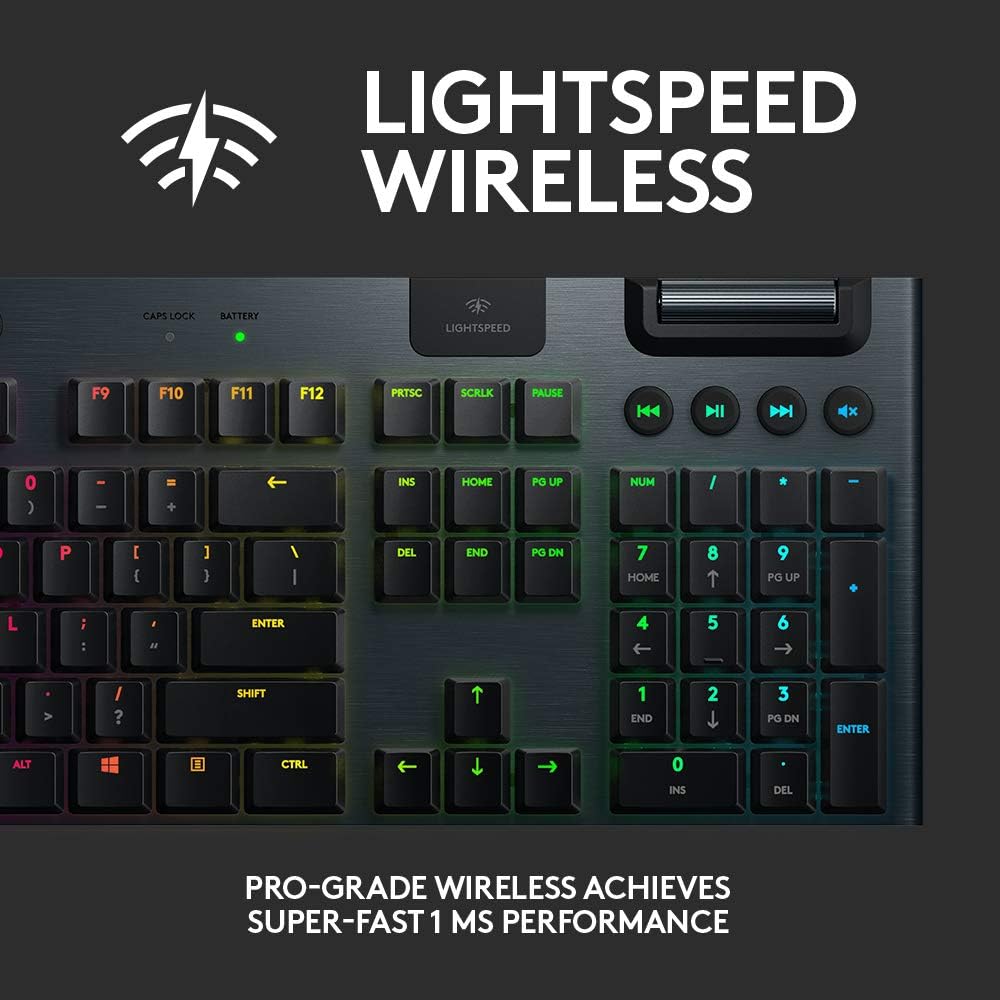
Image: Close-up of the LIGHTSPEED wireless indicator on the G915 keyboard.
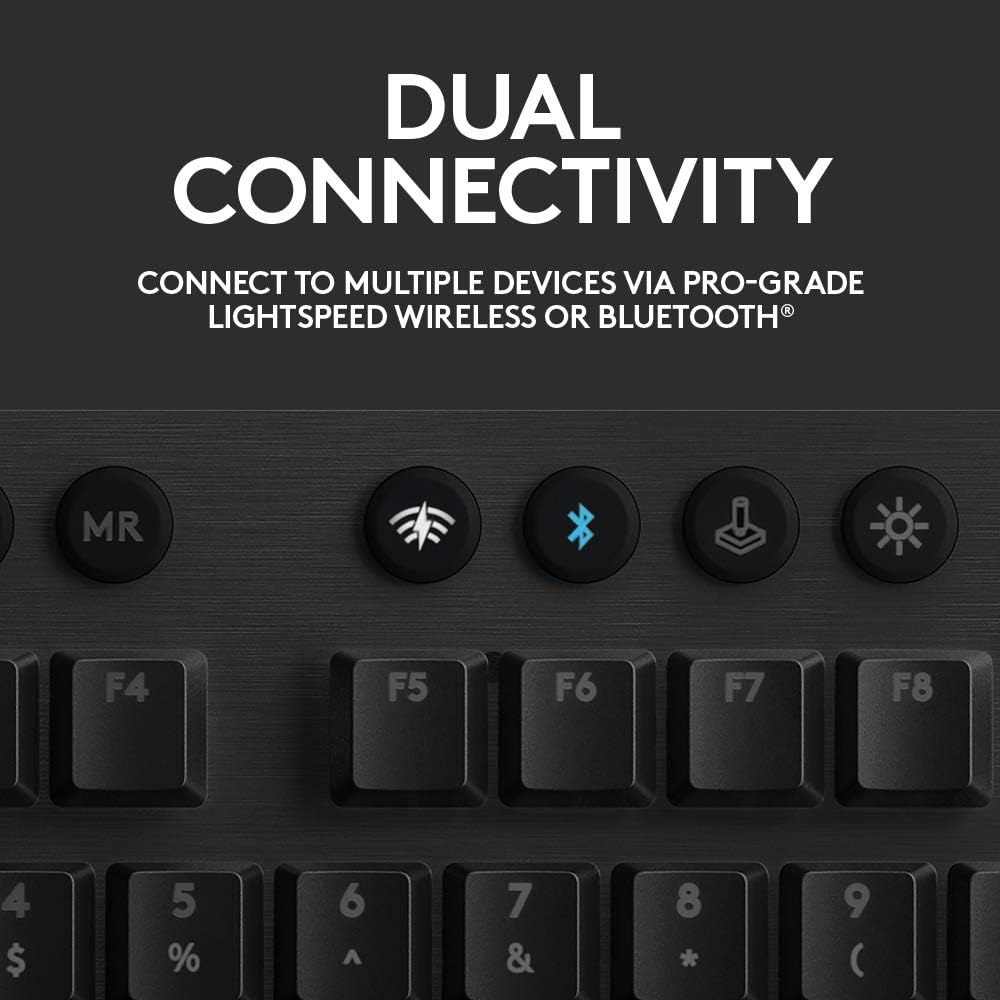
Image: Buttons for LIGHTSPEED and Bluetooth connectivity on the G915 keyboard.
- LIGHTSPEED Wireless: For pro-grade 1 ms performance, connect the included LIGHTSPEED USB receiver to your computer. The keyboard will automatically connect.
- บลูทูธ: To connect via Bluetooth, activate Bluetooth pairing mode on the keyboard and select it from your device's Bluetooth settings.
คำแนะนำการใช้งาน
คุณสมบัติหลัก
The G915 keyboard is equipped with several features to enhance your gaming and typing experience:
- โปรต่ำfile สวิตช์เชิงกล: Offers the speed, accuracy, and performance of a mechanical switch at half the height. Available in GL Clicky, GL Tactile, or GL Linear options.
- ระบบไฟ LIGHTSYNC RGB: Personalize each key or create custom animations from approximately 16.8 million colors using Logitech G HUB software. Lighting can synchronize with in-game action, audio, and screen color.
- Programmable G-Keys: Five dedicated G-keys (G1-G5) can be programmed with custom macros and commands per game or app profile. Requires Logitech G HUB software for setup and management.
- การควบคุมสื่อ: Dedicated media keys and a volume wheel provide fast, easy control over video, audio, and streaming.
- ออนบอร์ด Profiles: The keyboard supports multiple onboard profileสำหรับการตั้งค่าที่กำหนดเอง
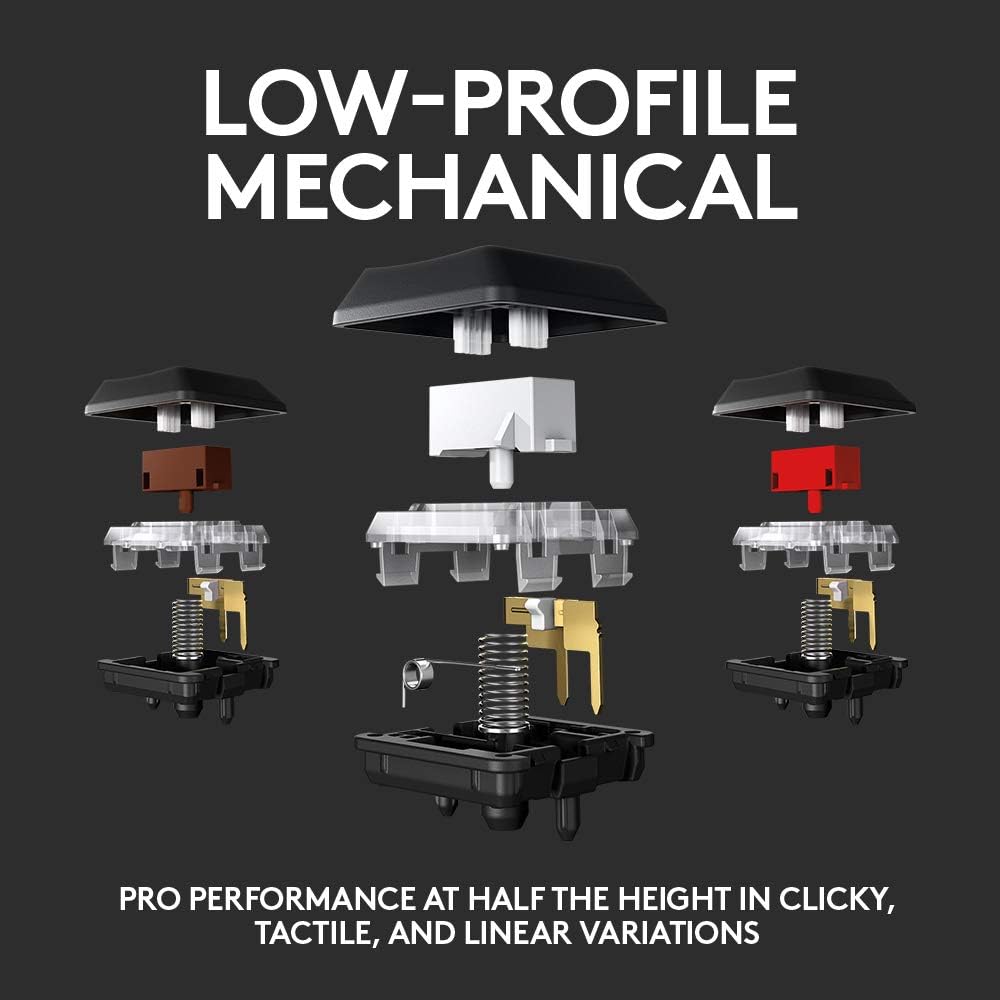
Image: Diagram illustrating the low-profile mechanical switches of the G915.

Image: The G915 keyboard displaying its advanced LIGHTSYNC RGB lighting with multiple colors.
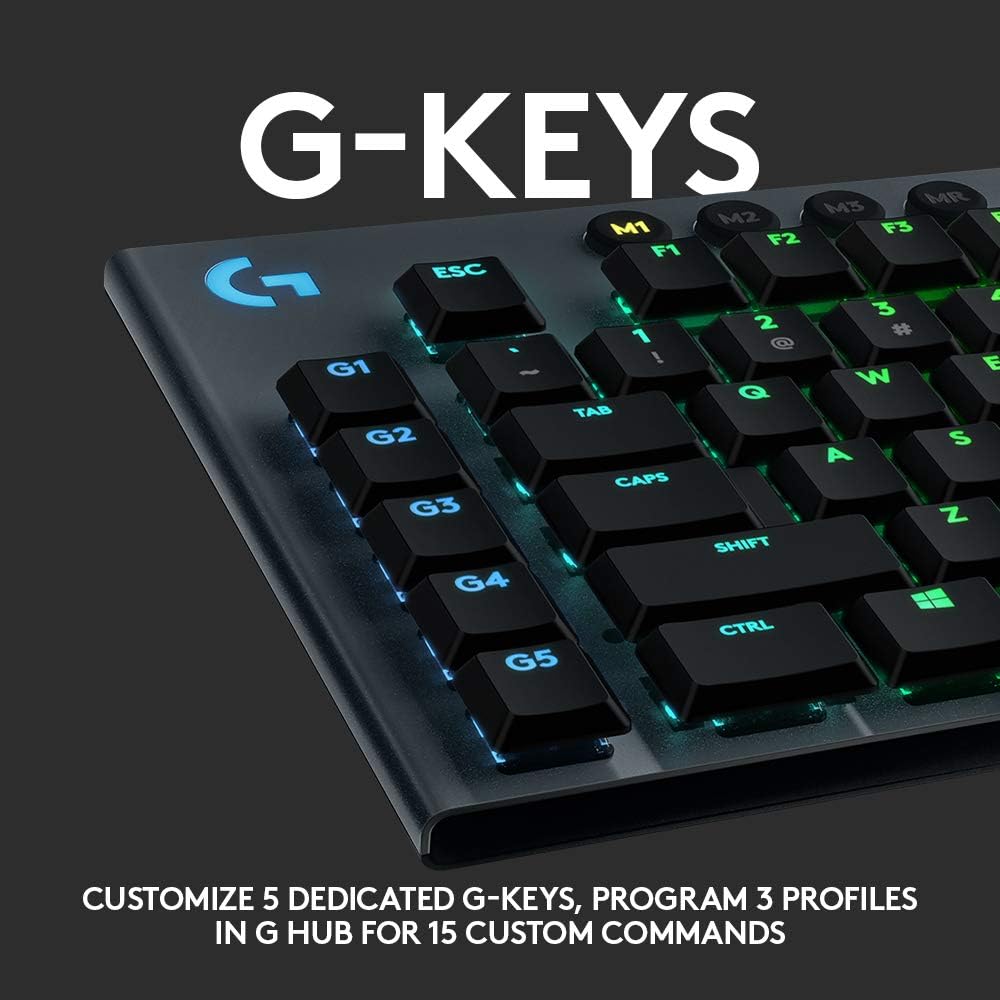
Image: Close-up of the programmable G-keys (G1-G5) on the left side of the G915 keyboard.
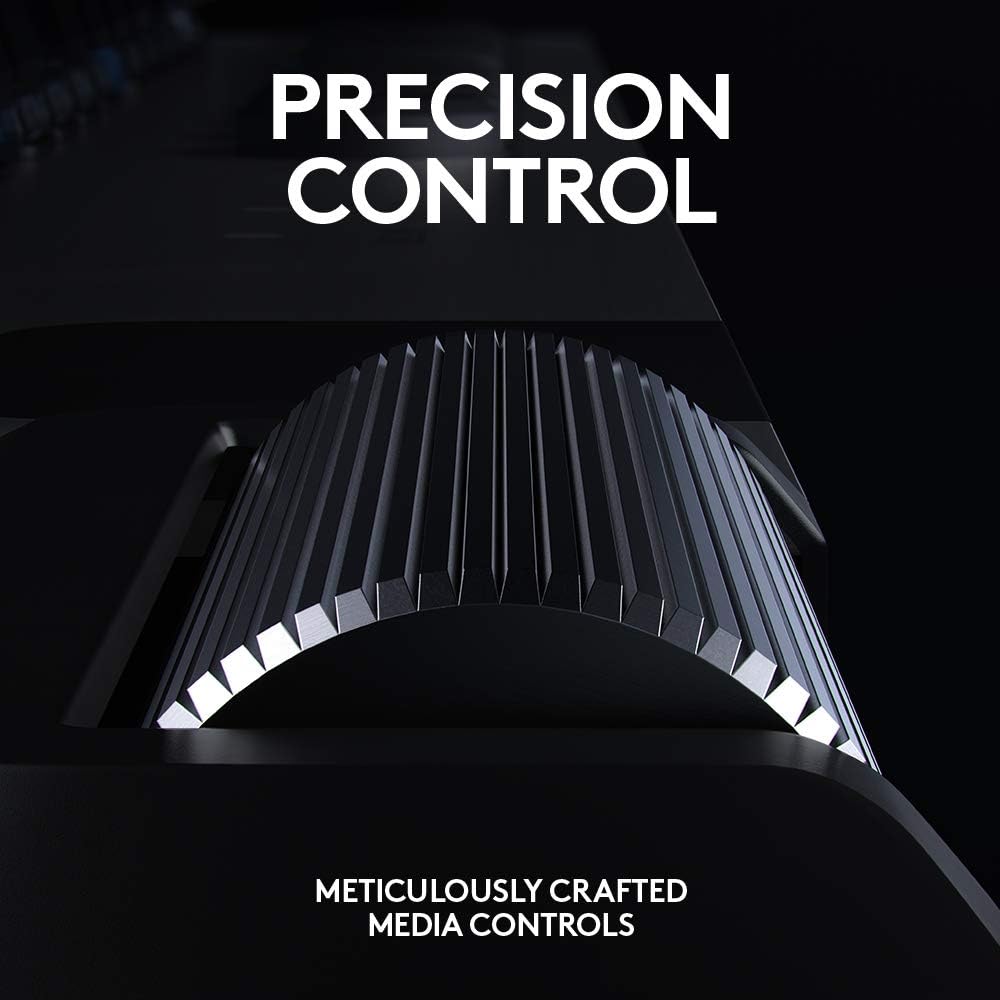
Image: Close-up of the precision control volume wheel on the G915 keyboard.

ภาพ: เหนือview of the G915 keyboard highlighting onboard profiles, LIGHTSPEED/Bluetooth toggles, game mode, LIGHTSYNC RGB, media controls, programmable G-keys, and low-profile สวิตช์เครื่องกล
การชาร์จและแบตเตอรี่
The G915 provides approximately 30 hours of non-stop gaming on a single full charge. Low battery warnings are indicated by the keyboard battery LED and via pop-up notifications in the Logitech G HUB software. The keyboard quickly recharges in about 3 hours via the included USB cable.
การซ่อมบำรุง
To ensure the longevity and optimal performance of your Logitech G915 keyboard, follow these general maintenance guidelines:
- Keep the keyboard clean by regularly dusting the keys and surface with a soft, dry cloth.
- Avoid spilling liquids on the keyboard. In case of a spill, immediately disconnect the keyboard and allow it to dry completely before reconnecting.
- อย่าใช้สารเคมีที่รุนแรงหรือวัสดุที่มีฤทธิ์กัดกร่อนในการทำความสะอาด
- เก็บแป้นพิมพ์ไว้ในที่แห้งและเย็นเมื่อไม่ได้ใช้งานเป็นเวลานาน
การแก้ไขปัญหา
If you encounter any issues with your Logitech G915 keyboard, consider the following basic troubleshooting steps:
- ไม่มีพลังงาน/ไม่ตอบสนอง: Ensure the keyboard is charged. Connect it via the USB cable to confirm if it powers on.
- ปัญหาการเชื่อมต่อ: Verify that the LIGHTSPEED USB receiver is securely plugged into a USB port. If using Bluetooth, ensure Bluetooth is enabled on your device and the keyboard is in pairing mode. Try re-pairing the device.
- Key Malfunction: Ensure no debris is lodged under the keycap. If issues persist, consult Logitech's official support resources.
- ปัญหาด้านซอฟต์แวร์: Ensure Logitech G HUB software is up-to-date. Restart the software or your computer.
สำหรับรายละเอียดการแก้ไขปัญหาเพิ่มเติมหรือปัญหาที่เกิดขึ้นอย่างต่อเนื่อง โปรดติดต่อฝ่ายสนับสนุนอย่างเป็นทางการของ Logitech webเว็บไซต์หรือติดต่อฝ่ายบริการลูกค้าของพวกเขา
ข้อมูลจำเพาะ
| คุณสมบัติ | รายละเอียด |
|---|---|
| ขนาดสินค้า | 22.5 x 7.9 x 1.8 นิ้ว |
| น้ำหนักสินค้า | 1 ปอนด์ |
| ผู้ผลิต | โลจิเทค |
| ASIN | B08VDYVYNJ |
| หมายเลขรุ่นสินค้า | 920-009103 |
| แบตเตอรี่ | ต้องใช้แบตเตอรี่ลิเธียมโพลิเมอร์ 1 ก้อน |
| เทคโนโลยีการเชื่อมต่อ | Wireless (LIGHTSPEED, Bluetooth) |
| คำอธิบายแป้นพิมพ์ | การเล่นเกม |
| คุณสมบัติพิเศษ | Bluetooth, Lighting, Wireless |
| สี | Black (RGB Lighting) |
| จำนวนคีย์ | 104 |
| แป้นพิมพ์แบ็คไลท์ | RGB (LIGHTSYNC) |
| สไตล์ | Clicky (GL Clicky switches) |
การรับประกันและการสนับสนุน
This Logitech G915 keyboard is a renewed product. Please refer to the specific warranty information provided by the seller at the time of purchase, as renewed products may have different warranty terms than new products.
สำหรับการสนับสนุนด้านเทคนิค การดาวน์โหลดไดรเวอร์ และทรัพยากรเพิ่มเติม โปรดไปที่ฝ่ายสนับสนุน Logitech อย่างเป็นทางการ website. You can also find community forums and FAQs that may assist with common queries.


