การแนะนำ
The Sharkoon Skiller SGK30 is a mechanical gaming keyboard designed for performance and durability. It features customizable RGB lighting, N-Key rollover, and a 1000Hz polling rate for responsive gameplay and typing. This manual provides essential information for setting up, operating, and maintaining your keyboard.

Image: Sharkoon Skiller SGK30 Mechanical Gaming Keyboard banner displaying the product name and type.
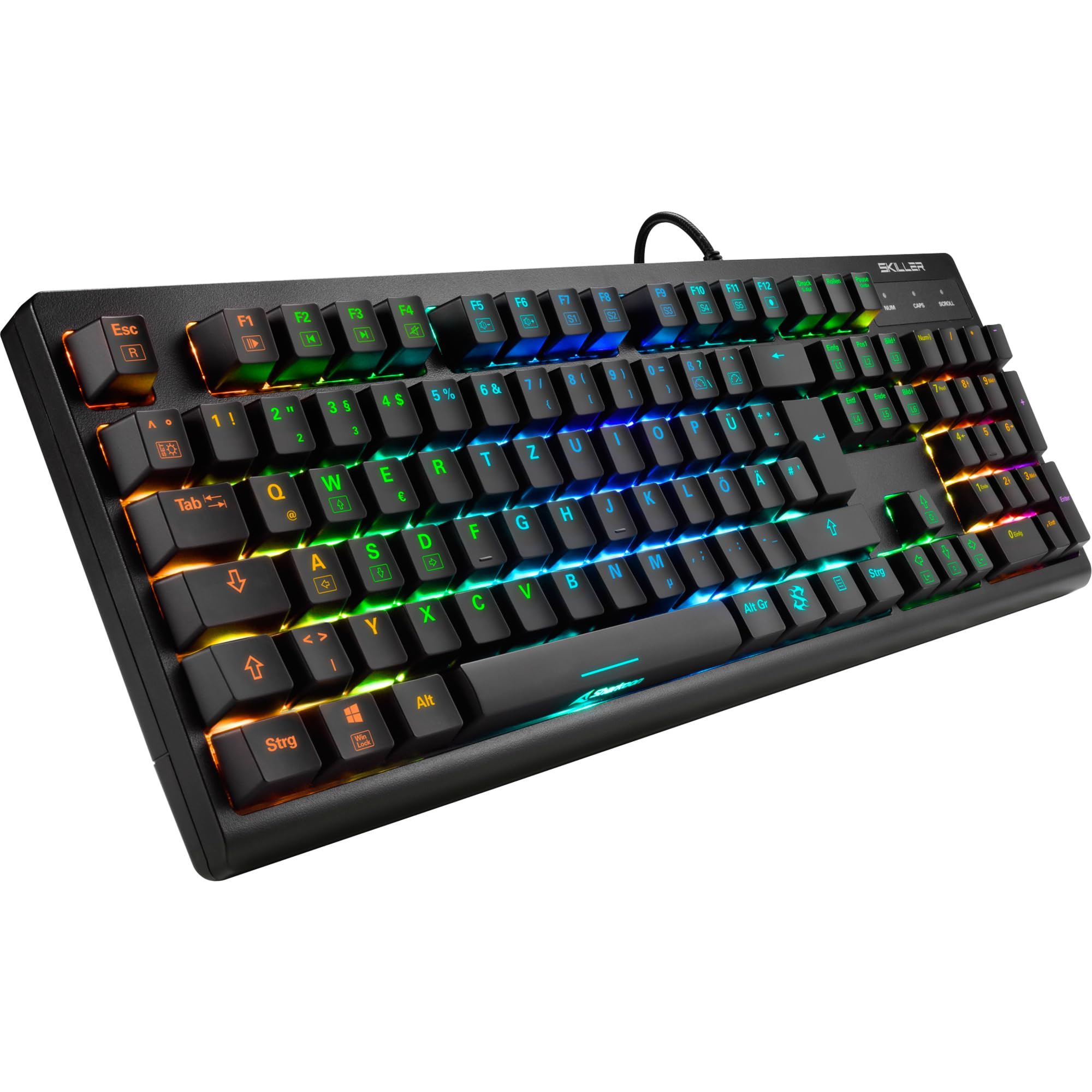
ภาพ: จากบนลงล่าง view of the Sharkoon Skiller SGK30 mechanical gaming keyboard, showcasinด้วยรูปแบบการจัดวางที่สมบูรณ์แบบและแสงไฟ RGB ที่สดใส
สินค้าเกินview วีดีโอ
วิดีโอ: ผลิตภัณฑ์อย่างเป็นทางการview of the Sharkoon Skiller SGK30 Mechanical Gaming Keyboard, demonstrating its features, RGB lighting effects, and mechanical switches.
การตั้งค่า
Follow these steps to set up your Sharkoon Skiller SGK30 keyboard:
- แกะคีย์บอร์ดออก: Carefully remove the keyboard and the included USB cable from its packaging.
- เชื่อมต่อกับคอมพิวเตอร์: Plug the Micro USB end of the cable into the keyboard's port and the standard USB-A end into an available USB port on your computer.
- การติดตั้งไดร์เวอร์: The keyboard is plug-and-play. Your operating system (Windows 10 or later recommended) should automatically detect and install the necessary drivers.
- การติดตั้งซอฟต์แวร์ (ทางเลือก): For advanced customization of RGB lighting and key assignments, download the official Sharkoon software from the manufacturer's webเว็บไซต์.

Image: The Sharkoon Skiller SGK30 keyboard positioned on a desk, ready for connection.
คำแนะนำการใช้งาน
ฟังก์ชั่นปุ่มพื้นฐาน
The Sharkoon Skiller SGK30 features a standard layout with additional function keys accessible via the FN สำคัญ.
- F1 + F1-F12: Access multimedia controls (e.g., play/pause, volume up/down, mute).
- คีย์ FN + Windows: ล็อก/ปลดล็อกปุ่ม Windows เพื่อป้องกันการกดโดยไม่ตั้งใจขณะเล่นเกม
- N-คีย์โรลโอเวอร์: All keys are registered simultaneously, ensuring every keystroke is detected, even during rapid input.
การควบคุมแสง RGB
The keyboard offers extensive RGB lighting customization. Use the following combinations to adjust lighting effects:
- FN + Insert/Home/Page Up/Delete/End/Page Down: Cycle through various pre-programmed lighting effects.
- FN + Arrow Keys (Up/Down): Adjust brightness levels of the lighting.
- FN + Arrow Keys (Left/Right): ปรับความเร็วของเอฟเฟกต์แสงแบบไดนามิก
- Custom Illumination: Use the dedicated software for advanced per-key lighting customization.

ภาพ: ภาพระยะใกล้ view of the keyboard keys highlighting the adjustable RGB illumination capabilities.
การปรับแต่งซอฟต์แวร์
For advanced settings, macro programming, and detailed RGB customization, download and install the Sharkoon Skiller SGK30 software from the official Sharkoon webไซต์ ซอฟต์แวร์นี้ช่วยให้คุณ:
- สร้างและบันทึกโปรแกรมไฟส่องสว่างแบบกำหนดเองfiles.
- Program macros for specific keys.
- รีแมปฟังก์ชันคีย์

Image: A screenshot showing the graphical user interface of the Sharkoon Skiller SGK30 customization software, illustrating various options for lighting and key remapping.
การซ่อมบำรุง
การบำรุงรักษาอย่างเหมาะสมจะช่วยให้คีย์บอร์ดของคุณมีอายุการใช้งานยาวนานและมีประสิทธิภาพ:
- การทำความสะอาด: Use a soft, dry cloth to wipe the surface of the keyboard. For deeper cleaning, use compressed air to remove dust and debris from between the keycaps.
- การถอดคีย์แคป: If necessary, keycaps can be carefully removed using a keycap puller (not included) for thorough cleaning of the switches. Reinstall keycaps by pressing them firmly onto the switch stems.
- หลีกเลี่ยงของเหลว: อย่าให้แป้นพิมพ์โดนของเหลว หากเกิดการหก ให้ถอดแป้นพิมพ์ออกทันทีและปล่อยให้แห้งสนิทก่อนเชื่อมต่อกลับ
- พื้นที่จัดเก็บ: เก็บแป้นพิมพ์ไว้ในที่แห้งและเย็น หลีกเลี่ยงแสงแดดโดยตรงและอุณหภูมิที่สูงหรือต่ำเกินไป

ภาพ: ภาพระยะใกล้ view of the mechanical switches on the Sharkoon Skiller SGK30 keyboard, illustrating their design for durability and ease of maintenance. Note: This model is available with Red switches, while the image shows Blue switches.
การแก้ไขปัญหา
If you encounter issues with your Sharkoon Skiller SGK30 keyboard, refer to the following common solutions:
| ปัญหา | สาเหตุที่เป็นไปได้ | สารละลาย |
|---|---|---|
| แป้นพิมพ์ไม่ตอบสนอง | การเชื่อมต่อ USB หลวม, พอร์ต USB ชำรุด, มีปัญหากับไดรเวอร์ |
|
| แสง RGB ไม่ทำงานหรือไม่ถูกต้อง | Lighting settings incorrect, software conflict. |
|
| กุญแจไม่ลงทะเบียน | มีฝุ่น/เศษผงใต้ปุ่ม สวิตช์มีปัญหา |
|
ข้อมูลจำเพาะ
| คุณสมบัติ | รายละเอียด |
|---|---|
| ยี่ห้อ | ชาร์คูน |
| หมายเลขรุ่น | 4044951030026 |
| ประเภทแป้นพิมพ์ | แป้นพิมพ์สำหรับเล่นเกมแบบเครื่องกล |
| ประเภทสวิตซ์ | Red Switch (Blue switches are also available for this model series) |
| การเชื่อมต่อ | ไมโคร USB |
| อัตราการสำรวจความคิดเห็น | 1000เฮิรตซ์ |
| การพลิกแป้น N | รองรับ |
| ไฟ RGB | RGB ที่ปรับแต่งได้ |
| ระบบปฏิบัติการ | Windows 10 (and compatible with other Windows versions) |
| ขนาด (กxยxส) | 44 x 14.4 x 3.5 ซม. |
| น้ำหนัก | 867 กรัม |
มีอะไรอยู่ในกล่อง
The Sharkoon Skiller SGK30 package includes:
- Sharkoon Skiller SGK30 Mechanical Gaming Keyboard
- สาย USB
การรับประกันและการสนับสนุน
สำหรับข้อมูลการรับประกันและการสนับสนุนทางเทคนิค โปรดดูที่เว็บไซต์อย่างเป็นทางการของ Sharkoon webหรือติดต่อตัวแทนจำหน่ายในพื้นที่ของคุณ เก็บหลักฐานการซื้อไว้เพื่อใช้ในการเคลมประกัน
หมายเหตุ: ข้อมูลจำเพาะและคุณสมบัติของผลิตภัณฑ์อาจมีการเปลี่ยนแปลงโดยไม่ต้องแจ้งให้ทราบล่วงหน้า


