สินค้าเกินview
The Sharp HP-TW30 True Wireless Noise Cancelling Earphones are designed for an immersive audio experience with enhanced comfort and durability. Featuring active noise cancellation, these earphones reduce background noise, making them ideal for various environments. They offer wireless charging, Bluetooth 5.0 connectivity, and are splashproof for active lifestyles.
คุณสมบัติหลัก:
- ระบบตัดเสียงรบกวนแบบแอคทีฟ: Reduces ambient noise by 22dB for improved focus and enjoyment.
- การชาร์จแบบไร้สาย: Convenient charging with the included case, providing up to 4 full charges.
- Bluetooth 5.0: Ensures stable and efficient wireless connectivity with a range of up to 33 feet.
- IPX4 Splashproof: Resistant to splashes, sweat, and light rain, suitable for workouts and outdoor activities.
- ระบบควบคุมแบบสัมผัส: Intuitive controls for managing playback, calls, and voice assistants.
- การควบคุมด้วยเสียง: Full integration with Apple Siri and Google Assistant for hands-free operation.
- เวลาเล่นนาน: เล่นเสียงได้นานถึง 6 ชั่วโมงต่อการชาร์จเพียงครั้งเดียว

Figure 1: Sharp HP-TW30 True Wireless Earphones (Black)
เนื้อหาแพ็คเกจ
ก่อนเริ่มต้น โปรดตรวจสอบให้แน่ใจว่ามีสินค้าทั้งหมดอยู่ในแพ็คเกจ:
- หูฟังไร้สาย Sharp HP-TW30 (ข้างซ้ายและข้างขวา)
- เคสชาร์จไฟ
- USB Type-C Charging Cable (not explicitly listed in 'whats_in_the_box' but implied by 'Charging Port: USB Type C')
- Small, Medium, and Large Ultra-comfortable Ear Tips (3 sizes)
- คู่มือการใช้งาน (เอกสารนี้)
การตั้งค่า
1. การชาร์จหูฟังและเคส
For first-time use, fully charge the earphones and the charging case. The charging case provides approximately 4 full charges for the earphones.
- Place both earphones into their respective slots in the charging case. Ensure they are seated correctly.
- เชื่อมต่อสายชาร์จ USB Type-C เข้ากับพอร์ตชาร์จบนเคสและปลายอีกด้านหนึ่งเข้ากับแหล่งพลังงาน USB (เช่น อะแดปเตอร์ติดผนัง พอร์ต USB ของคอมพิวเตอร์)
- The LED indicators on the case will show charging status. Charging time for the case and earphones is approximately 2 hours.
- เมื่อชาร์จเต็มแล้ว ให้ถอดสายชาร์จออก
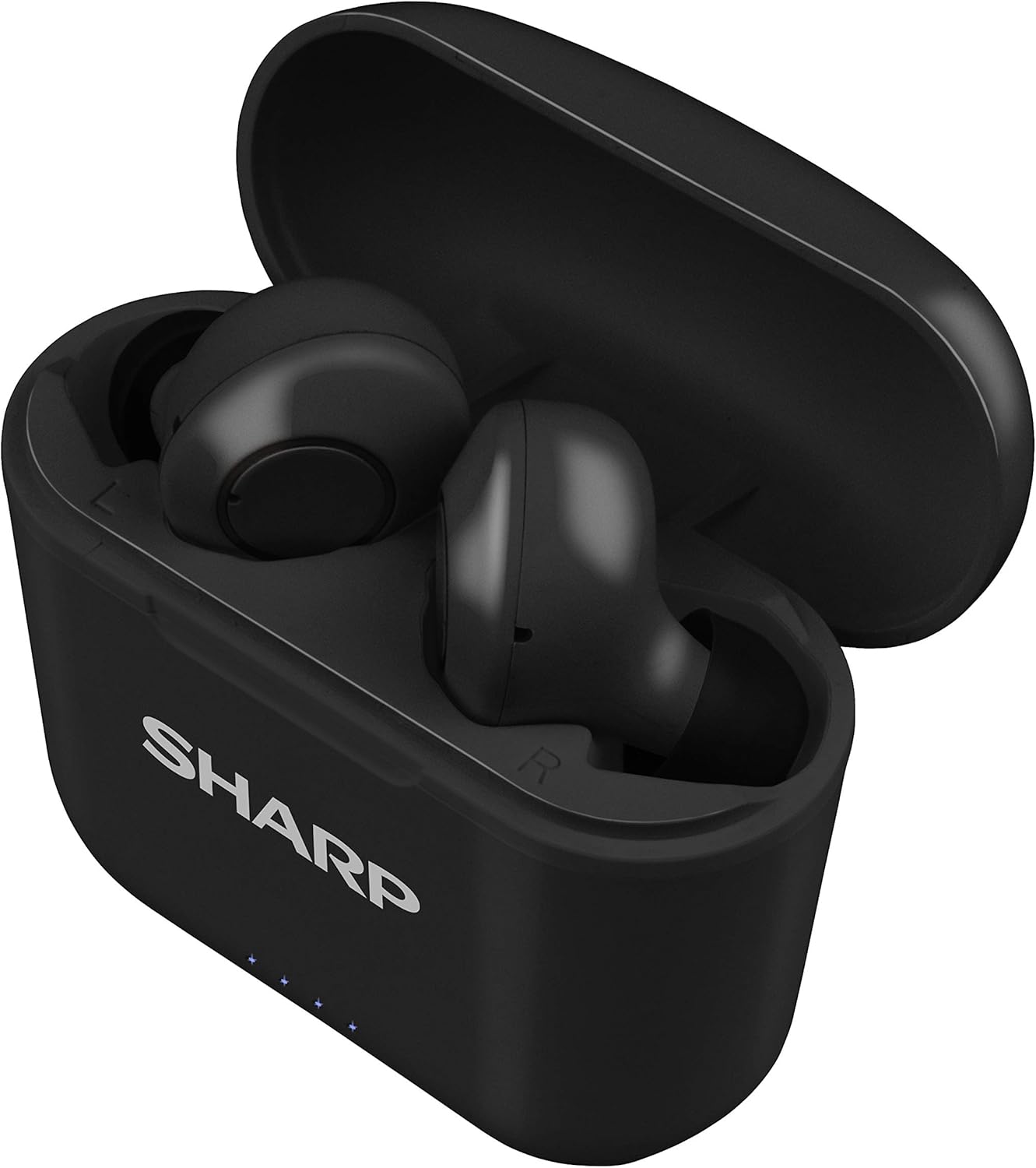
รูปที่ 2: หูฟังในกล่องชาร์จ
2. การจับคู่กับอุปกรณ์ของคุณ
The HP-TW30 earphones feature auto-pairing for effortless setup.
- เปิดกล่องชาร์จ หูฟังจะเปิดเครื่องโดยอัตโนมัติและเข้าสู่โหมดจับคู่
- บนสมาร์ทโฟน แท็บเล็ต หรืออุปกรณ์อื่นๆ ที่เปิดใช้งาน Bluetooth ให้ไปที่การตั้งค่า Bluetooth
- ค้นหา available devices and select "HP-TW30" from the list.
- เมื่อเชื่อมต่อแล้ว จะมีเสียงแจ้งเตือนยืนยันการจับคู่สำเร็จ
- เมื่อนำหูฟังออกจากเคส หูฟังจะเชื่อมต่อกับอุปกรณ์ที่จับคู่ไว้ครั้งล่าสุดโดยอัตโนมัติ หากเปิดใช้งาน Bluetooth บนอุปกรณ์
คำแนะนำการใช้งาน
การควบคุมแบบสัมผัส
The HP-TW30 earphones utilize touch-sensitive controls on each earbud for various functions:
- เล่น/หยุดชั่วคราว: แตะที่หูฟังข้างใดข้างหนึ่งเพียงครั้งเดียว
- เพลงถัดไป: แตะสองครั้งที่หูฟังด้านขวา
- แทร็กก่อนหน้า: แตะสองครั้งที่หูฟังด้านซ้าย
- รับ/วางสาย: แตะเพียงครั้งเดียวที่หูฟังข้างใดข้างหนึ่งในระหว่างที่มีสายเรียกเข้า
- ปฏิเสธสาย: กดปุ่มหูฟังข้างใดข้างหนึ่งค้างไว้ 2 วินาทีในระหว่างที่มีสายเรียกเข้า
- Activate Voice Assistant (Siri/Google Assist): แตะสามครั้งที่หูฟังข้างใดข้างหนึ่ง
- Active Noise Cancellation (ANC) On/Off: กดหูฟังเอียร์บัดด้านขวาค้างไว้ 2 วินาที
การตัดเสียงรบกวนแบบแอคทีฟ (ANC)
The ANC feature reduces ambient background noise, providing a more focused listening experience. Activate or deactivate ANC using the touch control as described above.
ความต้านทานต่อน้ำ (IPX4)
The earphones are rated IPX4 splashproof, meaning they are resistant to water splashes from any direction. This makes them suitable for light rain, sweat, and gym use. Do not submerge the earphones in water.
การซ่อมบำรุง
การบำรุงรักษาอย่างถูกต้องจะช่วยให้หูฟังของคุณมีอายุการใช้งานยาวนานและมีประสิทธิภาพสูงสุด
- การทำความสะอาด: Regularly clean the earphones and charging case with a soft, dry, lint-free cloth. Do not use abrasive cleaners or solvents.
- เคล็ดลับหู: Remove and clean the ear tips periodically with a damp ผ้าและสบู่ชนิดอ่อน จากนั้นเช็ดให้แห้งสนิทก่อนติดกลับเข้าไปอีกครั้ง
- พื้นที่จัดเก็บ: เมื่อไม่ได้ใช้งาน ให้เก็บหูฟังไว้ในกล่องชาร์จเพื่อป้องกันฝุ่นและความเสียหาย
- อุณหภูมิ: หลีกเลี่ยงการให้หูฟังสัมผัสกับอุณหภูมิที่สูงหรือต่ำเกินไป (ร้อนหรือเย็นเกินไป) หรือความชื้นสูง
- หน้าสัมผัสการชาร์จ: ตรวจสอบให้แน่ใจว่าหน้าสัมผัสการชาร์จบนหูฟังทั้งสองข้างและภายในเคสสะอาดและไม่มีเศษสิ่งสกปรกเพื่อให้การชาร์จเป็นไปอย่างถูกต้อง
การแก้ไขปัญหา
If you encounter issues with your Sharp HP-TW30 earphones, try the following solutions:
- หูฟังไม่จับคู่/เชื่อมต่อ:
- ตรวจสอบให้แน่ใจว่าหูฟังทั้งสองข้างชาร์จเต็มแล้ว
- ปิดบลูทูธบนอุปกรณ์ของคุณ จากนั้นเปิดใหม่อีกครั้ง
- Forget/delete "HP-TW30" from your device's Bluetooth list and attempt to re-pair.
- Place both earphones back into the charging case, close the lid for 5 seconds, then open it again to reset.
- มีเสียงเล่นที่หูฟังข้างเดียว:
- ตรวจสอบให้แน่ใจว่าได้ชาร์จหูฟังเอียร์บัดทั้งสองข้างแล้ว
- ใส่หูฟังทั้งสองข้างกลับเข้าไปในกล่องชาร์จ ปิดฝา แล้วเปิดอีกครั้ง ซึ่งมักจะทำให้หูฟังทั้งสองข้างเชื่อมต่อกันอีกครั้ง
- ทำความสะอาดหน้าสัมผัสการชาร์จบนหูฟังทั้งสองข้างและภายในเคส
- Try resetting and re-pairing the earphones as described above.
- ระดับเสียงต่ำหรือคุณภาพเสียงไม่ดี:
- ปรับระดับเสียงทั้งบนอุปกรณ์ของคุณและหูฟัง
- Ensure the ear tips are the correct size for a snug fit and are clean.
- ตรวจสอบดูว่ามีสิ่งกีดขวางใดๆ ในช่องต่อหูฟังหรือไม่
- หูฟังไม่ชาร์จ:
- ตรวจสอบให้แน่ใจว่าสายชาร์จเชื่อมต่อกับเคสและแหล่งจ่ายไฟอย่างแน่นหนา
- ลองใช้สาย USB Type-C และอะแดปเตอร์ไฟอื่น
- ทำความสะอาดหน้าสัมผัสการชาร์จบนหูฟังและภายในเคส
ข้อมูลจำเพาะ
| ชื่อรุ่น | HP-TW30(BK) |
| เทคโนโลยีการเชื่อมต่อ | ไร้สาย (Bluetooth) |
| เวอร์ชันบลูทูธ | 5.0 |
| ช่วงบลูทูธ | สูงถึง 33 ฟุต (10 เมตร) |
| การควบคุมเสียงรบกวน | Active Noise Cancellation (22dB reduction) |
| เวลาเล่น | ประมาณ 6 ชั่วโมง |
| เวลาสแตนด์บาย | ประมาณ 90 ชั่วโมง |
| เวลาในการชาร์จ | Approx. 2 hours (earphones and case) |
| พอร์ตชาร์จ | ยูเอสบี ไทป์ ซี |
| ความต้านทานต่อน้ำ | กันน้ำระดับ IPX4 |
| ประเภทการควบคุม | การควบคุมแบบสัมผัส |
| การควบคุมด้วยเสียง | Apple Siri, Google Assistant |
| ส่วนประกอบที่รวมอยู่ | Small, Medium, and Large Ultra-comfortable Ear tips |
| วัสดุ | ซิลิโคน (จุกหูฟัง) |
| น้ำหนักสินค้า | 7.9 ออนซ์ |
การรับประกันและการสนับสนุน
Sharp products are manufactured to the highest quality standards. For warranty information, technical support, or service inquiries, please refer to the warranty card included with your purchase or visit the official Sharp support website. Please have your model number (HP-TW30(BK)) and proof of purchase ready when contacting support.
For further assistance, you may visit the Sharp Store on Amazon: Sharp Official Store


