การแนะนำ
This manual provides instructions for the MARVO GT-80 Wireless Gamepad. It covers setup, operation, maintenance, and troubleshooting for optimal use with compatible devices including PlayStation 4, PC, Android, and iOS.
เนื้อหาแพ็คเกจ
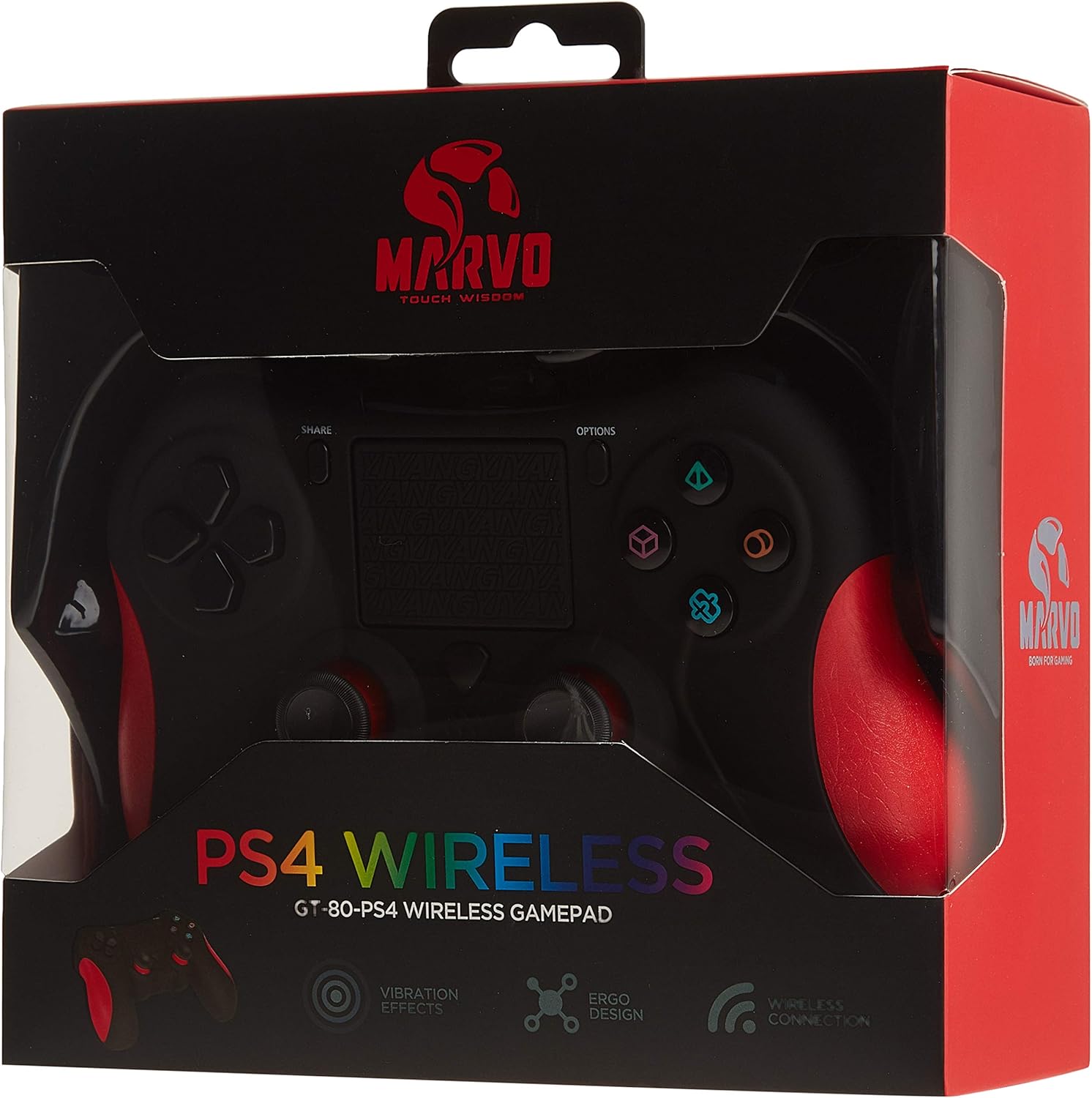
Image: The MARVO GT-80 Wireless Gamepad in its retail packaging.
- เกมแพดไร้สาย MARVO GT-80
- สายชาร์จ USB (80 ซม.)
- คู่มือการใช้งาน (เอกสารนี้)
คุณสมบัติผลิตภัณฑ์
- Wireless connectivity via Bluetooth V4.2
- Wired connectivity via USB cable
- Built-in rechargeable battery (600 mAh capacity)
- Double vibration feedback for immersive gaming
- Integrated 6-axis sensor (3D-Sensor + G-Sensor)
- Large LED light bar
- Built-in loudspeaker function
- รองรับแจ็คหูฟังสเตอริโอ 3.5 มม.
- การควบคุมทัชแพด
- ปุ่มตั้งโปรแกรมได้ 19 ปุ่ม
การตั้งค่า
1. การชาร์จเกมแพด
Before first use, fully charge the gamepad. Connect the supplied USB cable to the Micro USB port on the gamepad and the other end to a USB power source (e.g., console, PC, USB wall adapter).

Image: The MARVO GT-80 Gamepad connected to its USB charging cable.
The LED light bar will indicate charging status. A full charge typically takes approximately 2-3 hours.
2. การเชื่อมต่อกับ PlayStation 4 (PS4)
- เปิดคอนโซล PS4 ของคุณ
- Connect the gamepad to the PS4 console using the USB cable.
- Press the "PS" button on the gamepad. The gamepad will pair with the console.
- เมื่อจับคู่เสร็จแล้ว คุณสามารถถอดสาย USB ออกเพื่อเล่นแบบไร้สายได้
3 การเชื่อมต่อกับพีซี (Windows)
The gamepad supports both D-input and X-input modes for PC.
การเชื่อมต่อแบบมีสาย:
Connect the gamepad to your PC using the USB cable. The PC should automatically detect and install the necessary drivers. The gamepad will operate in D-input mode by default. Some games may require X-input mode, which can often be toggled via specific button combinations or software.
การเชื่อมต่อบลูทู ธ :
- ตรวจสอบให้แน่ใจว่าพีซีของคุณเปิดใช้งานบลูทูธแล้ว
- Put the gamepad into pairing mode (specific button combination, usually "SHARE" + "PS" button until LED flashes rapidly).
- บนคอมพิวเตอร์ของคุณ ให้ไปที่การตั้งค่าบลูทูธ แล้วค้นหาอุปกรณ์ใหม่
- Select "Wireless Controller" or "GT-80" from the list of available devices to pair.
4. Connecting to Android/iOS Devices
- โปรดตรวจสอบให้แน่ใจว่าได้เปิดใช้งานบลูทูธบนอุปกรณ์ Android หรือ iOS ของคุณแล้ว
- Put the gamepad into pairing mode (specific button combination, usually "SHARE" + "PS" button until LED flashes rapidly).
- On your mobile device, go to Bluetooth settings and search for new devices.
- Select "Wireless Controller" or "GT-80" from the list of available devices to pair.
คำแนะนำการใช้งาน
เค้าโครงปุ่มและฟังก์ชัน

ภาพ: ด้านหน้า view of the MARVO GT-80 Wireless Gamepad.

ภาพ: ด้านหลัง view of the MARVO GT-80 Wireless Gamepad, highlighting the M-buttons.
- Direction Buttons (D-Pad): Used for directional input.
- แท่งอนาล็อก: Two analog sticks for precise 3D movement and camera control.
- ปุ่มควบคุมการทำงาน (สามเหลี่ยม วงกลม กากบาท สี่เหลี่ยม): ปุ่มการดำเนินการหลัก
- ปุ่มแชร์: Used for sharing gameplay content (PS4).
- ปุ่มตัวเลือก: เข้าถึงเมนูในเกมหรือตัวเลือกของระบบ
- ปุ่ม PS: Power on/off the gamepad, access PS4 system menu.
- ปุ่ม L1/R1: กระดุมไหล่
- ปุ่ม L2/R2: ตัวกระตุ้นแบบอนาล็อก
- ทัชแพด: พื้นผิวสำหรับป้อนข้อมูลแบบมัลติทัช
- ปุ่ม M1, M2, M3, M4: Programmable back buttons (refer to device-specific instructions for programming).
ฟังก์ชั่นพิเศษ
- Double Vibration: ให้การตอบสนองทางสัมผัสระหว่างการเล่นเกม
- เซ็นเซอร์ 6 แกน: Includes a 3D-Sensor and G-Sensor for motion-controlled gameplay.
- ลำโพง: Integrated speaker for enhanced audio effects (PS4).
- ฟังก์ชั่นหูฟัง: Connect a 3.5mm stereo headset for audio output and microphone input (PS4).
การซ่อมบำรุง
การทำความสะอาด
Wipe the gamepad with a soft, dry cloth. Do not use harsh chemicals or abrasive cleaners. Avoid getting moisture into openings.
พื้นที่จัดเก็บ
Store the gamepad in a cool, dry place away from direct sunlight and extreme temperatures. Avoid placing heavy objects on the gamepad.
การแก้ไขปัญหา
Gamepad Does Not Power On
- Ensure the gamepad is fully charged. Connect it to a power source using the USB cable.
- กดปุ่ม PS เพื่อลองเปิดเครื่อง
ปัญหาการเชื่อมต่อ
- ไร้สาย: Ensure Bluetooth is enabled on your device and the gamepad is in pairing mode. Try re-pairing the device.
- มีสาย: ตรวจสอบให้แน่ใจว่าสาย USB เชื่อมต่อกับทั้งเกมแพดและอุปกรณ์อย่างแน่นหนา ลองใช้พอร์ต USB หรือสายอื่น
- พีเอส4: If issues persist, try resetting the gamepad (a small reset button is usually located on the back, requiring a pin to press).
ปุ่มหรือจอยสติ๊กไม่ตอบสนอง
- ตรวจสอบให้แน่ใจว่าเกมแพดเชื่อมต่ออย่างถูกต้องและเปิดเครื่องอยู่
- Test the gamepad with another game or application to rule out software issues.
- If possible, try resetting the gamepad.
การสั่นสะเทือนไม่ทำงาน
- ตรวจสอบการตั้งค่าในเกมเพื่อให้แน่ใจว่าได้เปิดใช้งานการสั่นตอบสนองแล้ว
- ตรวจสอบให้แน่ใจว่าเกมแพดชาร์จเต็มแล้ว
ข้อมูลจำเพาะ

Image: Technical specifications as printed on the product packaging.
| คุณสมบัติ | รายละเอียด |
|---|---|
| แบบอย่าง | จีที-80 |
| การเชื่อมต่อ | Wireless (Bluetooth V4.2), Wired (USB cable) |
| ปุ่ม | 19 |
| ความจุของแบตเตอรี่ | 600มิลลิแอมป์ |
| ลำโพง | 6/8Ω-1W |
| อินเทอร์เฟซ | รองรับ EXT, แจ็ค 3.5 มม. |
| ความเข้ากันได้ | PS4, PC (D-input & X-input), Android, iOS |
| เซ็นเซอร์ตรวจจับความเคลื่อนไหว | 3D-Sensor + G-Sensor |
| ความยาวสายเคเบิลไมโคร USB | 80 ซม. |
| ขนาด | 40.49 x 9.5 x 9.5 ซม. |
| น้ำหนัก | 310 กรัม |
การรับประกันและการสนับสนุน
For warranty information and technical support, please refer to the documentation provided with your purchase or contact MARVO customer service directly. Keep your proof of purchase for warranty claims.


