1. บทนำ
Thank you for choosing the Gravity GTV64BT Audio 35-Inch Weatherproof Sound Bar. This high-performance sound bar is designed for ATVs, UTVs, and other outdoor vehicles, providing robust audio with its integrated high-power digital amplifier. This manual provides essential information for proper installation, operation, and maintenance to ensure optimal performance and longevity of your device.

Figure 1.1: Gravity GTV64BT Sound Bar with included remote and an example UTV application.
2. คุณสมบัติหลัก
- Integrated SUPER HPD (High Power Digital) amplifier topology with 30% more SPL.
- Six high-efficiency drivers for bass and midrange.
- Two 1-inch Pure Titanium Dome Tweeters with Neodymium Magnets for high frequencies.
- Multiple audio input options: Bluetooth or 3.5mm auxiliary input.
- Secure Simple Pairing for stable Bluetooth connection.
- Convenient controls for track forward/back and volume up/down, operable with riding gloves.
- Waterproof and Dustproof with IPX68 Certification.
- Solid Extruded Aluminum Structure with Cast Aluminum End Caps.
- Heavy Impact Grill to protect speakers.
- Adjustable Track for Roll Cage Installation, ideal for SXS, ORV's, or custom Sand Cars.
3. อะไรอยู่ในกล่อง
ตรวจสอบว่าส่วนประกอบทั้งหมดมีอยู่ก่อนเริ่มการติดตั้ง:
- Gravity GTV64BT Sound Bar
- Mounting kit (including adjustable track brackets)
- Power accessory extension adapter (cigarette lighter adapter)
- 3.5mm Audio line (AUX cable)
- รีโมทคอนโทรล
- คู่มือการใช้งาน (เอกสารนี้)
- บัตรรับประกัน
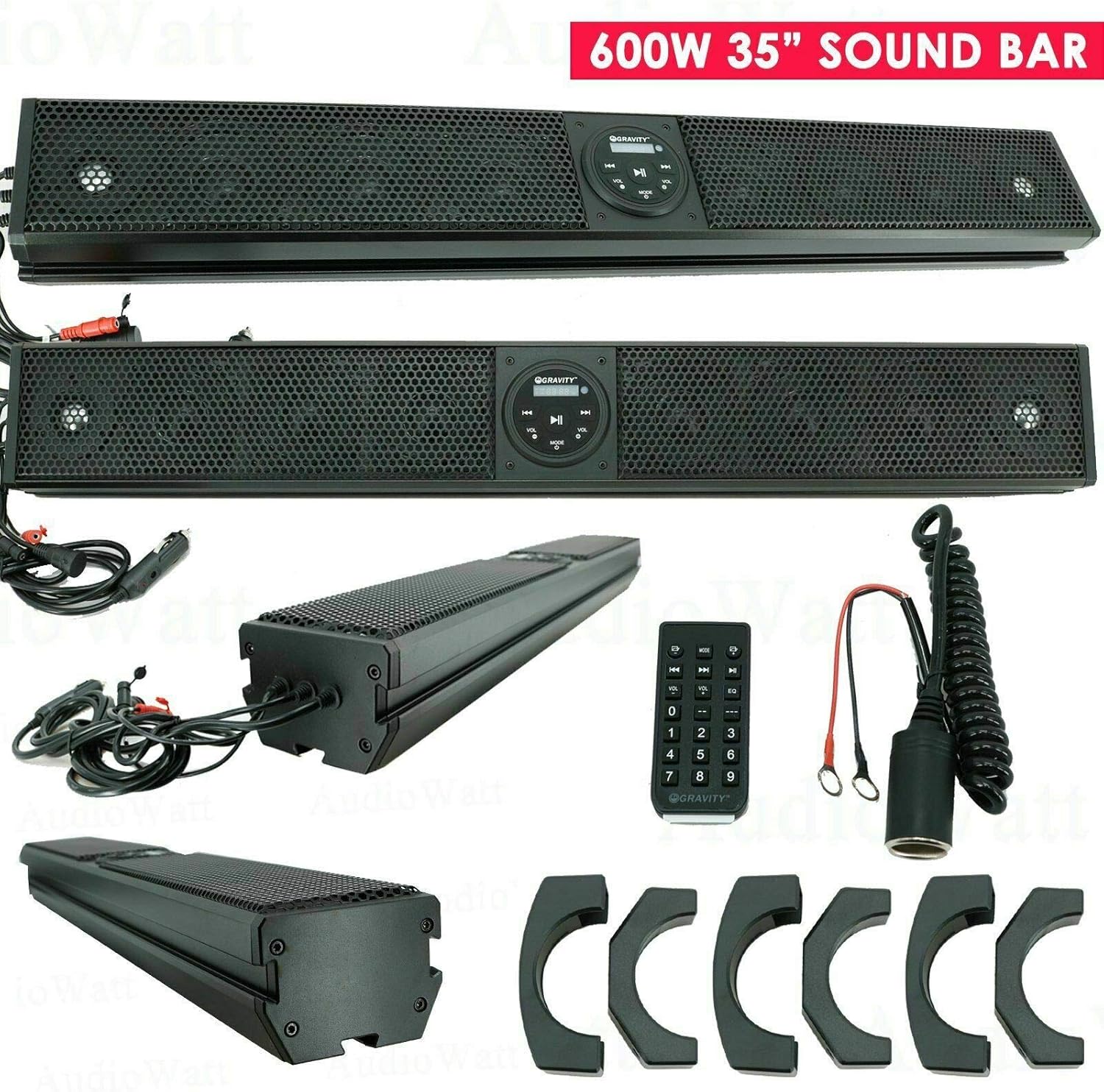
Figure 3.1: Contents of the Gravity GTV64BT package, including the sound bar, remote, power adapter, and mounting brackets.
4. การตั้งค่าและการติดตั้ง
4.1 Mounting the Sound Bar
The GTV64BT sound bar is designed for easy installation on roll cages or other suitable surfaces using the included adjustable mounting kit. Ensure the mounting location is secure and allows for proper cable routing.
- Identify a suitable mounting location on your ATV/UTV's roll cage or flat surface.
- Attach the mounting brackets to the sound bar using the provided hardware.
- Secure the sound bar to the chosen location using the adjustable track and appropriate fasteners. Ensure it is firmly in place to prevent movement during operation.
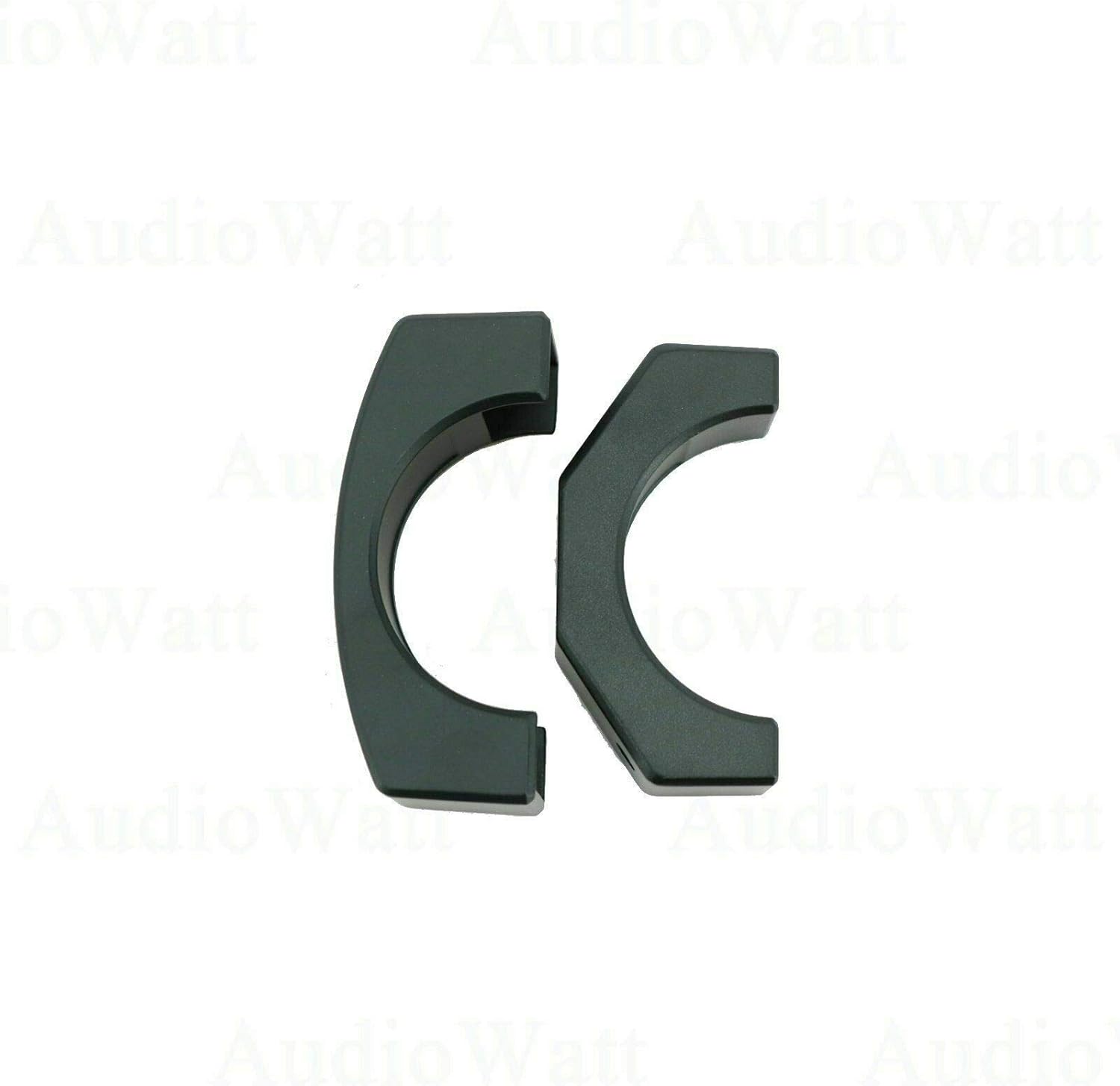
Figure 4.1: The included mounting brackets for securing the sound bar.
4.2 การเชื่อมต่อสายไฟ
The sound bar operates on 12V DC power. Use the provided power accessory extension adapter for connection to a standard 12V cigarette lighter socket, or wire directly to a 12V power source (professional installation recommended for direct wiring).
- Connect the power cable from the sound bar to the power accessory extension adapter.
- Plug the adapter into your vehicle's 12V power outlet.
- Alternatively, for a permanent installation, connect the sound bar's power wires directly to your vehicle's 12V electrical system, ensuring proper fusing (15A AGC type fuse recommended).

Figure 4.2: The sound bar with its power cable, ready for connection.
5. การดำเนินการ
5.1 แผงควบคุมโอเวอร์view
The sound bar features an intuitive control panel for easy access to functions.

Figure 5.1: Close-up of the sound bar's control panel with illuminated buttons.
- ปุ่มเปิด/ปิด: กดเพื่อเปิดหรือปิดเครื่อง
- ปุ่ม AUX: Selects the 3.5mm auxiliary input.
- ปุ่ม BT: Selects Bluetooth input and initiates pairing mode.
- ปุ่ม USB: Selects USB input (if applicable).
- Volume - / + Buttons: ปรับระดับเสียง
- Previous Track / Next Track Buttons: Skip to the previous or next audio track.
- ปุ่มเล่น/หยุดชั่วคราว: เล่นหรือหยุดชั่วคราวการเล่นเสียง
5.2 การจับคู่บลูทูธ
หากต้องการเชื่อมต่ออุปกรณ์เคลื่อนที่ของคุณผ่านบลูทูธ:
- โปรดตรวจสอบให้แน่ใจว่าได้เปิดใช้งานซาวด์บาร์แล้ว
- กดปุ่ม BT button on the control panel or remote. The Bluetooth indicator will flash, indicating pairing mode.
- บนอุปกรณ์มือถือของคุณ เปิดใช้งาน Bluetooth และค้นหาอุปกรณ์ที่มีอยู่
- Select "GTV64BT" from the list of devices.
- Once paired, the Bluetooth indicator will become solid, and you can begin playing audio from your device.
5.3 การใช้รีโมทคอนโทรล
The included remote control provides full functionality from a distance.

Figure 5.2: The remote control and power accessory extension adapter.
- All functions available on the sound bar's control panel are also accessible via the remote.
- The remote also includes a numeric keypad for direct track selection (if supported by the media source).
- Ensure the remote has working batteries (not included, typically 2 x AAA).
6. การบำรุงรักษา
To ensure the longevity and optimal performance of your Gravity GTV64BT Sound Bar, follow these maintenance guidelines:
- การทำความสะอาด: ใช้แบบนุ่มๆamp cloth to clean the exterior of the sound bar. Avoid using harsh chemicals or abrasive cleaners, as they may damage the finish or internal components.
- การสัมผัสน้ำ: While the sound bar is weatherproof (IPX68 certified), prolonged submersion or high-pressure water jets should be avoided. After exposure to water, especially saltwater, rinse with fresh water and allow to air dry thoroughly.
- พื้นที่จัดเก็บ: When not in use for extended periods, store the sound bar in a cool, dry place, away from direct sunlight and extreme temperatures.
- การตรวจสอบสายเคเบิล: Periodically inspect all cables and connections for any signs of wear, fraying, or corrosion. Replace damaged cables immediately.
7 การแก้ไขปัญหา
หากคุณพบปัญหาเกี่ยวกับซาวด์บาร์ โปรดดูปัญหาทั่วไปและวิธีแก้ไขต่อไปนี้:
| ปัญหา | สาเหตุที่เป็นไปได้ | สารละลาย |
|---|---|---|
| ไม่มีไฟฟ้า | Loose power connection; Blown fuse; Vehicle's 12V outlet not active. | Check all power connections. Inspect the fuse in the power adapter or vehicle's fuse box. Test the 12V outlet with another device. |
| ไม่มีเสียง | Volume too low; Incorrect input selected; Device not playing audio; Bluetooth not connected. | Increase volume. Ensure correct input (BT, AUX, USB) is selected. Verify audio is playing on the connected device. Re-pair Bluetooth if necessary. |
| บลูทูธไม่จับคู่ | Sound bar not in pairing mode; Device too far; Interference; Previously paired device connected. | Press BT button to enter pairing mode. Move device closer to sound bar. Avoid strong electromagnetic interference. Disconnect from other Bluetooth devices. |
| การบิดเบือนเสียงที่ระดับเสียงสูง | Input audio source too high; Overdriving speakers. | Reduce the volume on your connected device. Lower the sound bar's volume slightly. |
If the problem persists after attempting these solutions, please contact Gravity customer support for further assistance.
8. ข้อมูลจำเพาะ
| คุณสมบัติ | ข้อมูลจำเพาะ |
|---|---|
| ชื่อรุ่น | GTV64BT |
| ประเภทลำโพง | Soundbar, Tweeter |
| ขนาดลำโพง | 35.82 นิ้ว |
| เส้นผ่านศูนย์กลางทวีตเตอร์ | 1 นิ้ว |
| กำลังขับสูงสุดของลำโพง | 600 วัตต์ |
| การตอบสนองความถี่ | 45Hz - 22000 Hz |
| Operational Power | 12VDC |
| ประเภทฟิวส์ | 15A AGC type |
| เทคโนโลยีการเชื่อมต่อ | บลูทูธ เสริม |
| เวอร์ชันบลูทูธ | 2.1 EDR A2DP |
| ช่วงบลูทูธ | 33 ฟุต |
| ระดับการกันน้ำ | ได้รับการรับรอง IPX68 |
| ประเภทการติดตั้ง | Bar Mount, Plug Mount |
| วิธีการควบคุม | รีโมทคอนโทรล |
| น้ำหนักสินค้า | 20.6 ปอนด์ |
| ขนาดแพ็คเกจ | 41.5 x 9 x 7.5 นิ้ว |
9. การรับประกันและการสนับสนุน
The Gravity GTV64BT Audio 35-Inch Weatherproof Sound Bar comes with a limited warranty. Please refer to the warranty card included in your package for detailed terms and conditions. For technical support, troubleshooting assistance beyond this manual, or warranty claims, please contact Gravity customer service through their official webเว็บไซต์หรือข้อมูลการติดต่อที่ให้ไว้ในบัตรรับประกันของคุณ
For the most up-to-date information and support resources, visit the official Gravity webเว็บไซต์: www.gravityaudio.com


