1. บทนำ
The REXING Woodlens H6 is an advanced dual-camera trail camera designed for capturing high-quality video and still images of wildlife, property, or other outdoor subjects. Featuring both a 4K Ultra HD lens for daytime recording and an FHD Infrared lens for night vision, the H6 ensures clear visuals in various lighting conditions. Its robust, weather-resistant design and long standby time make it an ideal solution for extended outdoor surveillance.
2. สินค้าหมดview และคุณสมบัติที่สำคัญ
- ระบบกล้องคู่: Captures 4K Ultra HD video during the day and FHD Infrared video at night with simultaneous audio recording. Designed to avoid IR CUT switching sounds that might disturb wildlife.
- การถ่ายภาพความละเอียดสูง: Supports up to 20MP still images and cinematic video quality.
- Integrated LCD & Speaker: Features a built-in 2.4-inch LCD screen and speaker for direct viewing and editing of recordings without external devices.
- การมองเห็นกลางคืนขั้นสูง: Equipped with 35M IR Flash and double 850nm high-powered Infrared lights, illuminating subjects up to 65 feet away for clear night images.
- ความเร็วทริกเกอร์ที่รวดเร็ว: Responds to motion within 0.2 seconds via 110° PIR sensors (Front + Side Sensor).
- ตัวเลือกการบันทึกที่ยืดหยุ่น: Allows manual scheduling for recording start/stop times and supports time-lapse videos and photos.
- Durable and Secure Design: IP66 rated sturdy open/close case protects against rain and dust. The camera can be password-protected and secured with a lock.
- สแตนด์บายขยาย: Supports up to 512GB SD card and offers up to 12 months of standby time.
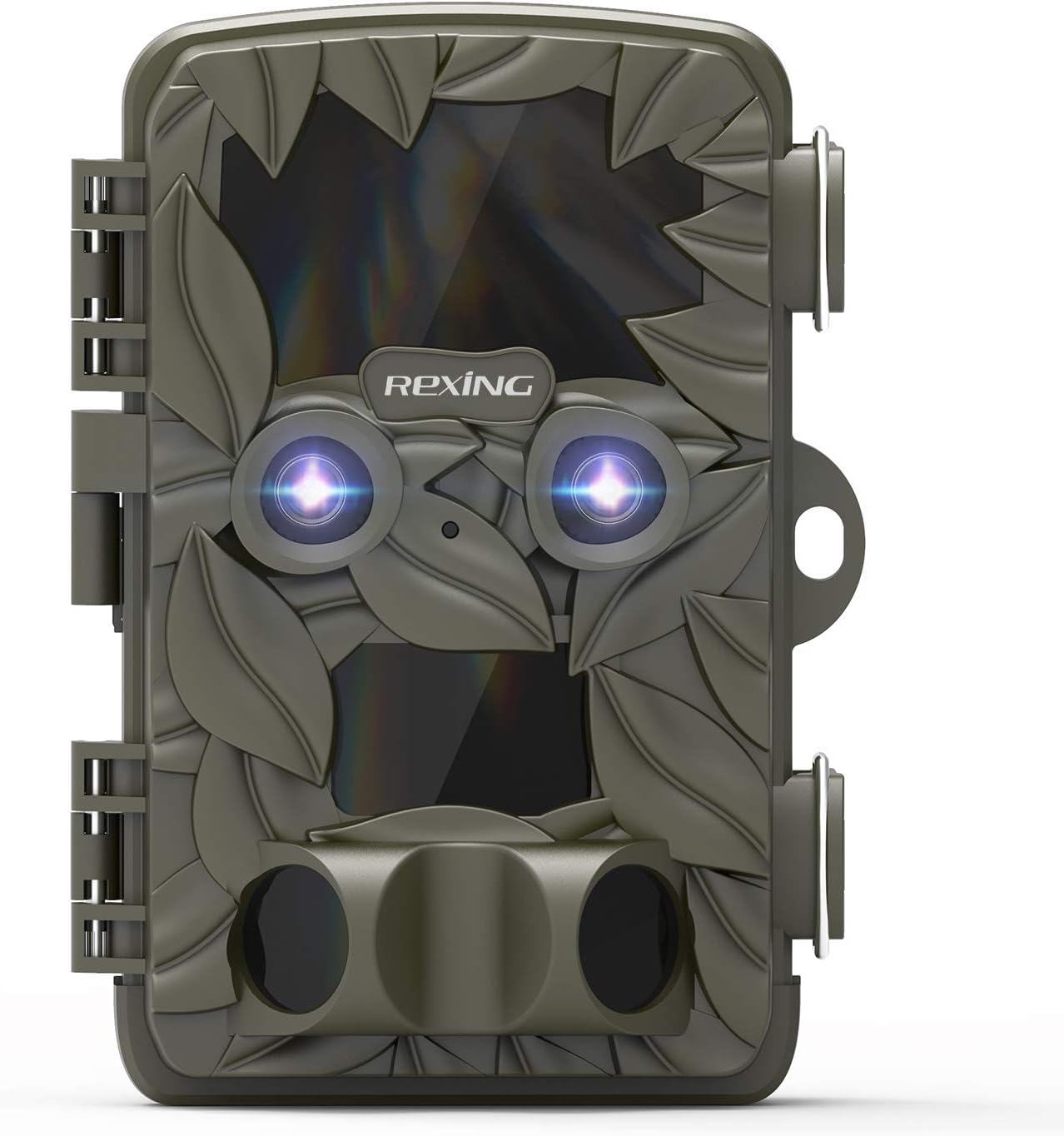
รูปที่ 2.1 : ด้านหน้า view of the REXING Woodlens H6 Trail Camera, showcasing its camouflage design and dual lenses.
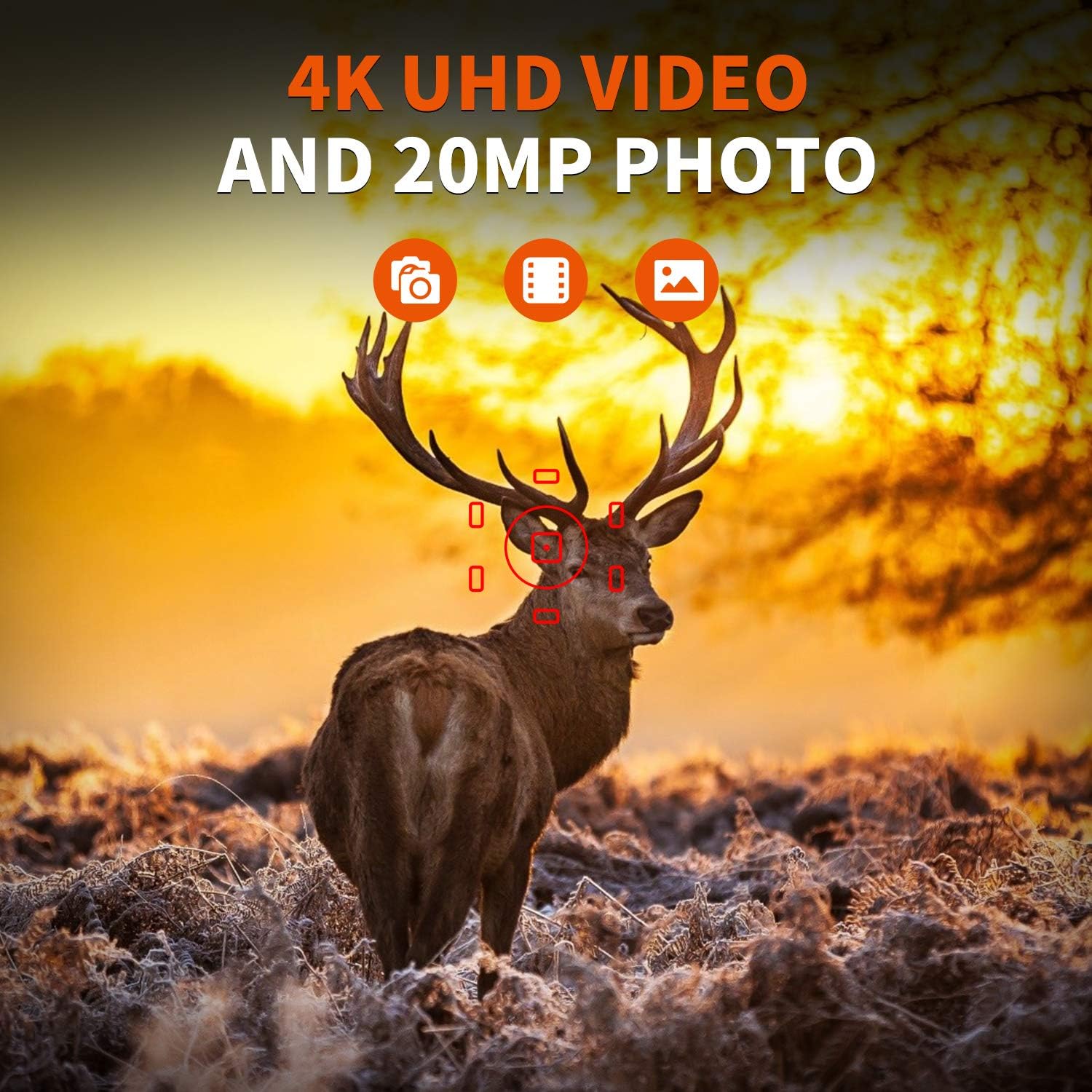
Figure 2.2: The REXING Woodlens H6 captures stunning 4K UHD video and 20MP photos, as demonstrated by this image of a deer in its natural habitat.
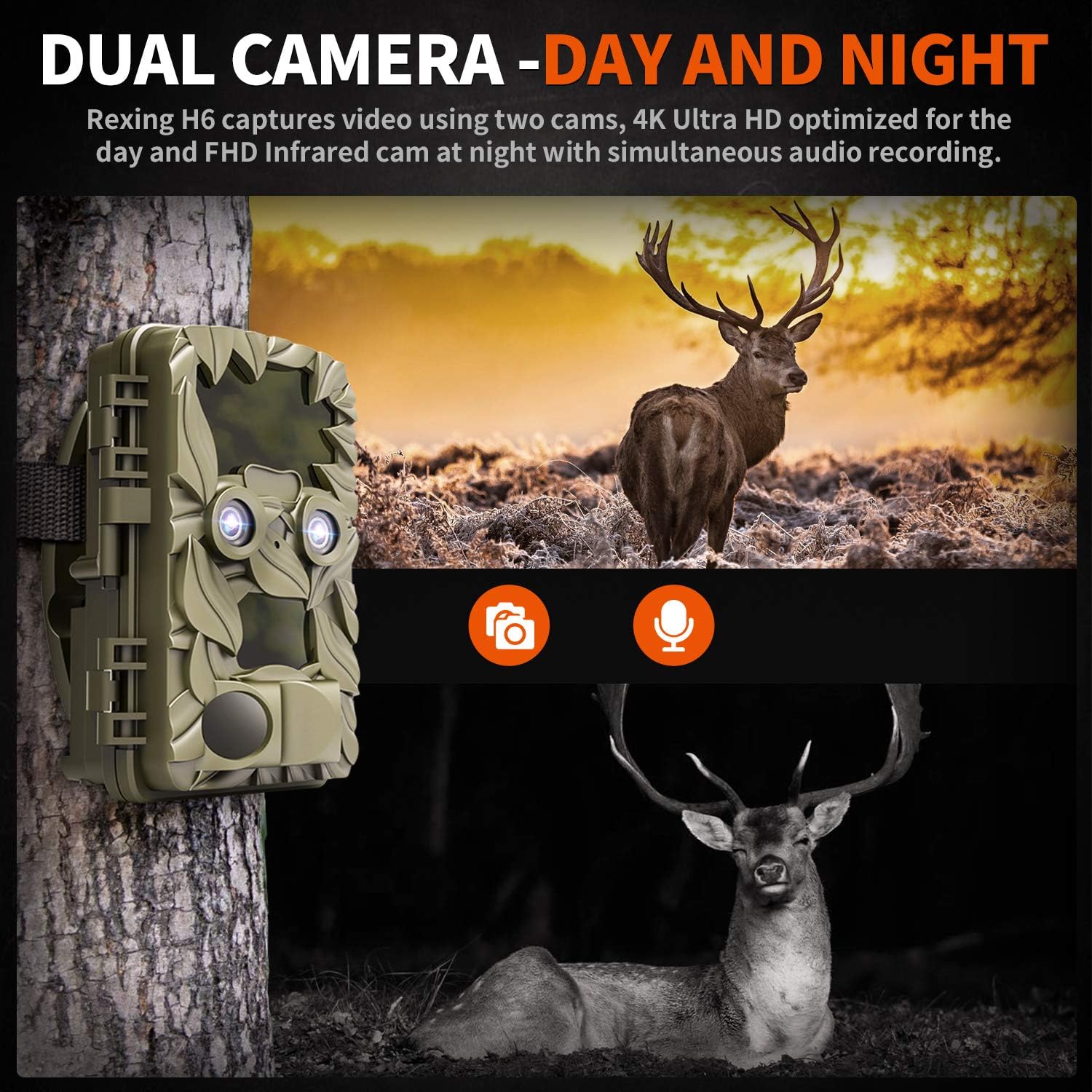
Figure 2.3: The H6 features a dual camera system, optimized for both day (4K) and night (FHD Infrared) recording, ensuring comprehensive surveillance around the clock.

Figure 2.4: Enhanced night vision capabilities of the H6, capturing clear images of wildlife up to 35 meters away in low light conditions, without disturbing sounds.

Figure 2.5: The H6 boasts a 120-degree detection angle and an ultra-fast 0.2-second trigger speed, ensuring no motion is missed.

Figure 2.6: Built to withstand the elements, the H6 is IP56 rated, making it resistant to heavy rain, ice, snow, dust, and mud.

Figure 2.7: The H6 is designed for low power consumption, compatible with 8x AA batteries, providing up to 12 months of standby time.

Figure 2.8: The REXING Woodlens H6 is versatile, suitable for multiple applications including wildlife monitoring, farm surveillance, and security.
3. เนื้อหาบรรจุภัณฑ์
กรุณาตรวจสอบเนื้อหาในแพ็คเกจเพื่อให้แน่ใจว่ามีสินค้าครบทั้งหมด:
- REXING Woodlens H6 Trail Camera
- สายรัดสำหรับติดตั้ง
- สาย USB
- เคเบิ้ล AV
- คู่มือการใช้งาน
- (Optional: 8x AA Batteries - check product packaging)
4. การตั้งค่า
4.1 การติดตั้งแบตเตอรี่
- Open the camera's outer casing โดยการปลดล็อกคลิปด้านข้าง
- ค้นหาช่องใส่แบตเตอรี่
- ใส่แบตเตอรี่ AA 8 ก้อน โดยตรวจสอบให้แน่ใจว่าขั้วบวก/ลบถูกต้องตามที่ระบุไว้ภายในช่องใส่แบตเตอรี่
- ปิดฝาช่องใส่แบตเตอรี่ให้แน่น
4.2 การใส่การ์ด SD
- เมื่อเปิดกล้องแล้ว ให้หาช่องเสียบการ์ด SD
- Insert a compatible SD card (up to 512GB) into the slot until it clicks into place. Ensure the card is inserted in the correct orientation.
- แนะนำให้ฟอร์แมตการ์ด SD ผ่านเมนูของกล้องก่อนใช้งานครั้งแรก
4.3 การติดตั้งกล้อง
- Select a suitable location for the camera, such as a tree or pole, ensuring a clear view ของพื้นที่ที่ต้องการ
- สอดสายรัดสำหรับติดตั้งที่ให้มาผ่านช่องที่ด้านหลังของกล้อง
- Securely fasten the strap around the tree or pole, adjusting the camera's angle as needed.
- Alternatively, the camera can be wall-mounted using appropriate hardware (not included) via the mounting point.
4.4 การเปิดเครื่องครั้งแรก
- After installing batteries and SD card, switch the camera to the "ON" position.
- The LCD screen will power on, and you can begin configuring settings.
5. คู่มือการใช้งาน
5.1 การใช้งานเมนู
Use the control buttons (MENU, UP, DOWN, LEFT, RIGHT, OK, SHOT) located next to the LCD screen to navigate through the camera's settings and modes.
- เมนู: เข้าถึงเมนูการตั้งค่าหลัก
- ขึ้นลง: นำทางผ่านตัวเลือกเมนู
- ซ้ายขวา: Adjusts values or selects sub-options.
- ตกลง: ยืนยันการเลือก
- ช็อต: Manually takes a photo or starts/stops video recording in preview โหมด.
5.2 โหมดการบันทึก
The H6 supports various recording modes:
- โหมดภาพถ่าย: Captures still images (up to 20MP).
- โหมดวิดีโอ: Records video (4K UHD day, FHD night).
- โหมดภาพถ่าย + วิดีโอ: Captures a still image followed by a video clip upon detection.
- โหมดไทม์แลปส์: Captures photos or videos at set intervals to create time-lapse sequences.
5.3 Setting Up Scheduled Recording
To set specific times for the camera to operate:
- เข้าสู่เมนู
- Navigate to the "Timer" or "Schedule" setting.
- Set the desired start and end times for recording. The camera will only be active during these periods.
5.4 Viewการบันทึกและการจัดการบันทึกเสียง
การบันทึกสามารถ viewed directly on the camera or on an external device:
- การเล่นวิดีโอหน้ากล้อง: Use the built-in 2.4-inch LCD screen and navigation buttons to review จับภาพและวิดีโอ
- การเชื่อมต่อทีวี: Connect the camera to a TV using the provided AV cable to view recordings on a larger screen.
- การเชื่อมต่อคอมพิวเตอร์: Connect the camera to a computer via the USB cable, or remove the SD card and insert it into a card reader, to transfer and view files.
5.5 การป้องกันด้วยรหัสผ่าน
To prevent unauthorized access to your camera settings and recordings:
- เข้าสู่เมนู
- Navigate to the "Password" or "Security" setting.
- Set a 4-digit PIN. Remember this PIN as it will be required to access the camera.
Video 5.1: Official product video demonstrating the features and operation of the REXING Woodlens H6 Trail Camera, including its dual lens capabilities, night vision, and user interface.
6. การบำรุงรักษา
- การทำความสะอาด: Use a soft, dry cloth to clean the camera body and lenses. Avoid abrasive cleaners or solvents.
- การเปลี่ยนแบตเตอรี่: Replace all batteries simultaneously when the low battery indicator appears to ensure optimal performance and prevent leakage.
- การจัดการการ์ด SD: Regularly back up important recordings and format the SD card periodically to maintain optimal recording performance and prevent data corruption.
- พื้นที่จัดเก็บ: เมื่อไม่ได้ใช้งานเป็นเวลานาน ควรถอดแบตเตอรี่ออกและเก็บกล้องไว้ในที่แห้งและเย็น หลีกเลี่ยงแสงแดดโดยตรง
7 การแก้ไขปัญหา
| ปัญหา | สาเหตุที่เป็นไปได้ | สารละลาย |
|---|---|---|
| กล้องไม่สามารถเปิดได้ | แบตเตอรี่เหลือน้อยหรือหมด การติดตั้งแบตเตอรี่ไม่ถูกต้อง | เปลี่ยนแบตเตอรี่ทั้งหมดด้วยแบตเตอรี่ใหม่ โดยตรวจสอบให้แน่ใจว่าขั้วถูกต้อง |
| Camera stops functioning after installation / No data recorded. | SD card full or corrupted; incorrect SD card insertion; camera settings preventing recording. | Format the SD card (backup data first); ensure SD card is properly inserted; check recording mode and schedule settings. Ensure sufficient battery power. |
| คุณภาพของภาพ/วิดีโอในเวลากลางคืนไม่ดี | IR lights obstructed; subject too far; low battery affecting IR performance. | Ensure clear line of sight for IR lights; position camera closer to subjects (within 65ft); replace batteries. |
| Camera not triggering motion. | PIR sensor obstructed; sensitivity setting too low; subject outside detection range. | Clear obstructions from PIR sensors; increase PIR sensitivity in settings; ensure subjects pass within the 110° detection angle. |
| Camera screen counts down and switches off. | This is normal behavior for the camera to enter monitoring mode after a brief display. | No action required. The camera is functioning as designed. |
| ไม่มีการเชื่อมต่อ Wi-Fi | The REXING Woodlens H6 model does not feature Wi-Fi connectivity. | This model requires direct connection via AV/USB cable or SD card removal for data transfer. |
8. ข้อมูลจำเพาะ
| คุณสมบัติ | รายละเอียด |
|---|---|
| ยี่ห้อ | เร็กซ์ซิ่ง |
| แบบอย่าง | H6 |
| ความละเอียดในการจับภาพวิดีโอ | 2160p (4K UHD) |
| ความละเอียดของภาพนิ่งที่มีประสิทธิภาพ | 20 MP |
| เทคโนโลยีโฟโต้เซนเซอร์ | ซีมอส |
| การมองเห็นตอนกลางคืน | 35M IR Flash, Double 850nm High Powered Infrared Light |
| มุมตรวจจับ PIR | 110° (Front + Side Sensor) |
| ความเร็วในการเรียก | 0.2 วินาที |
| แสดง | Built-in 2.4-inch LCD |
| พื้นที่จัดเก็บ | การ์ด SD (สูงสุด 512GB) |
| แหล่งพลังงาน | 8x AA Batteries (12 Month Standby) |
| การเชื่อมต่อ | AV Output, USB |
| การให้คะแนนการคุ้มครองระหว่างประเทศ | IP66 |
| ขนาดแพ็คเกจรายการ | 7.68 x 4.92 x 3.9 นิ้ว |
| น้ำหนักแพ็คเกจ | 0.61 กิโลกรัม |
| ยูพีซี | 810046601815 |
9. การรับประกันและการสนับสนุน
For warranty information and technical support, please refer to the official REXING webหรือติดต่อฝ่ายบริการลูกค้าโดยตรง โปรดเก็บใบเสร็จรับเงินไว้เป็นหลักฐานการซื้อสำหรับการเรียกร้องการรับประกันใดๆ
ข้อมูลติดต่อ:
- Webเว็บไซต์: www.rexingusa.com (โปรดตรวจสอบข้อมูลอย่างเป็นทางการ) website for the most current information)
- อีเมล: อ้างถึง webไซต์สำหรับการสนับสนุนอีเมล
- โทรศัพท์: อ้างถึง webเว็บไซต์สำหรับหมายเลขโทรศัพท์ฝ่ายสนับสนุน


