การแนะนำ
The edelkrone SliderPLUS is an award-winning camera slider designed for professional videographers and photographers. Its unique design allows for twice the amount of camera travel compared to traditional sliders of its size, while maintaining a compact and portable form factor. The rails move with the camera, preventing them from entering the shot and enabling longer, unobstructed dolly-in/out motions. It is built from high-grade CNC machined aluminum parts, ensuring durability and silky-smooth, consistent motion.

Figure 1: edelkrone SliderPLUS Camera Slider mounted on a tripod with a camera.

Figure 2: Various edelkrone SliderPLUS components laid out.
วิดีโอ 1: จบview of the edelkrone SliderPLUS Camera Slider's features and capabilities.
มีอะไรอยู่ในกล่อง
Upon unboxing your edelkrone SliderPLUS, you should find the following components:
- SliderPLUS unit
- 2 x Geared belts with magnetic clips
- 2 x Fabric belts with magnetic clips
- ชุดทำความสะอาด
- อัลเลนคีย์
- 2 x Spare module attachment screws
การตั้งค่า
The SliderPLUS is designed for fast and easy setup, requiring no tools or assembly. It can be set up in seconds for quick filming and location changes.
การตั้งค่าเริ่มต้น
- Unfold the built-in legs if operating on the ground or a flat surface. Each leg can be adjusted independently to adapt to uneven terrain.
- Mount your camera onto the SliderPLUS carriage using the standard mounting screw.
- If using a tripod, attach the SliderPLUS to your tripod head. The SliderPLUS has a locking mechanism to make it immobile, allowing safe lifting and relocation without disassembly.
- Ensure the geared belts are properly attached to the magnetic clips for smooth operation.

Figure 3: SliderPLUS ready for use, potentially with app control.

Figure 4: SliderPLUS with foldable legs extended for ground use.
Video 2: Demonstrating the quick setup and portability of the SliderPLUS (relevant segment from 0:48).
Operating the SliderPLUS
การดำเนินการด้วยตนเอง
The SliderPLUS offers incredibly smooth manual motion thanks to its precision-engineered components, including non-friction ball bearings and a double-coated surface for better resistance. Simply push the camera carriage along the rails to achieve desired slides.
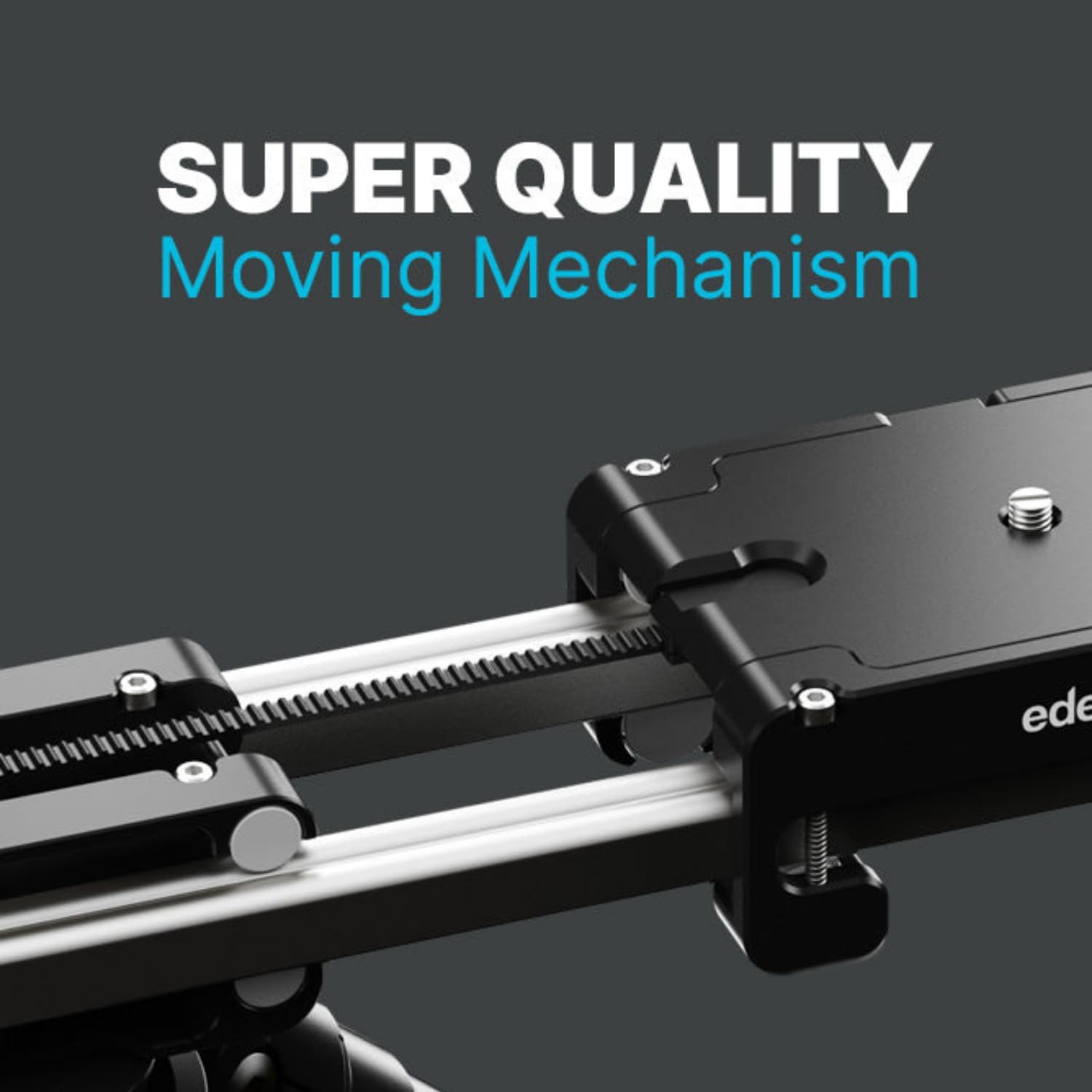
Figure 5: Close-up of the SliderPLUS moving mechanism.

Figure 6: Magnetic belt clips for easy setup.
Video 3: Demonstrating manual sliding motion and smooth operation (relevant segments from 0:15, 0:28, 1:12).
Motorized Operation (with Motor Module - Sold Separately)
For precise and repeatable movements, the optional Motor Module can be attached to your SliderPLUS. This smart motorized add-on allows for effortless control via the edelkrone App or edelkrone Controller (sold separately), enabling perfect slides, motion time-lapses, and captivating stop-motion animations. Its ultra-precise, backlash-free gearbox design ensures smooth macro shots and perfectly repeated motion for VFX.

Figure 7: Four available SliderPLUS models.

Figure 8: 2X Slide Range capability.

Figure 9: Super Quality Moving Mechanism details.
Video 4: Demonstrating motorized operation, time-lapses, and stop-motion (relevant segments from 1:54, 2:05, 2:28, 2:53).
Vertical Module (Optional Accessory)
The Vertical Module is a lightweight accessory that enables operation of the SliderPLUS at any incline, including 90-degree full vertical motions. Utilizing constant tension springs, it transforms the SliderPLUS into a weightless system, allowing the Motor Module to move the whole system up and down easily, expanding your range of dynamic camera motions.
วิดีโอ 5: การแสดงasing the Vertical Module's capabilities for inclined and vertical slides (relevant segments from 3:09, 3:20).
Motorized Heads (Optional Accessories)
Further enhance your motion control capabilities by adding edelkrone motorized heads to your system. The Motor Module wirelessly communicates with all edelkrone heads, creating an easily expandable motion control system. These heads offer advanced features like panning, tilting, focus pulling, tracking stationary targets, and face tracking, all while eliminating cable clutter.
Video 6: Demonstrating integration with motorized heads for advanced motion control (relevant segments from 3:41, 4:01, 4:08).
การซ่อมบำรุง
To ensure the longevity and optimal performance of your edelkrone SliderPLUS, regular maintenance is recommended:
- Keep the rails and moving parts clean from dust and debris using the provided cleaning kit or a soft, lint-free cloth.
- Avoid exposing the unit to extreme temperatures or harsh environmental conditions.
- Store the SliderPLUS in its soft case (sold separately) or a protective bag when not in use to prevent scratches and damage.
การแก้ไขปัญหา
If you encounter any issues with your SliderPLUS, consider the following common solutions:
- Smoothness Issues: Ensure the rails are clean and free of any obstructions. Check that the belts are properly tensioned and seated in their clips.
- Motor Module (if applicable) Not Responding: Verify that the Motor Module is fully charged and securely attached. Check the edelkrone App for any error messages or connection issues. Ensure all cables are properly connected if using wired accessories.
- อุปกรณ์เสริมที่ขาดหาย: Please note that accessories like the Motor Module, Vertical Module, and motorized heads are sold separately unless explicitly stated in your product bundle. Refer to your purchase details.
For more complex issues, please refer to the edelkrone support webเว็บไซต์หรือติดต่อฝ่ายบริการลูกค้าของพวกเขา
ข้อมูลจำเพาะ
- ขนาดสินค้า :
- 21.1 x 4.25 x 2.8 นิ้ว
- น้ำหนักสินค้า:
- 3.19 ปอนด์ (1.45 กิโลกรัม)
- ASIN:
- B08P8FHDRV
- หมายเลขรุ่นสินค้า:
- New SliderPLUS v5 Long
- วันที่เข้าใช้งานครั้งแรก:
- 10 มกราคม 2020
- ผู้ผลิต:
- เอเดลโครน
- สี:
- สีเงิน, สีดำ
- อุปกรณ์ที่รองรับ:
- กล้อง
- คำแนะนำน้ำหนักสูงสุด:
- 4.5 กิโลกรัม
- ขนาดเมื่อพับ:
- 13.22 x 4.25 x 2.79 นิ้ว
- ยูพีซี:
- 810011810204

Figure 10: Detailed specifications table for SliderPLUS models.
การรับประกันและการสนับสนุน
edelkrone products are covered by a manufacturer's warranty. For detailed information regarding warranty terms, product registration, and technical support, please visit the official edelkrone webหรือติดต่อฝ่ายบริการลูกค้า โปรดเก็บหลักฐานการซื้อไว้เพื่อใช้ในการเคลมประกัน


