1. บทนำ
Thank you for choosing the Rebel RB-0005 Weather Station. This device provides accurate indoor and outdoor temperature readings, indoor humidity, and features a clock, calendar, and alarm function. This manual will guide you through the setup, operation, and maintenance of your new weather station to ensure optimal performance.
2. ข้อมูลด้านความปลอดภัย
- อย่าให้เครื่องสัมผัสกับอุณหภูมิที่สูงหรือต่ำเกินไป แสงแดดโดยตรง หรือความชื้นสูง
- หลีกเลี่ยงการทำอุปกรณ์หล่นหรือกระแทกอย่างรุนแรง
- เก็บอุปกรณ์ให้ห่างจากน้ำและของเหลวอื่นๆ
- ทิ้งแบตเตอรี่ที่ใช้แล้วอย่างรับผิดชอบตามข้อบังคับท้องถิ่น
- อย่าพยายามถอดประกอบหรือซ่อมแซมอุปกรณ์ด้วยตนเอง โปรดติดต่อช่างผู้ชำนาญการเพื่อขอรับบริการ
- The outdoor sensor cable should be handled with care to prevent damage.
3. เนื้อหาบรรจุภัณฑ์
กรุณาตรวจสอบเนื้อหาแพ็คเกจเมื่อแกะกล่อง:
- 1x Rebel RB-0005 Weather Station Main Unit
- 1x Wired Outdoor Temperature Sensor
- 1x คู่มือผู้ใช้ (เอกสารนี้)
Note: 1x AAA battery is required for operation and is not included in the package.
4. คุณสมบัติของผลิตภัณฑ์
- Indoor and Outdoor Temperature Measurement
- Indoor Humidity Measurement
- ฟังก์ชันปฏิทิน
- ฟังก์ชั่นปลุก
- การแสดงนาฬิกา 12/24 ชั่วโมง
- Memory Function for Highest and Lowest Temperature Readings
- Clear and Easy-to-Read LCD Display
- ใช้แบตเตอรี่เพื่อการพกพา
5. สินค้าหมดview
Familiarize yourself with the main components of your Rebel RB-0005 Weather Station.
5.1 จอแสดงผลด้านหน้า
The large LCD screen displays various information simultaneously:
- IN Temperature: อุณหภูมิภายในอาคารปัจจุบัน
- OUT Temperature: Current outdoor temperature from the wired sensor.
- เวลา: Current time in 12-hour (AM/PM) or 24-hour format.
- RH%: Current indoor relative humidity.
- ปฏิทิน: Date display (day, month).
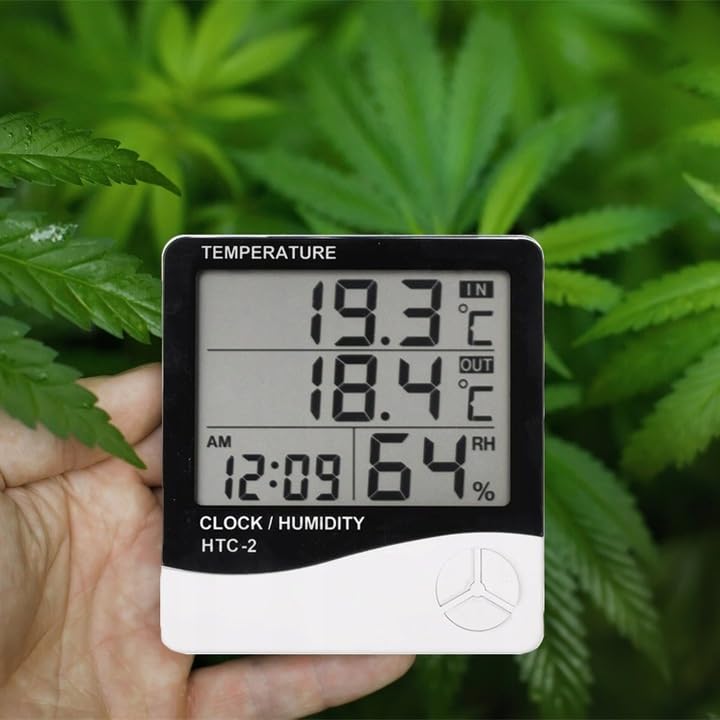
Figure 1: Front display of the weather station showing temperature, time, and humidity readings.

รูปที่ 2: รายละเอียด view of the display and control buttons.
5.2 ปุ่มควบคุม
The device features three control buttons located on the front, below the display:
- เส้นทาง: Used to switch between display modes (e.g., time, alarm, calendar) and to enter/exit setting modes.
- ADJ (Adjust): Used to adjust values (e.g., hours, minutes, date) when in setting mode.
- หน่วยความจำ: เคยใช้ view the highest and lowest recorded temperature and humidity values.
5.3 ด้านหลัง View และเซ็นเซอร์
The back of the unit houses the battery compartment, a foldable stand, and the input for the wired outdoor temperature sensor.

รูปที่ 3: ด้านหลัง view of the weather station with battery compartment and wired sensor.
6. การตั้งค่า
6.1 การติดตั้งแบตเตอรี่
- เปิดฝาช่องใส่แบตเตอรี่ที่ด้านหลังของตัวเครื่องหลัก
- Insert one (1) AAA battery, ensuring the correct polarity (+/-).
- Close the battery compartment cover securely. The device should power on automatically.
6.2 การติดตั้งเซ็นเซอร์ภายนอกอาคาร
- Connect the wired outdoor temperature sensor to the designated port on the back of the main unit.
- Carefully route the sensor cable to the desired outdoor location. Ensure the cable is not pinched or damaged.
- Place the sensor in a shaded area, protected from direct sunlight and precipitation, to ensure accurate readings. Avoid placing it near heat sources or vents.
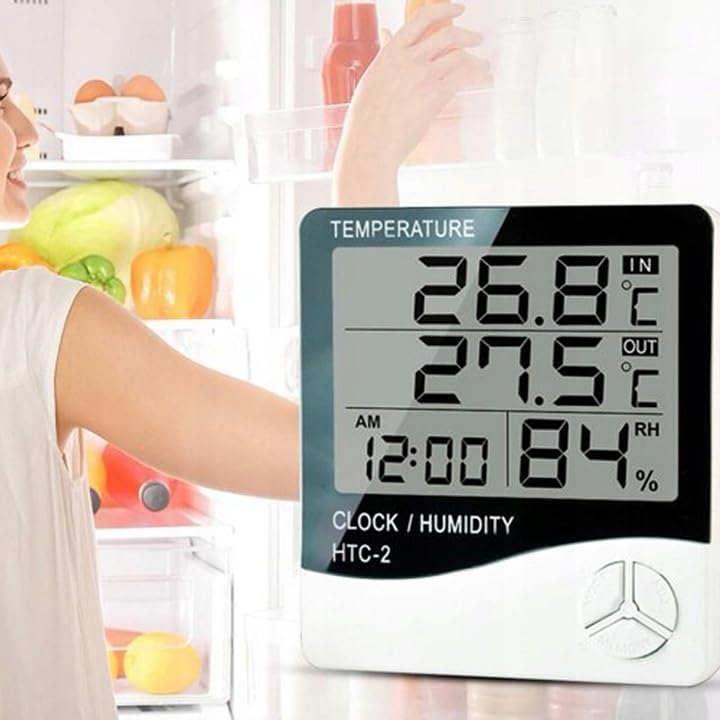
รูปที่ 4: อดีตample placement of the weather station for indoor temperature monitoring.
7. คู่มือการใช้งาน
7.1 การตั้งเวลาและวันที่
- กดปุ่มค้างไว้ โหมด button for approximately 3 seconds until the time display starts flashing.
- ใช้ ก. ปุ่มสำหรับปรับค่าการกระพริบ (เช่น ชั่วโมง นาที)
- กดปุ่ม โหมด button again to confirm the setting and move to the next value (e.g., minutes, 12/24 hour format, year, month, day).
- Repeat step 2 and 3 until all time and date settings are configured.
- กด โหมด กดอีกครั้งเพื่อออกจากโหมดการตั้งค่า
7.2 การตั้งปลุก
- จากหน้าจอแสดงเวลาปกติ ให้กดปุ่ม โหมด button once to enter alarm display mode (usually indicated by an alarm icon).
- กดปุ่มค้างไว้ โหมด button for approximately 3 seconds until the alarm time starts flashing.
- ใช้ ก. ปุ่มสำหรับตั้งเวลาปลุกที่ต้องการ
- กดปุ่ม โหมด button to confirm the hour and move to set the minutes.
- ใช้ ก. ปุ่มเพื่อตั้งนาทีการปลุกที่ต้องการ
- กดปุ่ม โหมด ปุ่มสำหรับยืนยันและออกจากโหมดตั้งค่าสัญญาณเตือน
- หากต้องการเปิด/ปิดสัญญาณเตือน ให้กดปุ่ม ก. button once while in alarm display mode. An alarm icon will appear/disappear on the display.
7.3 Viewing Min/Max Temperature and Humidity
- From the normal display, press the หน่วยความจำ button once to show the maximum recorded indoor/outdoor temperature and indoor humidity.
- กดปุ่ม หน่วยความจำ button again to show the minimum recorded indoor/outdoor temperature and indoor humidity.
- กดปุ่ม หน่วยความจำ กดปุ่มครั้งที่สามเพื่อกลับไปยังค่าที่แสดงในปัจจุบัน
- To clear the min/max memory, press and hold the หน่วยความจำ กดปุ่มค้างไว้ประมาณ 3 วินาทีในขณะ viewing the min/max values.
7.4 การสลับหน่วยอุณหภูมิ (°C/°F)
ขณะอยู่ในโหมดแสดงผลปกติ ให้กดปุ่ม ก. button once to toggle between Celsius (°C) and Fahrenheit (°F) temperature units.
8. การบำรุงรักษา
- การทำความสะอาด: เช็ดอุปกรณ์ด้วยผ้านุ่มและแห้ง ห้ามใช้น้ำยาทำความสะอาดที่มีฤทธิ์กัดกร่อนหรือตัวทำละลาย
- การเปลี่ยนแบตเตอรี่: Replace the AAA battery when the display becomes dim or the device stops functioning. Follow the battery installation steps in Section 6.1.
- การดูแลเซ็นเซอร์: Ensure the outdoor sensor cable is not damaged. Periodically check the sensor's placement to ensure it remains protected from elements for accurate readings.
9 การแก้ไขปัญหา
| ปัญหา | สาเหตุที่เป็นไปได้ | สารละลาย |
|---|---|---|
| ไม่มีการแสดงผลหรือแสดงผลไม่ชัด | Low or depleted battery. Incorrect battery polarity. | Replace the AAA battery with a new one, ensuring correct polarity. |
| Outdoor temperature reading is incorrect or "---". | Outdoor sensor cable is disconnected or damaged. Sensor is exposed to direct sunlight or heat source. | Check if the sensor cable is securely connected. Ensure the sensor is placed in a shaded, protected area. Inspect the cable for damage. |
| เวลา/วันที่ไม่ถูกต้อง | Time/Date not set correctly after battery installation. | Refer to Section 7.1 "Setting Time and Date" to adjust. |
| สัญญาณเตือนภัยไม่ดัง | Alarm is not activated. Alarm volume is too low (if adjustable, though this model likely isn't). | Ensure the alarm icon is displayed, indicating it is active (refer to Section 7.2). |
10. ข้อมูลจำเพาะ
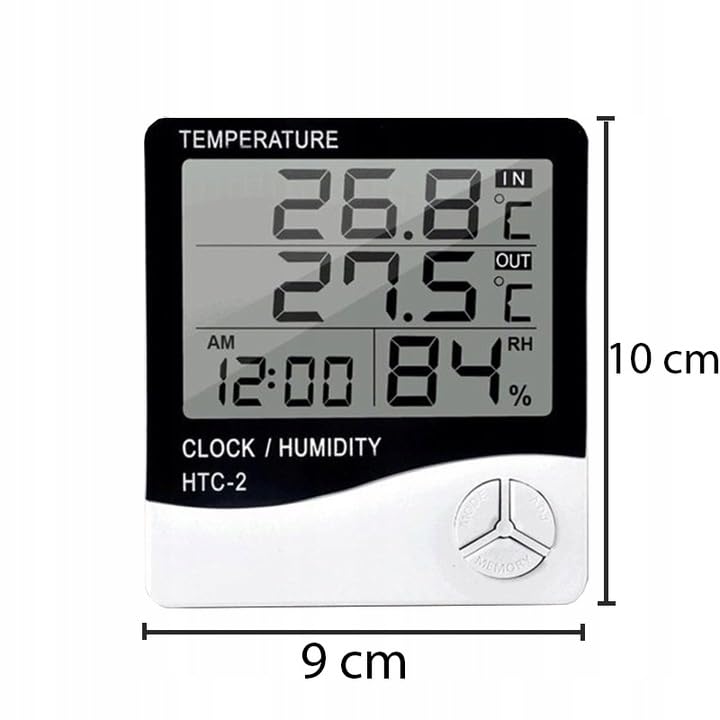
Figure 5: Approximate dimensions of the weather station.
- แบบอย่าง: RB-0005
- ยี่ห้อ: กบฏ
- แหล่งพลังงาน: 1x AAA แบตเตอรี่ (ไม่รวม)
- วัสดุ: พลาสติก
- คุณสมบัติพิเศษ: Alarm, Calendar, Min/Max Memory
- ขนาดแพ็คเกจ: 18 x 12 x 10 ซม.
- ขนาดของผลิตภัณฑ์ (โดยประมาณ): 9 ซม. (กว้าง) x 10 ซม. (สูง)
- วันที่พร้อมใช้งานครั้งแรก: 23 พฤศจิกายน 2020
11. การรับประกันและการสนับสนุน
ผลิตภัณฑ์นี้อยู่ภายใต้การรับประกันมาตรฐานของผู้ผลิต สำหรับเงื่อนไขและข้อกำหนดการรับประกันเฉพาะ โปรดดูเอกสารที่ให้ไว้ ณ เวลาที่ซื้อ หรือติดต่อผู้ค้าปลีกของคุณ
For technical support or inquiries, please contact the Rebel customer service department through their official webเว็บไซต์หรือข้อมูลติดต่อที่ผู้ค้าปลีกของคุณให้ไว้


