1. บทนำ
Thank you for choosing the AGM Digital Kitchen Scale. This ultra-slim, multifunction stainless steel food scale is designed for precise measurement of ingredients and liquids up to 11lb (5kg). Featuring a clear back-lit LCD display, it is an ideal tool for various culinary needs, including baking, cooking, and portion control.

รูปที่ 1: ด้านบน view of the AGM Digital Kitchen Scale, highlighting its sleek design and display.
2. คุณสมบัติของผลิตภัณฑ์
- เซนเซอร์ความแม่นยำสูง: Built with a high precision strain gauge sensor, capable of weighing up to 11lb (5kg) with a graduation of 1g (0.1oz).
- จอแสดงผลมัลติฟังก์ชัน: Features Zero & Tare Function, Alarm Timer, Real Time Clock Display, Water/Milk Volume Indicator, Temperature Sensor, and Low Battery/Overload Indication.
- หลายหน่วย: Easily switch between fl.oz, g, lb:oz, and ml measurements.
- จอแสดงผล LCD ด้านหลัง: Large, clear blue back-lit LCD display for easy readability in various lighting conditions.
- การออกแบบที่ทนทาน: Constructed with a stylish glass platform and stainless steel elements for durability and easy cleaning.
- ขนาดกะทัดรัดและพกพาสะดวก: Lightweight (1.14lb) and slim design for convenient storage.

รูปที่ 2: เกินview of the scale's components and features, including the stainless steel surface, LCD display, and control buttons.
3. การตั้งค่าและการติดตั้งแบตเตอรี่
3.1 แกะกล่อง
Carefully remove the scale and any accessories from the packaging. Ensure all components are present, including the scale and the instruction manual.
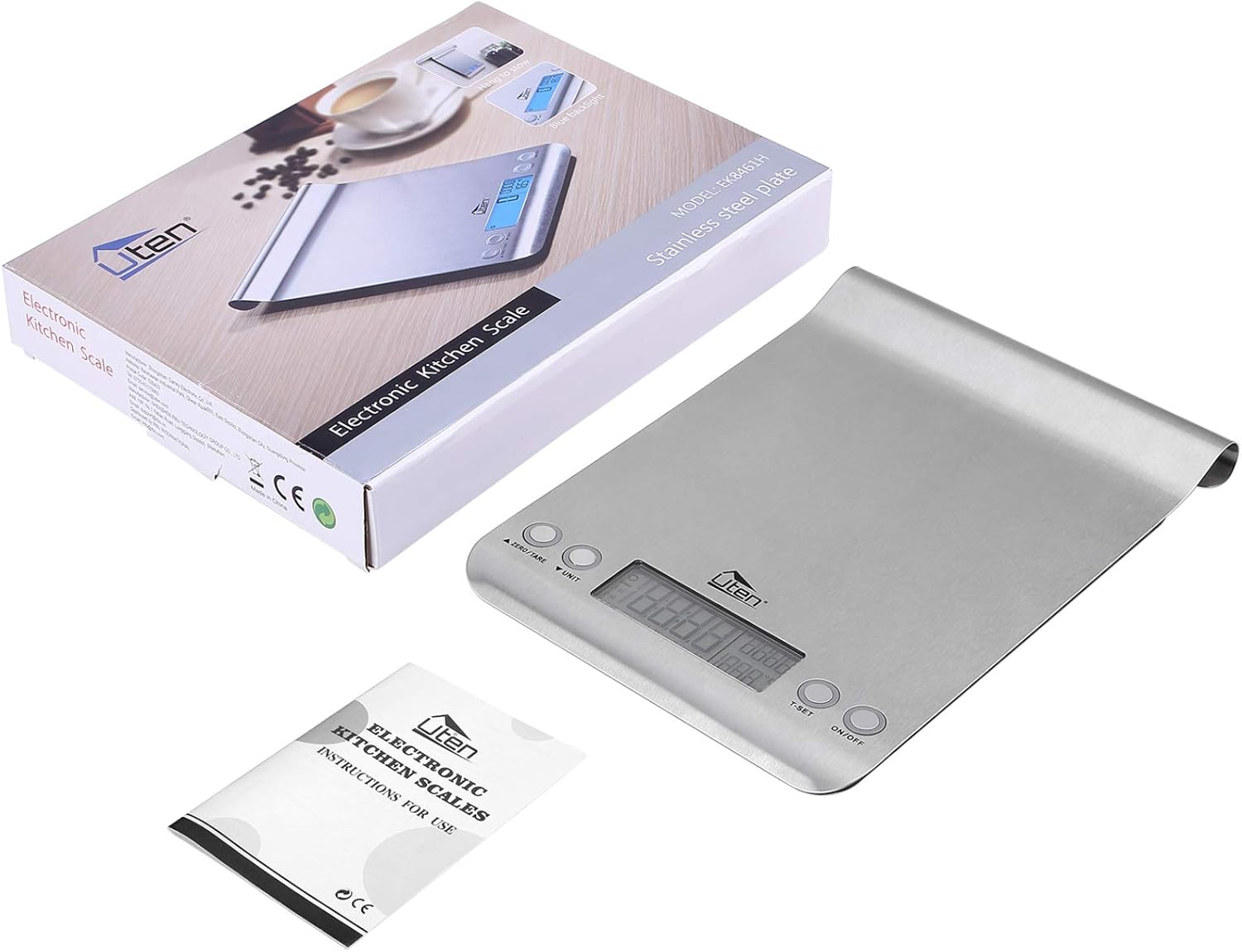
Figure 3: The scale, its packaging, and the included instruction manual.
3.2 การติดตั้งแบตเตอรี่
The scale requires batteries for operation. Locate the battery compartment on the underside of the scale. Insert the batteries, ensuring correct polarity (+/-) as indicated inside the compartment. The scale typically uses 2 AAA batteries.

Figure 4: The scale alongside two AAA batteries, demonstrating the power source.
3.3 การจัดวาง
Place the scale on a hard, flat, and stable surface to ensure accurate readings. Avoid placing it on soft or uneven surfaces, which can affect precision.
4. คู่มือการใช้งาน
4.1 เปิด/ปิดเครื่อง
- หากต้องการเปิดเครื่องชั่ง ให้กดปุ่ม เปิด/ปิด กดปุ่ม หน้าจอจะสว่างขึ้นและแสดงค่า '0' หรือ '0.0'
- หากต้องการปิดเครื่องชั่ง ให้กดปุ่มค้างไว้ เปิด/ปิด button for a few seconds, or it will automatically shut off after a period of inactivity to conserve battery life.
4.2 การแปลงหน่วย
The scale supports multiple units of measurement. To switch between units (fl.oz, g, lb:oz, ml), press the หน่วย กดปุ่มซ้ำๆ จนกว่าหน่วยที่คุณต้องการจะแสดงขึ้น

Figure 5: Visual representation of unit conversion options on the scale's display.
4.3 Zero & Tare Function
The Zero and Tare functions allow you to weigh different loads consecutively without removing items from the scale, or to subtract the weight of a container.
- Place the empty container on the scale. The display will show its weight.
- กดปุ่ม ศูนย์/TARE กดปุ่ม หน้าจอจะรีเซ็ตเป็น '0'
- Add the first ingredient to the container. The display will show the weight of the ingredient only.
- To add another ingredient, press ศูนย์/TARE again to reset the display to '0', then add the next ingredient. Repeat as needed.

Figure 6: Step-by-step demonstration of the Zero & Tare function for measuring multiple ingredients in one container.
4.4 นาฬิกาปลุก
The scale includes an alarm timer function. To set the timer, press the ที-เซ็ท ปุ่ม ใช้ปุ่ม ศูนย์/TARE และ หน่วย buttons to adjust the time. Once the countdown ends, the scale will emit a beeping sound.

Figure 7: The scale's alarm timer feature, useful for cooking tasks.
4.5 Water/Milk Volume Indicator
This feature allows for direct measurement of water and milk volume. After selecting the 'ml' or 'fl.oz' unit, the scale will automatically calculate and display the volume based on the density of water or milk.
4.6 Real Time Clock Display & Temperature Sensor
The scale can display the current time and ambient temperature. Refer to the specific instructions in your included manual for setting the clock and viewing temperature readings, as button functions may vary slightly.
5. การบำรุงรักษาและการดูแล
5.1 การทำความสะอาด
The scale features a large stylish glass platform and stainless steel components, making it easy to clean. Wipe the surface with a damp cloth and mild detergent. Do not immerse the scale in water or use abrasive cleaners, as this can damage the electronic components.
5.2 พื้นที่จัดเก็บ
Store the scale in a dry place at room temperature. Its slim design allows for convenient storage in kitchen drawers or cabinets. Avoid placing heavy objects on the scale when not in use.
6 การแก้ไขปัญหา
- Display shows 'Lo' or 'Err': This indicates low battery. Replace the batteries with new ones.
- Display shows 'O-Ld' or 'EEEE': This indicates an overload. The weight on the scale exceeds its maximum capacity (11lb/5kg). Remove items immediately to prevent damage.
- การอ่านค่าที่ไม่ถูกต้อง: Ensure the scale is placed on a flat, stable surface. Avoid vibrations or drafts. Recalibrate if necessary (refer to your specific manual for calibration instructions, if available).
- เครื่องชั่งไม่เปิด: ตรวจสอบการติดตั้งแบตเตอรี่และให้แน่ใจว่าแบตเตอรี่ใหม่และใส่เข้าไปอย่างถูกต้อง
7. ข้อมูลจำเพาะ
| คุณสมบัติ | ข้อมูลจำเพาะ |
|---|---|
| ยี่ห้อ | ประชุมสามัญประจำปี |
| หมายเลขรุ่น | EK8461H |
| สี | สีเทา |
| การใช้ที่แนะนำ | อาหาร |
| คุณสมบัติพิเศษ | backlit Display |
| ประเภทจอภาพ | จอแอลซีดี |
| จำกัด น้ำหนัก | 11 ปอนด์ (5 กก.) |
| ฟอร์มแฟกเตอร์ | มินิ |
| วัสดุ | พลาสติก, สแตนเลส |
| ความแม่นยำในการอ่านข้อมูล | 1g / 0.1oz (2.86 g listed in specs) |
| น้ำหนักสินค้า | 1.29 ปอนด์ |
| ขนาดสินค้า | 10.23 x 7.6 x 1.57 นิ้ว |
| วันที่พร้อมใช้งานครั้งแรก | 23 พฤศจิกายน 2020 |
8. การรับประกันและการสนับสนุน
Information regarding product warranty and customer support is not available in the provided product data. Please refer to the documentation included with your purchase or contact the manufacturer directly for warranty details and support inquiries.


