1. ข้อมูลด้านความปลอดภัย
Please read all safety instructions carefully before operating this device. Keep this manual for future reference.
- Do not overload wall outlets or extension cords beyond their rated capacity. Overloading can cause electric shock or fire.
- หลีกเลี่ยงการให้เครื่องโดนฝนหรือความชื้น เพื่อป้องกันอันตรายจากไฟไหม้หรือไฟฟ้าช็อต
- อย่าเปิดตู้. ส่งต่อบริการไปยังบุคลากรที่มีคุณสมบัติเหมาะสมเท่านั้น
- ตรวจสอบให้แน่ใจว่าสายไฟไม่ได้ถูกหนีบหรือเดินทับ
2. สินค้าหมดview
The DANFI AUDIO DF TE-2017 is a versatile 3-speed record player with built-in speakers, Bluetooth input, and USB recording capabilities. It supports 7", 10", and 12" vinyl records.

ภาพที่ 2.1: ด้านหน้า view of the DANFI AUDIO DF TE-2017 Record Player with the dust cover open, showing the platter and tone arm.
ส่วนประกอบที่รวมอยู่:
- เครื่องเล่นแผ่นเสียง DANFI AUDIO DF TE-2017
- อะแดปเตอร์ 45 RPM
- สายไฟและอะแดปเตอร์
- Replacement Needle (Stylus)
- แผ่นรองกันลื่นสำหรับเครื่องเล่นแผ่นเสียง
- คู่มือการใช้งาน (เอกสารนี้)
3. คำแนะนำในการตั้งค่า
3.1 การแกะและการจัดวาง
- นำเครื่องเล่นแผ่นเสียงออกจากบรรจุภัณฑ์อย่างระมัดระวัง
- วางเครื่องบนพื้นผิวที่มั่นคงและเรียบเสมอกัน หลีกเลี่ยงแสงแดดโดยตรง แหล่งความร้อน และฝุ่นละอองหรือการสั่นสะเทือนมากเกินไป
- ให้แน่ใจว่ามีการระบายอากาศเพียงพอรอบๆ เครื่อง
3.2 การประกอบเบื้องต้น
- ฝาปิดป้องกันฝุ่น: The removable dust cover can be placed on top of the unit to protect the platter and tone arm when not in use.
- แผ่นรองกันลื่น: Place the provided turntable slipmat onto the platter.
- การป้องกันสไตลัส: Remove the clear plastic stylus protector from the needle before first use. Be careful not to damage the stylus.
3.3 การเชื่อมต่อสายไฟ
- Connect the power adapter to the DC IN port on the back of the record player.
- เสียบอะแดปเตอร์ไฟฟ้าเข้ากับเต้ารับไฟฟ้าที่เหมาะสม
4. คู่มือการใช้งาน

Image 4.1: Diagram illustrating the various controls and components of the record player, including the 45 RPM adapter, tone arm, tone arm lifter, auto stop control, speed switch, ON/OFF button (volume control), and cartridge.
4.1 การใช้งานเครื่องเล่นแผ่นเสียงขั้นพื้นฐาน
- เปิด/ปิด & ระดับเสียง: Rotate the ON/OFF/VOLUME knob clockwise to power on the unit and adjust the volume.
- เลือกความเร็ว: Set the speed switch (33, 45, or 78 RPM) to match the record you are playing. For 45 RPM records, place the 45 RPM adapter on the spindle.
- บันทึกสถานที่: วางแผ่นเสียงไวนิลของคุณลงบนแท่นหมุนเครื่องเล่นแผ่นเสียง
- ยกแขนโทนเสียง: Use the tone arm lifter to gently raise the tone arm.
- ตำแหน่งแขนโทนเสียง: Manually move the tone arm over the desired starting groove of the record.
- แขนโทนเสียงส่วนล่าง: Gently lower the tone arm using the lifter. The music will begin to play.
- หยุดอัตโนมัติ: The turntable features an auto-stop function that will stop the platter rotation automatically when the record finishes playing. Ensure the 'Auto Stop Control' switch is engaged for this feature.
- การเล่นจบลงแล้ว: When the record finishes, use the tone arm lifter to raise the tone arm, return it to its rest, and secure it with the clip.
4.2 Bluetooth Input Mode
This record player can receive audio wirelessly from Bluetooth-enabled devices like smartphones or tablets.

Image 4.2: A smartphone displaying its Bluetooth settings, connected to the TE-2017 record player, demonstrating wireless music streaming.
- เลือกโหมดบลูทูธ: Press the 'M' button on the front panel until 'BT' appears on the display. The unit will enter pairing mode.
- เปิดใช้งานบลูทูธบนอุปกรณ์: บนสมาร์ทโฟนหรือแท็บเล็ตของคุณ ให้เปิดใช้งาน Bluetooth และค้นหาอุปกรณ์ที่มีอยู่
- จับคู่อุปกรณ์: Select 'TE-2017' from the list of devices. Once paired, you will hear a confirmation sound.
- เล่นเพลง: You can now stream music from your device through the record player's built-in speakers.
Note: This unit functions as a Bluetooth receiver only and cannot connect to external Bluetooth speakers.
4.3 USB Recording (Vinyl to Digital)
Convert your vinyl records into digital audio files (WAV format) directly onto a USB flash drive.
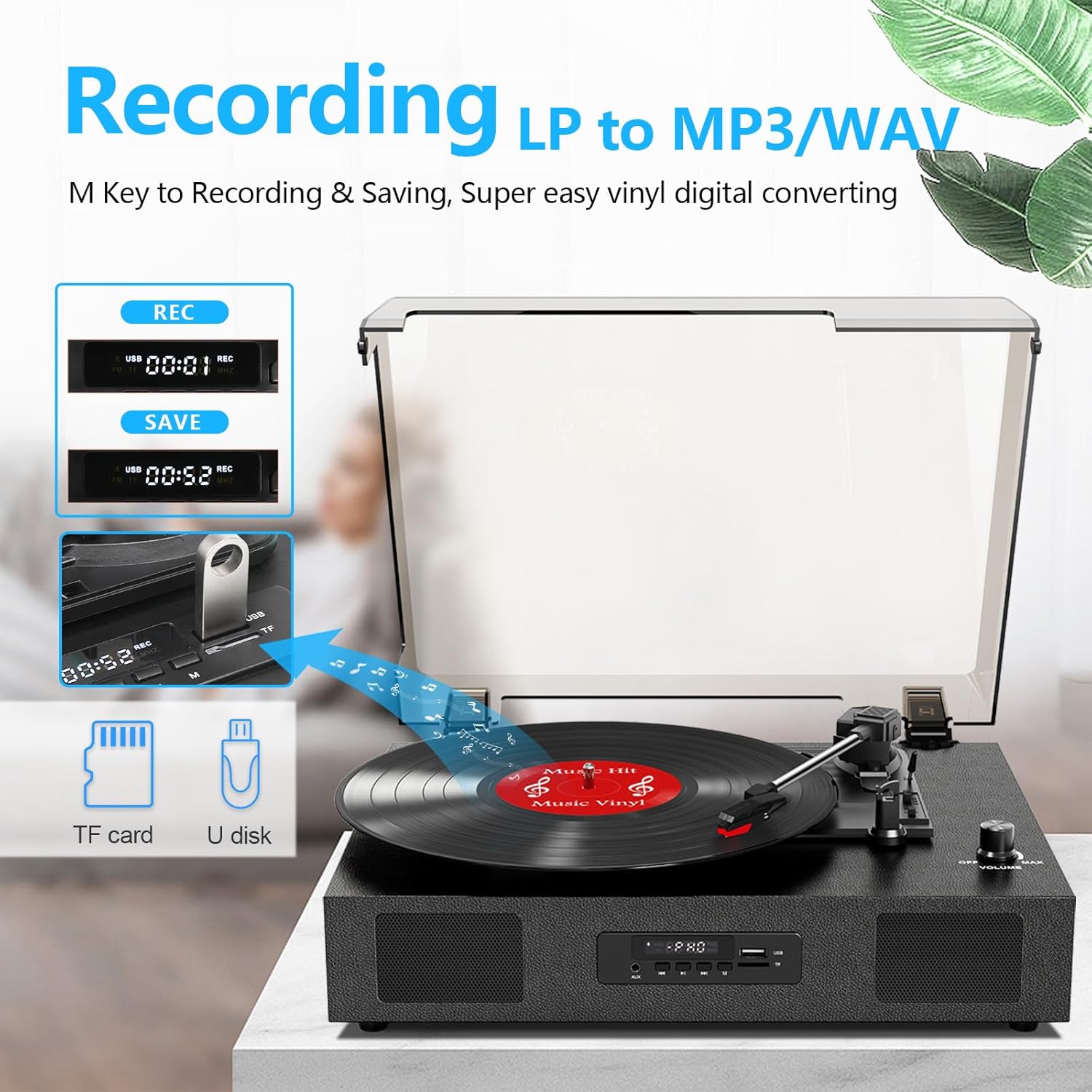
Image 4.3: The record player's display showing 'REC' and a timer, with a USB flash drive inserted, indicating the USB recording function.
- ใส่ไดรฟ์ USB: Insert a USB flash drive (formatted to FAT32) into the USB port on the front panel.
- เริ่มการเล่น: เริ่มเล่นแผ่นเสียงไวนิลของคุณตามที่อธิบายไว้ในหัวข้อ 4.1
- เริ่มการบันทึก: Press the 'REC' button on the front panel. The display will show 'REC' and a timer, indicating recording has started.
- หยุดการบันทึก: Press the 'REC' button again to stop recording. The recorded file ไฟล์จะถูกบันทึกไว้ในไดรฟ์ USB ของคุณ
- เข้าถึง Files: You can access the recorded WAV files on your computer. If MP3 format is desired, conversion can be done using computer software.
4.4 RCA Line-Out Connection
Connect the record player to external powered speakers or a home audio system for enhanced sound.
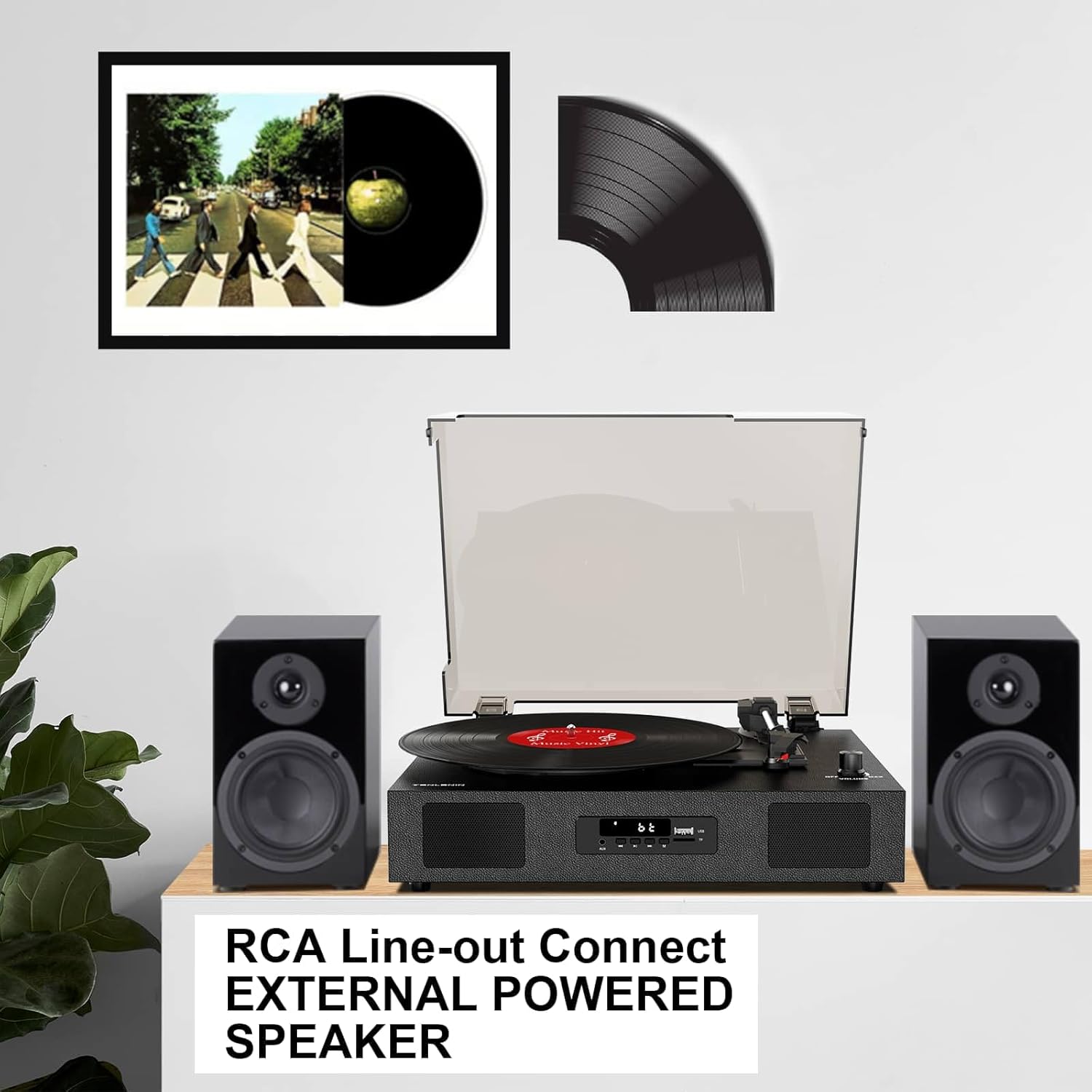
Image 4.4: The record player connected via RCA cables to a pair of external powered speakers, demonstrating the line-out functionality.
- เชื่อมต่อสายเคเบิล: Use RCA audio cables (not included) to connect the RCA L/R output jacks on the back of the record player to the corresponding input jacks on your external ampเครื่องขยายเสียงหรือลำโพงที่มีกำลังขยาย
- ปรับระดับเสียง: Control the volume primarily through your external audio system. The record player's volume knob will still affect the output level.
4.5 AUX Line-In
Connect external audio devices (e.g., MP3 players) via the AUX IN port.
- เชื่อมต่อสายเคเบิล: Use a 3.5mm audio cable (not included) to connect your external device to the AUX IN port on the front panel.
- เลือกโหมด AUX: Press the 'M' button until 'AUX' appears on the display.
- เล่นเสียง: Play audio from your connected device. The sound will be output through the record player's speakers.
5. การบำรุงรักษา
5.1 การทำความสะอาดหน่วย
- เช็ดภายนอกตัวเครื่องด้วยผ้านุ่มและแห้ง ห้ามใช้น้ำยาทำความสะอาดที่มีฤทธิ์กัดกร่อนหรือตัวทำละลาย
- รักษาฝาครอบป้องกันฝุ่นให้สะอาดเพื่อป้องกันไม่ให้ฝุ่นเกาะบนจานเสียงและแผ่นเสียง
5.2 Stylus Care and Replacement
- สไตลัส (เข็ม) เป็นชิ้นส่วนที่บอบบาง โปรดใช้ด้วยความระมัดระวัง
- ทำความสะอาดหัวปากกาเป็นระยะด้วยแปรงขนนุ่ม โดยแปรงเบาๆ จากด้านหลังไปด้านหน้า
- A worn stylus can damage records and degrade sound quality. Replace the stylus after approximately 300-500 hours of playback, or if you notice a decrease in sound quality or increased skipping.
- To replace the stylus, refer to the instructions provided with the replacement needle.
5.3 การดูแลรักษาเอกสาร
- ควรจับแผ่นเสียงที่ขอบเสมอเพื่อหลีกเลี่ยงการถ่ายโอนน้ำมันจากผิวหนังของคุณ
- เก็บแผ่นเสียงในแนวตั้งโดยใส่ซองไว้ในที่แห้งและเย็น
- ควรทำความสะอาดแผ่นเสียงเป็นประจำด้วยแปรงทำความสะอาดแผ่นเสียงโดยเฉพาะหรือน้ำยาทำความสะอาดเพื่อกำจัดฝุ่นและไฟฟ้าสถิต
6 การแก้ไขปัญหา
If you experience issues with your record player, consult the following troubleshooting guide.
- ไม่มีไฟฟ้า:
- ตรวจสอบให้แน่ใจว่าอะแดปเตอร์ไฟฟ้าเชื่อมต่อกับอุปกรณ์อย่างแน่นหนาและมีเต้ารับไฟฟ้าที่ใช้งานได้
- Check if the ON/OFF/VOLUME knob is turned clockwise to power on.
- ไม่มีเสียง:
- Increase the volume using the ON/OFF/VOLUME knob.
- Ensure the correct input mode (PHONO, BT, AUX) is selected.
- If using RCA output, ensure external speakers are powered on and correctly connected, and their volume is adjusted.
- Check if the stylus protector has been removed.
- การข้ามแผ่นเสียง:
- Ensure the record player is on a stable, level surface.
- Clean the record to remove dust or debris.
- Check the stylus for damage or wear; replace if necessary.
- Some records, especially new or heavier pressings, may be more prone to skipping.
- USB Recording Issues (e.g., skipping, corrupted fileNS):
- Ensure the USB drive is formatted to FAT32. Other formats like exFAT may not be compatible for recording.
- ลองใช้แฟลชไดรฟ์ USB อันอื่นดู
- Ensure the record is clean and playing smoothly during recording.
- Bluetooth Disconnecting/Resetting:
- If the Bluetooth player is paused for an extended period, the unit may revert to another mode. Re-select Bluetooth mode using the 'M' button.
- Ensure your Bluetooth device is within range.
7. ข้อมูลจำเพาะ
| ชื่อรุ่น | TE-2017 |
| ยี่ห้อ | แดนฟี ออดิโอ DF |
| ขนาดสินค้า | 14.1 x 11.2 x 4.9 นิ้ว |
| น้ำหนักสินค้า | 4.85 ปอนด์ |
| วัสดุ | ไม้แปรรูป พลาสติก |
| ความเร็วการหมุนสูงสุด | 78 รอบต่อนาที |
| ความเร็วที่รองรับ | 33 1/3, 45, 78 รอบต่อนาที |
| คุณสมบัติพิเศษ | Built-In Bluetooth Receiver, Digital Display, Digital Recorder, RCA Output |
| อุปกรณ์ที่รองรับ | Headphone, MP3 Player, Personal Computer, Smartphone, Tablet |
8. การรับประกันและการสนับสนุน
DANFI AUDIO DF offers a 30-day money-back or replacement policy for this product. For any inquiries or assistance, please contact customer service. Support is available 24 hours a day.
For further support or warranty claims, please refer to your purchase documentation or contact the seller directly.


