1. บทนำ
The Pyle Pro PSBT65A Portable Bluetooth PA Speaker Entertainment System is designed to provide versatile audio amplification for various events. This system includes a PA speaker and a handheld wireless microphone, offering a comprehensive solution for presentations, karaoke, and musical performances. Its compact design and built-in rechargeable battery ensure portability and ease of use in diverse settings.
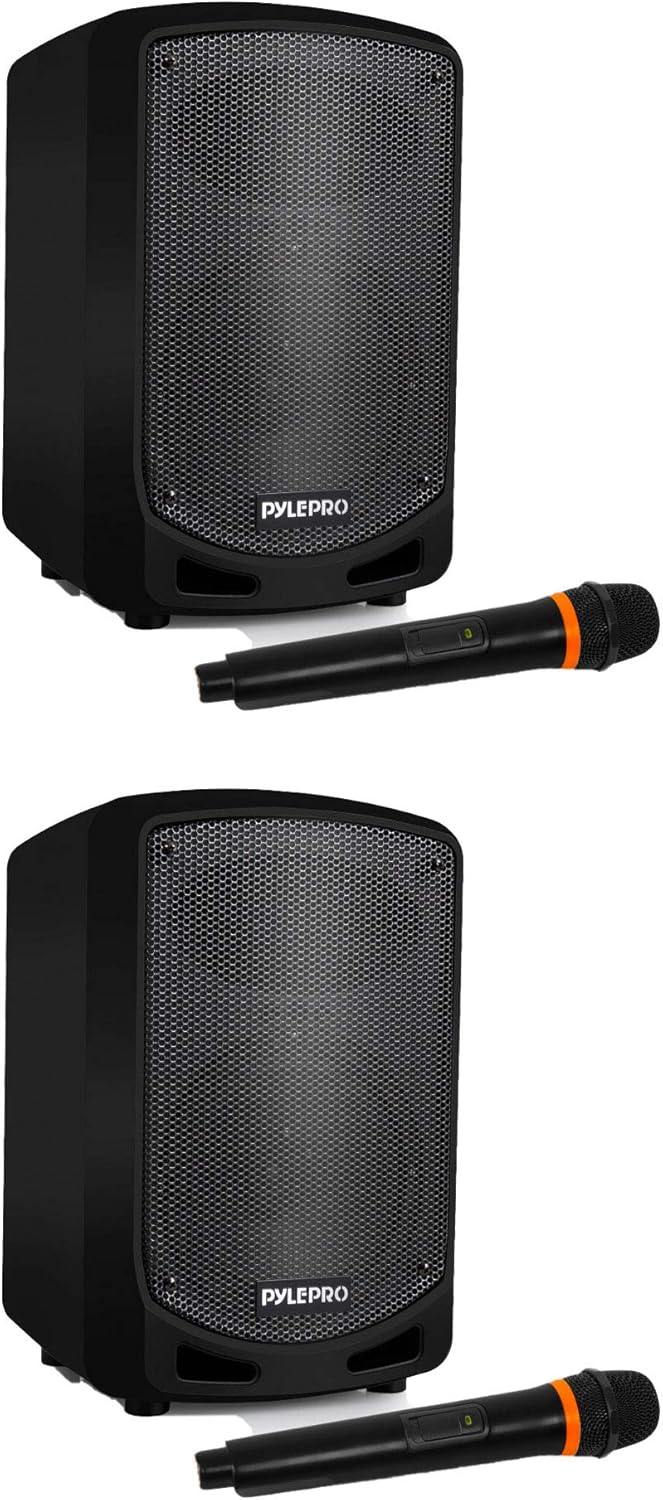
Figure 1.1: Two Pyle Pro PSBT65A Portable Bluetooth PA Speaker Systems, each with a wireless microphone.
2. อะไรอยู่ในกล่อง
Upon opening the package, verify that all components are present and in good condition. The standard package for the Pyle Pro PSBT65A system includes:
- Pyle Pro PSBT65A PA Speaker
- ไมโครโฟนไร้สายแบบใช้มือถือ
- อะแดปเตอร์ติดผนัง

Figure 2.1: Included components: PA Speaker, Handheld Microphone, and Wall Power Adapter.
3. คุณสมบัติหลัก
The PSBT65A PA Speaker System is equipped with several features designed for enhanced audio performance and user convenience:
- การออกแบบพกพา: Compact and lightweight for easy transport to various locations.
- 6.5-inch Subwoofer & 3-inch Treble Speaker: Delivers optimal sound reproduction across a wide frequency range.
- กำลังขับสูงสุด 600 วัตต์: Provides powerful audio amplification suitable for large crowds and presentations.
- การเชื่อมต่อไร้สาย Bluetooth: Seamlessly stream audio from smartphones, tablets, and computers within a 37-foot range.
- ไมโครโฟนไร้สายแบบมือถือ: Allows for untethered vocal performance and clear speech.
- แบตเตอรี่แบบชาร์จไฟได้ในตัว: Offers extended operation without the need for a constant power source.
- 35mm Speaker Stand Mount: Integrated mount for optional stand placement, optimizing sound projection.

Figure 3.1: Speaker dimensions and integrated 35mm stand mount for versatile placement.
4. คำแนะนำในการตั้งค่า
Follow these steps to set up your Pyle Pro PSBT65A PA Speaker System:
- การชาร์จลำโพง: Before first use, fully charge the speaker's built-in battery. Connect the provided wall power adapter to the "EXT DC 12V IN" port on the rear panel of the speaker and plug it into a standard electrical outlet. The LED indicator will show charging status.
- เปิดเครื่อง: Locate the "POWER" switch on the rear panel. Flip the switch to the "ON" position. The LED indicators will illuminate.
- การตั้งค่าไมโครโฟน:
- ตรวจสอบให้แน่ใจว่าได้ใส่แบตเตอรี่ใหม่ของไมโครโฟนไร้สายแล้ว
- Turn on the microphone using its power switch.
- Adjust the microphone volume using the "MIC VOL" knob on the speaker's rear panel.
- การจัดวาง: Place the speaker on a stable, flat surface or mount it on a compatible 35mm speaker stand for optimal sound projection.

Figure 4.1: Rear control panel with power switch, charging port, and volume controls.
5. คู่มือการใช้งาน
5.1. การเชื่อมต่อบลูทูธ
- ตรวจสอบให้แน่ใจว่าลำโพงเปิดอยู่
- เปิดใช้งานบลูทูธบนสมาร์ทโฟน แท็บเล็ต หรือคอมพิวเตอร์ของคุณ
- ค้นหา available Bluetooth devices. The speaker will appear as "Pyle Audio" or similar.
- Select the speaker from the list to pair. A confirmation tone may sound upon successful pairing.
- Once paired, you can stream audio wirelessly from your device to the speaker. Adjust the master volume using the "M.VOL" knob and the device's volume control.

Figure 5.1: Bluetooth wireless audio streaming from compatible devices.
5.2. การใช้ไมโครโฟนไร้สาย
- เปิดไมโครโฟนไร้สาย
- ตรวจสอบให้แน่ใจว่าลำโพงเปิดอยู่
- Adjust the "MIC VOL" knob on the speaker's rear panel to control the microphone's output level.
- Use the "ECHO" knob to add an echo effect to the microphone's sound, if desired.
5.3. Other Inputs
The speaker also supports other audio input methods:
- ยูเอสบี/การ์ด SD: Insert a USB flash drive or SD card into the respective slots on the rear panel to play audio fileโดยตรงเลย
- อินพุต AUX: เชื่อมต่ออุปกรณ์เสียงภายนอก (เช่น เครื่องเล่น MP3) โดยใช้สายสัญญาณเสียงขนาด 3.5 มม. เข้ากับช่อง AUX
6. การบำรุงรักษา
Proper maintenance ensures the longevity and optimal performance of your PA speaker system:
- การทำความสะอาด: Use a soft, dry cloth to clean the exterior surfaces of the speaker and microphone. Avoid using abrasive cleaners or solvents.
- พื้นที่จัดเก็บ: เมื่อไม่ใช้งาน ควรเก็บระบบไว้ในที่แห้งและเย็น หลีกเลี่ยงแสงแดดโดยตรงและอุณหภูมิที่สูงหรือต่ำเกินไป
- การดูแลแบตเตอรี่ For optimal battery life, avoid fully discharging the battery frequently. Recharge the battery regularly, even if the system is not in active use.
- การจัดการ: Handle the speaker and microphone with care to prevent physical damage. Avoid dropping or subjecting them to strong impacts.
7 การแก้ไขปัญหา
If you encounter issues with your Pyle Pro PSBT65A system, refer to the following common problems and solutions:
| ปัญหา | สาเหตุที่เป็นไปได้ | สารละลาย |
|---|---|---|
| ไม่มีไฟฟ้า | Battery discharged; Power switch off; Power adapter not connected | Charge the battery; Turn on the power switch; Ensure power adapter is securely connected and plugged in |
| ไม่มีเสียงออกจากลำโพง | Volume too low; Incorrect input selected; Device not paired (Bluetooth) | Increase master volume; Select correct input mode; Re-pair Bluetooth device |
| ไมโครโฟนไม่ทำงาน | Microphone off; Low microphone battery; MIC VOL too low | Turn on microphone; Replace microphone batteries; Increase MIC VOL knob |
| การเชื่อมต่อบลูทูธไม่เสถียร | อุปกรณ์อยู่ไกลเกินไป; สิ่งกีดขวาง; สัญญาณรบกวน | Move device closer to speaker (within 37 ft); Remove obstructions; Avoid other wireless devices |
8. ข้อมูลจำเพาะทางเทคนิค
Detailed specifications for the Pyle Pro PSBT65A Portable Bluetooth PA Speaker System:
- แบบอย่าง: PSBT65A
- กำลังขับ: สูงสุด 600 วัตต์
- ประเภทลำโพง: ระบบลำโพง PA
- ขนาดซับวูฟเฟอร์: 6.5 นิ้ว
- Treble Speaker Size: 3 นิ้ว
- การเชื่อมต่อ: Bluetooth Wireless, USB, SD Card, AUX (3.5mm)
- ช่วงไร้สาย Bluetooth: สูงถึง 37 ฟุต
- แหล่งพลังงาน: Built-in Rechargeable Battery, 110/120V AC Power Adapter
- การติดตั้ง: Floor Standing, 35mm Speaker Stand Mount
- อุปกรณ์ที่รองรับ: สมาร์ทโฟน แท็บเล็ต คอมพิวเตอร์
- ยูพีซี: 193802205237
- ASIN: B08NXMQ8S5
9. การรับประกันและการสนับสนุน
For warranty information or technical support, please refer to the official Pyle Pro webหรือติดต่อฝ่ายบริการลูกค้า โปรดเก็บใบเสร็จรับเงินไว้เป็นหลักฐานการซื้อสำหรับการเรียกร้องการรับประกันใดๆ
ผู้ผลิต: เสียงรอบ ๆ
วันที่เข้าใช้งานครั้งแรก: 19 พฤศจิกายน 2020