การแนะนำ
Thank you for choosing the Mars Gaming MMGW Gaming Mouse. This manual provides essential information for setting up, operating, maintaining, and troubleshooting your new gaming mouse. The MMGW is designed for precision and durability, featuring RGB Flow lighting, an optical sensor, and HUANO mechanical switches.
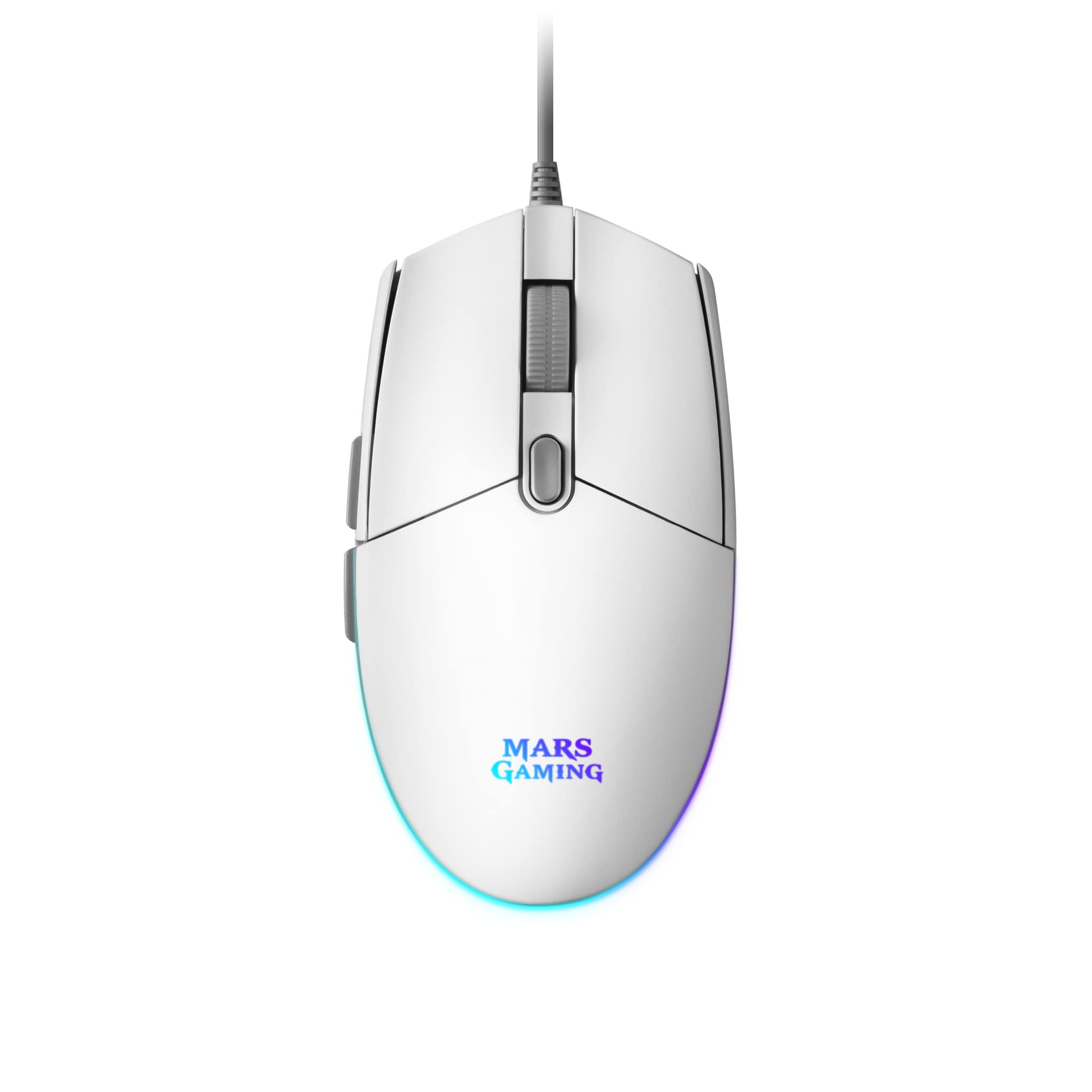
ภาพ: จากบนลงล่าง view of the Mars Gaming MMGW White Gaming Mouse, showcasing its ergonomic design and clean white finish.
คุณสมบัติหลัก:
- แสงไฟ RGB Flow: Dynamic automatic RGB Flow effect for spectacular color transitions.
- ความแม่นยำสูงสุด: 3200 DPI optical sensor with on-the-fly adjustment (800/1200/1600/3200 DPI).
- การออกแบบป้องกันการลื่น: Textured surface for enhanced grip and extreme movement control.
- สวิตช์เชิงกล HUANO: Ensures precision, durability, and an extended lifespan with accelerated click response.
- ความเข้ากันได้กว้าง: Supports Windows, Linux, Mac, PS4, PS5, Xbox One, and Xbox Series X-S.
คำแนะนำการตั้งค่า
Follow these steps to set up your Mars Gaming MMGW mouse:
- แกะกล่องเมาส์: Carefully remove the MMGW gaming mouse from its packaging.
- เชื่อมต่อกับอุปกรณ์ของคุณ: Plug the USB connector of the mouse into an available USB port on your computer or gaming console. The mouse is plug-and-play, meaning it should be recognized automatically by most operating systems (Windows, Mac, Linux) and consoles (PS4, PS5, Xbox One, Xbox Series X-S).
- การติดตั้งไดรเวอร์ (ทางเลือก): For advanced customization, such as button remapping or RGB lighting effects, visit the official Mars Gaming website to download the dedicated software. Follow the on-screen instructions for installation.

ภาพ: ด้านข้าง view of the Mars Gaming MMGW White Gaming Mouse, showing the USB cable connection point and the two programmable side buttons.
คำแนะนำการใช้งาน
Understanding the functions of your MMGW mouse will enhance your gaming and productivity experience.
การปรับ DPI:
The MMGW mouse features an optical sensor with adjustable DPI settings. You can cycle through different DPI levels (800, 1200, 1600, 3200) using the dedicated DPI button, usually located behind the scroll wheel. This allows for on-the-fly sensitivity changes to suit various tasks or game situations.

ภาพ: ระยะใกล้ view of the Mars Gaming MMGW mouse's scroll wheel and the DPI adjustment button located just behind it.
แสงไฟ RGB Flow:
The mouse features an automatic RGB Flow lighting system that cycles through various colors, creating a dynamic visual effect. This lighting is pre-programmed and does not require manual adjustment for basic operation. Advanced customization options for lighting may be available through the optional software.

ภาพ: ด้านข้าง view of the Mars Gaming MMGW White Gaming Mouse, highlighting the vibrant RGB lighting strip along its edge.
ปุ่มที่สามารถตั้งโปรแกรมได้:
The MMGW mouse is equipped with 6 buttons. While standard functions are pre-assigned, you can customize these buttons using the Mars Gaming software (downloadable from their official website) to assign macros, specific commands, or different functions to suit your preferences.
การซ่อมบำรุง
การบำรุงรักษาอย่างถูกต้องจะช่วยให้เมาส์สำหรับเล่นเกมของคุณมีอายุการใช้งานยาวนานและมีประสิทธิภาพเหมาะสมที่สุด
- การทำความสะอาด:
To clean the mouse, disconnect it from your device. Use a soft, dry, lint-free cloth to wipe the surface. For stubborn dirt, slightly dampen the cloth with water or a mild cleaning solution. Avoid using harsh chemicals or abrasive materials. Use a cotton swab or compressed air to clean around buttons and the scroll wheel.
- พื้นที่จัดเก็บ:
When not in use, store the mouse in a clean, dry environment away from direct sunlight and extreme temperatures. Avoid placing heavy objects on the mouse or its cable.
- การดูแลสายเคเบิล:
Avoid bending or twisting the USB cable excessively. Do not pull the mouse by its cable. Always grasp the USB connector when plugging or unplugging the mouse.
การแก้ไขปัญหา
If you encounter issues with your Mars Gaming MMGW mouse, refer to the following common solutions:
| ปัญหา | สาเหตุที่เป็นไปได้ | สารละลาย |
|---|---|---|
| เมาส์ไม่ตอบสนอง | การเชื่อมต่อ USB หลวม, พอร์ต USB ชำรุด, มีปัญหากับไดรเวอร์ |
|
| การเคลื่อนที่ของเคอร์เซอร์ไม่แน่นอนหรือไม่แม่นยำ | เซ็นเซอร์รับภาพสกปรก พื้นผิวไม่เหมาะสม การตั้งค่า DPI ไม่ถูกต้อง |
|
| ไฟ RGB ไม่ทำงาน | ปัญหาเรื่องพลังงาน, ซอฟต์แวร์ขัดแย้งกัน |
|
| Buttons are not responding or double-clicking. | Software issue, physical defect. |
|
For further assistance, please visit the official Mars Gaming support webเว็บไซต์.
ข้อมูลจำเพาะ
| ยี่ห้อ | มาร์ส เกมมิ่ง |
| ชื่อรุ่น | MMGW |
| สี | สีขาว |
| เทคโนโลยีการเชื่อมต่อ | ยูเอสบี |
| ความเข้ากันได้ของระบบปฏิบัติการ | วินโดวส์, แมค, ลินุกซ์ |
| คุณสมบัติพิเศษ | การออกแบบตามหลักสรีรศาสตร์ |
| เทคโนโลยีตรวจจับการเคลื่อนไหว | ออฟติคอล |
| การตั้งค่า DPI | 800 / 1200 / 1600 / 3200 |
| จำนวนปุ่ม | 6 |
| ประเภทสวิตซ์ | สวิตช์กลไก HUANO |
| การวางแนวมือ | ถนัดทั้งสองมือ |
| ข้อแนะนำการใช้ | การเล่นเกม |
| น้ำหนักโดยประมาณ | 75g (as per user reviews) |
| ASIN | B08N6RQB7T |
ข้อมูลการรับประกัน
Mars Gaming products are manufactured to high-quality standards. This product comes with the following warranty and support information:
- Parts Availability: Spare parts are available for a period of 2 years from the date of purchase.
- การอัปเดตซอฟต์แวร์: Software updates are guaranteed until April 13, 2030.
Please retain your proof of purchase for any warranty claims. For detailed warranty terms and conditions, refer to the official Mars Gaming webไซต์หรือติดต่อฝ่ายสนับสนุนลูกค้าของพวกเขา
การสนับสนุนลูกค้า
For technical support, product inquiries, or warranty claims, please visit the official Mars Gaming webเว็บไซต์:
You may also find FAQs and additional resources on their support pages.


