1. บทนำ
The Smartwares SH4-90160 Wireless Wall Switch provides convenient control over your lighting and appliances. Designed for ease of use and flexible placement, this battery-operated switch integrates seamlessly with Smartwares Plug & Connect receivers. This manual will guide you through the installation, operation, and maintenance of your new wireless wall switch.
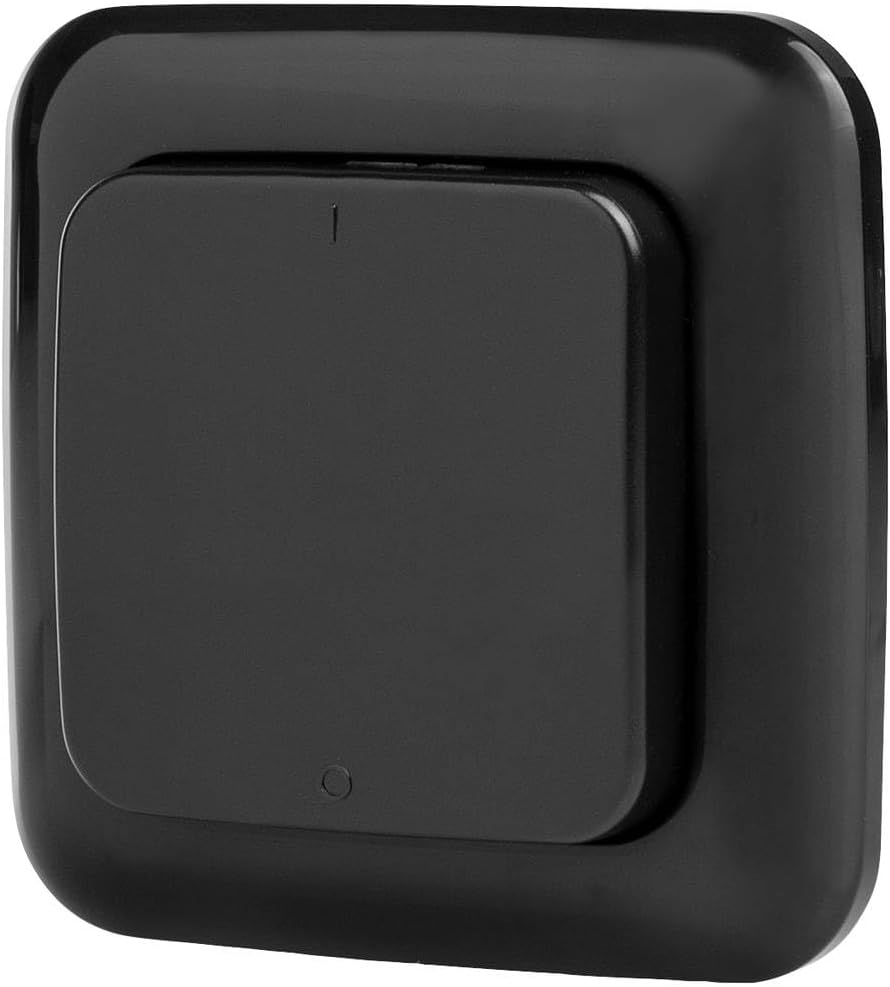
ภาพที่ 1.1: ด้านหน้า view of the Smartwares SH4-90160 Wireless Wall Switch.
2. เนื้อหาบรรจุภัณฑ์
กรุณาตรวจสอบแพ็คเกจสำหรับรายการต่อไปนี้:
- 1x Smartwares SH4-90160 Wireless Wall Switch
- 1x CR2032 Lithium-ion Battery (pre-installed or separate)
- 1x คู่มือผู้ใช้
หากมีรายการใดขาดหายหรือเสียหาย โปรดติดต่อฝ่ายสนับสนุนลูกค้า
3. ข้อมูลด้านความปลอดภัย
- อย่าวางอุปกรณ์ไว้ในที่ที่มีอุณหภูมิสูงหรือต่ำเกินไป แสงแดดโดยตรง หรือความชื้น
- This device is intended for indoor and protected outdoor use. Ensure it is not directly exposed to heavy rain or water.
- เก็บให้พ้นจากมือเด็ก
- Do not attempt to open or repair the device yourself. This will void the warranty.
- ทิ้งแบตเตอรี่ตามระเบียบข้อบังคับของท้องถิ่น ห้ามทิ้งแบตเตอรี่ลงในกองไฟ
- Only use the specified battery type (CR2032).
4. การตั้งค่าและการติดตั้ง
4.1 การติดตั้งแบตเตอรี่
- Carefully open the back cover of the wall switch.
- Insert the CR2032 Lithium-ion battery, ensuring the correct polarity (+/-).
- ปิดฝาด้านหลังอย่างแน่นหนา
บันทึก: The battery may already be pre-installed. Remove any protective tab if present.
4.2 Pairing with Smartwares Plug & Connect Receivers
The SH4-90160 Wireless Wall Switch must be paired with a Smartwares Plug & Connect receiver (e.g., SH4-90264, SH4-90256, SH4-90263, SH4-90266, SH4-90265) to control lights or appliances. Receivers are sold separately.
- Ensure your Smartwares Plug & Connect receiver is powered on and within range of the wall switch.
- Put your Smartwares Plug & Connect receiver into pairing mode. This usually involves pressing a small button on the receiver for a few seconds until an indicator light flashes. Refer to your receiver's manual for specific instructions.
- While the receiver is in pairing mode, press the button on the SH4-90160 Wireless Wall Switch.
- The receiver's indicator light should stop flashing, confirming successful pairing.
- Test the connection by pressing the wall switch button. The connected light or appliance should turn on/off.
You can pair multiple SH4-90160 switches with one receiver, or one switch with multiple receivers, depending on your desired setup.

Image 4.1: The Smartwares Plug & Connect ecosystem, showing various compatible devices.
4.3 การติดตั้งสวิตช์ติดผนัง
Since the SH4-90160 is battery-operated and wireless, it can be placed almost anywhere.
- Use double-sided adhesive tape (not included) to mount the switch on a clean, dry, flat surface.
- Alternatively, use screws (not included) to secure the switch to a wall or other surface.
- Ensure the chosen location is within the operational range of your paired Smartwares Plug & Connect receiver.
5. คู่มือการใช้งาน
Once paired, operating the Smartwares SH4-90160 Wireless Wall Switch is straightforward.
- วิธีเปิด/ปิด: Press the main button on the wall switch. Each press will toggle the connected light or appliance between ON and OFF states.
- The switch provides a convenient way to control your lighting, for example, turning bedroom lights on or off from your bed.

Image 5.1: Detail of the push-button interface on the wireless wall switch.
6. การบำรุงรักษา
6.1 การทำความสะอาด
เช็ดอุปกรณ์ด้วยผ้านุ่มและแห้ง ห้ามใช้น้ำยาทำความสะอาดที่มีฤทธิ์กัดกร่อนหรือตัวทำละลาย
6.2 การเปลี่ยนแบตเตอรี่
When the switch's response becomes inconsistent or stops working, the battery may need to be replaced.
- Carefully open the back cover of the wall switch.
- Remove the old CR2032 Lithium-ion battery.
- Insert a new CR2032 Lithium-ion battery, ensuring the correct polarity (+/-).
- ปิดฝาด้านหลังอย่างแน่นหนา
- กำจัดแบตเตอรี่เก่าอย่างถูกวิธีตามระเบียบข้อบังคับของท้องถิ่น
7 การแก้ไขปัญหา
| ปัญหา | สาเหตุที่เป็นไปได้ | สารละลาย |
|---|---|---|
| สวิตช์ไม่ตอบสนอง | แบตเตอรี่เหลือน้อยหรือหมด | เปลี่ยนแบตเตอรี่ CR2032 |
| Switch does not control the receiver. | Not paired or pairing failed. | Re-pair the wall switch with the Smartwares Plug & Connect receiver (refer to Section 4.2). |
| Switch is out of range. | The distance between the switch and receiver is too great, or there are too many obstacles. | Move the wall switch closer to the receiver or reduce obstructions. |
| การรบกวนจากอุปกรณ์อื่น ๆ | อุปกรณ์ไร้สายอื่น ๆ ที่ทำงานบนความถี่ที่คล้ายกัน | Try moving the switch or receiver to a different location. |
8. ข้อมูลจำเพาะ
| คุณสมบัติ | รายละเอียด |
|---|---|
| หมายเลขรุ่น | SH4-90160 |
| ผู้ผลิต | สมาร์ทแวร์ |
| ขนาดสินค้า (กว้าง x ยาว x สูง) | 2 x 8 x 8 ซม. |
| น้ำหนัก | 50 กรัม |
| สี | สีดำ |
| สไตล์ | สวิตช์ผนังไร้สาย |
| วัสดุ | พลาสติก |
| เล่มที่tage | 3 โวลต์ |
| ประเภทแบตเตอรี่ | 2x Lithium-ion (CR2032) |
| รวมแบตเตอรี่ | ใช่ |
| ประเภทสวิตซ์ | 1 ทาง |
| เปลี่ยนสไตล์ | ปุ่มกด |
| ประเภทการติดตั้ง | ติดผนัง |
| ประเทศต้นกำเนิด | จีน |
9. การรับประกันและการสนับสนุน
Smartwares products are manufactured to high quality standards. In the unlikely event of a defect, please contact your retailer or Smartwares customer service.
For technical support, troubleshooting assistance, or warranty claims, please refer to the contact information provided with your purchase or visit the official Smartwares webเว็บไซต์.
ความพร้อมของอะไหล่: 1 ปี (ตามข้อกำหนดของผลิตภัณฑ์)


