1. บทนำ
The Celly FLIP1 True Wireless Bluetooth Earbuds provide a wireless audio experience with Bluetooth 5.0 connectivity. Designed for portability and convenience, these earbuds feature a compact charging case with a lanyard and support both stereo and mono audio modes. They are suitable for various activities, including sports, and offer integrated controls for music and call management.
This manual provides instructions for setting up, operating, and maintaining your Celly FLIP1 earbuds.
2. เนื้อหาบรรจุภัณฑ์
ตรวจสอบว่ามีรายการทั้งหมดอยู่ในแพ็คเกจ:
- Celly FLIP1 True Wireless Earbuds (Left and Right)
- Portable Charging Case with Lanyard
- สายชาร์จ MicroUSB
- คู่มือการใช้งาน (เอกสารนี้)
3. สินค้าหมดview
The Celly FLIP1 earbuds and charging case are designed for ease of use and portability. The earbuds fit securely in the ear, and the charging case protects them while providing additional battery life.

Image 3.1: Celly FLIP1 earbuds removed from the open charging case. The earbuds are white with a small blue indicator light on one, and the charging case is white and silver with battery indicator icons.
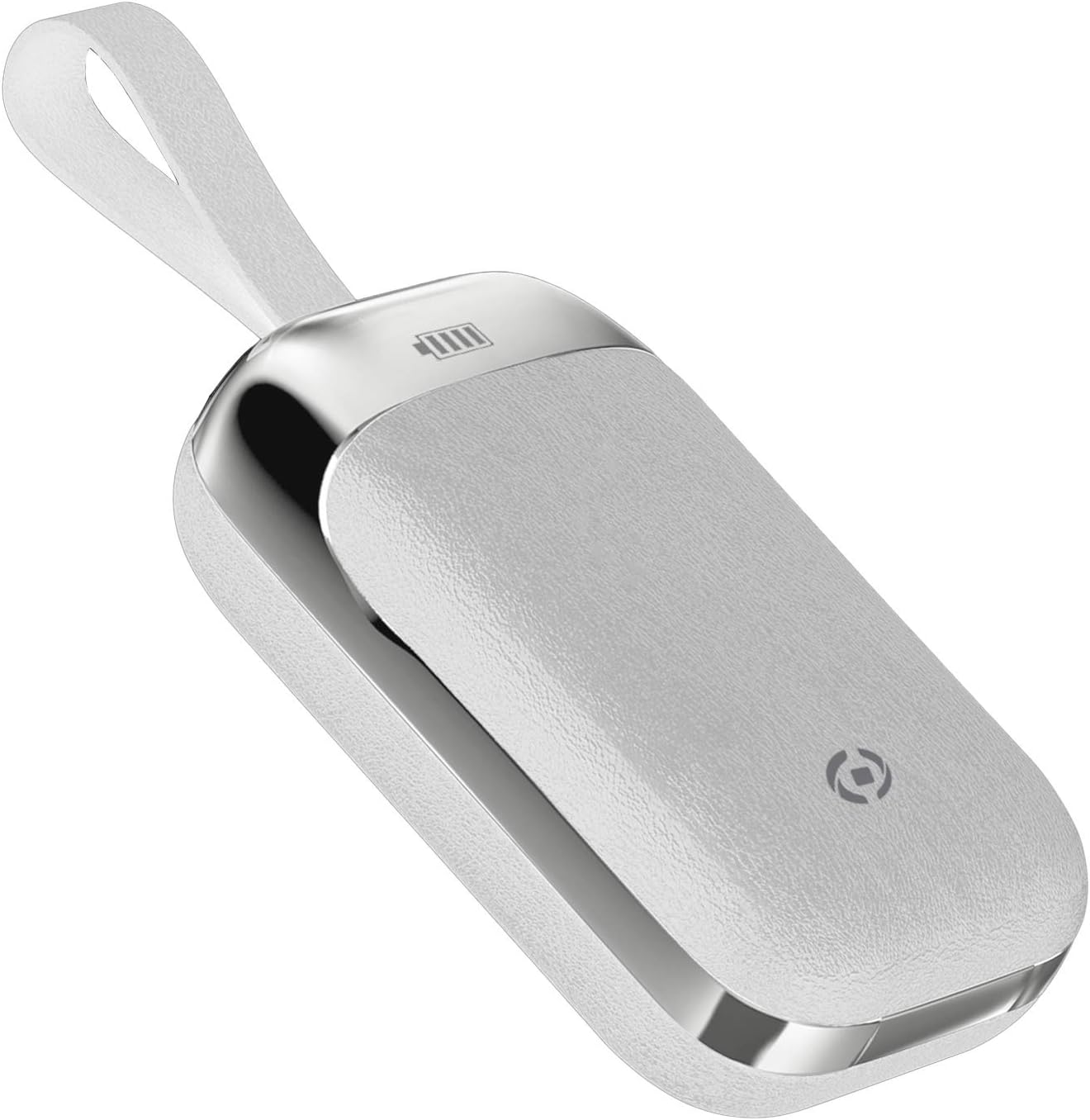
Image 3.2: The Celly FLIP1 charging case in a closed position, showing its compact design and integrated lanyard for easy carrying.

ภาพที่ 3.3: ระเบิด view illustrating the internal components of a Celly FLIP1 earbud, including the Bluetooth 5.0 chip, battery, and speaker driver.
4. การตั้งค่า
4.1 การชาร์จหูฟังและเคส
ก่อนใช้งานครั้งแรก ควรชาร์จหูฟังและเคสชาร์จให้เต็ม
- ใส่หูฟังลงในกล่องชาร์จ ตรวจสอบให้แน่ใจว่าหูฟังอยู่ในช่องที่ถูกต้อง
- Connect the MicroUSB charging cable to the charging port on the case and the other end to a USB power source (e.g., computer USB port, wall adapter).
- The indicator lights on the case and/or earbuds will show the charging status. Refer to the case for battery level indicators.
- A full charge typically takes approximately 1.5 hours. The charging case has a 400mAh capacity, and each earbud has a 50mAh battery.
Once fully charged, the earbuds provide approximately 4 hours of continuous music playback or talk time.
4.2 การจับคู่กับอุปกรณ์บลูทูธ
To connect your Celly FLIP1 earbuds to your smartphone or other Bluetooth-enabled device:
- ตรวจสอบให้แน่ใจว่าได้ชาร์จเอียร์บัดแล้ว
- Open the charging case and remove both earbuds. They will automatically power on and enter pairing mode. You may hear an audio prompt indicating they are ready to pair.
- บนอุปกรณ์ของคุณ ให้ไปที่การตั้งค่าบลูทูธ
- ค้นหา new devices. Select "Celly FLIP1" (or similar name) from the list of available devices.
- Once connected, you will hear a confirmation tone, and the earbuds' indicator lights may change.
- If pairing fails, place the earbuds back in the case, close it, and repeat the steps.
The earbuds have a wireless range of up to 10 meters (33 feet) from your connected device.
5. คู่มือการใช้งาน
The Celly FLIP1 earbuds feature multifunction keys for controlling audio playback and calls.
5.1 เปิด/ปิดเครื่อง
- เปิดเครื่อง: Remove earbuds from the charging case. They will power on automatically. Alternatively, press and hold the multifunction button on each earbud for a few seconds.
- หมดแรง: Place earbuds back into the charging case. They will power off automatically. Alternatively, press and hold the multifunction button on each earbud for several seconds until the indicator light turns off.
5.2 การเล่นเพลง
- เล่น/หยุดชั่วคราว: Press the multifunction button once on either earbud.
- เพลงถัดไป: Double-press the multifunction button on the right earbud.
- แทร็กก่อนหน้า: Double-press the multifunction button on the left earbud.
- การควบคุมระดับเสียง: Volume is typically controlled via your connected device.
5.3 การจัดการการโทร
- รับ/วางสาย: Press the multifunction button once on either earbud.
- ปฏิเสธสาย: Press and hold the multifunction button on either earbud for approximately 2 seconds.
- ผู้ช่วยเสียง: Triple-press the multifunction button on either earbud to activate your device's voice assistant (e.g., Siri, Google Assistant).
5.4 Mono/Stereo Mode
The Celly FLIP1 earbuds support both stereo (using both earbuds) and mono (using a single earbud) modes. Each earbud has an integrated microphone.
- To use in mono mode, simply remove one earbud from the case and leave the other in the case. The single earbud will connect to your device.
- To switch back to stereo, remove the second earbud from the case. It will automatically connect to the first earbud and your device.

Image 5.1: A user wearing Celly FLIP1 earbuds while interacting with a smartphone, demonstrating typical use.
6. การบำรุงรักษา
การบำรุงรักษาอย่างถูกต้องจะช่วยให้หูฟังของคุณมีอายุการใช้งานยาวนานและมีประสิทธิภาพเหมาะสมที่สุด
- การทำความสะอาด: ใช้ผ้านุ่ม แห้ง และไม่เป็นขุยทำความสะอาดหูฟังและกล่องชาร์จ ห้ามใช้น้ำยาทำความสะอาดที่มีฤทธิ์กัดกร่อน แอลกอฮอล์ หรือตัวทำละลายเคมี
- พื้นที่จัดเก็บ: When not in use, always store the earbuds in their charging case to protect them from dust, scratches, and damage.
- หลีกเลี่ยงความชื้น: Do not expose the earbuds or charging case to water, rain, or excessive humidity.
- อุณหภูมิ: Avoid storing or using the device in extreme temperatures (hot or cold).
7 การแก้ไขปัญหา
If you encounter issues with your Celly FLIP1 earbuds, refer to the following common solutions:
| ปัญหา | สารละลาย |
|---|---|
| หูฟังไม่เปิดเครื่อง | Ensure earbuds are charged. Place them in the charging case and connect the case to a power source. |
| หูฟังไม่จับคู่กับอุปกรณ์ | 1. Ensure Bluetooth is enabled on your device. 2. Place earbuds back in the case, close, then reopen and remove to re-enter pairing mode. 3. Forget/remove "Celly FLIP1" from your device's Bluetooth list and try pairing again. 4. Ensure earbuds are within 10 meters of your device. |
| หูฟังเอียร์บัดเดียวเท่านั้นที่ใช้งานได้ | 1. Ensure both earbuds are charged. 2. Place both earbuds back in the charging case, close the lid, wait a few seconds, then open and remove both simultaneously. 3. Re-pair the earbuds with your device. |
| ระดับเสียงต่ำหรือคุณภาพเสียงไม่ดี | 1. Adjust the volume on your connected device. 2. Ensure earbuds are clean and free of debris. 3. Check the fit of the earbuds in your ears. |
| เคสชาร์จไม่ชาร์จ | 1. Ensure the MicroUSB cable is securely connected to both the case and the power source. 2. Try a different MicroUSB cable or power adapter. |
8. ข้อมูลจำเพาะ
| คุณสมบัติ | รายละเอียด |
|---|---|
| ชื่อรุ่น | ฟลิป 1 |
| หมายเลขรุ่นสินค้า | FLIP1WH |
| เทคโนโลยีการเชื่อมต่อ | ไร้สาย (บลูทูธ 5.0) |
| ช่วงสาย | สูงถึง 10 เมตร (33 ฟุต) |
| ความจุแบตเตอรี่เอียร์บัด | 50 มิลลิแอมป์ (อันละ) |
| ความจุแบตเตอรี่ของเคสชาร์จ | 400 มิลลิแอมป์ |
| เวลาในการชาร์จ | ประมาณ 1.5 ชั่วโมง (หูฟังและเคส) |
| Music Playback / Talk Time | ประมาณ 4 ชั่วโมง |
| วัสดุ | พลาสติก |
| สี | สีขาว |
| น้ำหนักสินค้า | 50 กรัม |
| ขนาดสินค้า (กล่อง) | 10 x 17 x 3.5 ซม. |
| ส่วนประกอบที่รวมอยู่ | Charging box, Headphones, MicroUSB Cable |
9. ข้อมูลด้านความปลอดภัย
โปรดอ่านและปฏิบัติตามคำแนะนำด้านความปลอดภัยเหล่านี้เพื่อป้องกันความเสียหายต่ออุปกรณ์ของคุณหรือการบาดเจ็บต่อตัวคุณเอง:
- ห้ามถอดประกอบ ซ่อมแซม หรือดัดแปลงผลิตภัณฑ์
- เก็บอุปกรณ์ให้ห่างจากอุณหภูมิที่สูงหรือต่ำมาก แสงแดดโดยตรง และเปลวไฟ
- หลีกเลี่ยงการให้อุปกรณ์สัมผัสกับน้ำหรือของเหลวอื่นๆ
- Do not use the device at high volume for extended periods to prevent hearing damage.
- เก็บให้พ้นจากมือเด็กและสัตว์เลี้ยง
- กำจัดผลิตภัณฑ์และแบตเตอรี่อย่างถูกวิธีตามระเบียบข้อบังคับท้องถิ่น
10. การรับประกันและการสนับสนุน
Celly products are designed and manufactured to the highest quality standards. For information regarding warranty coverage, technical support, or service, please refer to the warranty card included with your purchase or visit the official Celly webเว็บไซต์.
โปรดเก็บหลักฐานการซื้อไว้เพื่อใช้ในกรณีเรียกร้องการรับประกัน


