1. บทนำ
The Global Teck Worldwide Bundle with EPOS Adapt 660 Wireless Headset is designed to maximize focus and productivity for streaming voice and video, distance learning, remote work, school, and conferencing applications such as Zoom, Webex, Meet, and Teams. This premium headset offers a personalized audio experience with advanced features for clear communication and concentration in various environments.
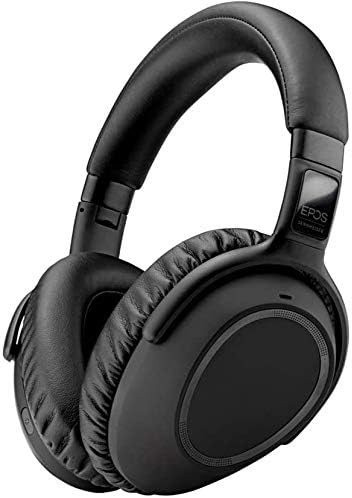
Figure 1: EPOS Adapt 660 Wireless Headset, a versatile audio solution for professional and personal use.
2. อะไรอยู่ในกล่อง
Your EPOS Adapt 660 Wireless Headset bundle includes the following components:
- EPOS (formerly Sennheiser) Adapt 660 Wireless Headset - TEAMS certified
- USB Dongle for wireless connectivity
- Global Teck Support Plan documentation
- Audio cable with 2.5 mm and 3.5 mm jack plugs
- USB cable with micro-USB connector for charging and wired connection

Figure 2: The EPOS Adapt 660 Wireless Headset, showcasing its comfortable over-ear design.
3. คู่มือการติดตั้ง
3.1 การชาร์จเริ่มต้น
Before first use, fully charge your headset using the provided USB cable. Connect the micro-USB end to the headset and the standard USB end to a power source (e.g., computer USB port or wall adapter).
3.2 การเชื่อมต่อผ่าน Bluetooth
- ตรวจสอบว่าชุดหูฟังเปิดอยู่
- Activate Bluetooth pairing mode on the headset (refer to the quick start guide for specific button presses, usually holding the power button).
- On your device (PC, Mac, Smartphone, Tablet), go to Bluetooth settings and select "EPOS Adapt 660" from the list of available devices.
- ยืนยันการจับคู่บนอุปกรณ์ของคุณ
3.3 การเชื่อมต่อผ่าน USB Dongle
For optimal performance with Unified Communication platforms, use the included USB dongle:
- เสียบดองเกิล USB เข้ากับพอร์ต USB ที่ว่างอยู่บนคอมพิวเตอร์ของคุณ
- เปิดใช้งานชุดหูฟัง ระบบจะเชื่อมต่อกับตัวรับสัญญาณโดยอัตโนมัติ
- Ensure the EPOS Adapt 660 is selected as the audio input and output device in your computer's sound settings and conferencing application settings.
3.4 การเชื่อมต่อแบบมีสาย
For a wired connection, use the provided audio cable:
- Connect the 2.5 mm jack to the headset's audio input.
- Connect the 3.5 mm jack to your device's audio output.
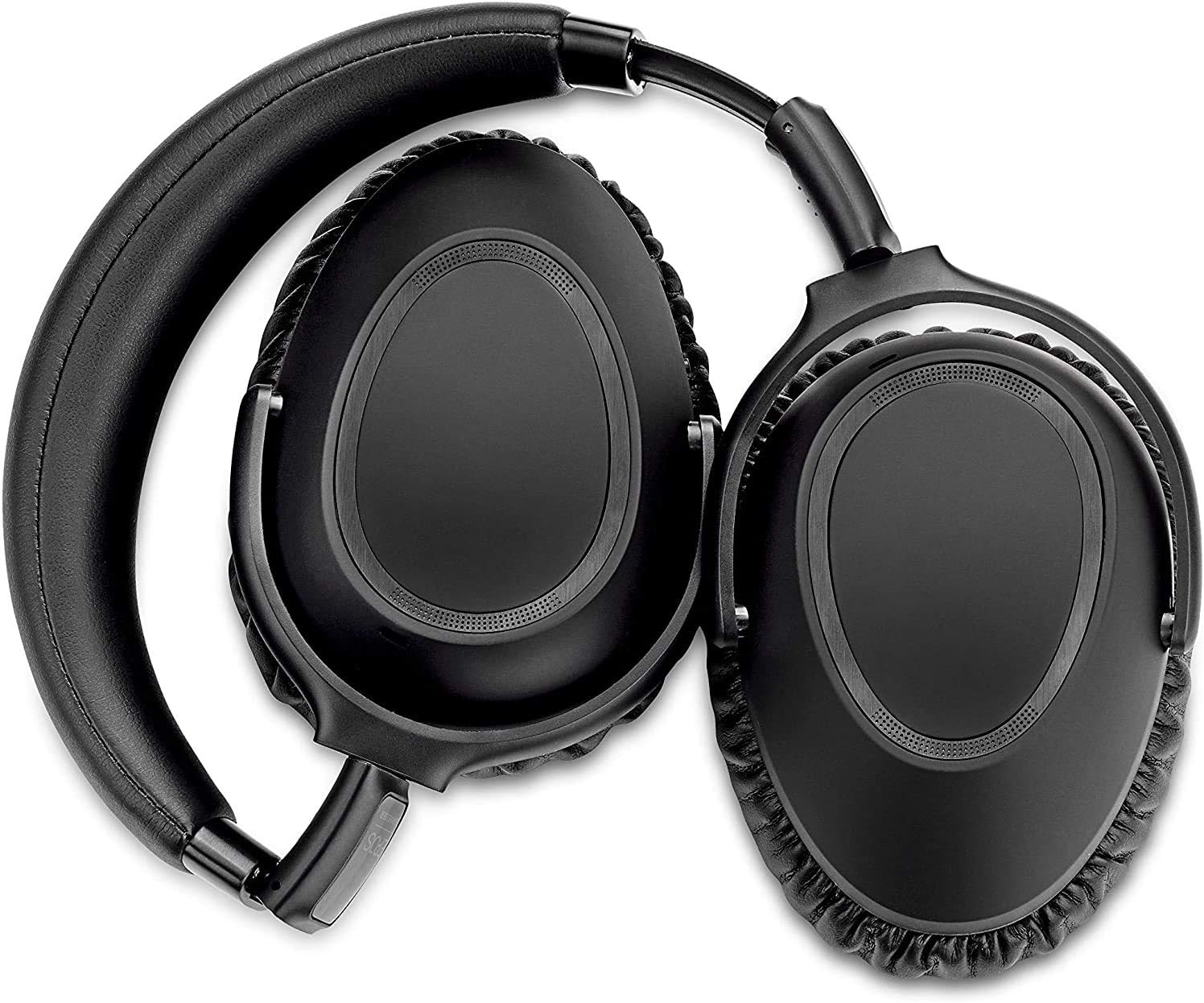
Figure 3: The EPOS Adapt 660 headset in its folded position, highlighting its portability.
4. คู่มือการใช้งาน
4.1 Call Clarity with EPOS AI™
The EPOS Adapt 660 features EPOS AI™ technology with 3 advanced speech microphones to ensure superb call clarity, even in noisy environments. This technology intelligently filters out background noise, allowing your voice to be heard clearly by others.
Video 1: Official product video demonstrating the EPOS MB660 Wireless Headset's features for streaming voice and video, highlighting its call clarity and noise cancellation capabilities.
4.2 ระบบตัดเสียงรบกวนแบบปรับได้ (ANC)
Regain concentration with the headset's adaptive active noise cancellation. This system utilizes 4 adaptive ANC microphones to monitor your working environment and automatically adjust noise reduction, providing an optimal listening experience.

รูปที่ 4: ระยะใกล้ view of the EPOS Adapt 660 headset's controls, including the Microsoft Teams button and other functional elements.
4.3 Microsoft Teams Certification and Alexa Voice Assistant
The Adapt 660 is Microsoft Teams certified, ensuring seamless integration and optimized performance for Teams calls. It also features an Alexa Voice Assistant for convenient voice control and access to information.

Figure 5: Diagram illustrating the "Smart Solution" features of the EPOS Adapt 660, including UC optimization, Microsoft Teams certification, and Alexa Voice Assistant integration.
4.4 Personalized Audio Experience
Experience a headset that places you at the center of an immersive personalized audio experience, combined with state-of-the-art technology. Adjust settings via the companion app to tailor the sound profile ตามความชอบของคุณ

Figure 6: A man wearing the EPOS Adapt 660 headset, demonstrating its comfortable fit and professional appearance.
4.5 แพลตฟอร์มที่รองรับ
The MB660 is designed to work with a wide range of platforms and voice applications, including but not limited to:
- ริงเซ็นทรัล
- ฟิวส์
- ขนาด 8x8
- ซูม
- Google แฮงเอาท์
- ไปประชุม
- โวนาจ
- รวมเป็นหนึ่ง
- บลูยีนส์
- อเมซอนไชม์
- ไมโครซอฟต์ทีม

Figure 7: Visual representation of various communication platforms compatible with the EPOS Adapt 660 headset, including Skype, Lync, Mitel, RingCentral, Cisco, Avaya, Amazon Chime, GoToMeeting, Zoom, Google Hangouts, Unify, Vonage, BlueJeans, 8x8, and Microsoft Teams.
5. การบำรุงรักษา
To ensure the longevity and optimal performance of your EPOS Adapt 660 Wireless Headset, follow these maintenance guidelines:
- การทำความสะอาด: ใช้ผ้าแห้งนุ่มเช็ดทำความสะอาดหูฟัง หลีกเลี่ยงการใช้สารเคมีรุนแรงหรือวัสดุที่มีฤทธิ์กัดกร่อน สำหรับฟองน้ำรองหู ให้เช็ดเบาๆ ด้วยผ้าสะอาดamp ผ้าและปล่อยให้แห้งสนิทก่อนใช้งาน
- พื้นที่จัดเก็บ: When not in use, store the headset in a cool, dry place, away from direct sunlight and extreme temperatures. Utilize the included carrying case (if applicable) for protection during travel.
- การดูแลแบตเตอรี่ เพื่อรักษาอายุการใช้งานของแบตเตอรี่ ควรหลีกเลี่ยงการปล่อยให้แบตเตอรี่หมดจนเกลี้ยงบ่อยๆ ชาร์จหูฟังเป็นประจำ แม้ว่าจะไม่ได้ใช้งานตลอดเวลาก็ตาม
- การจัดการสายเคเบิล: Store cables neatly to prevent tangling and damage. Avoid sharp bends or kinks in the cables.
6 การแก้ไขปัญหา
This section addresses common issues you might encounter with your EPOS Adapt 660 Wireless Headset. If you experience problems not listed here, please refer to the Global Teck Support Plan or contact customer support.
| ปัญหา | สาเหตุที่เป็นไปได้ | สารละลาย |
|---|---|---|
| ไม่มีเสียง/คุณภาพเสียงไม่ดี | Headset not connected; Low battery; Incorrect audio settings; Interference. | Ensure headset is paired/connected; Charge headset; Check device's audio output settings; Move closer to device or away from interference sources. |
| ไมโครโฟนไม่ทำงาน | Microphone muted; Incorrect input device selected; Software issue. | Unmute microphone on headset/software; Select EPOS Adapt 660 as input device; Restart application/device. |
| ไม่สามารถจับคู่ผ่านบลูทูธได้ | Headset not in pairing mode; Device Bluetooth off; Already connected to another device. | Put headset in pairing mode; Enable Bluetooth on device; Disconnect from other devices and try again. |
| ANC ไม่มีประสิทธิภาพ | ANC feature not activated; Extreme noise levels. | Ensure ANC is turned on; While adaptive ANC adjusts, some very loud or sudden noises may still be audible. |
7. ข้อมูลจำเพาะ
| คุณสมบัติ | รายละเอียด |
|---|---|
| ชื่อรุ่น | ปรับ 660 |
| การควบคุมเสียงรบกวน | ระบบตัดเสียงรบกวนแบบแอคทีฟ (ปรับได้) |
| แจ็คหูฟัง | แจ็ค 2.5 มม., แจ็ค 3.5 มม. |
| เทคโนโลยีการเชื่อมต่อ | USB CONNECTOR, BLUETOOTH, 3.5MM/2.5MM |
| เทคโนโลยีการสื่อสารไร้สาย | บลูทูธ 4.2 |
| อุปกรณ์ที่รองรับ | PC, Mac, Smartphones, Tablets, Unified Communication Devices |
| ประเภทการควบคุม | การควบคุมด้วยเสียง |
| น้ำหนักสินค้า | 2 ปอนด์ |
| ช่วงความถี่ | 20 เฮิรตซ์ - 20,000 เฮิรตซ์ |
| Number of Items in Bundle | 3 |
| ผู้ผลิต | EPOS - Sennheiser |
| สี | สีดำ |
| การวางตำแหน่งหู | บนหู |
| อิมพีแดนซ์ | 32 โอห์ม |
8. การรับประกันและการสนับสนุน
This product includes a Global Teck Gold Support Plan. For any technical assistance, troubleshooting, or warranty claims, please refer to the documentation provided with your Global Teck Support Plan or contact Global Teck Worldwide customer service directly.
หากต้องการข้อมูลเพิ่มเติม โปรดเยี่ยมชม Global Teck Worldwide Store on Amazon.


