การแนะนำ
The 4smarts Powerbank Enterprise 2 is a high-capacity 20000 mAh portable charger designed to provide fast and efficient power to a wide range of electronic devices. With a total output of 130 watts and multiple charging ports, it supports various fast charging standards, including Power Delivery (PD), Qualcomm Quick Charge 3.0 (QC3.0), and Samsung Adaptive Fast Charge. This manual provides essential information for the safe and optimal use of your power bank.

Image: The 4smarts Powerbank Enterprise 2, highlighting its 130W output capability.
การตั้งค่า
การชาร์จเบื้องต้น
Before first use, fully charge your 4smarts Powerbank Enterprise 2. For the fastest charging experience, use a 100W Power Delivery (PD) compatible wall charger and a USB-C to USB-C cable (sold separately). The power bank can be fully recharged in approximately 60 minutes with a 100W charger.
ไฟ LED แสดงสถานะ
The power bank features LED indicators to display the current charge level. Observe these lights to monitor the battery status during charging and discharging.
คำแนะนำการใช้งาน
การชาร์จพาวเวอร์แบงค์
- Connect a compatible charging cable to either the ยูเอสบี-ซี1 or ยูเอสบี-ซี2 input port on the power bank. For optimal speed, use the USB-C1 port with a 100W PD charger.
- อีกวิธีหนึ่งคุณสามารถใช้ ไมโคร USB input port with a compatible cable and charger.
- ไฟ LED จะสว่างขึ้นเพื่อแสดงความคืบหน้าในการชาร์จ ไฟ LED ทุกดวงจะสว่างคงที่เมื่อชาร์จเต็ม
การชาร์จอุปกรณ์ภายนอก
The Powerbank Enterprise 2 offers multiple output ports to charge your devices:
- USB-C1 Output (PD/PPS): Up to 100W for fast charging laptops (e.g., MacBook Pro), tablets, and smartphones.
- USB-C2 Output (PD): Up to 30W for fast charging tablets and smartphones.
- เอาต์พุต USB-A (QC3.0): Up to 18W for devices supporting Qualcomm Quick Charge 3.0 or other standard charging protocols.
ในการชาร์จอุปกรณ์:
- Connect your device to the appropriate output port on the power bank using a compatible charging cable.
- พาวเวอร์แบงค์จะเริ่มชาร์จอุปกรณ์ของคุณโดยอัตโนมัติ หากไม่เริ่มชาร์จ ให้กดปุ่มเปิด/ปิดหนึ่งครั้งเพื่อเริ่มการชาร์จ
- You can charge multiple devices simultaneously. The total output is up to 130W (e.g., USB-C1 at 100W + USB-C2 at 30W). For safety, if the total output exceeds 130W, the power bank will regulate the output of each port accordingly.

Image: Diagram illustrating the various input and output ports of the power bank, including their respective wattages and functions (Micro USB input, USB-C1 input/output with PD/PPS, USB-C2 input/output with PD, and USB-A output with QC3.0).
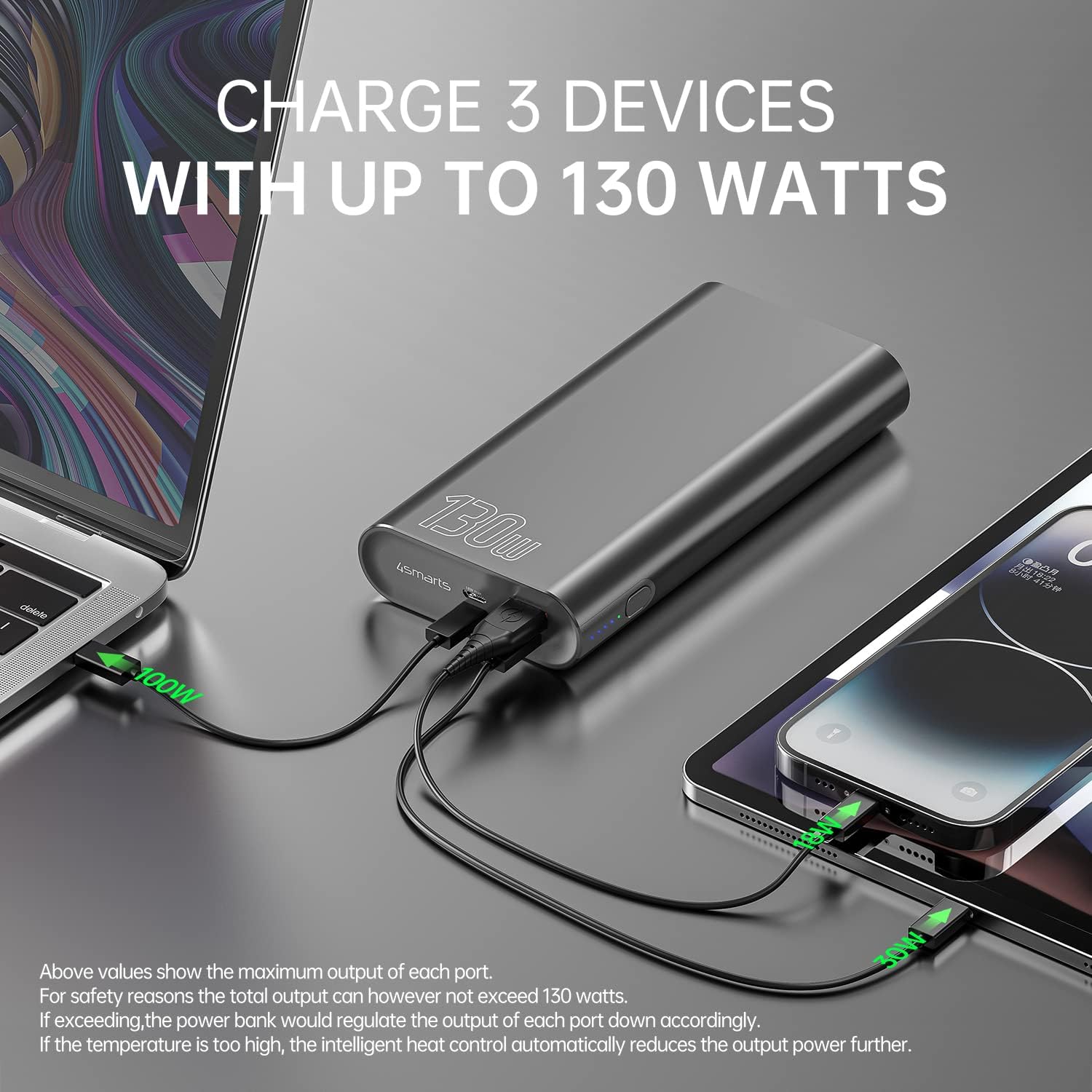
Image: The power bank connected and simultaneously charging a laptop and a tablet, demonstrating its multi-device charging capability.

Image: The power bank charging a MacBook Pro 16", illustrating 100W fast charging to reach 50% in 45 minutes.
การซ่อมบำรุง
- การทำความสะอาด: ใช้ผ้านุ่มและแห้งเช็ดทำความสะอาดพาวเวอร์แบงค์ หลีกเลี่ยงการใช้สารเคมีรุนแรงหรือวัสดุที่มีฤทธิ์กัดกร่อน
- พื้นที่จัดเก็บ: เก็บพาวเวอร์แบงค์ไว้ในที่แห้งและเย็น หลีกเลี่ยงแสงแดดโดยตรง อุณหภูมิที่สูงและสูงเกินไป และความชื้น
- การดูแลแบตเตอรี่ เพื่อยืดอายุการใช้งานแบตเตอรี่ ควรชาร์จแบตเตอรี่สำรองให้เต็มอย่างน้อยทุกๆ สามเดือน หากไม่ได้ใช้งานเป็นประจำ หลีกเลี่ยงการปล่อยให้แบตเตอรี่หมดเกลี้ยงเป็นเวลานาน
- การจัดการ: Do not drop, puncture, or disassemble the power bank. This can damage the internal components and void the warranty.
การแก้ไขปัญหา
- พาวเวอร์แบงค์ไม่ชาร์จ: Ensure the charging cable and wall adapter are functioning correctly and are securely connected. For fastest charging, use a 100W PD charger with the USB-C1 port.
- อุปกรณ์ไม่ชาร์จจากพาวเวอร์แบงค์: Ensure the power bank has sufficient charge. Press the power button to activate output if necessary. Check that the cable connecting your device to the power bank is not damaged and is compatible.
- การชาร์จช้า: Verify that your device and cable support fast charging protocols (PD, QC3.0) and are connected to the appropriate high-output port (USB-C1 for up to 100W, USB-C2 for up to 30W, USB-A for up to 18W).
- ความร้อนสูงเกินไป: The power bank features intelligent heat control. If the temperature is too high, it will automatically reduce output power. Ensure proper ventilation during use.
The 4smarts Powerbank Enterprise 2 is equipped with multiple safety features, including overload protection, short circuit protection, intelligent charge shutdown, and deep discharge protection, to ensure safe operation.

Image: An internal diagram of the power bank, showcasing its certified safety features such as overload protection, short circuit protection, intelligent charge shutdown, and deep discharge protection.
ข้อมูลจำเพาะ
| คุณสมบัติ | รายละเอียด |
|---|---|
| ชื่อรุ่น | Powerbank Enterprise 2 |
| หมายเลขรุ่นสินค้า | 4S468747 |
| ความจุของแบตเตอรี่ | 20000 มิลลิแอมป์ |
| ส่วนประกอบของเซลล์แบตเตอรี่ | Lithium-ion (4 Tesla 21700 Li-ion cells) |
| อินพุต Micro USB | กระแสไฟ DC 5V/2A, 9V/2A, 12V/1.5A (สูงสุด 18W) |
| USB-C1 Input/Output (PD/PPS) | DC 5V/3A, 9V/3A, 12V/3A, 15V/3A, 20V/5A (Max 100W) |
| USB-C2 Input/Output (PD) | DC 5V/3A, 9V/3A, 12V/3A, 15V/2A, 20V/1.5A (Max 30W) |
| ช่องต่อ USB-A (QC3.0) | กระแสไฟ DC 5V/3A, 9V/2A, 12V/1.5A (สูงสุด 18W) |
| ผลผลิตรวม | 130W (USB-C1 100W + USB-C2 30W) |
| Power Bank Charging Time | Approx. 60 minutes (with 100W AC charger and cable, sold separately) |
| ขนาด (กว้าง x ยาว x สูง) | 15.2 x 7.5 x 2.5 ซม. (5.98 x 2.95 x 0.98 นิ้ว) |
| น้ำหนักสินค้า | 515 กรัม (1.13 ปอนด์) |
| สี | สีดำ |
| คุณสมบัติพิเศษ | Fast Charging, Overload Protection, Short Circuit Protection, Deep Discharge Protection |
| การใช้ที่แนะนำ | iPhone, Laptop, Smartphone, Tablet |
ข้อมูลด้านความปลอดภัย
- อย่าให้พาวเวอร์แบงค์สัมผัสกับน้ำ ไฟ หรืออุณหภูมิที่สูงเกินไป
- หลีกเลี่ยงการทำพาวเวอร์แบงค์ตกหรือกระแทกแรงๆ
- Do not attempt to disassemble, repair, or modify the power bank.
- เก็บให้พ้นจากมือเด็ก
- ใช้เฉพาะสายชาร์จและอะแดปเตอร์ที่รองรับของแท้หรือผ่านการรับรองเท่านั้น
- กำจัดพาวเวอร์แบงค์อย่างมีความรับผิดชอบตามกฎระเบียบท้องถิ่นเกี่ยวกับขยะอิเล็กทรอนิกส์
การรับประกันและการสนับสนุน
การรับประกัน
The 4smarts Powerbank Enterprise 2 comes with a manufacturer's warranty. Please refer to the warranty card included in the product packaging or visit the official 4smarts webเว็บไซต์สำหรับข้อกำหนดและเงื่อนไขการรับประกันโดยละเอียดที่เฉพาะเจาะจงกับภูมิภาคของคุณ
การสนับสนุนลูกค้า
For technical assistance, troubleshooting, or any questions regarding your 4smarts Powerbank Enterprise 2, please contact 4smarts customer support. Contact information can typically be found on the official 4smarts webเว็บไซต์หรือในบรรจุภัณฑ์ของผลิตภัณฑ์


