การแนะนำ
This manual provides essential information for the installation, operation, and maintenance of your Gravity Warzone G715D2 15-Inch Subwoofer. Please read this manual thoroughly before using the product to ensure proper function and longevity.
The Gravity Warzone G715D2 is a high-performance car audio subwoofer designed to reproduce deep, powerful bass frequencies, enhancing your in-car audio experience. It features a competition-grade pressed paper cone and a high-roll foam surround for optimal sound reproduction and durability.
คุณสมบัติหลัก
- 4800 Watts Peak Power: Designed for high-performance car audio systems.
- 2 Ohm DVC (Dual Voice Coil): มีตัวเลือกการเดินสายที่ยืดหยุ่นสำหรับหลากหลายรูปแบบ ampการกำหนดค่าลิไฟเออร์
- Competition Grade Pressed Paper Cone: Ensures robust and accurate bass response.
- High Roll Foam Surround: Provides excellent excursion and durability.
- Advanced Air Flow Cooling System: Helps dissipate heat for sustained performance.
- การตอบสนองความถี่กว้าง: 30 - 500Hz for deep and impactful bass.
- ความไวสูง: 89 dB for efficient power utilization.
การติดตั้งและการตั้งค่า
Proper installation is crucial for the performance and longevity of your subwoofer. It is highly recommended that installation be performed by a qualified car audio professional.
การเลือกกรง
The G715D2 subwoofer is designed to be used with a suitable enclosure. The type and size of the enclosure significantly impact the subwoofer's sound characteristics. Common enclosure types include sealed, ported, and bandpass. Consult with a car audio specialist or refer to online resources for recommended enclosure volumes and port tuning frequencies for a 15-inch subwoofer.
For optimal bass, a 12-inch or 15-inch subwoofer is generally recommended if space permits. The advantage of purchasing the bare subwoofer is the flexibility to build or buy a custom enclosure that perfectly fits your vehicle and audio system requirements.
Wiring Configurations (2 Ohm DVC)
The G715D2 features a Dual Voice Coil (DVC) design with 2 Ohm coils, offering versatile wiring options to match your ampข้อกำหนดอิมพีแดนซ์ของเครื่องขยายเสียง
- โหลด 1 โอห์ม: Wire the two 2 Ohm voice coils in parallel. This configuration provides maximum power output from compatible ampลิตเตอร์
- โหลด 4 โอห์ม: Wire the two 2 Ohm voice coils in series. This configuration is suitable for amplifiers stable at 4 Ohms.
ให้แน่ใจว่าคุณเสมอ amplifier is stable at the chosen impedance load to prevent damage to both the amplifier and the subwoofer. Refer to your amplifier's manual for its impedance capabilities.
การติดตั้งซับวูฟเฟอร์
Securely mount the subwoofer into the chosen enclosure using appropriate screws and a tight seal. Ensure no air leaks are present around the mounting flange, as this can negatively affect performance.

ภาพ: ด้านข้าง view of the Gravity Warzone G715D2 subwoofer, highlighting the sturdy construction and wiring terminals.
คำแนะนำการใช้งาน
Once installed, follow these guidelines for optimal operation and sound quality.
ช่วงปรับตัว
Allow a break-in period of approximately 20-30 hours of normal listening before pushing the subwoofer to its limits. This allows the suspension components (surround and spider) to loosen up and reach their optimal compliance, improving performance and longevity.
Ampการตั้งค่าอัตราขยายของแอมพลิฟายเออร์
ตั้งค่าของคุณ amplifier's gain correctly to match the output voltage of your head unit. An improperly set gain can lead to clipping, which can damage the subwoofer. It is recommended to use an oscilloscope or consult a professional for accurate gain setting.
การตั้งค่าครอสโอเวอร์
ใช้ประโยชน์จากคุณ amplifier's or head unit's low-pass filter (LPF) to send only low frequencies to the subwoofer. A typical LPF setting for a subwoofer is between 60Hz and 100Hz. Experiment with settings to find the best blend with your main speakers.
ตัวกรองเปรี้ยงปร้าง
หากคุณ amplifier has a subsonic filter, enable it and set it slightly below your ported enclosure's tuning frequency (if applicable) or around 25-30Hz for sealed enclosures. This protects the subwoofer from playing frequencies too low for it to reproduce safely, preventing over-excursion and potential damage.
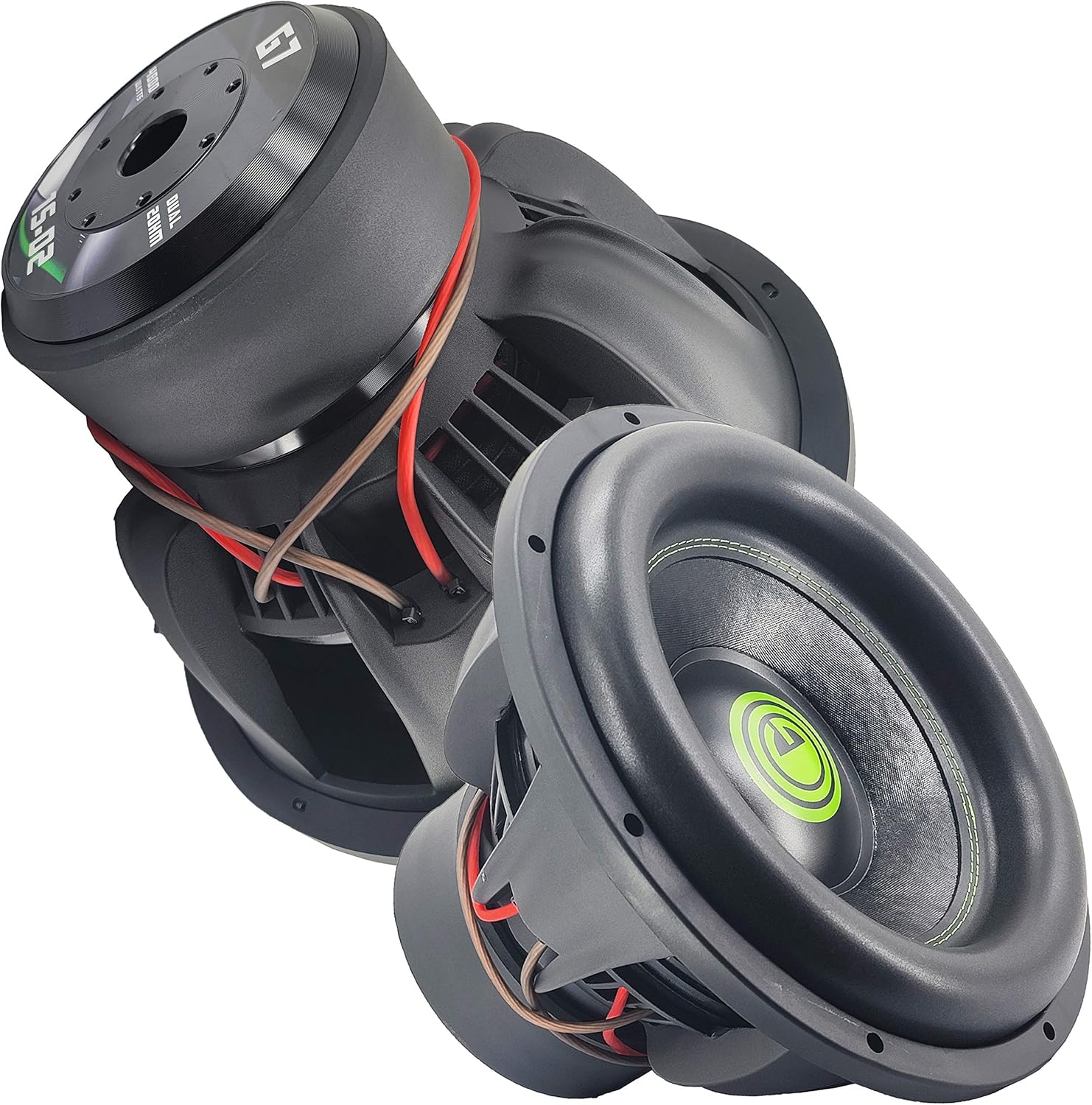
Image: Two Gravity Warzone G715D2 subwoofers, illustrating their size and design.
การซ่อมบำรุง
The Gravity Warzone G715D2 subwoofer requires minimal maintenance to ensure long-term performance.
- การทำความสะอาด: Periodically wipe the cone and surround with a soft, dry cloth to remove dust and debris. Avoid using harsh chemicals or excessive moisture.
- การตรวจสอบ: Regularly inspect the subwoofer for any signs of damage to the cone, surround, or spider. Check wiring connections for tightness and corrosion.
- ปัจจัยด้านสิ่งแวดล้อม: Protect the subwoofer from extreme temperatures, direct sunlight, and excessive moisture, which can degrade materials over time.
การแก้ไขปัญหา
หากคุณประสบปัญหาเกี่ยวกับซับวูฟเฟอร์ โปรดดูปัญหาทั่วไปและวิธีแก้ไขต่อไปนี้:
| ปัญหา | สาเหตุที่เป็นไปได้ | สารละลาย |
|---|---|---|
| ไม่มีเสียงจากซับวูฟเฟอร์ |
|
|
| เสียงผิดเพี้ยน |
|
|
| เอาท์พุตเสียงเบสอ่อน |
|
|
ข้อมูลจำเพาะ
| คุณสมบัติ | รายละเอียด |
|---|---|
| แบบอย่าง | G715D2 |
| ขนาด | 15 นิ้ว |
| พลังสูงสุด | 4800 วัตต์ |
| การกำหนดค่าคอยล์เสียง | 2 Ohm DVC (Dual Voice Coil) |
| วัสดุรูปกรวย | Competition Grade Pressed Paper |
| วัสดุรอบทิศทาง | High Roll Foam |
| ระบบระบายความร้อน | ระบบการไหลเวียนอากาศขั้นสูง |
| การตอบสนองความถี่ | 30 - 500Hz |
| ความไวต่อความรู้สึก | 89 เดซิเบล |
| อุปกรณ์ที่รองรับ | Smartphone, Tablet, MP3 Player, Laptop (Note: Refers to audio source devices for the overall system, not direct subwoofer connection.) |

ภาพ: ด้านบน view of the Gravity Warzone G715D2 subwoofer, showcasing the cone and branding.
ข้อมูลการรับประกัน
Gravity products are manufactured to the highest quality standards. For specific warranty terms and conditions, please refer to the warranty card included with your product or visit the official Gravity webไซต์ โปรดเก็บใบเสร็จรับเงินของคุณไว้เป็นหลักฐานการซื้อสำหรับการเรียกร้องการรับประกันใดๆ
การสนับสนุนลูกค้า
For technical assistance, troubleshooting, or general inquiries, please contact Gravity customer support. Contact information can typically be found on the product packaging or the official Gravity webเว็บไซต์.
ผู้ผลิต: แรงโน้มถ่วง
วันที่เข้าใช้งานครั้งแรก: 3 ตุลาคม 2020


