การแนะนำ
The SVAKOM Phoenix Neo is an interactive app-controlled bullet vibrator designed for personal use. This manual provides essential information for the safe and effective operation, maintenance, and care of your device.
Key features include remote control via a dedicated application, a visual light display that synchronizes with vibrations, and convenient magnetic charging.
เนื้อหาแพ็คเกจ
โปรดตรวจสอบให้แน่ใจว่ามีสินค้าทั้งหมดอยู่ในแพ็คเกจ:
- SVAKOM Phoenix Neo device
- สายชาร์จแบบแม่เหล็ก
- คู่มือการใช้งาน (เอกสารนี้)
- Storage pouch (if included)

Image: The SVAKOM Phoenix Neo device, its magnetic charging cable, and a storage pouch. This image illustrates the typical contents of the product package.
การตั้งค่า
1. การชาร์จครั้งแรก
Before first use, fully charge the device. The Phoenix Neo features magnetic charging for ease of use.
- Connect the magnetic charging cable to a USB power source (e.g., computer, USB wall adapter).
- Align the magnetic end of the cable with the charging port on the device. The magnets will snap it into place.
- The LED indicator on the device will show charging status. Refer to the device's specific light patterns for full charge indication (usually a solid light or change in color). Charging time is approximately 1 hour.

ภาพ: ภาพระยะใกล้ view demonstrating the magnetic charging cable connecting to the SVAKOM Phoenix Neo device.
2. การติดตั้งและการเชื่อมต่อแอป
The Phoenix Neo is controlled via a dedicated mobile application.
- Download the "SVAKOM" app from your device's app store (available on Apple App Store and Google Play Store).
- ตรวจสอบให้แน่ใจว่าอุปกรณ์มือถือของคุณเปิดใช้งานบลูทูธแล้ว
- Turn on the Phoenix Neo device by pressing and holding the power button (usually indicated by the SVAKOM logo) until it vibrates or the LED lights up.
- Open the SVAKOM app and follow the on-screen instructions to pair your device. The app will guide you through the connection process.
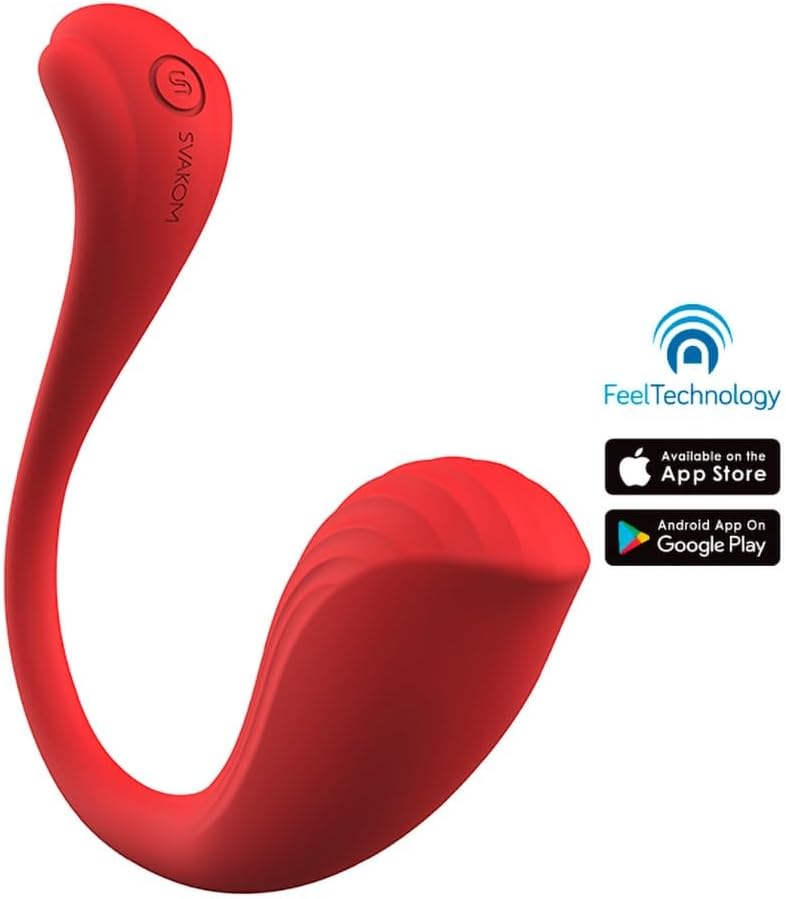
Image: The SVAKOM Phoenix Neo device displayed alongside the Apple App Store and Google Play Store logos, indicating app compatibility.
คำแนะนำการใช้งาน
การทำงานพื้นฐาน
- เปิด/ปิดเครื่อง: Press and hold the power button (SVAKOM logo) for 2-3 seconds to turn the device on or off.
- ควบคุมด้วยมือ: Short press the power button to cycle through the 11 vibration modes.
- Visual Light Display: The illuminating LED indicator at the tip of the tail lights up, synchronizing with the vibration patterns.
การควบคุมแอพ
Once connected to the SVAKOM app, you can access advanced control features:
- รีโมทคอนโทรล: Control the device's vibrations and patterns from your mobile device.
- การปรับแต่ง: Explore various vibration modes and patterns, or create your own.
- การเล่นแบบโต้ตอบ: The app may offer interactive features for partner play or long-distance control.
การซ่อมบำรุง
การทำความสะอาด
The Phoenix Neo is waterproof, making cleaning simple and hygienic.
- After each use, wash the device with warm water and a mild, toy-safe soap.
- ล้างให้สะอาดเพื่อขจัดคราบสบู่ที่เหลือออกให้หมด
- ซับให้แห้งด้วยผ้าที่ไม่เป็นขุย หรือปล่อยให้แห้งสนิทก่อนจัดเก็บ
- Do not use cleaners containing alcohol, petroleum, or acetone, as these can damage the silicone material.
พื้นที่จัดเก็บ
- เก็บอุปกรณ์ไว้ในที่สะอาด แห้ง และเย็น หลีกเลี่ยงแสงแดดโดยตรงและอุณหภูมิที่สูงหรือต่ำเกินไป
- Keep it separate from other toys made of different materials to prevent material degradation. The included storage pouch is ideal for this purpose.
การแก้ไขปัญหา
| ปัญหา | สาเหตุที่เป็นไปได้ | สารละลาย |
|---|---|---|
| อุปกรณ์ไม่เปิด | แบตเตอรี่อ่อน | Charge the device fully using the magnetic charging cable. |
| อุปกรณ์ไม่ชาร์จ | Improper cable connection; faulty cable/charger; device malfunction. | Ensure the magnetic cable is correctly aligned and connected. Try a different USB power source. If the issue persists, contact customer support. |
| ไม่สามารถเชื่อมต่อกับแอปได้ | Bluetooth is off; device is off; app not updated; pairing issue. | Ensure Bluetooth is enabled on your phone and the device is powered on. Restart the app and the device. Try re-pairing through the app's settings. |
| การสั่นสะเทือนอ่อนมากหรือไม่มีเลย | แบตเตอรี่เหลือน้อย; อุปกรณ์ทำงานผิดปกติ | Charge the device. If the problem continues after charging, contact customer support. |
ข้อมูลจำเพาะ
- ชื่อสินค้า : Phoenix Neo
- วัสดุ: Silicone, ABS+PC, Metals
- ขนาด: 118 x 32 x 116.3 มม. (4.65 x 1.26 x 4.58 นิ้ว)
- น้ำหนัก: 70 กรัม (2.47 ออนซ์)
- โหมดการสั่นสะเทือน: 11
- ประเภทแบตเตอรี่: แบตเตอรี่โพลิเมอร์ลิเธียม
- ความจุแบตเตอรี่: 400 มิลลิแอมป์
- เวลาในการชาร์จ: 1 ชั่วโมง
- การใช้เวลา: 1 ชั่วโมง
- คุณสมบัติการกันน้ำ: กันน้ำ
- หมายเลขรุ่น: 05512360000
ข้อมูลการรับประกัน
Specific warranty details are not provided in the product description. Please refer to the official SVAKOM website or contact SVAKOM customer support for detailed warranty information regarding the Phoenix Neo device.
สนับสนุน
For further assistance, product inquiries, or technical support, please visit the official SVAKOM brand store or contact their customer service.
SVAKOM Brand Store: Explore Your Limits with SVAKOM


