1. บทนำ
This manual provides detailed instructions for the Delton 10X Bluetooth Computer Headset. This wireless headset is designed for clear communication and extended use, featuring Bluetooth 5.0 connectivity, a noise-canceling microphone, and a USB dongle for versatile compatibility. Please read this manual thoroughly to ensure proper setup and operation of your device.

ภาพที่ 1.1: The Delton 10X Bluetooth Computer Headset and its accompanying USB dongle. This image displays the headset's over-the-head design, single ear cup, adjustable microphone boom, and the compact USB dongle.
2. เนื้อหาบรรจุภัณฑ์
ตรวจสอบว่ามีรายการทั้งหมดอยู่ในแพ็คเกจของคุณ:
- Delton 10X Bluetooth Headset
- ดองเกิล USB
- สายชาร์จ
- คู่มือการใช้งาน (เอกสารนี้)
3. คุณสมบัติของผลิตภัณฑ์
The Delton 10X headset offers a range of features designed for optimal performance and user comfort:
- การเชื่อมต่อบลูทูธ 5.0: รับประกันการเชื่อมต่อไร้สายที่เสถียรและมีประสิทธิภาพได้ไกลถึง 30 ฟุต
- ไมโครโฟนตัดเสียงรบกวน: Reduces background noise for clear voice transmission.
- ไมโครโฟนหมุนได้ 270°: Allows for flexible positioning and use on either ear.
- อายุการใช้งานแบตเตอรี่ที่ยาวนานขึ้น: Up to 15 hours talk time, 18 hours play time, and 160 hours standby time.
- การชาร์จด่วน: ชาร์จเต็มในเวลาประมาณ 1.5 ชั่วโมง
- Adjustable Headband & Plush Ear Cushion: Provides comfort for prolonged wear.
- Ear Gripper T-Pad: Ensures secure fit during movement.
- เข้ากันได้สากล: Works with smartphones, tablets, desktop PCs, laptops, and supports iOS and Windows platforms.

ภาพที่ 3.1: A visual summary of the Delton 10X headset's key features, including 15 hours talk time, Bluetooth 5.0, adjustable headband, high fidelity sound, noise-canceling mic, rotatable mic, long battery backup, voice assistant support, and plush cushions.
3.1 ประสิทธิภาพของแบตเตอรี่
The Delton 10X headset is equipped with a long-lasting battery to support your daily communication needs.
- เวลาสนทนา: นานถึง 15 ชั่วโมง
- เวลาเล่น: นานถึง 18 ชั่วโมง
- เวลาสแตนด์บาย: นานถึง 160 ชั่วโมง
- เวลาในการชาร์จ: ประมาณ 1.5 ชั่วโมง
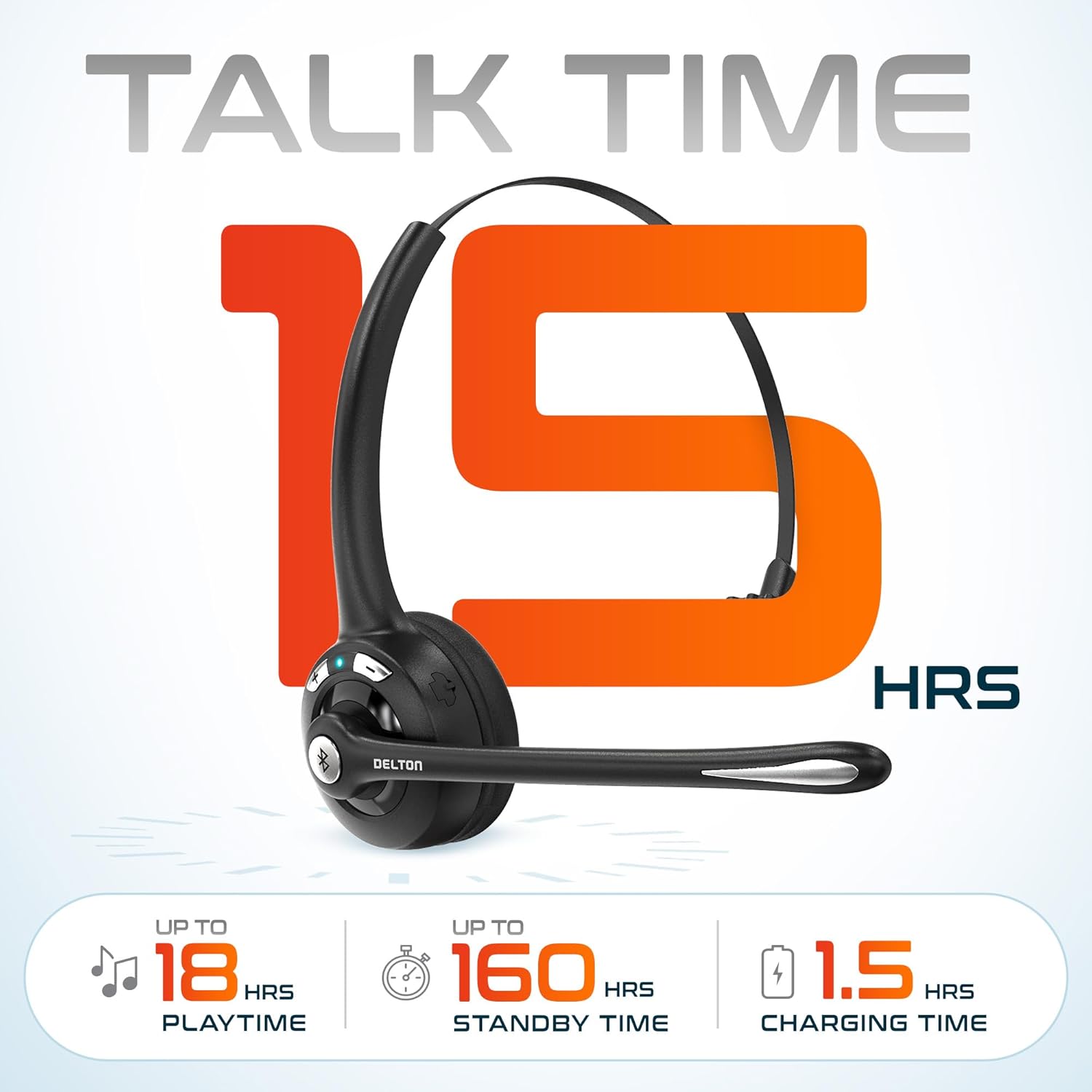
ภาพที่ 3.2: An infographic detailing the battery performance of the Delton 10X headset, highlighting 15 hours of talk time, 18 hours of play time, 160 hours of standby time, and a 1.5-hour charging time.
3.2 เทคโนโลยีขั้นสูง
The headset incorporates an advanced chipset for seamless connectivity and improved power efficiency.

ภาพที่ 3.3: ภาพระยะใกล้ view of the headset's internal components, illustrating the advanced Bluetooth 5.0 chipset. This image emphasizes the technology that reduces outside noise, improves power efficiency, and provides seamless connectivity up to 30 feet.
4. การตั้งค่า
4.1 การชาร์จชุดหูฟัง
- Connect the provided charging cable to the charging port on the headset.
- เสียบปลายอีกด้านของสายเคเบิลเข้ากับแหล่งจ่ายไฟ USB (เช่น พอร์ต USB ของคอมพิวเตอร์ อะแดปเตอร์ติดผนัง)
- ไฟ LED แสดงสถานะการชาร์จ การชาร์จเต็มใช้เวลาประมาณ 1.5 ชั่วโมง
4.2 เปิด/ปิดเครื่อง
- การเปิดเครื่อง: Press and hold the Multi-Function Button (MFB) until the LED indicator flashes blue.
- วิธีปิดเครื่อง: Press and hold the MFB until the LED indicator flashes red and then turns off.
4.3 Bluetooth Pairing (Direct)
To connect the headset directly to a Bluetooth-enabled device (e.g., smartphone, tablet):
- ตรวจสอบว่าชุดหูฟังปิดอยู่
- Press and hold the MFB for approximately 5-7 seconds until the LED indicator flashes red and blue alternately, indicating pairing mode.
- บนอุปกรณ์ของคุณ เปิดใช้งานบลูทูธและค้นหาอุปกรณ์ที่มีอยู่
- Select "Delton 10X" from the list of found devices.
- Once connected, the LED indicator on the headset will flash blue slowly.
4.4 การเชื่อมต่อดองเกิล USB
For computers without native Bluetooth or for a more stable connection, use the included USB dongle. The dongle provides instant auto-pairing.
- Plug the USB dongle into an available USB port on your computer. The dongle's LED will blink.
- Power on your Delton 10X headset.
- The headset and dongle will automatically pair. The dongle's LED will turn solid blue, and the headset's LED will flash blue slowly once connected.
- Ensure the Delton 10X is selected as the audio input and output device in your computer's sound settings.

ภาพที่ 4.1: A visual representation of the USB dongle being inserted into a laptop's USB port. The image highlights the 'Auto-Pair USB Dongle' feature and 'Plug & Play' functionality, indicating no driver installation is required.
4.5 ความเข้ากันได้
The Delton 10X headset is designed for broad compatibility:
- อุปกรณ์: Smartphones, Tablets, Desktop PCs, Laptops.
- ระบบปฏิบัติการ: iOS, Windows, Linux, Mac.
- การใช้งาน: MS Teams, Zoom, Google Meet, Slack, Skype.

ภาพที่ 4.2: ภาพประกอบแสดงasing the wide compatibility of the Delton 10X headset with various devices, including phones, tablets, iOS & Windows laptops, and desktop computers/iMacs. This emphasizes its versatility across different platforms.
5. คู่มือการใช้งาน
5.1 การควบคุมชุดหูฟัง
The headset features intuitive controls for managing calls and audio playback:
- ปุ่มมัลติฟังก์ชัน (MFB):
- Press once to Answer/End Call.
- Press and hold for 2 seconds to Redial.
- กดหนึ่งครั้งเพื่อเล่น/หยุดเพลง
- ปุ่มเพิ่มระดับเสียง (+):
- กดหนึ่งครั้งเพื่อเพิ่มระดับเสียง
- Press and hold for 2 seconds for Next Track.
- ปุ่มลดระดับเสียง (-):
- กดหนึ่งครั้งเพื่อลดระดับเสียง
- Press and hold for 2 seconds for Previous Track.

ภาพที่ 5.1: A detailed diagram of the Delton 10X headset's controls, showing the Volume Down (-), Volume Up (+), and Multi-Function Button (MFB) with their respective functions for call management, track control, and power.
5.2 การใช้งานไมโครโฟน
The microphone is designed for clear voice pickup and can be adjusted for optimal positioning.
- การปรับไมโครโฟน: The microphone boom can rotate 270 degrees. Position the microphone approximately 1-2 inches from your mouth for best voice clarity.
- การตัดเสียงรบกวน: The integrated noise-canceling technology helps filter out ambient sounds, ensuring your voice is heard clearly by others.
5.3 การสวมชุดหูฟัง
The Delton 10X headset is designed for comfort and can be worn on either ear.
- แถบคาดศีรษะปรับได้: Extend or retract the headband to fit your head size comfortably.
- Ear Gripper T-Pad: This feature helps secure the headset in place.
- Left or Right Ear: Rotate the microphone boom to position the ear cup on your preferred ear.

ภาพที่ 5.2: An image illustrating the comfort and adjustability features of the Delton 10X headset. It shows the adjustable headband, the Ear Gripper T-Pad, the plush ear cushion, and the 270° rotation of the flexible microphone, demonstrating its usability on both left and right ears.
6. การบำรุงรักษา
การบำรุงรักษาอย่างถูกต้องจะช่วยให้ชุดหูฟังของคุณมีอายุการใช้งานยาวนานและมีประสิทธิภาพเหมาะสมที่สุด
- การทำความสะอาด: ใช้ผ้านุ่มและแห้งเช็ดทำความสะอาดชุดหูฟัง สำหรับเบาะรองหูฟัง ให้เช็ดเบาๆamp สามารถใช้ผ้าได้ แต่ต้องแน่ใจว่าผ้าแห้งสนิทก่อนใช้งาน หลีกเลี่ยงสารเคมีรุนแรงหรือวัสดุที่มีฤทธิ์กัดกร่อน
- พื้นที่จัดเก็บ: เก็บหูฟังไว้ในที่แห้งและเย็น หลีกเลี่ยงแสงแดดโดยตรงและอุณหภูมิที่สูงหรือต่ำเกินไป
- การดูแลแบตเตอรี่ เพื่อยืดอายุการใช้งานแบตเตอรี่ ควรหลีกเลี่ยงการใช้หูฟังจนหมดบ่อย ควรชาร์จหูฟังเป็นประจำ แม้จะไม่ได้ใช้งานเป็นเวลานานก็ตาม
- หลีกเลี่ยงน้ำ: ชุดหูฟังนี้ไม่กันน้ำ โปรดหลีกเลี่ยงการสัมผัสกับของเหลว
7 การแก้ไขปัญหา
If you encounter issues with your Delton 10X headset, refer to the following common solutions:
| ปัญหา | สาเหตุที่เป็นไปได้ | สารละลาย |
|---|---|---|
| หูฟังไม่สามารถเปิดเครื่องได้ | แบตเตอรี่มีประจุต่ำหรือไม่มีเลย | ชาร์จหูฟังอย่างน้อย 1.5 ชั่วโมง |
| ไม่สามารถจับคู่กับอุปกรณ์ได้ | หูฟังไม่ได้อยู่ในโหมดจับคู่, Bluetooth ปิดอยู่ในอุปกรณ์, อุปกรณ์อยู่ไกลเกินไป | Ensure headset is in pairing mode (flashing red/blue). Turn on device Bluetooth. Move headset closer to device (within 30 feet). Try using the USB dongle. |
| Poor microphone audio quality (others cannot hear me clearly). | Microphone position; computer audio settings; environmental noise. | Adjust the microphone closer to your mouth (1-2 inches). Check your computer's sound settings to ensure the Delton 10X is selected as the input device and microphone volume is adequate. Ensure the noise-canceling mic is facing the correct direction. |
| No sound or low sound from headset. | Headset volume too low; device volume too low; incorrect audio output device. | Increase headset volume using the '+' button. Increase volume on your connected device. Verify that the Delton 10X is selected as the audio output device in your computer's sound settings. |
| การเชื่อมต่อหลุดบ่อยครั้ง | อยู่นอกระยะ; มีสัญญาณรบกวน | Ensure you are within 30 feet of the connected device or USB dongle. Minimize obstacles between the headset and device. |
8. ข้อมูลจำเพาะ
Detailed technical specifications for the Delton 10X Bluetooth Computer Headset:
| คุณสมบัติ | ข้อมูลจำเพาะ |
|---|---|
| ชื่อรุ่น | 10X Monoaural Headset + Dongle |
| เทคโนโลยีการเชื่อมต่อ | ไร้สาย (บลูทูธ 5.0) |
| ช่วงบลูทูธ | สูงถึง 30 ฟุต |
| การควบคุมเสียงรบกวน | Sound Isolation (Noise-Canceling Mic) |
| การตอบสนองความถี่ | 20 เฮิรตซ์ - 20,000 เฮิรตซ์ |
| อายุการใช้งานแบตเตอรี่ (เวลาสนทนา) | นานถึง 15 ชั่วโมง |
| อายุการใช้งานแบตเตอรี่ (เวลาเล่น) | นานถึง 18 ชั่วโมง |
| อายุการใช้งานแบตเตอรี่ (สแตนด์บาย) | นานถึง 160 ชั่วโมง |
| เวลาในการชาร์จ | 1.5 ชั่วโมง |
| แจ็คหูฟัง | ยูเอสบี (สำหรับชาร์จ) |
| ประเภทการควบคุม | Call Control, Volume Control, Track Control |
| น้ำหนักสินค้า | 1.5 ออนซ์ |
| ขนาดสินค้า | 6 x 6 x 2 นิ้ว |
| วัสดุ | พลาสติก |
| การวางตำแหน่งหู | Over Ear (Monoaural) |
9. การรับประกันและการสนับสนุน
For warranty information or technical assistance, please contact Delton customer support. Details can typically be found on the official Delton website or through your purchase documentation. Please retain your proof of purchase for warranty claims.


