1. บทนำ
This manual provides detailed instructions for the setup, operation, and maintenance of your BenQ TH685i 1080P Full HD Gaming Projector. Please read this manual thoroughly before using the projector to ensure proper and safe operation. The BenQ TH685i is designed to deliver an immersive gaming and entertainment experience with its 1080p HDR graphics, 3500 ANSI lumens brightness, low input lag, and integrated Android TV.
2. เนื้อหาบรรจุภัณฑ์
โปรดตรวจสอบให้แน่ใจว่าสินค้าทุกรายการที่ระบุไว้ด้านล่างนั้นรวมอยู่ในบรรจุภัณฑ์ของคุณ หากมีสินค้าใดขาดหายหรือเสียหาย โปรดติดต่อตัวแทนจำหน่ายของคุณทันที
- BenQ TH685i Projector
- สายไฟ
- รีโมทคอนโทรลพร้อมแบตเตอรี่
- อุปกรณ์เชื่อมต่อ Android TV (QS01)
- คู่มือเริ่มต้นอย่างรวดเร็ว
- บัตรรับประกัน

Image: BenQ TH685i Projector, power cord, and remote control. The power cord is a standard black three-prong cable. The remote control is white with various buttons for power, menu, source, navigation, and volume.
3. สินค้าหมดview
3.1 ด้านหน้าและด้านบน View
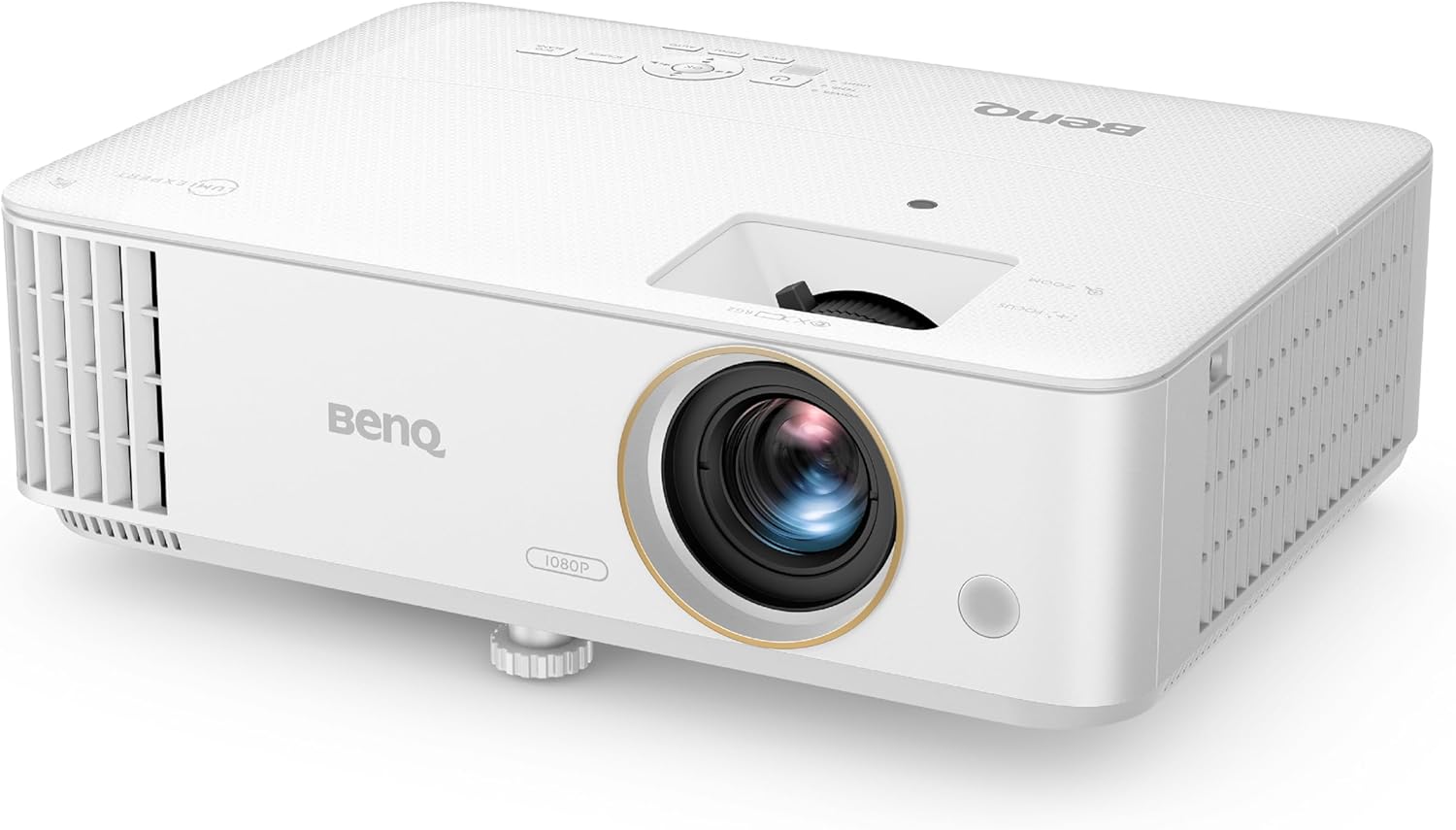
ภาพ: ด้านหน้าและด้านบน view of the BenQ TH685i projector. The lens is prominently featured on the front, with ventilation grilles on the left side. Control buttons are visible on the top panel.
- เลนส์: ฉายภาพขึ้นบนจอภาพ
- วงแหวนโฟกัส: ปรับความคมชัดของภาพ
- วงแหวนซูม: ปรับขนาดรูปภาพ
- แผงควบคุม: Buttons for basic projector functions.
- ตะแกรงระบายอากาศ: For air intake and exhaust to prevent overheating.
- เท้าปรับระดับได้: For adjusting projection angle.
3.2 แผงด้านหลังและการเชื่อมต่อ
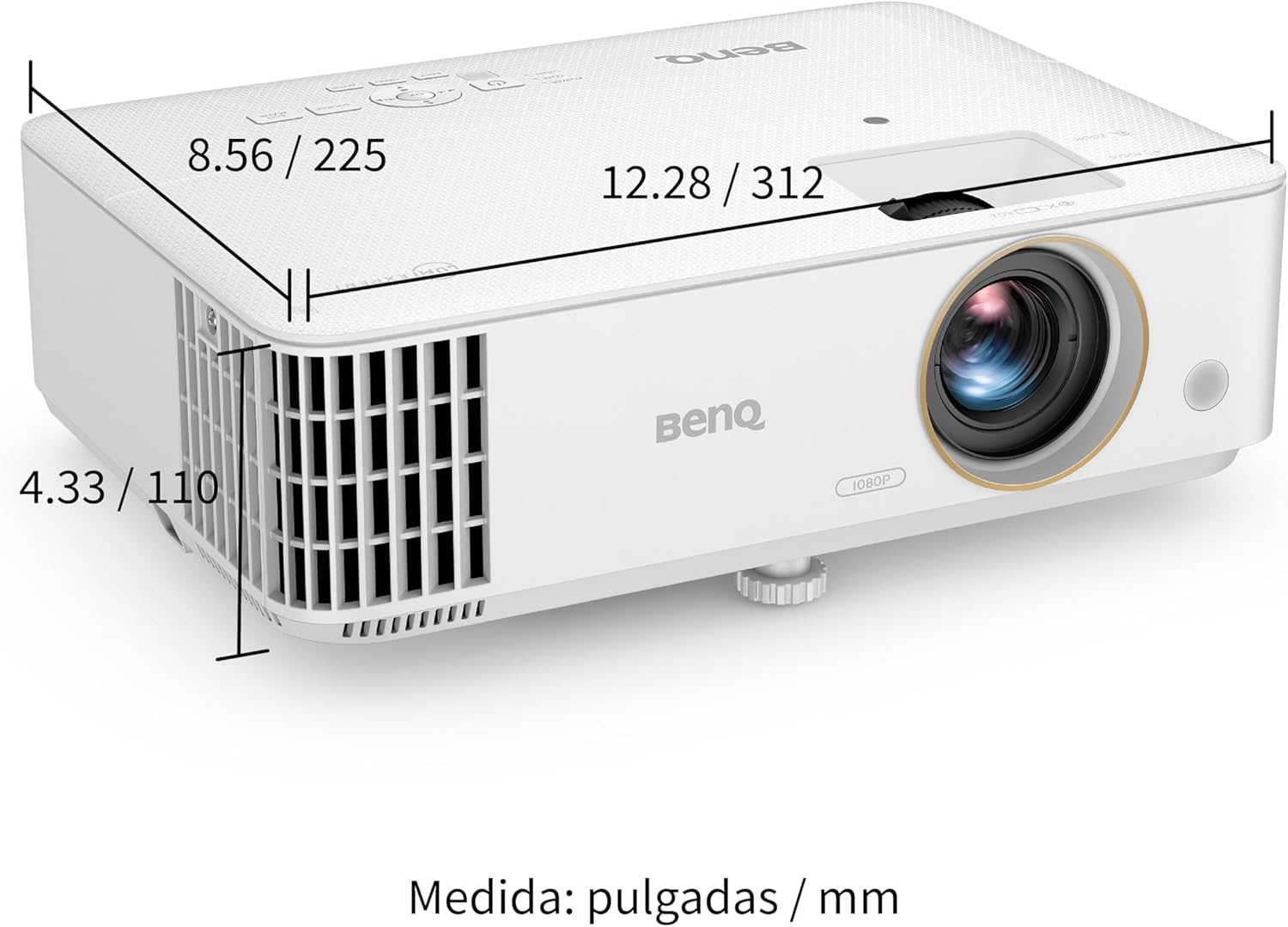
Image: Rear panel of the BenQ TH685i projector. This view displays the various input and output ports, including HDMI, USB, Audio In/Out, and RS232.
- HDMI 1 (HDCP 2.2): Connects to HDMI-enabled devices (e.g., game consoles, Blu-ray players).
- HDMI 2 (HDCP 2.2): เชื่อมต่อกับอุปกรณ์ที่รองรับ HDMI
- USB Type-A (1.5A): For power supply to the Android TV dongle or other USB devices.
- เสียงเข้า/ออก: 3.5mm jacks for audio input or output to external speakers.
- RS232 ใน: For projector control via a serial connection.
- ช่องจ่ายไฟ: เชื่อมต่อสายไฟ
3.3 คุณสมบัติหลัก
- 1080P Full HD & 4K HDR Support: Delivers crisp, detailed images.
- 3500 ANSI ลูเมน: Bright display suitable for various lighting conditions.
- 120Hz Refresh Rate & 8.3ms Low Latency: Optimized for smooth gaming.
- โหมดเกมขั้นสูง: Fine-tunes audio and visuals for gaming.
- แอนดรอยด์ทีวี: Integrated smart TV platform for streaming and apps.
- 1.3X Big Zoom: Flexible installation and image sizing.

Image: Infographic highlighting key features: 1080p HDR, 8.3ms response time, Game Mode, Game Sound Mode, 15,000 hours lamp life, 3500 lumens, 95% Rec.709 color, and 100-inch screen from 8.2 feet with 1.3x zoom.
4. การตั้งค่า
4.1 การจัดวาง
Position the projector on a stable, flat surface or mount it to the ceiling. Ensure adequate ventilation around the projector. The TH685i features a short-throw ratio, allowing for large images from a short distance.

Image: Diagram illustrating throw distances for different screen sizes. For a 100-inch screen, the projector should be approximately 2.5 meters (8.2 feet) away. For 120 inches, about 3 meters, and for 150 inches, about 3.8 meters.
For ceiling mounting, refer to the bottom view for mounting points:

ภาพ: ด้านล่าง view of the BenQ TH685i projector, showing air intake and exhaust, along with highlighted circular mounting points for ceiling installation. Dimensions are provided in inches and millimeters.
4.2 การเชื่อมต่อสายไฟ
- เสียบสายไฟเข้ากับช่องเสียบไฟของโปรเจ็กเตอร์
- เสียบปลายสายไฟอีกด้านเข้ากับเต้ารับไฟฟ้า
- กดปุ่มเปิด/ปิดบนโปรเจ็กเตอร์หรือรีโมทคอนโทรลเพื่อเปิดเครื่อง
4.3 การเชื่อมต่ออุปกรณ์
Use HDMI cables to connect your gaming consoles (PlayStation, Xbox, Nintendo Switch), Blu-ray players, or other media devices to the HDMI 1 or HDMI 2 ports on the projector's rear panel.
For external audio systems, connect an audio cable from the projector's Audio Out port to your sound system.
4.4 Android TV Setup
The BenQ TH685i includes an Android TV dongle (QS01). Insert the dongle into the designated internal HDMI port (usually labeled for the dongle) and power it via the USB Type-A port. Follow the on-screen instructions to set up your Android TV, including connecting to Wi-Fi and logging into your Google account.
5. การใช้งานโปรเจ็กเตอร์
5.1 การทำงานพื้นฐาน
- เปิด/ปิดเครื่อง: ใช้ปุ่มเปิด/ปิดบนโปรเจคเตอร์หรือรีโมทคอนโทรล
- การเลือกแหล่งที่มา: Press the "Source" button on the remote to switch between HDMI inputs or Android TV.
- การปรับโฟกัส: Rotate the focus ring around the lens until the image is sharp.
- การปรับซูม: Rotate the zoom ring to adjust the image size.
- การแก้ไขคีย์สโตน: The projector supports auto vertical keystone correction. For manual adjustments, navigate to the OSD (On-Screen Display) menu.

Image: Illustration of auto vertical keystone correction, demonstrating how the projector automatically adjusts the image to be rectangular even when projected at an angle.
5.2 คุณสมบัติการเล่นเกม
- โหมดเกม: Activate Game Mode via the OSD menu for optimized picture settings for gaming, reducing input lag to 8.3ms at 1080p/120Hz.
- Game Sound Mode: ปรับเสียงโปรfiles specifically for gaming to enhance in-game sounds.
- LumiExpert: This feature helps reduce eye strain during extended play sessions.


Images: Visuals demonstrating the 8.3ms low input lag, the exclusive Game Mode, and the finely-tuned Game Sound Mode, all designed to enhance the gaming experience.
5.3 Android TV and Streaming
Once Android TV is set up, you can access thousands of apps from the Google Play Store, including streaming services, games, and more. Use the remote control to navigate the Android TV interface.
- การคัดเลือกนักแสดง: The projector supports AirPlay and Chromecast for casting content from your mobile devices without needing additional apps.

Image: Screenshot of the Android TV interface, displaying logos of popular streaming services and apps like Amazon Prime Video, NBA, YouTube, Disney+, Hulu, and more, indicating endless entertainment options.
6. การบำรุงรักษา
6.1 การทำความสะอาดโปรเจ็กเตอร์
- ภายนอก: Use a soft, lint-free cloth to wipe the projector's casinก. ห้ามใช้น้ำยาทำความสะอาดที่มีฤทธิ์กัดกร่อนหรือตัวทำละลาย
- เลนส์: Gently clean the lens with a lens cleaning cloth and specialized lens cleaning solution. Avoid touching the lens surface directly.
- การระบายอากาศ : Ensure the ventilation grilles are free from dust and obstructions to maintain proper airflow.
6.2 ลิตรamp ชีวิต
โปรเจ็กเตอร์ lamp has an estimated lifespan of up to 15,000 hours in certain modes. Lamp life can vary based on usage and environmental conditions. When the lamp approaches its end of life, a warning message may appear on the screen.
7 การแก้ไขปัญหา
| ปัญหา | สาเหตุที่เป็นไปได้ | สารละลาย |
|---|---|---|
| ไม่มีภาพบนหน้าจอ |
|
|
| ภาพเบลอ |
|
|
| ภาพบิดเบี้ยว (รูปทรงสี่เหลี่ยมคางหมู) |
|
|
| ไม่มีเสียง |
|
|
8. ข้อมูลจำเพาะ
| คุณสมบัติ | รายละเอียด |
|---|---|
| หมายเลขรุ่น | TH685i |
| เทคโนโลยีการแสดงผล | ดีแอลพี |
| ความละเอียดดั้งเดิม | 1920 x 1080 (ฟูลเอชดี) |
| ความละเอียดการแสดงผลสูงสุด | 1920 x 1080 Pixels (4K HDR compatible) |
| ความสว่าง | 3500 ANSI Lumens |
| อัตราการรีเฟรช | 120Hz (ที่ความละเอียด 1080p) |
| ความล่าช้าในการป้อนข้อมูล | 8.3ms (at 1080p/120Hz) |
| การเชื่อมต่อ | HDMI (HDCP 2.2), USB Type-A, Audio In/Out, RS232 |
| คุณสมบัติพิเศษ | Internet Ready, Short Throw, Android TV, Game Mode |
| ขนาดสินค้า | 22.5 x 31.2 x 11 cm; 2.8 kg (approx. 8.86 x 12.28 x 4.33 inches; 6.17 lbs) |
| แหล่งพลังงาน | ไฟฟ้ากระแสสลับ |
| แบตเตอรี่ | 1 Lithium Polymer battery required (included for remote) |
| ผู้ผลิต | เบ็นคิว |
9. การรับประกันและการสนับสนุน
For warranty information, please refer to the warranty card included in your product package or visit the official BenQ website. For technical support, product registration, or service inquiries, please contact BenQ customer service through their official channels.
BenQ Official Webเว็บไซต์: www.benq.com


