สินค้าเกินview
The Linsoul TRN BT20S PRO is a high-fidelity Bluetooth 5.0 earphone module designed to convert your wired MMCX-compatible in-ear monitors (IEMs) into wireless headphones. Featuring the Qualcomm QCC3020 chipset, it supports APT-X, AAC, and SBC audio codecs, providing stable and high-quality wireless audio transmission. The module incorporates DSP noise reduction for clear calls and an ergonomic design with flexible earhooks for comfortable wear during various activities.

Image: The TRN BT20S PRO modules shown inside their compact charging case, highlighting their total wireless design.
คุณสมบัติหลัก
- การเชื่อมต่อบลูทูธ 5.0: รับประกันการเชื่อมต่อไร้สายที่เสถียรและมีประสิทธิภาพ
- ชิปเซ็ต Qualcomm QCC3020: Provides advanced audio processing and reliable performance.
- การรองรับตัวแปลงสัญญาณเสียง: Compatible with APT-X, AAC, and SBC for high-quality audio streaming.
- การลดเสียงรบกวนด้วย DSP: ปรับปรุงความชัดเจนในการโทรโดยลดเสียงรบกวนรอบข้าง
- MMCX Connector: Designed for compatibility with a wide range of MMCX-interfaced in-ear monitors.
- ที่เกี่ยวหูแบบยืดหยุ่น: Made from Thermoplastic Elastomer (TPE) for comfortable and secure fit.
- อายุการใช้งานแบตเตอรี่ยาวนาน: Up to 72 hours of non-stop music playback with the charging case.
- การชาร์จ USB Type-C: อินเทอร์เฟซการชาร์จที่ทันสมัยและสะดวกสบาย
- ทนน้ำ: Suitable for exercising, outdoor running, and light rain use.
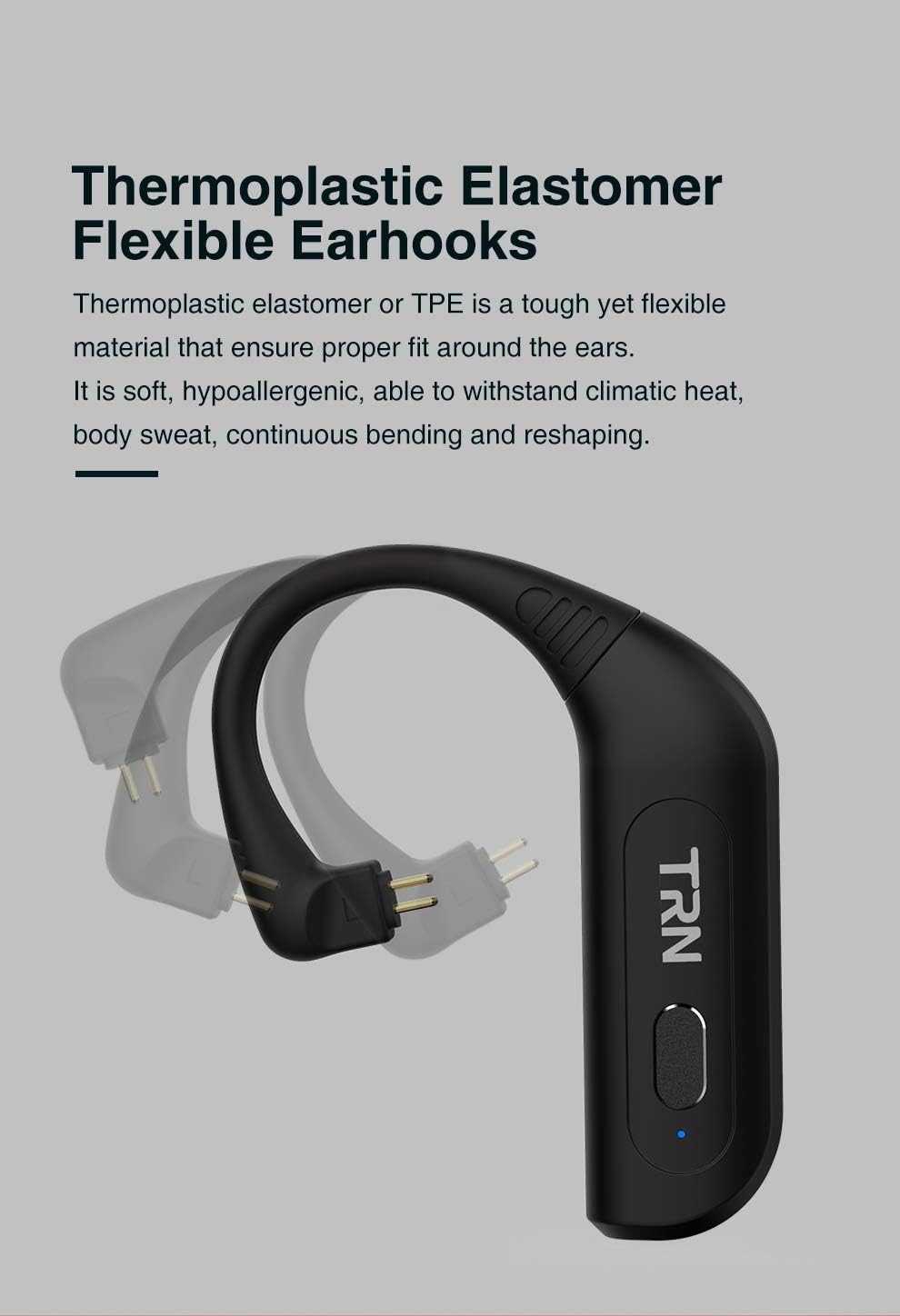
ภาพ: รายละเอียด view of the flexible thermoplastic elastomer earhooks, demonstrating their ability to bend and conform for a comfortable fit.

Image: The TRN BT20S PRO charging case, highlighting the USB Type-C charging port and indicating up to 72 hours of non-stop music playback.
คู่มือการติดตั้ง
1. เนื้อหาบรรจุภัณฑ์
ก่อนเริ่มต้น โปรดตรวจสอบให้แน่ใจว่ามีสินค้าทั้งหมดอยู่ในแพ็คเกจ:
- TRN BT20S PRO Bluetooth Earphone Modules (Left and Right)
- เคสชาร์จไฟ
- USB Type-C Charging Cable ([POSSIBLY] Cable)
- คู่มือการใช้งาน (เอกสารนี้)
- [POSSIBLY] Ear Cushions (if included with your specific package)
2. Charging the Modules and Case
For optimal performance, fully charge the modules and the charging case before first use.
- ชาร์จกล่องชาร์จ: Connect the provided USB Type-C cable to the charging port on the case and plug the other end into a USB power source (e.g., computer USB port, wall adapter). The indicator light on the case will show charging status.
- Charge the Modules: Place the left and right TRN BT20S PRO modules into their respective slots in the charging case. Ensure the connectors align properly. The modules will begin charging automatically when placed in the powered case. Indicator lights on the modules will show their charging status (e.g., red for charging, blue for fully charged).
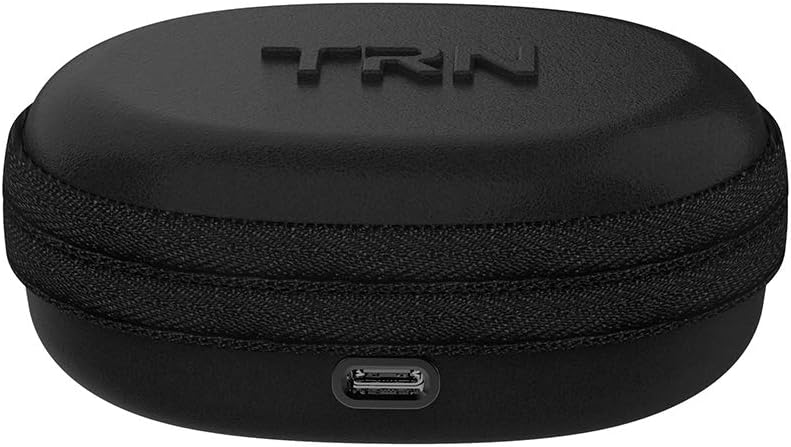
Image: The compact charging case for the TRN BT20S PRO, showing the USB Type-C charging port located at the front.
3. Connecting to In-Ear Monitors (IEMs)
The TRN BT20S PRO modules are designed for use with MMCX-compatible IEMs.
- Identify the MMCX connectors on your IEMs and on the TRN BT20S PRO modules. The module connectors are typically gold-plated.
- Gently align the MMCX connector of your IEM with the corresponding connector on the TRN BT20S PRO module.
- Push the IEM connector firmly into the module connector until you feel a click. Ensure a secure connection.
- Repeat for the other module and IEM.
บันทึก: Ensure the correct left (L) and right (R) modules are connected to their respective IEMs for proper stereo sound.
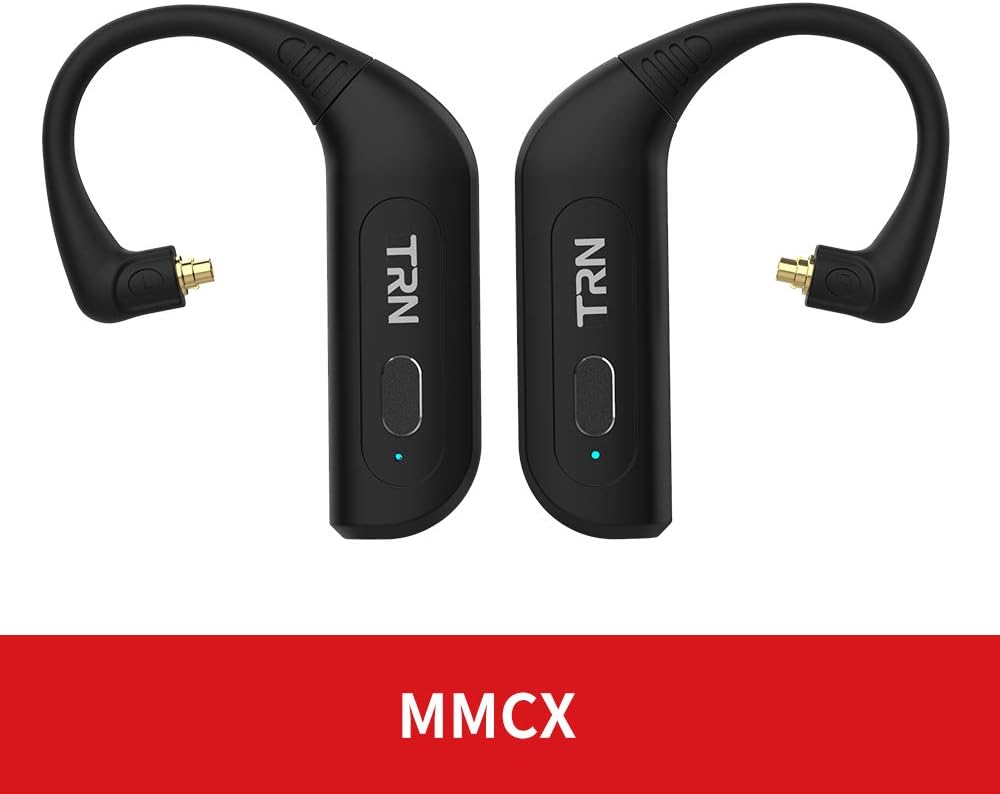
Image: The TRN BT20S PRO modules, clearly displaying their MMCX connectors, indicating compatibility with MMCX-interfaced earphones.

Image: The TRN BT20S PRO modules with in-ear monitors attached, placed within their charging case, demonstrating how they fit together for storage and charging.
4. การจับคู่บลูทู ธ
To connect your TRN BT20S PRO modules to a Bluetooth-enabled device:
- เปิดเครื่อง: Take the modules out of the charging case. They will automatically power on and enter pairing mode. The indicator lights will flash (e.g., blue and red alternately) to indicate pairing mode.
- เปิดใช้งานบลูทูธ: บนอุปกรณ์ของคุณ (สมาร์ทโฟน แท็บเล็ต คอมพิวเตอร์) เปิดใช้งาน Bluetooth
- ค้นหา อุปกรณ์: ค้นหาอุปกรณ์ที่พร้อมใช้งานในการตั้งค่าบลูทูธของอุปกรณ์ของคุณ
- Select "TRN BT20S PRO": From the list of found devices, select "TRN BT20S PRO" to initiate pairing.
- ยืนยันการเชื่อมต่อ: Once successfully paired, the indicator lights on the modules will typically turn solid blue or stop flashing. You may hear an audible confirmation.
บันทึก: The modules should automatically reconnect to the last paired device when powered on and within range.
คำแนะนำการใช้งาน
เปิด/ปิดเครื่อง
- เปิดเครื่อง: The modules automatically power on when removed from the charging case. Alternatively, press and hold the multi-function button on each module for approximately 3 seconds until the indicator light illuminates.
- หมดแรง: Place the modules back into the charging case. They will automatically power off and begin charging. Alternatively, press and hold the multi-function button on each module for approximately 5 seconds until the indicator light turns off.
Wearing the Modules
The TRN BT20S PRO modules are designed to be worn over the ear, with the earhook conforming to the shape of your ear.
- With your IEMs attached, gently loop the earhook portion of the module over the top of your ear.
- Adjust the IEM into your ear canal for a comfortable and secure fit.
- Ensure the module body rests comfortably behind your ear.
Controls (Touch/Button)
The TRN BT20S PRO features a multi-function button and touch controls for various operations:
| การทำงาน | การกระทำ |
|---|---|
| เล่น/หยุดเพลง | Single press the multi-function button on either module. |
| เพลงถัดไป | Double press the multi-function button on the Right module. |
| เพลงก่อนหน้า | Double press the multi-function button on the Left module. |
| รับสาย/วางสาย | Single press the multi-function button on either module during an incoming call. |
| ปฏิเสธการรับสาย | Press and hold the multi-function button on either module for 2 seconds during an incoming call. |
| เปิดใช้งานผู้ช่วยเสียง | Triple press the multi-function button on either module. |
| เพิ่มระดับเสียง | (Specific touch control gesture, refer to product documentation if available, otherwise controlled via connected device) |
| ลดระดับเสียง | (Specific touch control gesture, refer to product documentation if available, otherwise controlled via connected device) |
บันทึก: Volume control may primarily be managed through your connected Bluetooth device. The product specifications mention "Control Type: Media Control" and "Control Method: Touch", "Controller Type: Touch Controller", but specific volume gestures are not detailed in the provided data. Please refer to the official product manual for precise touch control gestures if available.
การซ่อมบำรุง
Proper maintenance ensures the longevity and optimal performance of your TRN BT20S PRO modules.
- การทำความสะอาด: Use a soft, dry, lint-free cloth to wipe the modules and charging case. Do not use abrasive cleaners, solvents, or strong chemicals.
- ตัวเชื่อมต่อ: Keep the MMCX connectors and charging contacts clean and free of dust or debris. Use a dry cotton swab if necessary.
- พื้นที่จัดเก็บ: When not in use, store the modules in their charging case to protect them from dust and physical damage. Store in a cool, dry place away from direct sunlight and extreme temperatures.
- การดูแลแบตเตอรี่ To preserve battery life, avoid fully discharging the modules frequently. If storing for an extended period, charge them to about 50% every few months.
- ความต้านทานน้ำ: While water resistant, avoid submerging the modules in water. Dry them thoroughly if they come into contact with sweat or light rain before placing them back in the charging case.
การแก้ไขปัญหา
If you encounter issues with your TRN BT20S PRO modules, refer to the following common problems and solutions:
| ปัญหา | สาเหตุที่เป็นไปได้ / วิธีแก้ไข |
|---|---|
| Modules do not power on. |
|
| ไม่สามารถจับคู่กับอุปกรณ์ได้ |
|
| ไม่มีเสียงหรือมีเสียงขาดๆ หายๆ |
|
| Poor sound quality or noise. |
|
| เคสชาร์จไม่ชาร์จ |
|
ข้อมูลจำเพาะ
| คุณสมบัติ | รายละเอียด |
|---|---|
| ชื่อรุ่น | BT20S PRO |
| ยี่ห้อ | ลินโซล |
| เทคโนโลยีการเชื่อมต่อ | ไร้สาย (Bluetooth) |
| เวอร์ชันบลูทูธ | 5.0 |
| ช่วงบลูทูธ | 10 เมตร (ประมาณ 33 ฟุต) |
| ช่วงความถี่ | 20 เฮิรตซ์ - 20,000 เฮิรตซ์ |
| ชิปเซ็ต | วอลคอมม์ QCC3020 |
| ตัวแปลงสัญญาณที่รองรับ | APT-X, AAC, SBC |
| ประเภทขั้วต่อ | MMCX |
| ประเภทการควบคุม | การควบคุมสื่อ สัมผัส |
| ระดับความต้านทานต่อน้ำ | ทนน้ำ |
| วัสดุ | Aluminum (module body), Thermoplastic Elastomer (earhooks) |
| น้ำหนักสินค้า | 5.3 ออนซ์ (ประมาณ 150 กรัม) |
| ผู้ผลิต | ทีอาร์เอ็น |
| อุปกรณ์ที่รองรับ | อุปกรณ์ที่ใช้บลูทูธ |
| คุณสมบัติพิเศษ | Microphone Included, DSP Noise Reduction |
การรับประกันและการสนับสนุน
ข้อมูลการรับประกัน: Specific warranty terms and conditions for the Linsoul TRN BT20S PRO are typically provided by the seller or manufacturer at the time of purchase. Please refer to your purchase documentation or contact the retailer/Linsoul directly for detailed warranty coverage.
การสนับสนุนลูกค้า: For technical assistance, troubleshooting beyond this manual, or warranty claims, please contact the seller from whom you purchased the product. You may also visit the official Linsoul website for support resources or contact their customer service department.
ข้อสงวนสิทธิ์: This manual provides general instructions. Product features and specifications are subject to change without notice. For the most up-to-date information, please refer to the manufacturer's official webเข้าชมเว็บไซต์หรือติดต่อฝ่ายสนับสนุนของพวกเขา


