การแนะนำ
This manual provides essential instructions for setting up, operating, maintaining, and troubleshooting your Amazon Echo Dot (3rd Gen) with Clock. The Echo Dot is a smart speaker featuring the Alexa voice assistant and an LED display that shows the time, outdoor temperature, or timers. Please read this guide thoroughly to ensure proper use and to maximize your device's capabilities.
ข้อมูลด้านความปลอดภัย
- ใช้เฉพาะอะแดปเตอร์จ่ายไฟที่ให้มาเท่านั้น
- อย่าให้เครื่องสัมผัสกับของเหลวหรืออุณหภูมิที่สูงหรือต่ำเกินไป
- ควรวางอุปกรณ์ให้ห่างจากแหล่งความร้อน เช่น เครื่องทำความร้อน ช่องระบายความร้อน เตา หรืออุปกรณ์อื่นๆ (รวมถึง) ampเครื่องให้ความร้อน) ที่ผลิตความร้อน
- อย่าพยายามถอดประกอบหรือดัดแปลงอุปกรณ์ การกระทำเช่นนี้จะทำให้การรับประกันเป็นโมฆะ
- ตรวจสอบให้แน่ใจว่ามีการระบายอากาศที่เหมาะสมรอบๆ อุปกรณ์
มีอะไรอยู่ในกล่อง
- Amazon Echo Dot (3rd Gen) with Clock
- อะแดปเตอร์แปลงไฟ (15W)
- คู่มือเริ่มต้นอย่างรวดเร็ว
การตั้งค่า
1. เปิดเครื่อง
Connect the included power adapter to your Echo Dot and then plug it into a wall outlet. The light ring on the top of the device will turn blue, then orange, indicating it is ready for setup.
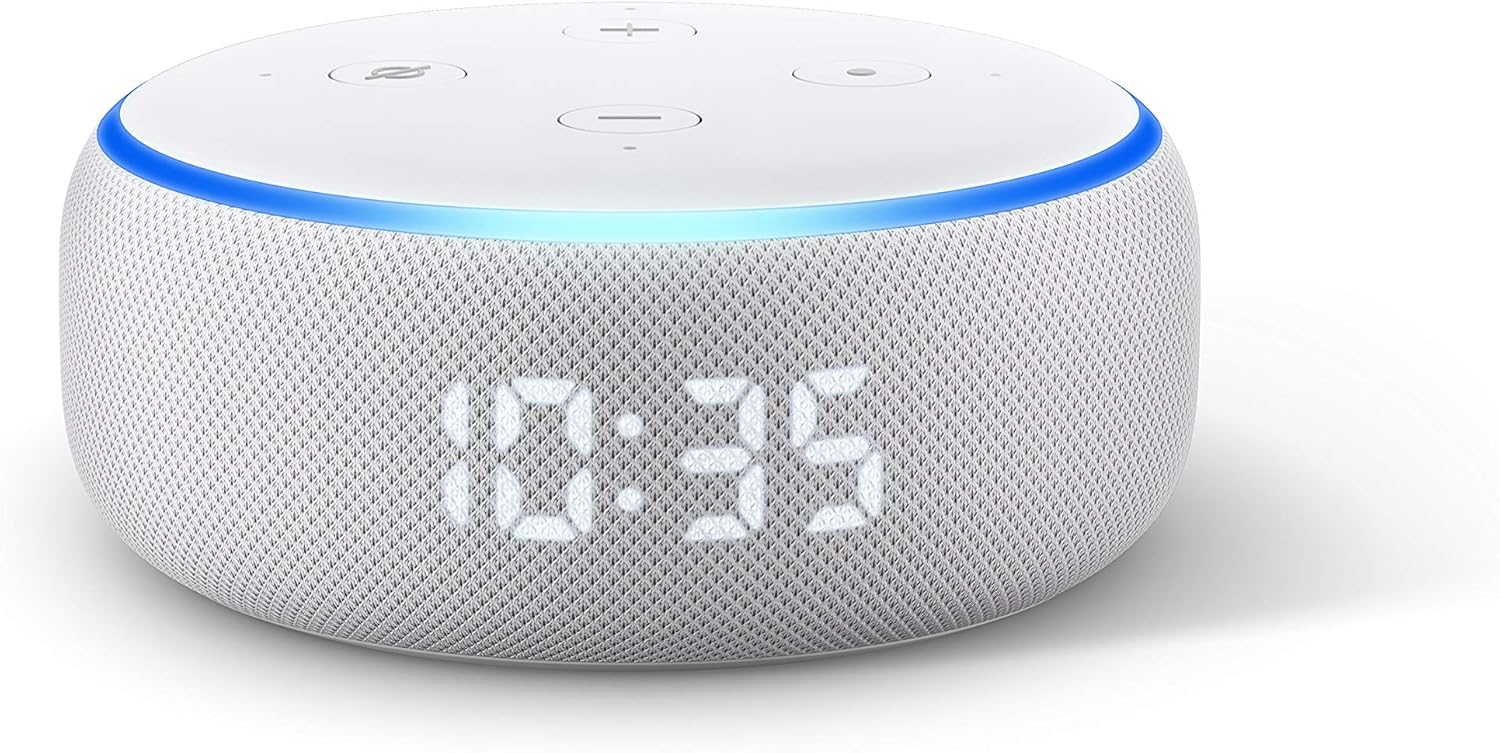
Image: The Echo Dot (3rd Gen) with Clock, displaying the time 10:35. This image illustrates the device's appearance when powered on and functioning.
2. ดาวน์โหลดแอป Alexa
Download the Amazon Alexa app on your smartphone or tablet. ค้นหา "Amazon Alexa" in your device's app store (App Store for iOS, Google Play Store for Android).
3. เชื่อมต่อกับ Wi-Fi
Open the Alexa app and follow the on-screen instructions to set up your Echo Dot. You will be prompted to connect the device to your Wi-Fi network. Ensure your phone is connected to the same Wi-Fi network you intend to use for your Echo Dot.
4. การกำหนดค่าเริ่มต้น
The app will guide you through personalizing your device, including setting your location, time zone, and linking music services. Once setup is complete, the light ring will turn off, and your Echo Dot will be ready to use.
วิธีใช้งาน Echo Dot ของคุณ
คำสั่งเสียง
Your Echo Dot responds to the wake word "Alexa." Once you say the wake word, the light ring will turn blue, indicating it is listening. You can then issue commands.
- ดนตรี: "Alexa, play [artist/song/genre]." "Alexa, pause." "Alexa, next song."
- สัญญาณเตือนและตัวจับเวลา: "Alexa, set an alarm for 7 AM." "Alexa, set a timer for 15 minutes." "Alexa, stop."
- คำถาม: "Alexa, what's the weather?" "Alexa, how tall is Mount Everest?"
- ข่าว: "อเล็กซ่า มีข่าวอะไรบ้าง?"

Image: The Echo Dot (3rd Gen) with Clock positioned on a nightstand, showing the time 7:00. This illustrates its use as an alarm clock and music player.

Image: The Echo Dot (3rd Gen) with Clock placed on a kitchen shelf, actively displaying a timer. This demonstrates its utility for setting kitchen timers.

Image: The Echo Dot (3rd Gen) with Clock on a wooden surface, showing the current time. This highlights its function as a music playback device.
Using the Clock Display
The LED display on your Echo Dot can show the current time, outdoor temperature, or active timers. The brightness of the display automatically adjusts based on ambient light. You can tap the top of the device to snooze an alarm.
ปุ่มทางกายภาพ
On the top of your Echo Dot, you will find several buttons:
- Volume Up (+) / Volume Down (-): ปรับระดับเสียงของลำโพง
- ปุ่มปิดไมโครโฟน: Press this button to electronically disconnect the microphones. The light ring will turn red when the microphones are off, and the LED display will show a crossed-out microphone icon. Press it again to turn the microphones back on.
- Action Button (Dot icon): Wakes up Alexa without using the wake word.

Image: The Echo Dot (3rd Gen) with Clock showing a red light ring and a crossed-out microphone icon on its display, indicating the microphone is disabled for privacy.
ระบบควบคุมบ้านอัจฉริยะ
The Echo Dot can control compatible smart home devices. Link your smart home devices through the Alexa app to enable voice control.
- "อเล็กซ่า เปิดไฟห้องนั่งเล่น"
- "Alexa ตั้งเทอร์โมสตัทเป็น 72 องศา"

Image: The Echo Dot (3rd Gen) with Clock on a table, demonstrating its integration with smart home devices like a lamp and a wall-mounted thermostat.
การซ่อมบำรุง
- การทำความสะอาด: Unplug the device before cleaning. Use a soft, dry, lint-free cloth to wipe the exterior. Do not use abrasive cleaners or sprays.
- การอัปเดตซอฟต์แวร์: Your Echo Dot automatically receives software updates over Wi-Fi. Ensure your device is connected to the internet for these updates.
การแก้ไขปัญหา
ปัญหาทั่วไปและวิธีแก้ไข:
- อุปกรณ์ไม่ตอบสนอง:
- Ensure the microphone is not turned off (red light ring).
- Check if the device is powered on and connected to Wi-Fi.
- ลองถอดปลั๊กอุปกรณ์เป็นเวลา 30 วินาที แล้วเสียบกลับเข้าไปใหม่
- ปัญหาการเชื่อมต่อ Wi-Fi:
- Verify your Wi-Fi password is correct in the Alexa app.
- ย้าย Echo Dot ให้ใกล้กับเราเตอร์ Wi-Fi มากขึ้น
- รีสตาร์ทเราเตอร์ Wi-Fi และโมเด็มของคุณ
- ปัญหาด้านเสียง:
- ปรับระดับเสียงโดยใช้คำสั่งเสียงหรือปุ่มกดบนตัวเครื่อง
- Check if the device is muted.
- Ensure no external speakers are connected if you intend to use the internal speaker.
- Resetting Your Echo Dot:
To factory reset your Echo Dot (3rd Gen), press and hold the Action button (the button with the dot icon) for 25 seconds. The light ring will turn orange, then blue, then orange again. Release the button when the light ring turns orange. The device will then enter setup mode.
ข้อมูลจำเพาะ
| หมายเลขรุ่น | B07N8RPRF7 |
| ขนาด | 99 มม. x 99 มม. x 43 มม. (3.9” x 3.9” x 1.7”) |
| น้ำหนัก | 300 กรัม (10.6 ออนซ์) |
| การเชื่อมต่อ | Dual-band Wi-Fi (2.4 and 5 GHz), Bluetooth |
| เสียง | 1.6” speaker, 3.5 mm audio output |
| พลัง | อะแดปเตอร์ไฟฟ้า 15W |
ข้อมูลการรับประกัน
Your Amazon Echo Dot (3rd Gen) with Clock is covered by a limited warranty. Details of the warranty are available on the Amazon website or through the Alexa app. This warranty typically covers defects in materials and workmanship under normal use.
สนับสนุน
หากต้องการความช่วยเหลือเพิ่มเติม การสนับสนุนด้านเทคนิค หรือ view frequently asked questions, please visit the official Amazon Device Support page:
You can also contact Amazon Customer Service directly through the Alexa app or the Amazon webเว็บไซต์.


