การแนะนำ
This manual provides instructions for the setup, operation, and maintenance of your HP w200 HD Digital Webcam. Please read this manual thoroughly before using the device to ensure proper functionality and longevity.
The HP w200 webcam offers 720P HD video at 30 frames per second, a built-in microphone, and a wide-angle view, making it suitable for various video communication applications.
เนื้อหาแพ็คเกจ
- HP w200 HD Digital Webลูกเบี้ยว
การตั้งค่า
The HP w200 webcam features a plug-and-play design, requiring no additional driver installation for most operating systems.
ความต้องการของระบบ
- Operating Systems: Windows XP (SP2, SP3), Vista, 7, 8, 10; Mac OS X 10.6 or higher.
- มีพอร์ต USB ให้ใช้งาน
ขั้นตอนการติดตั้ง
- การวางตำแหน่ง Webลูกเบี้ยว:
แนบไฟล์ webcam to your monitor or place it on a flat surface using its adjustable clip. The clip allows for secure placement and angle adjustment.

Image: The HP w200 webcam demonstrating its 720-degree wide view angle, 270-degree swivel adjustment, and up-down adjustment capabilities. The webcam is shown mounted on a surface, highlighting its flexible design.
- การเชื่อมต่อกับคอมพิวเตอร์ของคุณ:
เสียบปลั๊ก webcam's USB cable into an available USB port on your computer. The device is plug-and-play, meaning your operating system should automatically detect and install the necessary drivers.
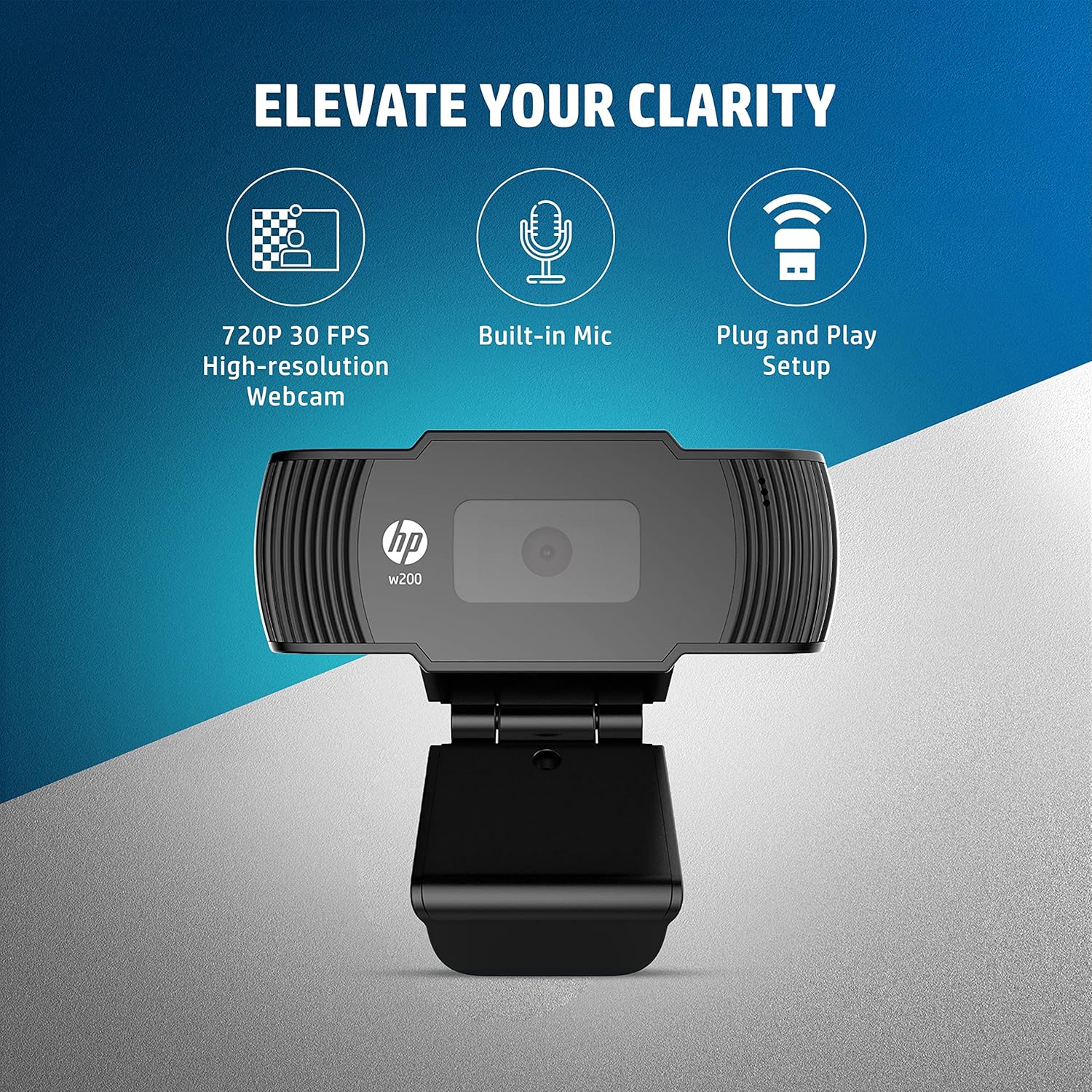
Image: A visual representation of the HP w200 webcam's key features: 720P 30 FPS high-resolution, built-in microphone, and plug-and-play setup. The image emphasizes the ease of use and core functionalities.
- การตรวจสอบ:
After connecting, open a video conferencing application (e.g., Zoom, Skype, Microsoft Teams) or your operating system's camera application to verify that the webcam is recognized and functioning correctly.
คำแนะนำการใช้งาน
The HP w200 webcam is designed for ease of use with various video communication platforms.
การใช้ Webcam for Video Calls
- เปิดใช้งานแอปพลิเคชัน: Open your preferred video calling application (e.g., Zoom, Skype, Microsoft Teams, Facebook Messenger, YouTube, WhatsApp, Google Hangouts, Line, Viber, WeChat).
- เลือกอุปกรณ์: In the application's settings, navigate to the audio and video input options. Select "HP w200 Webcam" as your video device and "HP w200 Microphone" (or similar) as your audio input device.
- ปรับตำแหน่ง: ปรับแต่ง webcam's position and angle using its 270-degree swivel and up-down adjustment to achieve the desired view.
- Start Communication: Begin your video call or recording. The webcam will provide 720P HD video at 30 frames per second.
การใช้งานไมโครโฟน
การ webcam includes a single digital microphone for audio input. Ensure it is selected as the default microphone in your application settings for clear communication.
การซ่อมบำรุง
To ensure optimal performance and longevity of your HP w200 webแคม ปฏิบัติตามคำแนะนำการบำรุงรักษาดังต่อไปนี้:
- การทำความสะอาดเลนส์: เช็ดเบาๆ webเช็ดเลนส์กล้องด้วยผ้าเนื้อนุ่มที่ไม่เป็นขุย หลีกเลี่ยงการใช้สารเคมีรุนแรงหรือวัสดุที่มีฤทธิ์กัดกร่อนที่อาจทำให้เลนส์เป็นรอย
- พื้นที่จัดเก็บ: เมื่อไม่ใช้งาน ให้เก็บ webถ่ายภาพในสภาพแวดล้อมที่สะอาดและแห้ง หลีกเลี่ยงอุณหภูมิที่สูงหรือต่ำเกินไป และแสงแดดโดยตรง
- การดูแลสายเคเบิล: หลีกเลี่ยงการงอหรือบิดสาย USB มากเกินไปเพื่อป้องกันความเสียหายภายใน
การแก้ไขปัญหา
| ปัญหา | วิธีแก้ปัญหาที่เป็นไปได้ |
|---|---|
| Webคอมพิวเตอร์ไม่ตรวจพบแคม |
|
| No video output in application. |
|
| No audio input from microphone. |
|
| คุณภาพวิดีโอไม่ดี |
|
ข้อมูลจำเพาะ
| คุณสมบัติ | รายละเอียด |
|---|---|
| หมายเลขรุ่น | W200 |
| ความละเอียดวิดีโอ | Max. 1280 x 720P |
| อัตราเฟรม | Max. 30 FPS |
| ประเภทโฟกัส | ที่ตายตัว |
| ไมโครโฟน | Single Digital Mic |
| ความสามารถในการปรับเปลี่ยนได้ | Swivel 270°, Up-Down Adjustable Clip |
| การเชื่อมต่อ | ยูเอสบี |
| ขนาด (กว้าง x ยาว x สูง) | 1.14 x 3.15 x 0.94 นิ้ว (ประมาณ 29 x 80 x 24 มม.) |
| น้ำหนัก | 3.81 ออนซ์ (ประมาณ 108 กรัม) |
| สี | สีดำ |
| เทคโนโลยีโฟโต้เซนเซอร์ | ซีมอส |
| รูปแบบการจับภาพวิดีโอ | เอ็มพี 4 |

Image: The HP w200 webcam with its physical dimensions and weight indicated. The image shows the length as 80 mm, height as 32.9 mm, and weight as 108g, providing a clear understanding of its compact size.
ข้อมูลการรับประกัน
This HP w200 webกล้องมาพร้อมกับ รับประกันจากผู้ผลิต 1 ปี นับจากวันที่ซื้อ โปรดเก็บหลักฐานการซื้อไว้เพื่อขอรับสิทธิ์การรับประกัน การรับประกันครอบคลุมข้อบกพร่องด้านวัสดุและฝีมือการผลิตภายใต้การใช้งานปกติ
สนับสนุน
For further assistance or technical support, please visit the official HP support website or contact HP customer service. Refer to your product packaging or the HP webไซต์สำหรับรายละเอียดการติดต่อเฉพาะในภูมิภาคของคุณ