1. บทนำ
The Fodsports M1-S Plus is a Bluetooth motorcycle headset designed for communication and entertainment during rides. It supports group intercom for up to 8 riders, music sharing, FM radio, and hands-free calling. This manual provides detailed instructions for installation, operation, and maintenance of your M1-S Plus headset.

Image 1.1: Fodsports M1-S Plus Bluetooth Motorcycle Headset.
2. ข้อมูลด้านความปลอดภัย
- Always prioritize road safety. Do not operate the device in a manner that distracts from riding.
- ตรวจสอบให้แน่ใจว่าอุปกรณ์ติดแน่นกับหมวกกันน็อคก่อนขี่มอเตอร์ไซค์
- หลีกเลี่ยงการสัมผัสกับระดับเสียงสูงเป็นเวลานานเพื่อป้องกันความเสียหายต่อการได้ยิน
- ห้ามถอดประกอบหรือดัดแปลงอุปกรณ์ เนื่องจากอาจทำให้การรับประกันเป็นโมฆะและก่อให้เกิดความเสียหายได้
- เก็บอุปกรณ์ให้ห่างจากอุณหภูมิที่สูงหรือต่ำเกินไปและถูกแสงแดดโดยตรง
3. เนื้อหาบรรจุภัณฑ์
ตรวจสอบว่ามีรายการทั้งหมดอยู่ในแพ็คเกจของคุณ:
- 1 x M1-S Plus Bluetooth Motorcycle Intercom Headset (Blue)
- 1 x Detachable Boom Microphone
- 1 x Soft Button Microphone with Speakers
- 1 x สายชาร์จ USB-C
- 1 x Metal Clip
- 2 x Sticky Pads
- 2 x EVA Rubbers
- 1 x คู่มือผู้ใช้
- สายสัญญาณเสียง 2.5 มม. ถึง 3.5 มม. จำนวน 1 เส้น

Image 3.1: Included components in the M1-S Plus package.
4. สินค้าหมดview
The M1-S Plus features an intuitive design with large buttons for easy operation even with gloves. It integrates Bluetooth 5.0 for stable connections and CVC noise cancellation for clear audio.
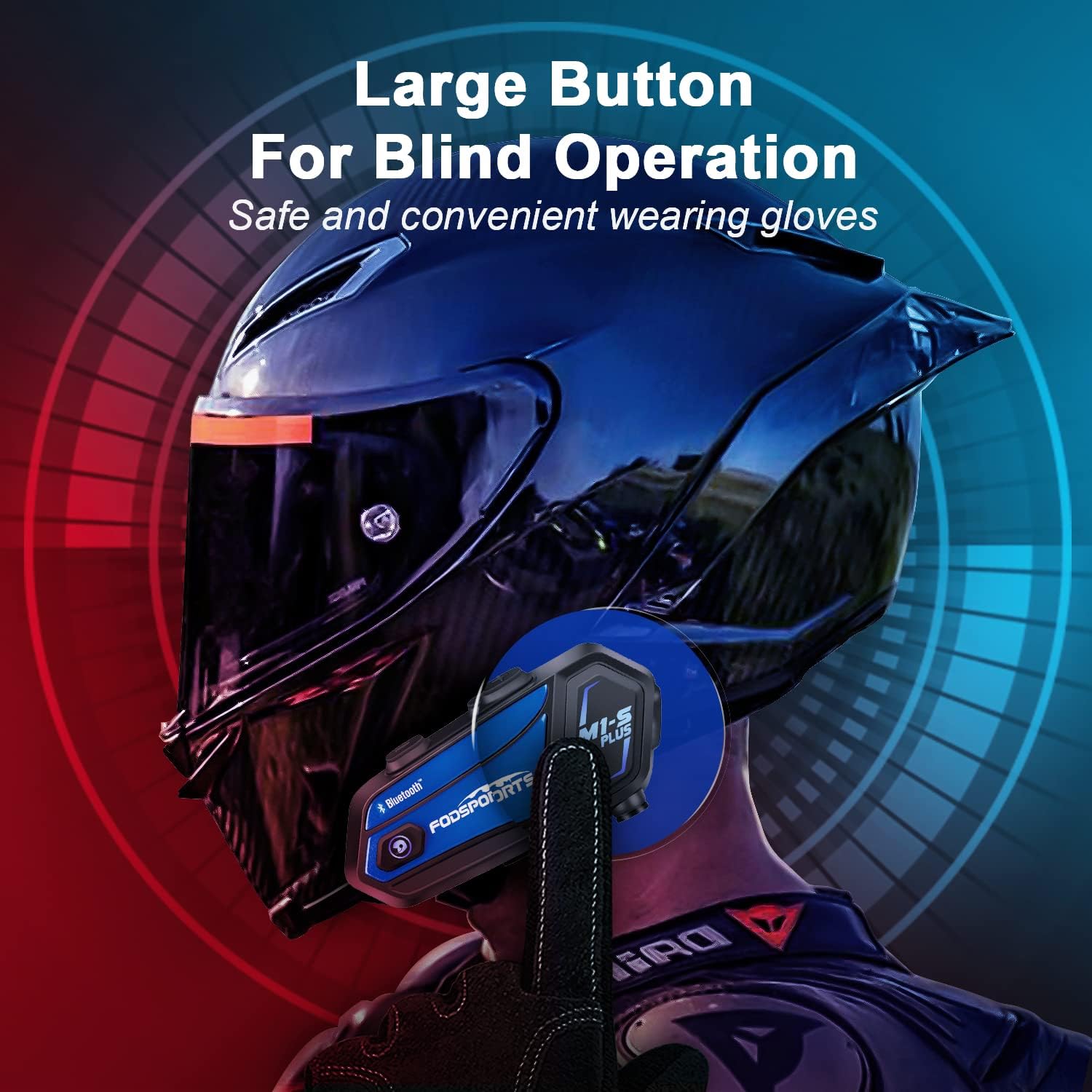
Image 4.1: M1-S Plus unit highlighting large buttons for blind operation.
5. การติดตั้ง
The M1-S Plus is designed for versatile installation on various helmet types. Choose between the metal clip or adhesive mount, and select the appropriate microphone for your helmet style.
5.1. การติดตั้งยูนิตหลัก
You can mount the M1-S Plus using either the metal clip or the 3M adhesive sticker.
- Metal Clip Installation: Slide the metal clip between the helmet shell and the inner padding. Secure the M1-S Plus unit onto the clip.
- Adhesive Mount Installation: Clean the desired area on the helmet surface. Attach the 3M adhesive sticker to the unit base, then firmly press the base onto the helmet.
5.2. Microphone and Speaker Installation
The M1-S Plus includes two types of microphones to suit different helmet designs:
- ไมโครโฟนแบบบูม: Recommended for open-face, flip-up, and modular helmets. Position the microphone close to your mouth.
- Soft-Wire Microphone: Suitable for full-face helmets. Attach the microphone inside the helmet near your mouth using the adhesive.
Install the speakers inside the helmet's ear pockets. Use the provided EVA rubbers to adjust the speaker position for optimal sound and comfort, ensuring they are as close to your ears as possible.
สำคัญ: The speaker cable uses a Type-C interface. Ensure the microphone icon on the connector faces you when plugging it in to ensure both speakers function correctly.

Image 5.1: M1-S Plus compatibility with various helmet types and microphone options.

Image 5.2: Two-way installation guide for the M1-S Plus on a helmet.
6. การตั้งค่าและการจับคู่
6.1. เปิด/ปิดเครื่อง
- เปิดเครื่อง: Press and hold the Power button for 3 seconds until the indicator light flashes.
- หมดแรง: Press and hold the Power button for 3 seconds until the indicator light turns off.
6.2. Bluetooth Pairing with Phone
- Ensure the M1-S Plus is powered off.
- กดปุ่มเปิด/ปิดค้างไว้ประมาณ 5-7 วินาที จนกว่าไฟแสดงสถานะจะกะพริบสลับกันระหว่างสีแดงและสีน้ำเงิน ซึ่งแสดงว่าเข้าสู่โหมดจับคู่แล้ว
- บนโทรศัพท์มือถือของคุณ เปิดใช้งานบลูทูธและค้นหาอุปกรณ์ที่มีอยู่
- Select "Fodsports M1-S Plus" from the list.
- เมื่อจับคู่เสร็จแล้ว ไฟแสดงสถานะจะกะพริบเป็นสีน้ำเงินช้าๆ
6.3. Group Intercom Pairing (Up to 8 Riders)
The M1-S Plus supports intercom communication for up to 8 riders over a range of up to 2000 meters in open terrain.
- Ensure all M1-S Plus units are powered on and not connected to other devices.
- On the first unit, press and hold the Intercom button until the indicator light flashes red rapidly.
- On the second unit, press the Intercom button once. The units will search and connect.
- Repeat step 3 for additional units, pairing them one by one to the previously paired unit.
- Once all units are paired, a successful connection will be indicated by a voice prompt and a slow blue flash.

Image 6.1: M1-S Plus supporting group intercom for up to 8 riders.
6.4. การแบ่งปันเพลง
The M1-S Plus allows two M1-S Plus units to share music from a single source.
- Ensure two M1-S Plus units are paired via Bluetooth intercom.
- On the unit playing music, press and hold the Volume + button for 3 seconds to initiate music sharing.
- The music will then be streamed to the second paired M1-S Plus unit.
- To stop sharing, press and hold the Volume + button for 3 seconds again.
บันทึก: Music sharing is only supported between two M1-S Plus units.

Image 6.2: Music sharing functionality between two M1-S Plus units.
7. คู่มือการใช้งาน
7.1. การควบคุมระดับเสียง
- เพิ่มปริมาณ: กดปุ่มระดับเสียง +
- ลดระดับเสียง: กดปุ่มปรับระดับเสียง -
7.2. โทรศัพท์
- รับสาย: กดปุ่มเปิดปิดหนึ่งครั้ง
- ปฏิเสธสาย: กดปุ่มเปิด/ปิดค้างไว้ 2 วินาที
- วางสาย: Press the Power button once during a call.
- โทรซ้ำหมายเลขล่าสุด: กดปุ่มเปิด/ปิดสองครั้ง
- Voice Dial (Siri/Google Assistant): Press the Volume + and Volume - buttons simultaneously.

Image 7.1: Voice command functionality for hands-free calls.
7.3. การเล่นเพลง
- เล่น/หยุดชั่วคราว: กดปุ่มเปิดปิดหนึ่งครั้ง
- เพลงถัดไป: Press the Volume + button twice.
- แทร็กก่อนหน้า: Press the Volume - button twice.
7.4. Intercom Usage
- เริ่มใช้งานระบบอินเตอร์คอม: Press the Intercom button once.
- สิ้นสุดการสื่อสารภายใน: Press the Intercom button once.
- Reconnect Intercom: If a rider drops out of range for more than 5 minutes, press the Intercom button once to reconnect.
7.5. วิทยุ FM
- วิธีเปิด/ปิดวิทยุ FM: Press the FM button once.
- สแกนช่อง: Press and hold the FM button for 2 seconds.
- สถานีต่อไป: กดปุ่มระดับเสียง +
- สถานีก่อนหน้า: กดปุ่มปรับระดับเสียง -

Image 7.2: M1-S Plus with built-in FM radio functionality.
7.6. ปิดเสียง/เปิดเสียงไมโครโฟน
During a call or intercom conversation, you can mute your microphone for privacy.
- ปิดเสียงไมโครโฟน: กดปุ่มเพิ่มระดับเสียงค้างไว้ 2 วินาที
- เปิดเสียงไมโครโฟน: Press and hold the Volume + button for 2 seconds again.
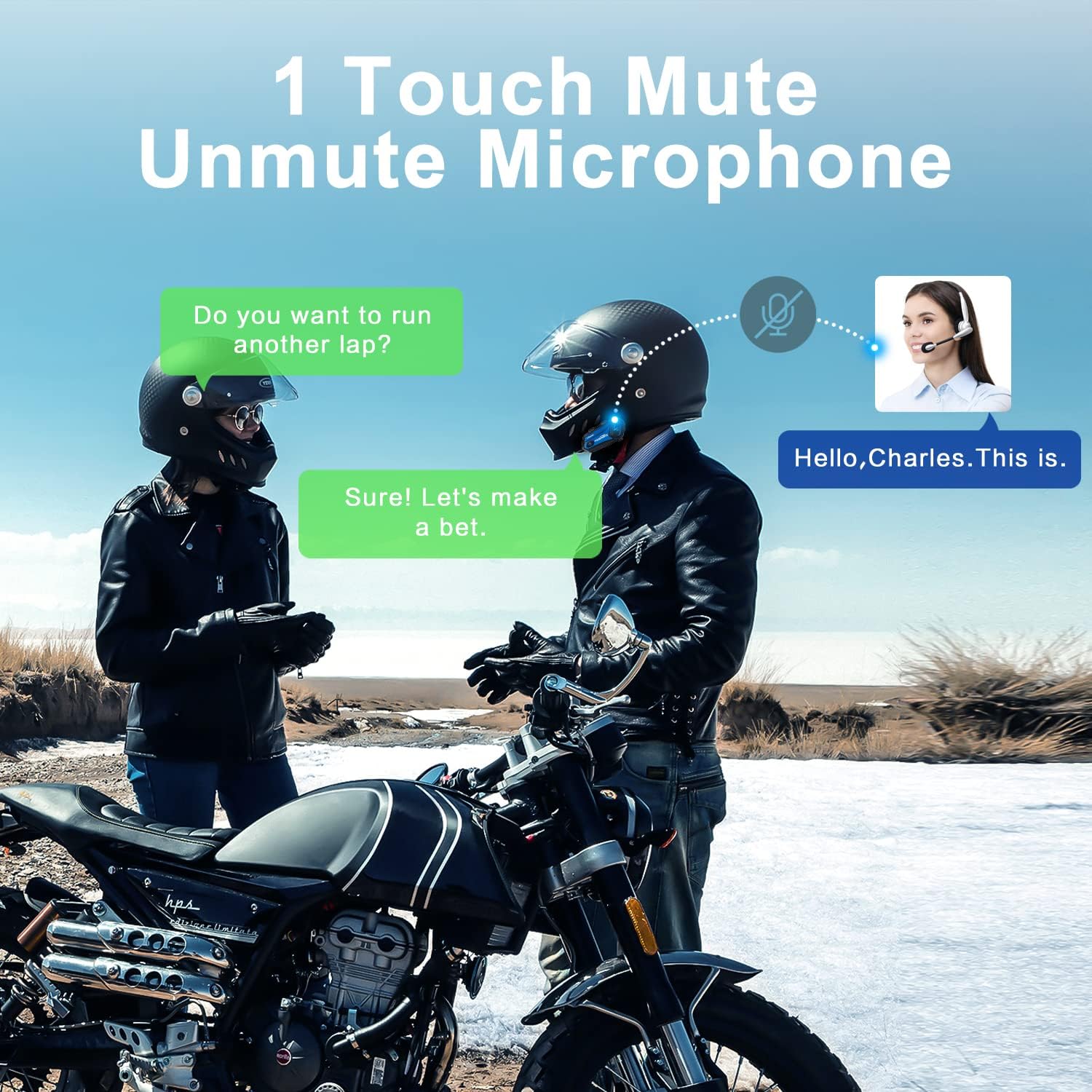
Image 7.3: One-touch mute/unmute microphone feature.
8. การบำรุงรักษา
- การชาร์จ: Connect the device to a USB power source using the provided USB-C cable. The indicator light will be red during charging and turn blue when fully charged. Charging time is approximately 2-3 hours.
- อายุการใช้งานแบตเตอรี่: A full charge provides approximately 12-20 hours of talk time, 15 hours of music streaming, and 300 hours of standby time.
- การทำความสะอาด: ใช้ผ้านุ่มและแห้งเช็ดทำความสะอาดอุปกรณ์ หลีกเลี่ยงการใช้สารเคมีรุนแรงหรือวัสดุที่มีฤทธิ์กัดกร่อน
- พื้นที่จัดเก็บ: เก็บอุปกรณ์ไว้ในที่แห้งและเย็นเมื่อไม่ใช้งาน
- ความต้านทานน้ำ: The M1-S Plus is waterproof, designed to handle various weather conditions.
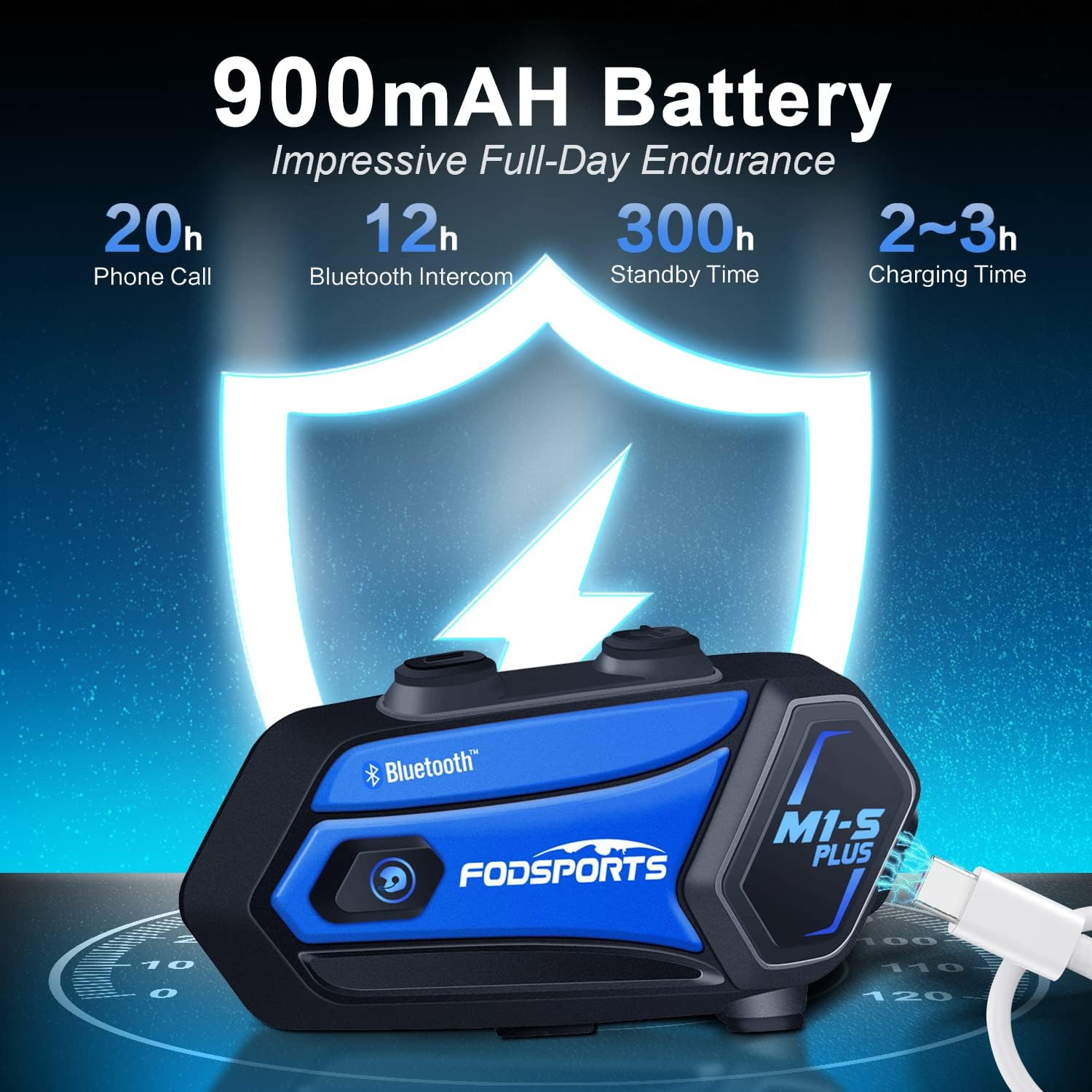
Image 8.1: M1-S Plus battery endurance and charging information.
9 การแก้ไขปัญหา
- No Sound from One Speaker: Ensure the Type-C speaker cable is fully inserted and the microphone icon on the connector faces you.
- ปริมาณต่ำ: Adjust the speaker position closer to your ears using the provided thicken pads. Ensure the device volume and your phone's volume are both set appropriately.
- ไม่สามารถจับคู่กับโทรศัพท์ได้: Ensure the M1-S Plus is in pairing mode (red and blue flashing light) and your phone's Bluetooth is enabled. Try restarting both devices.
- อินเตอร์คอมตัดการเชื่อมต่อ: If riders go out of range, they can reconnect by pressing the Intercom button once when back in range (within 5 minutes).
- การรับสัญญาณวิทยุ FM ไม่ดี: FM reception can vary based on location. Try scanning for channels again or moving to an area with better signal.
- อุปกรณ์ไม่ตอบสนอง: Try a soft reset by pressing and holding the Power button for 10 seconds. If issues persist, ensure the device is charged.
10. ข้อมูลจำเพาะ
| คุณสมบัติ | รายละเอียด |
|---|---|
| ชื่อรุ่น | เอ็มวัน-เอส พลัส |
| เทคโนโลยีการเชื่อมต่อ | บลูทูธ 5.0 |
| ขนาดกลุ่มอินเตอร์คอม | ผู้โดยสารสูงสุด 8 คน |
| ช่วงอินเตอร์คอม | Up to 2000 meters (open terrain) |
| ความจุของแบตเตอรี่ | 900mAh |
| เวลาในการชาร์จ | 2-3 ชั่วโมง |
| เวลาสนทนา | 12-20 ชั่วโมง |
| Music Streaming Time | 15 ชั่วโมง |
| เวลาสแตนด์บาย | 300 ชั่วโมง |
| การควบคุมเสียงรบกวน | Advanced CVC Noise Cancellation |
| ระดับความต้านทานต่อน้ำ | กันน้ำ |
| แจ็คหูฟัง | พอร์ต USB-C |
| วัสดุ | พลาสติก ABS |
| น้ำหนักสินค้า | 12.4 ออนซ์ |
11. การรับประกันและการสนับสนุน
For any missing accessories, quality issues, or operational problems, please contact Fodsports customer support. Refer to the contact information provided with your purchase or visit the official Fodsports webเว็บไซต์เพื่อขอความช่วยเหลือ
โปรดเก็บหลักฐานการซื้อของคุณไว้เพื่อเรียกร้องการรับประกัน


