1. บทนำ
This manual provides essential information for the safe and efficient use of your Lenovo Tab M8 Tablet. The Lenovo Tab M8 is an 8-inch HD Android tablet featuring a Quad-Core Processor, 32GB storage, and a full metal cover. It operates on Android 9 Pie and is designed for extended use with its long-life battery.
โปรดอ่านคู่มือนี้อย่างละเอียดก่อนใช้งานอุปกรณ์ เพื่อให้มั่นใจได้ถึงประสิทธิภาพสูงสุดและอายุการใช้งานที่ยาวนาน
2. อุปกรณ์โอเวอร์view
Familiarize yourself with the physical components of your Lenovo Tab M8 Tablet.

รูปที่ 2.1: ด้านหน้า view of the Lenovo Tab M8 Tablet, showing the display and bezels.
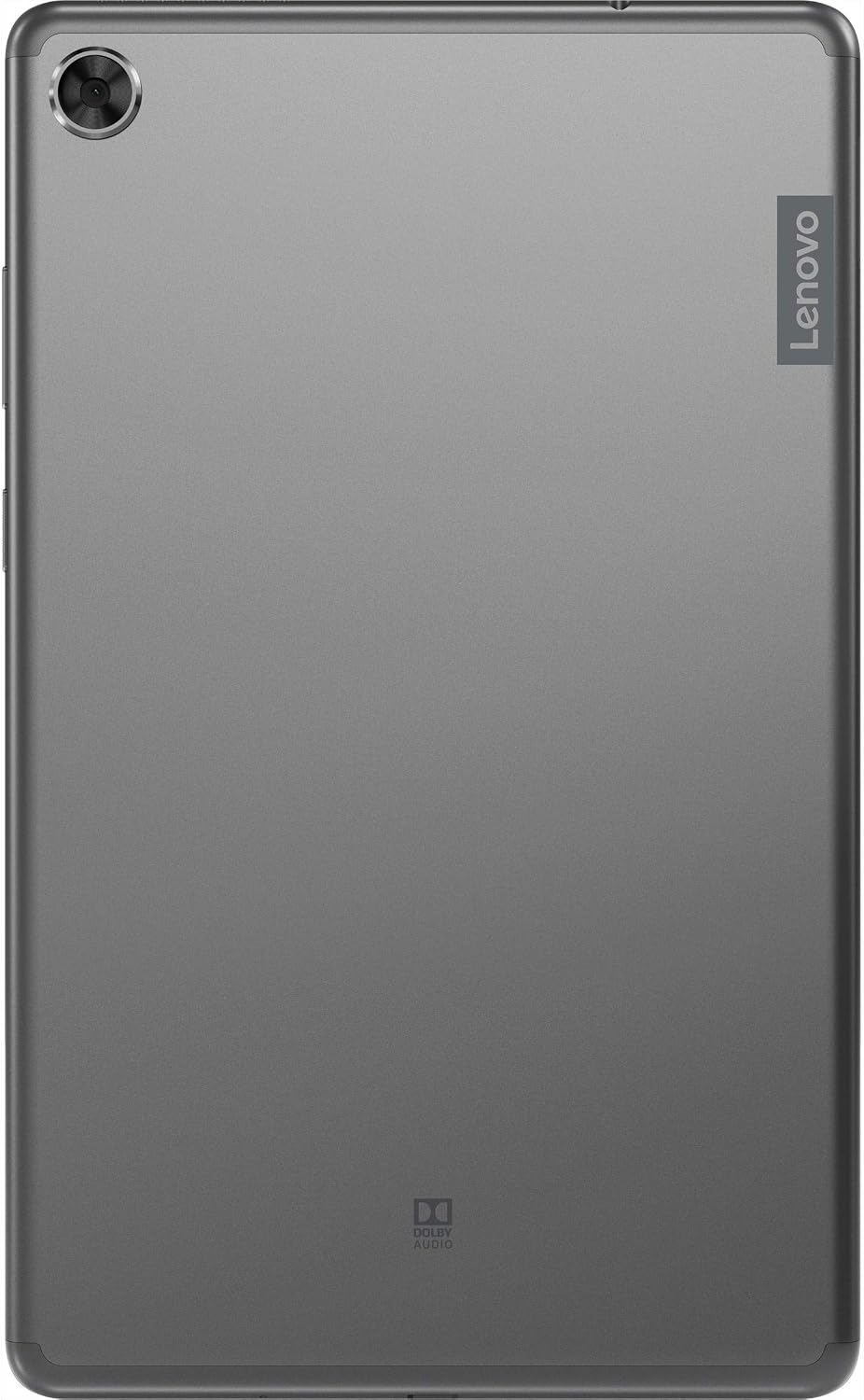
รูปที่ 2.2: กลับ view of the Lenovo Tab M8 Tablet, highlighting the camera and Lenovo branding.

รูปที่ 2.3: ด้านข้าง view of the Lenovo Tab M8 Tablet, showing the power button and volume rocker.

รูปที่ 2.4: ด้านข้าง view of the Lenovo Tab M8 Tablet, illustrating the various ports and slots.
3. การตั้งค่า
3.1 การชาร์จเริ่มต้น
Before first use, fully charge your tablet using the provided USB cable and power adapter. The battery indicator on the screen will show charging progress.
3.2 การเปิด/ปิดเครื่อง
- To power on: Press and hold the Power button (refer to Figure 2.3) until the Lenovo logo appears.
- วิธีปิดเครื่อง: กดปุ่มเปิด/ปิดค้างไว้ จากนั้นเลือก "ปิดเครื่อง" จากตัวเลือกบนหน้าจอ
- วิธีรีสตาร์ท: กดปุ่มเปิด/ปิดค้างไว้ จากนั้นเลือก "รีสตาร์ท" จากตัวเลือก
3.3 ตัวช่วยการตั้งค่าเริ่มต้น
เมื่อเปิดเครื่องครั้งแรก แท็บเล็ตจะแนะนำคุณตลอดกระบวนการตั้งค่าเริ่มต้น:
- เลือกภาษา: เลือกภาษาที่คุณต้องการ
- เชื่อมต่อกับ Wi-Fi: Select your Wi-Fi network and enter the password. A stable internet connection is required for updates and Google account setup.
- คัดลอกแอพและข้อมูล: You can choose to transfer data from another device or set up as new.
- บัญชี Google: Sign in with your existing Google account or create a new one. This is necessary for accessing the Google Play Store and other Google services.
- วันที่และเวลา: ยืนยันหรือปรับการตั้งค่าวันที่และเวลา
- ล็อคหน้าจอ: ตั้งค่า PIN, รูปแบบ หรือรหัสผ่านเพื่อเพิ่มความปลอดภัยให้กับหน้าจอ
- บริการของ Google: Review และยอมรับข้อกำหนดในการให้บริการของ Google
4. คู่มือการใช้งาน
4.1 การนำทางพื้นฐาน
- แตะ: สัมผัสหน้าจอหนึ่งครั้งเพื่อเลือกรายการหรือเปิดแอปพลิเคชัน
- กดแบบยาว: Touch and hold an item to access additional options.
- ปัด: ลากนิ้วของคุณบนหน้าจอเพื่อเลื่อนดูหน้าต่างๆ หรือรายการต่างๆ
- บีบเพื่อซูม: ใช้สองนิ้วเพื่อซูมเข้าหรือออกจากรูปภาพและ web หน้า
4.2 การเชื่อมต่อ Wi-Fi และ Bluetooth
- ไวไฟ : ไปที่ การตั้งค่า > เครือข่ายและอินเทอร์เน็ต > Wi-Fiเปิด Wi-Fi เลือกเครือข่ายของคุณ และป้อนรหัสผ่านหากจำเป็น
- บลูทูธ: ไปที่ การตั้งค่า > อุปกรณ์ที่เชื่อมต่อ > บลูทูธ. Turn Bluetooth on, then pair with compatible devices like headphones or speakers.
4.3 การใช้กล้อง
The tablet features both front and rear cameras. Open the Camera app from your home screen or app drawer. Tap the shutter button to take photos or switch to video mode to record. Use the icon on the screen to switch between front and rear cameras.
4.4 การจัดการแบตเตอรี่
The Lenovo Tab M8 is equipped with a 5000 mAh battery. To optimize battery life:
- ลดความสว่างหน้าจอ
- ปิด Wi-Fi และ Bluetooth เมื่อไม่ได้ใช้งาน
- ปิดแอปพลิเคชันที่ไม่ได้ใช้งานซึ่งทำงานอยู่เบื้องหลัง
- เปิดใช้งานโหมดประหยัดแบตเตอรี่ใน ตั้งค่า > แบตเตอรี่.
5. การบำรุงรักษา
5.1 การทำความสะอาดเครื่อง
ใช้ผ้าเนื้อนุ่มที่ไม่เป็นขุยเช็ดทำความสะอาดหน้าจอและตัวเครื่องแท็บเล็ต หลีกเลี่ยงการใช้สารเคมีรุนแรงหรือวัสดุที่มีฤทธิ์กัดกร่อน สำหรับคราบสกปรกที่ล้างออกยาก ให้ใช้ผ้าชุบน้ำหมาดๆ เช็ดเบาๆampเทน้ำหรือน้ำยาทำความสะอาดหน้าจอที่ออกแบบมาสำหรับอุปกรณ์อิเล็กทรอนิกส์โดยเฉพาะลงบนผ้า
5.2 การอัปเดตซอฟต์แวร์
ตรวจสอบและติดตั้งการอัปเดตซอฟต์แวร์เป็นประจำเพื่อให้แน่ใจว่าแท็บเล็ตของคุณมีฟีเจอร์ แพตช์ความปลอดภัย และการปรับปรุงประสิทธิภาพล่าสุด ไปที่ การตั้งค่า > ระบบ > อัปเดตระบบ เพื่อตรวจสอบการอัปเดตที่มีอยู่
5.3 การจัดการการจัดเก็บข้อมูล
To maintain optimal performance, manage your tablet's 32GB internal storage. You can uninstall unused apps, clear app caches, and transfer large files (photos, videos) to cloud storage or an external microSD card (if supported). Access storage settings via การตั้งค่า > การจัดเก็บข้อมูล.
6 การแก้ไขปัญหา
- แท็บเล็ตไม่เปิด: ตรวจสอบให้แน่ใจว่าแบตเตอรี่ชาร์จเต็มแล้ว เสียบแท็บเล็ตเข้ากับเครื่องชาร์จและรอสักครู่ก่อนลองเปิดเครื่องอีกครั้ง
- หน้าจอไม่ตอบสนอง: Try restarting the tablet by holding the power button for approximately 10-15 seconds until the device powers off and then on again.
- ปัญหาการเชื่อมต่อ Wi-Fi/บลูทูธ:
- Toggle Wi-Fi/Bluetooth off and on in settings.
- รีสตาร์ทเราเตอร์ Wi-Fi หรืออุปกรณ์บลูทูธของคุณ
- ลืมเครือข่าย/อุปกรณ์และเชื่อมต่อใหม่อีกครั้ง
- ประสิทธิภาพช้า:
- ปิดแอปที่ไม่ได้ใช้งาน
- ล้างแคชของแอป (การตั้งค่า > แอปและการแจ้งเตือน > [ชื่อแอป] > พื้นที่จัดเก็บและแคช > ล้างแคช).
- ตรวจสอบให้แน่ใจว่ามีพื้นที่เก็บข้อมูลว่างเพียงพอ
- รีสตาร์ทแท็บเล็ต
- รีเซ็ตเป็นค่าโรงงาน (ทางเลือกสุดท้าย): If issues persist, you may need to perform a factory reset. This will erase all data on your tablet. Go to การตั้งค่า > ระบบ > ตัวเลือกการรีเซ็ต > ลบข้อมูลทั้งหมด (รีเซ็ตเป็นค่าโรงงาน). สำรองข้อมูลสำคัญก่อนดำเนินการต่อ
7. ข้อมูลจำเพาะ
| คุณสมบัติ | รายละเอียด |
|---|---|
| ชื่อรุ่น | แท็บ Lenovo M8 |
| ขนาดหน้าจอ | 8 นิ้ว |
| ความละเอียดหน้าจอ | 1280 x 800 (ความคมชัดสูง) |
| โปรเซสเซอร์ | Quad-Core, 2 GHz |
| แรม | 4GB |
| การจัดเก็บข้อมูลภายใน | 32GB |
| ระบบปฏิบัติการ | ระบบปฏิบัติการ Android 9 Pie |
| กล้องหลัง | 5 MP |
| การเชื่อมต่อแบบไร้สาย | ไวไฟ 802.11ac, บลูทูธ 5.0 |
| ความจุของแบตเตอรี่ | 5000 มิลลิแอมป์ |
| ขนาด (กxยxส) | 9.59 x 6.69 x 0.39 นิ้ว |
| น้ำหนักสินค้า | 0.01 ออนซ์ |
8. การรับประกันและการสนับสนุน
As this product is listed as "Renewed," specific warranty terms may vary. Please refer to the warranty information provided by the seller at the time of purchase. Typically, renewed products come with a limited warranty from the seller or a third-party refurbisher.
For technical support, driver downloads, and additional resources, please visit the official Lenovo support webเว็บไซต์: support.lenovo.com. You will need your device's model number (ZA5G0060US) for specific support.


