การแนะนำ
The Wicked Audio Driftr True Wireless Earbuds offer a seamless audio experience with easy pairing and comfortable wear. Designed for convenience, these earbuds provide clear sound and intuitive controls, making them ideal for everyday use.
มีอะไรอยู่ในกล่อง
- Wicked Audio Driftr True Wireless Earbuds (Left and Right)
- เคสชาร์จไฟ
- สายชาร์จ USB
- คู่มือผู้ใช้ (เอกสารนี้)
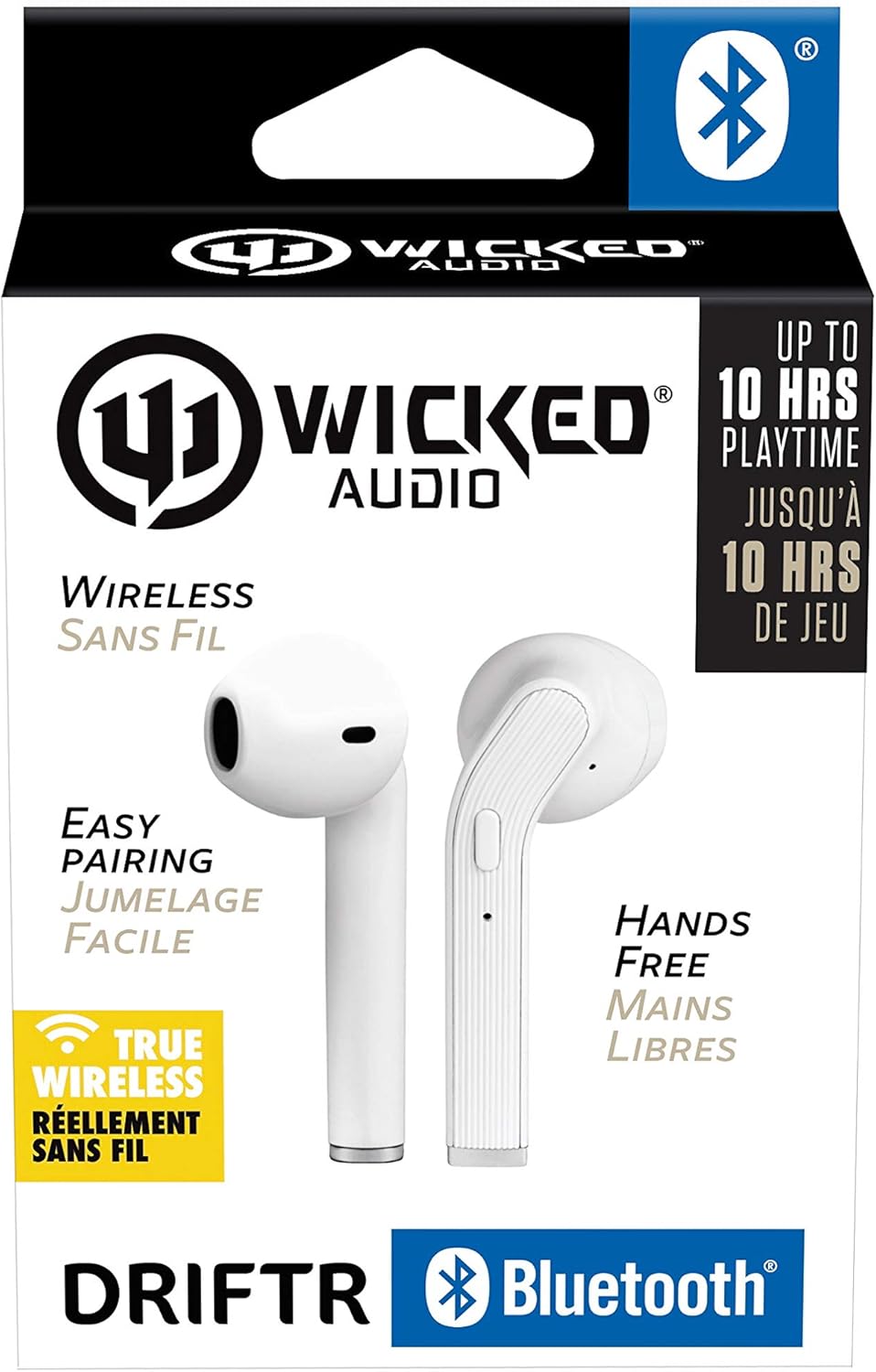
Image: Product packaging showing the earbuds and charging case.
สินค้าเกินview
The Driftr earbuds feature an angled housing design for a comfortable fit. Each earbud includes touch controls for managing audio playback and calls, along with a built-in microphone for hands-free communication. The compact charging case provides additional battery life on the go.

Image: White Wicked Audio Driftr True Wireless Earbuds resting inside their open charging case.

ภาพ: ระยะใกล้ view of the left and right Wicked Audio Driftr True Wireless Earbuds, showing their angled design and control surfaces.

Image: A person wearing a white Wicked Audio Driftr True Wireless Earbud in their ear, demonstrating the fit.
การตั้งค่า
1. การชาร์จหูฟังและเคส
Before first use, fully charge the earbuds and the charging case. Connect the provided USB charging cable to the charging port on the case and plug the other end into a USB power source (e.g., computer, wall adapter). The charging indicator light on the case will show charging status. A full charge takes approximately 1 hour for both the earbuds and the case.
2. จับคู่ง่าย
- ตรวจสอบให้แน่ใจว่าได้ชาร์จเอียร์บัดแล้ว
- เปิดกล่องชาร์จ หูฟังจะเปิดอัตโนมัติและเข้าสู่โหมดจับคู่
- บนอุปกรณ์ของคุณ (สมาร์ทโฟน แท็บเล็ต แล็ปท็อป) ไปที่การตั้งค่าบลูทูธ
- Select "Wicked Audio Driftr" from the list of available devices.
- เมื่อเชื่อมต่อเสร็จแล้ว คุณจะได้ยินเสียงแจ้งเตือน และไฟแสดงสถานะบนหูฟังจะเปลี่ยนไป
The earbuds are designed for straightforward, no-nonsense pairing in one easy step. After the initial pairing, they will automatically connect to your last paired device when removed from the case.
คำแนะนำการใช้งาน
การควบคุมแบบสัมผัส
The Driftr earbuds feature intuitive touch controls for various functions:
- เล่น/หยุดชั่วคราว: แตะที่หูฟังข้างใดข้างหนึ่งเพียงครั้งเดียว
- เพลงถัดไป: แตะสองครั้งที่หูฟังด้านขวา
- แทร็กก่อนหน้า: แตะสองครั้งที่หูฟังด้านซ้าย
- รับ/วางสาย: แตะเพียงครั้งเดียวที่หูฟังข้างใดข้างหนึ่งในระหว่างที่มีสายเรียกเข้า
- ปฏิเสธสาย: กดและค้างไว้ที่หูฟังข้างใดข้างหนึ่งในขณะที่มีสายเรียกเข้า
- เปิดใช้งาน Voice Assistant: แตะสามครั้งที่หูฟังข้างใดข้างหนึ่ง (เช่น Siri หรือ Google Assistant)
การสวมหูฟัง
Insert the earbuds into your ears with the angled housing pointing slightly forward for a secure and comfortable fit. Adjust as needed to ensure optimal sound quality and passive noise cancellation.
การซ่อมบำรุง
To ensure the longevity and optimal performance of your Wicked Audio Driftr earbuds, follow these maintenance guidelines:
- การทำความสะอาด: เช็ดหูฟังและกล่องชาร์จด้วยผ้านุ่ม แห้ง และไม่เป็นขุยเป็นประจำ ห้ามใช้สารเคมีรุนแรงหรือวัสดุที่มีฤทธิ์กัดกร่อน
- พื้นที่จัดเก็บ: เมื่อไม่ได้ใช้งาน ควรเก็บหูฟังไว้ในกล่องชาร์จเสมอ เพื่อปกป้องหูฟังและให้หูฟังชาร์จไฟอยู่เสมอ
- หลีกเลี่ยงความชื้น: The earbuds are not water resistant. Avoid exposure to water, sweat, and high humidity.
- อุณหภูมิ: Do not expose the earbuds or case to extreme temperatures (hot or cold).
การแก้ไขปัญหา
If you encounter issues with your Driftr earbuds, try the following solutions:
- หูฟังไม่จับคู่:
- ตรวจสอบให้แน่ใจว่าได้ชาร์จหูฟังเอียร์บัดทั้งสองข้างแล้ว
- ใส่หูฟังทั้งสองข้างกลับเข้าไปในกล่องชาร์จ ปิดฝา รอสองสามวินาที แล้วเปิดฝาอีกครั้ง
- On your device, forget "Wicked Audio Driftr" from your Bluetooth settings and attempt to pair again.
- ไม่มีเสียงจากหูฟังข้างหนึ่ง:
- Ensure both earbuds are charged and properly seated in the case.
- ลองรีเซ็ตหูฟังโดยการใส่หูฟังลงในเคสแล้วค่อยนำออกมา
- หูฟังไม่ชาร์จ:
- ตรวจสอบสายชาร์จและแหล่งจ่ายไฟ
- ตรวจสอบให้แน่ใจว่าหน้าสัมผัสสำหรับชาร์จบนหูฟังและภายในเคสสะอาดและไม่มีเศษขยะ
- คุณภาพเสียงไม่ดี:
- ตรวจสอบให้แน่ใจว่าหูฟังอยู่ในหูของคุณอย่างถูกต้อง
- Check the audio source and volume levels on your device.
- ขยับเข้าใกล้อุปกรณ์ที่เชื่อมต่ออยู่เพื่อหลีกเลี่ยงการรบกวน
ข้อมูลจำเพาะ
| คุณสมบัติ | รายละเอียด |
|---|---|
| ชื่อรุ่น | Wicked Audio Driftr (WITW2151) |
| เทคโนโลยีการเชื่อมต่อ | ไร้สาย (บลูทูธ 5.0) |
| ช่วงบลูทูธ | สูงถึง 32 ฟุต |
| อายุการใช้งานแบตเตอรี่ | ใช้งานได้นานสูงสุด 10 ชั่วโมง (หูฟัง) |
| เวลาในการชาร์จ | ประมาณ 1 ชั่วโมง (หูฟังและเคส) |
| ขนาดไดร์เวอร์เสียง | 13 มิลลิเมตร |
| การตอบสนองความถี่ | 20 เฮิรตซ์ - 20,000 เฮิรตซ์ |
| ความไวต่อความรู้สึก | 15 เดซิเบล |
| อิมพีแดนซ์ | 32 โอห์ม |
| การควบคุมเสียงรบกวน | การยกเลิกเสียงรบกวนแบบพาสซีฟ |
| วิธีการควบคุม | สัมผัส |
| ระดับความต้านทานต่อน้ำ | ไม่ทนน้ำ |
| น้ำหนักสินค้า | 2.11 ออนซ์ |
| ขนาดสินค้า | 1.5 x 3 x 5.5 นิ้ว |
| ยูพีซี | 712949012265 |
การรับประกันและการสนับสนุน
Wicked Audio products are designed for durability and performance. For specific warranty information and support inquiries, please refer to the official Wicked Audio webหรือติดต่อฝ่ายบริการลูกค้าโดยตรง โปรดเก็บหลักฐานการซื้อไว้เพื่อใช้ในการเคลมประกัน
หากต้องการความช่วยเหลือเพิ่มเติม โปรดไปที่ Wicked Audio Store on Amazon.


