1. บทนำ
The ASTRO Gaming A20 Wireless Headset Gen 2 provides a high-quality audio experience for gaming across multiple platforms. This manual details the setup, operation, maintenance, and troubleshooting for your headset, ensuring optimal performance and longevity.

Image 1.1: The ASTRO Gaming A20 Wireless Headset Gen 2, featuring a white and green design.
2. เนื้อหาบรรจุภัณฑ์
ตรวจสอบว่ามีรายการทั้งหมดอยู่ในบรรจุภัณฑ์ผลิตภัณฑ์ของคุณ:
- ASTRO Gaming A20 Wireless Headset Gen 2
- USB Transmitter (Console Specific)
- สายชาร์จ USB-C เป็น USB-A
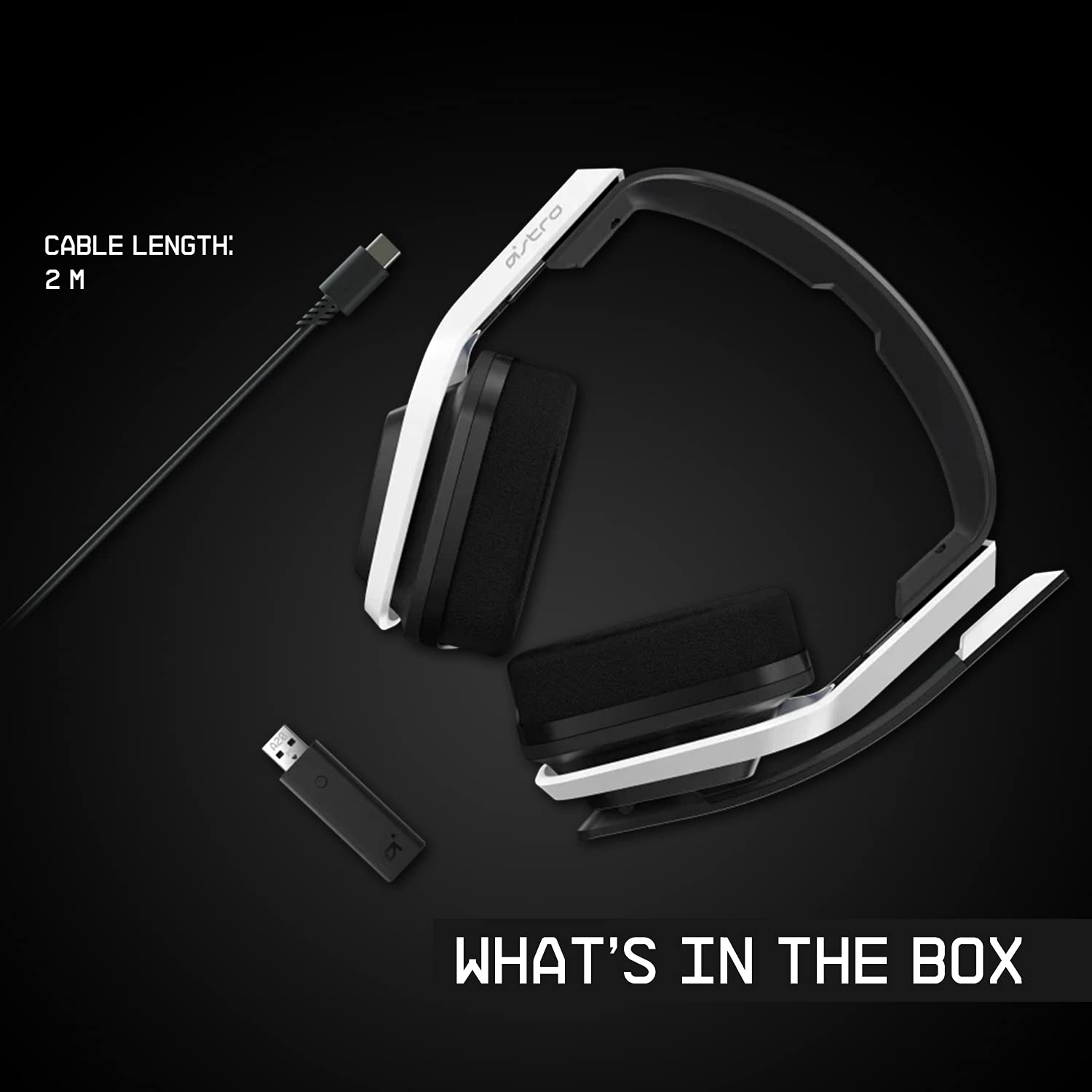
Image 2.1: Contents of the ASTRO Gaming A20 Wireless Headset Gen 2 package, including the headset, USB transmitter, and charging cable.
3. การตั้งค่า
3.1 การชาร์จเริ่มต้น
Before first use, fully charge the headset. Connect the USB-C end of the charging cable to the headset's USB-C port and the USB-A end to a powered USB-A port on your console, PC, or a wall adapter. A full charge provides approximately 15 hours of battery life.
3.2 Connecting to Xbox (Series X|S, Xbox One)
- Plug the USB Transmitter into an available USB port on your Xbox console.
- Power on your ASTRO A20 Wireless Headset.
- The headset and transmitter should automatically pair. The LED indicator on both devices will show a solid light when connected.
- Ensure your Xbox audio output settings are configured to send audio to the headset.
3.3 Connecting to PC / Mac
- Plug the USB Transmitter into an available USB port on your PC or Mac.
- Power on your ASTRO A20 Wireless Headset.
- The headset and transmitter should automatically pair. The LED indicator on both devices will show a solid light when connected.
- Navigate to your operating system's sound settings and select the ASTRO A20 as the default playback and recording device.

Image 3.1: The ASTRO Gaming A20 Wireless Headset Gen 2 demonstrating cross-platform connectivity with an Xbox console.
4. คู่มือการใช้งาน
4.1 การควบคุมชุดหูฟัง
The ASTRO A20 Gen 2 features intuitive controls located on the headset for easy access during gameplay.
- ปุ่มเปิด/ปิด: เปิดหรือปิดชุดหูฟัง
- ล้อระดับเสียง: ปรับระดับเสียงโดยรวม
- Game/Voice Balance Buttons: Allows you to adjust the balance between game audio and voice chat audio. Press the 'Game' button to increase game volume relative to chat, or the 'Voice' button to increase chat volume relative to game.
- EQ Preset Button: Cycles through 3 different equalizer presets to optimize audio for various content types.
- ไมโครโฟนแบบพลิกเพื่อปิดเสียง: Flipping the microphone boom arm up mutes the microphone. Flipping it down unmutes it.

Image 4.1: The ASTRO Gaming A20 Wireless Headset Gen 2 demonstrating the flip-to-mute microphone feature.
4.2 อายุการใช้งานแบตเตอรี่และการชาร์จ
The headset provides over 15 hours of continuous use on a full charge. When the battery is low, you will hear an audible alert. Recharge the headset using the provided USB-C to USB-A cable as described in Section 3.1.

Image 4.2: The ASTRO Gaming A20 Wireless Headset Gen 2 highlighting its 15+ hours of battery life.
5. การบำรุงรักษา
การดูแลอย่างเหมาะสมจะช่วยให้ชุดหูฟังของคุณมีอายุการใช้งานยาวนานและมีประสิทธิภาพ:
- การทำความสะอาด: Use a soft, dry cloth to clean the headset. Avoid abrasive cleaners or solvents.
- พื้นที่จัดเก็บ: เก็บหูฟังไว้ในที่แห้งและเย็น หลีกเลี่ยงแสงแดดโดยตรงและอุณหภูมิที่สูงหรือต่ำเกินไป
- การดูแลแบตเตอรี่ For optimal battery health, avoid fully discharging the battery frequently. Recharge when the low battery indicator appears.
6 การแก้ไขปัญหา
If you encounter issues with your ASTRO A20 Wireless Headset Gen 2, refer to the following common solutions:
| ปัญหา | วิธีแก้ปัญหาที่เป็นไปได้ |
|---|---|
| No audio / Headset not connecting |
|
| Microphone not working / Static in mic |
|
| Short battery life / Not charging |
|
| Audio cutting out / Wireless range issues |
|
7. ข้อมูลจำเพาะ
| คุณสมบัติ | รายละเอียด |
|---|---|
| ชื่อรุ่น | ASTRO A20 Wireless Headset Gen 2 |
| หมายเลขรุ่นสินค้า | 939-001882 |
| เทคโนโลยีการเชื่อมต่อ | ไร้สาย (RF 2.4 GHz) |
| ช่วงสาย | สูงถึง 15 เมตร (50 ฟุต) |
| อายุการใช้งานแบตเตอรี่ | ประมาณ 15 ชั่วโมง |
| ขนาดไดร์เวอร์เสียง | ไดรเวอร์ไดนามิกขนาด 40 มม. |
| ช่วงความถี่ | 20 เฮิรตซ์ - 20 กิโลเฮิรตซ์ |
| ไมโครโฟน | Flip-to-mute functionality |
| การควบคุม | Volume wheel, Game/Voice balance, EQ preset button |
| พอร์ตชาร์จ | USB-C (for charging via USB-A source) |
| น้ำหนัก | 318 กรัม (11.2 ออนซ์) |
| อุปกรณ์ที่รองรับ | Xbox Series X|S, Xbox One, PC, Mac |
8. การรับประกันและการสนับสนุน
For detailed warranty information, technical support, and additional resources, please visit the official Logitech G / ASTRO Gaming support website. You can also refer to the official User Guide PDF for further details:
- คู่มือผู้ใช้อย่างเป็นทางการ (PDF): ดาวน์โหลดที่นี่
- Logitech G Support: เยี่ยม Webเว็บไซต์


