การแนะนำ
Thank you for choosing the Salter 9218 GY3R Splash Digital Bathroom Scale. This scale is designed for accurate weight measurement in a modern bathroom environment. It features a durable, removable silicone cover for comfort and hygiene, and a clear digital display. Please read this manual thoroughly before use to ensure proper operation and maintenance.

The Salter 9218 GY3R Splash Digital Bathroom Scale, shown with the included AAA batteries.
ข้อมูลด้านความปลอดภัย
- Always place the scale on a firm, flat surface. Avoid carpets or uneven flooring, as this may affect accuracy.
- พื้นผิวของเกล็ดปลาอาจลื่นได้เมื่อเปียก โปรดตรวจสอบให้แน่ใจว่าพื้นผิวแห้งสนิทก่อนเหยียบลงไป
- Do not use the scale if you have a pacemaker or other internal medical device.
- Do not immerse the scale in water. The silicone cover is washable, but the electronic unit is not waterproof.
- เก็บแบตเตอรี่ให้พ้นมือเด็ก และทิ้งแบตเตอรี่ที่ใช้แล้วอย่างถูกวิธี
- เครื่องชั่งนี้มีไว้สำหรับใช้ในครัวเรือนเท่านั้น
เนื้อหาแพ็คเกจ
กรุณาทำเครื่องหมายในช่องสำหรับรายการต่อไปนี้:
- Salter 9218 GY3R Splash Digital Bathroom Scale
- Removable Silicone Cover (pre-installed)
- แบตเตอรี่ AAA 3 ก้อน
- คู่มือการใช้งาน

An illustration showing the Salter Splash Digital Bathroom Scale, user manual, and three AAA batteries as included items.
การตั้งค่า
1. การติดตั้งแบตเตอรี่
- ค้นหาช่องใส่แบตเตอรี่ที่ด้านล่างของเครื่องชั่ง
- เปิดฝาช่องใส่แบตเตอรี่
- Insert the 3 x AAA batteries, ensuring the correct polarity (+ and -) as indicated inside the compartment.
- ปิดฝาช่องใส่แบตเตอรี่ให้แน่น
2. Initializing the Scale
After installing batteries, the scale needs to be initialized:
- วางเครื่องชั่งบนพื้นผิวที่แข็งและเรียบ
- Press down firmly on the center of the platform with your foot.
- The display will show '0.0' or '0.00' and then turn off. This indicates the scale is ready for use.
คำแนะนำการใช้งาน
1. Taking a Weight Reading
- ตรวจสอบให้แน่ใจว่าเครื่องชั่งวางอยู่บนพื้นผิวที่มั่นคงและเรียบ
- Step onto the scale platform with bare feet. Stand still and centered.
- The display will illuminate and show your weight.
- Once the reading stabilizes, it will flash a few times and then remain on for a few seconds before turning off automatically.

The Salter Splash Digital Bathroom Scale positioned on a tiled bathroom floor, ready for a weight measurement.
2. Unit Conversion (kg/lb/st)
The scale allows you to switch between metric (kilograms) and imperial (pounds/stones) units.
- Locate the unit conversion button on the underside of the scale, near the battery compartment.
- With the scale off, press this button to cycle through the available units (kg, lb, st).
- The selected unit will be displayed on the screen during the next measurement.

The scale features a large, clear backlit display for easy reading of measurements.
การซ่อมบำรุง
Cleaning the Silicone Cover
The removable silicone cover is designed for easy cleaning:
- To clean, simply remove the silicone cover from the scale.
- The cover can be washed by hand with mild soap and water, or placed in a dishwasher.
- Ensure the cover is completely dry before placing it back on the scale.
- To clean the scale base, wipe with a damp ผ้า. ห้ามใช้น้ำยาทำความสะอาดที่มีฤทธิ์กัดกร่อนหรือจุ่มลงในน้ำ
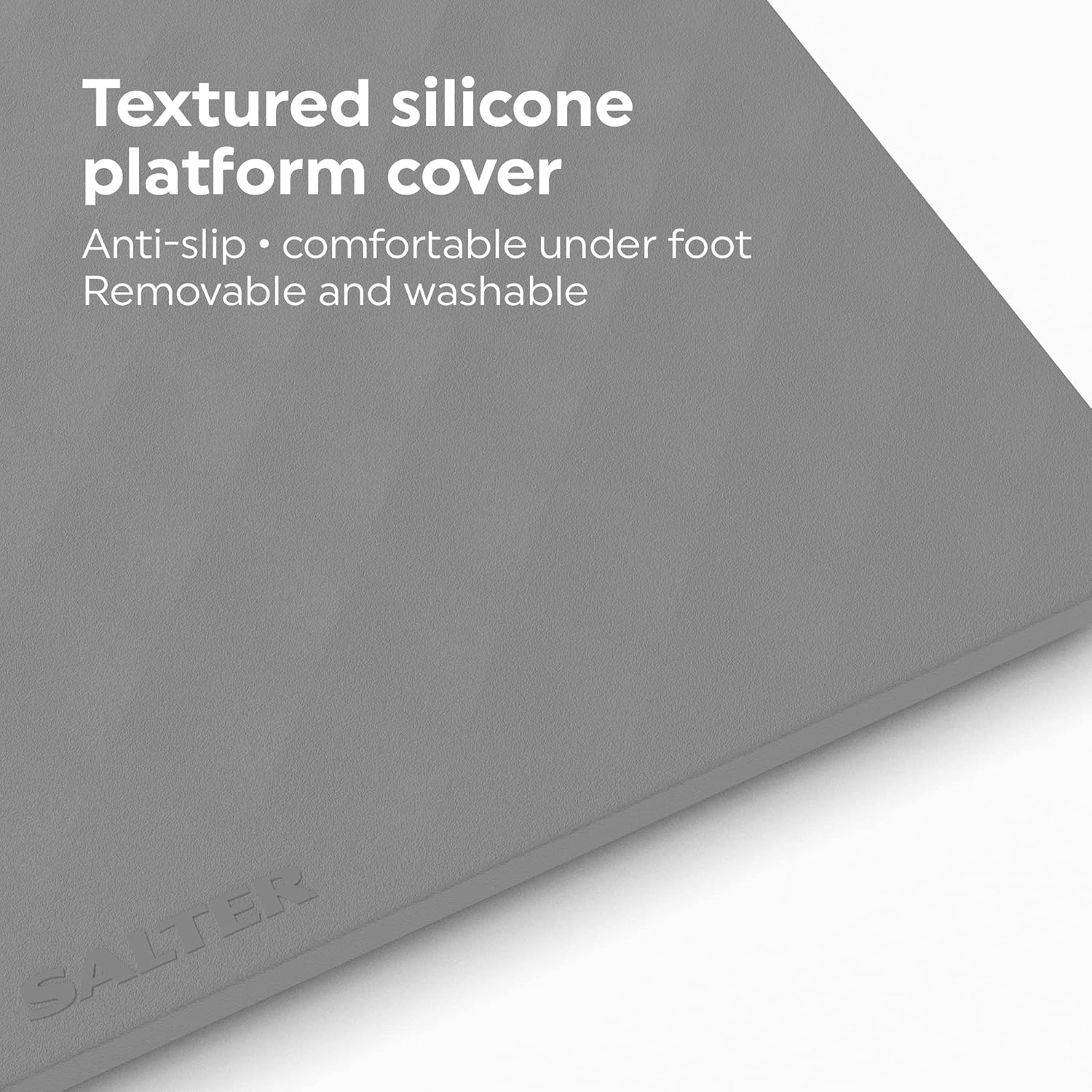
The textured silicone cover provides an anti-slip surface and is comfortable underfoot. It is also removable and washable for easy maintenance.
การเปลี่ยนแบตเตอรี่
When the display shows a 'Lo' indicator, it's time to replace the batteries. Follow the battery installation steps in the Setup section.
การแก้ไขปัญหา
| ปัญหา | สาเหตุที่เป็นไปได้ | สารละลาย |
|---|---|---|
| ไม่มีหน้าจอแสดงผล / เครื่องชั่งไม่เปิดใช้งาน | แบตเตอรี่หมดหรือติดตั้งไม่ถูกต้อง | ตรวจสอบขั้วแบตเตอรี่หรือเปลี่ยนด้วยแบตเตอรี่ AAA ใหม่ |
| Inaccurate readings / Inconsistent readings | Scale is on an uneven surface or has not been initialized. | Place scale on a hard, flat surface. Re-initialize by pressing down firmly on the platform until '0.0' appears. Ensure you stand still and centered. |
| แสดงผล 'Lo' | พลังงานแบตเตอรี่ต่ำ | Replace all 3 x AAA batteries. |
| แสดงข้อความ 'Err' | เกิดการโอเวอร์โหลดหรือเกิดข้อผิดพลาดในการวัด | The maximum weight capacity is 180 kg. Step off the scale and try again. If the error persists, contact customer support. |
ข้อมูลจำเพาะ
- แบบอย่าง: Salter 9218 GY3R Splash Digital Bathroom Scale
- ความจุ: 180 kg (396 lb / 28 st 4 lb)
- การสำเร็จการศึกษา: 0.1 kg / 0.2 lb / 1/4 lb
- แสดง: จอ LCD เรืองแสงขนาดใหญ่
- พลัง: แบตเตอรี่ AAA 3 ก้อน (รวมอยู่ด้วย)
- วัสดุ: Glass platform with removable silicone cover
- ขนาด (ประมาณ): 30 ซม. x 30 ซม. x 2.5 ซม. (ยาว x กว้าง x สูง)
- น้ำหนัก: 1.6 กก.

Approximate dimensions of the Salter Splash Digital Bathroom Scale.
การรับประกันและการสนับสนุน
This Salter product comes with a รับประกัน 15 ปี from the date of purchase, covering defects in materials or workmanship under normal use. Please retain your proof of purchase for warranty claims.
For further assistance, troubleshooting, or to make a warranty claim, please visit the official Salter website or contact their customer support directly. Contact details can typically be found on the product packaging or the Salter webเว็บไซต์.


